Buy anything from 5,000+ international stores. One checkout price. No surprise fees. Join 2M+ shoppers on Desertcart.
Desertcart purchases this item on your behalf and handles shipping, customs, and support to Kyrgyzstan.
๐ Elevate your workspace Wi-Fi game with nanoHDโs powerhouse performance!
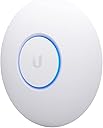
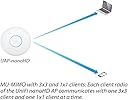
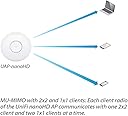
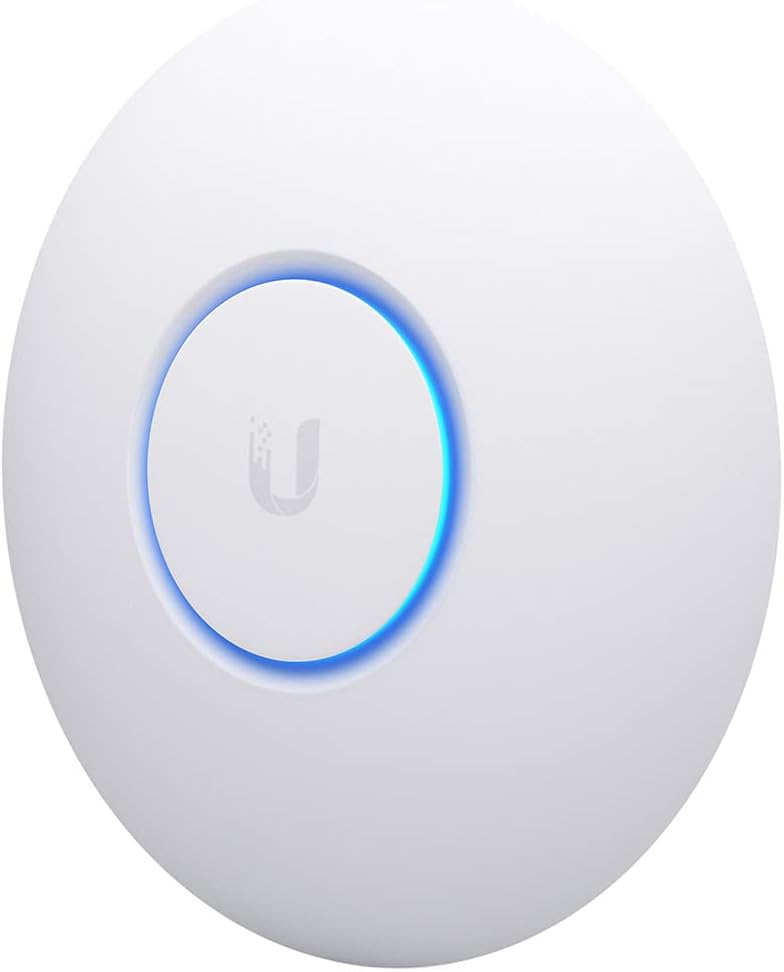
The Ubiquiti UniFi nanoHD is a compact, dual-band 802.11ac Wave2 access point featuring 4x4 MU-MIMO technology, designed to support over 200 concurrent users. Its 802.3af PoE compatibility enables easy deployment with minimal cabling. Ideal for high-density environments, it leverages DFS channels to reduce interference and offers seamless roaming, making it a top-tier choice for professional spaces requiring reliable, high-performance wireless connectivity.


| ASIN | B07DWW3P6K |
| Antenna Type | Internal |
| Best Sellers Rank | #23 in Computer Networking Wireless Access Points |
| Brand | Ubiquiti Networks |
| Built-In Media | Access Point, Ceiling/Wall Mount Kit |
| Color | White |
| Compatible Devices | Desktop, Laptop |
| Connectivity Protocol | Wi-Fi |
| Connectivity Technology | Ethernet |
| Control Method | Touch |
| Controller Type | Switch |
| Coverage | Extensive |
| Customer Reviews | 4.8 out of 5 stars 2,051 Reviews |
| Data Transfer Rate | 1733 Megabits Per Second |
| Frequency | 5 GHz |
| Frequency Band Class | Dual-Band |
| Global Trade Identification Number | 00817882024228 |
| Has Internet Connectivity | Yes |
| Has Security Updates | Yes |
| Is Modem Compatible | No |
| Item Dimensions L x W x H | 6.3"L x 6.3"W x 1.3"H |
| Item Type Name | Access Point |
| Item Weight | 680 Grams |
| LAN Port Bandwidth | 100 Mbps |
| Manufacturer | Ubiquiti |
| Maximum Upstream Data Transfer Rate | 1733 Megabits Per Second |
| Mfr Part Number | UAP-AC-PRO-5-US |
| Model Name | UniFi nanoHD |
| Model Number | UAP-NANOHD-US |
| Number of Antennas | 4 |
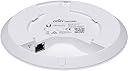
| Number of Ports | 2 |
| Operating System | Linux |
| Other Special Features of the Product | Access Point Mode |
| Security Protocol | WPA, WPA2 |
| Special Feature | Access Point Mode |
| UPC | 817882024228 |
| Voltage | 48 Volts |
| Warranty Description | 1 Year |
| Wi-Fi Generation | WiFi 5 |
| Wireless Communication Standard | 802.11ac |
| Wireless Compability | 802.11ac |
T**S
Great AP, but things you should know about performance.
Summary: - DFS channels, so you can use channels your neighbors probably dont have (yey for clear channels). - Very short range. These are meant for small coverage areas, like 1 or two rooms max. - Low receive gain. In terms of radio performance, they can shout, but can't hear very well. - The low gain and short range is not always a bad thing, its great for reducing interference and focusing wifi in a small area. That is a good thing for high density areas, but don't expect any long range or whole house coverage. - Great overall AP, but you will VERY likely need more than one if you want respectable performance for home or business. This is a great multi-user AP, however if you use it for home, there are things you should know. It is short range. To be specific, it has very low gain (likely no gain or negative gain). This is only a bad thing if you are trying to cover a large area, or multiple rooms in a home. It turns out this is a good thing for reducing noisy neighborhood interference (which I have a LOT of). It is true that the NanoHD has shorter range than most consumer APs out there. On the Unifi forums, many people talk about this, but the Unifi fans will assure you the NanoHD is a "good radio". It is great actually, as long as the short range and low dbm is OK for you. It's receive dbm is about 10dbm (or more) lower than most other APs, including fellow Unifi APs like the mesh and U6-LR. It is even way lower than the old archer A7. Apparently that is not a problem, as it still performs well like that in high density environments. The TX and RX rates dont hit max on most devices, so it can be slower than other APs for single user downloads. This is a known issue, where a wifi 5 device that can reach 866Mbps Rates will not maintain the full rate. This is likely not a problem you will notice or care about as it wont affect your ability to stream and stuff... however it is annoying to me because just about every other AP I've had can reach full speed rates. Again on the Unifi forums, the pros dont mind this nuance because although the Nano is somewhat "slow" for single users, it is "fast" overall if you consider the aggregate performance of lots of concurrent users. This AP supports DFS channels, which makes it worth it by itself. Apparently DFS channels can be problematic if you live by an airport or have lots of radar traffic in your area, but for me this was the solution to all my interference problems. The clear channels and small cell size (range) actually solved my biggest wifi problems, which had to do with all my neighbors and their millions of wifi devices causing lots of interference. The Unifi APs including the NanoHD have great roaming and support the newest roaming standards. The low range and slightly lower receive sensitivity actually helps roaming. Your wifi devices are more likely to pick a stronger AP under these conditions, which makes roaming smooth and effective. I have a few mobile devices and VoIP devices that can roam seamlessly between multiple NanoHDs. This is one benefit to smaller range/cell size. Of course you need multiple APs to benefit from roaming, but if you go with Nanos, you will likely need more than one anyway. Q&A: Will this solve all of your wifi issues? Yes, most likely. Will you be happy with 2 or 3 in your home? Yea, they get the job done and have great roaming. Will you be happy with 1 for full home coverage? Nah, you need more than 1 if your house has walls in it. Will you be happy if you are a wifi nerd and love internet? Absolutely not, we wifi nerds are never satisfied with wifi or internet performance, but it will keep the wifi nerds busy and you may still have fun with it. Is there something better than the NanoHD at the same price? Absolutely. If you want to stick with Unifi, the U6-Lite is cheaper and faster than the Nano for single user speeds. The U6-LR is the same price and blows the nano away for range and speed. At the end of the day, its a 5 star product that will improve/fix just about any older/outdated wifi deployment.
D**R
Better multi-WAP alternative to mesh networking (see details). Highly recommended
I've been using Ubiquiti UniFi APs at home (and at work) for a long time, so I selected the Ubiquiti UniFi nanoHD Compact 802.11ac Wave2 MU-MIMO Enterprise Access Point ( UAP-NANOHD-US) units for my new home. While the UAP-AC-PROs that I'd used before were still available (and are a bit cheaper), they're quite a bit larger. At about 6 inches diameter, the nanoHD blends in to the home a bit better. Hard installation is easy. Assuming that you aren't putting the AP on a drop-ceiling tile (which uses the included metal back plate), you mount a plastic plate to the ceiling or wall. Run a Cat5e cable to the AP. Plug one end into the AP, and the other into a PoE switch or the included injector. Soft installation consists of installing the UniFi Network software on a PC (I installed mine on my home automation server). UniFi Network requires Java, so it makes you install that. Beyond that, you either perform a local installation, or create a UniFi account, for administration. I opted for the local administration. Once running, UniFi Network identifies all Ubiquiti APs on your network. From there you can set all of the AP properties, create all of your SSIDs, associate them to your various VLANs, organize your APs on a map, perform an RF survey, etc. One of the tasks you can perform, is to update your AP firmware. Mine was pretty out of date. Updating takes about 5 minutes. I've included a few pictures of the installation (before I put the cable IN the wall), and the management software. Though it's really nice software, it's obvious that they want you to have a full Ubiquiti ecosystem.... with their switches and routers. I'm using Netgear PoE switches and a home-built, 1U pfSense router, so I've obviously gone the other way. Regardless, even for just the management of the WAPs, the software is far beyond anything else you can get at the price. For a house that's approximately 5400sqft, I have two, wall-mounted, on the ground floor. One, ceiling mounted, on the 2nd floor, and a last one, ceiling-mounted on a drop-ceiling, in the basement. If your house either has some structured wiring that you can take advantage of, if you can just add a few Cat5e runs, or if you can even just backhaul your network with PowerLine networking, then you will have MUCH BETTER performance with non-meshed WAPs. If that's a project you want to take on, then the Ubiquiti UniFi nanoHD Compact 802.11ac Wave2 MU-MIMO Enterprise Access Points are a great way to do it. Highly Recommended.
S**E
Firmware has matured, we're ready to roll now
Update 12/7/18 - Ubiquiti has been great about pushing new firmware every few days with a ton of bug fixes in each release. Since the ~4.0 release, this AP has been rock solid and I'm comfortable recommending it now to anyone looking for a top of the line AP in small form factor. There are still a few quirks and limitations surrounding edge case features like wireless uplink but the core functionality of the AP works great and all my wireless devices have no trouble now getting and staying connected. If you have any devices that can take advantage of the 4x4 MIMO, the speeds you can achieve are incredible. I also want to reiterate how great the Ubiquiti engineering staff is. They are highly engaged on the support forums and are always looking for feedback on bugs and feature suggestions that are more often than not implemented sometimes days or weeks later. I'm really invested in this ecosystem and would recommend these products to anyone who has a solid networking background and likes to tinker. I've been working on cutting my home network over to Ubiquiti gear and was excited to get my hands on the spiritual successor to the UAP-AC-PRO. I've read that Ubiquiti gear requires a fair amount of tinkering to get everything just right and I'd say that is a fair statement after wrestling with the nanoHD, USG and the USW switches. The nanoHD is apparently still in the early stages of firmware development and has a fair number of bugs and instability compared to the other APs in the fleet. I have had a hell of a time trying to keep my devices on the 5GHz band and found that the UBNT forums are flooded with users with the same issue. I've had to resort to loading up the latest beta firmware just to stabilize things, but it still isn't perfect. Support has been great so far, they really want to stabilize as quickly as possible but I cannot give this thing a thumbs up in its current state. If you are in a saturated RF environment, I'd recommend you stick with the stable UAP-AC-PRO for now and give the nanoHD some more time to cook.
M**K
3 Working great in a 4500 sq ft multi-level house.
I'm writing this review after about a month of usage with this new system/setup. I wanted 5 GHz coverage throughout the multi level house. I previously had one ceiling mount access point installed sort of centrally but the coverage on the edges was no good and the 5G signal was weak. So i installed 3 of these strategically around the house on the upper 3 levels (the lower two levels get enough signal). The 5G cover is now excellent. I also bought a 4 port with uplink Gigabit POE switch to run them all. I tried the POE adapters which worked fine, but didn't want all the extra cable and hardware in my structured media panel. Out of the 20 or so wifi device in the house, the laptops, tablets, phones, TVs, and Firesticks always connect to the 5G signal. The amazon dots seem to go back and forth between 2G and 5G but the throughput on those doesn't matter. I have a couple of 2G only devices which work just fine as well. I can definitely see and measure an improvement in throughput on my laptop with this new setup. The Unifi Controller software is also very good. It shows you all the clients and their connection details. The software makes setup, configuration, and monitoring very easy. Because these are ceiling mount device, its not just plug and play unless you already have the ethernet wiring in place. I had to run two new lines to the installation locations. I highly recommend this UniFi wifi system.
J**S
Great ecosystem and features, minor problem with stability
Product: UniFi AP-nanoHD Version: 4.0.54.10625 Board Revision 16 My home is not wireless signal friendly, so my old setup consisted of an Asus RT-AC66U as the primary AP, with a Netgear Nighthawk AC1900 extender. This was less than optimal for several reasons: 1) Two networks were required, which meant having to change networks when walking up or downstairs. 2) The reduced bandwidth from the extender impacted streaming shows upstairs. 3) In order for the extender to get enough signal from the AP, it had to be placed in a location which created wifi dead zones on the upper floor. I decided to replace the old system with 2 Unifi nanoHD APs. Overall, the speed and performance is on-par with the Asus. The extra abilities, such as selecting channel width, transmit power, meshing, multi VLANs, band steering, and the integration with the rest of the UniFi ecosystem (Network Management Controller, POE switches, USG firewall, etc), has made this is a very powerful implementation. That being said, I am having issues with stability. I've had 2 crashes of the APs in 2 months, which is not a huge problem, but my previous configuration of Asus/Netgear never crashed in 3 years of use. When the APs fail, though, I can easily reset them by power-cycling the POE ports remotely through the management software.
M**K
Super Stable WiFi
Bought this to replace my aging/dying NETGEAR NIghthawk R7000 router that I had for 5ish years. I honestly don't think this thing beats the range of that router since I do see slight WiFi strength drop off in the far corner of my apartment (through multiple walls) which I did not see when using the R7000, but recently my R7000 kept locking up and randomly resetting itself which was becoming a pain when I'd get booted out of online games and have shows streaming suddenly error out. This was my first Ubiquiti purchase and I have no regrets whatsoever. I did a ceiling installation which was pretty quick and easy. It looks great, works amazingly, and the free Unifi web app + iPhone/iOS app is incredible as well. Super nice to be able to log in via the app using TouchID either from home or across the country without having to mess with VPN. Can quickly check in to see who's all connected, if there's any issues, update the AP, reboot, etc. Already picked up a Unifi switch to go along with this, waiting for the USG/firewall product update then I'll pick up that as well! Definitely recommend for the stability and ease of use/administration.
D**A
Just restarted these after almost a year of uptime
What else can I say? The last time they were restarted was when we had a power outage a year ago. This time was for a firmware update. I installed a full Unifi WiFi/surveillance system in early 2020, with three NanoHDs as access points for all our wireless devices, and theyโve worked flawlessly since being installed. Rock solid. The only issue I had at first was if you have a textured ceiling and are ceiling-mounting these, it can be a bit of a pain, since the plastic mount sits flush to the back. I ended up using the metal mount that comes with each one as a spacer under the plastic mount, and that gave me just enough clearance to get the mount to seat and lock. Other than that I have no complaints to speak of. Iโve had systems from both Apple and TP-Link in the past, and these absolutely smoke them in reliability. In fact my network is so reliable now that whenever thereโs an issue connecting to a website, or with internet connectivity in general, I know the problem is external and I donโt have to troubleshoot. I just wait for the problem to โfixโ itself. I could never say that with anything else Iโve used. I was always rebooting routers and practicing network voodoo to stay connected. I work from home now so network connectivity and reliability is my top priority. They cost a bit more, but the price is worth it. Highly recommended.
K**E
High Performance, Reliable and Easy to Set Up
Easy to set up, very strong signal, and overall a great piece of tech. A tad big when you are trying to plant it somewhere, but thatโs a small price to pay for its performance.
A**R
Best Wireless AP
First I got a $400 consumer grade wifi 6 wi-fi router, it was shaped like a space ship and it was a piece of crap, there's some fatal flaw in the radio module such that you get extremely bad 5G performance sometimes unless you have perfect signal right next to the router. Then I swapped over to this thing, honestly, signal strength isn't that strong, I had to place it in the right spot to cover the house, but it did cover the house all by itself. This thing is built like a tank, the entire base is one solid piece of cast metal for incredible quality and heat dissipation. Wifi performance is just solid and consistent, your speed goes down reasonably with signal strength, no sudden drop-off. Just to make it clear for people who are confused, this thing DOES work all by itself, HOWEVER you need to have a computer with hard wire to set this up, and use the management interface. The Unifiy controller thing they talk about is just that management interface, the wifi WILL work without it, but you can't change any settings or see any stats without something running that software.
J**N
Beast of an AP
Shaw blue curve is no match for this thing. Our WiFi was unreliable and spotty and we were forced to get shaw blue curve (the mesh network). Blue curve sucked so I bought this and an EdgeRotuer X. Full signal strength ever where in the house and the house has a ton of metal in the walls that ruins the old access point's signal. For speed, I was able to run 20 continuous streams at ~34 mbps totaling over 600 mbps. The highest single device speed I was able to get was around 400 mbps. This is a high density device and is made for a lot of connections, not single connection throughput.
N**N
Good AP, vaguely-annoying software
Good connection, signal strength, etc. However in order to set it up you must install software or have a controller - this is a major con since most users simply don't need the extra functionality. The UNMS-compatible Edgemax line of Ubiquiti products work on their own OR in conjunction with a central management system, which is far better both for home and commercial users! Ubiquiti needs to get it together and unify (get it?) their products, it's a huge missed opportunity since the Unifi APs and Edgemax routers work well together, but require a ridiculously discombobulated software experience to make it work.
S**T
High Quality AP
This is the best AP I have ever owned, much better than consumer grade Wi-Fi routers. I'm using it with a pfSense firewall/router I built and it almost doubles the signal strength and speed of my previous Netgear router. It easily allowed me to segment my network with multiple VLAN's, and you can mesh additional AP's if you need more coverage. I highly recommend this access point, it offers enterprise features with a small footprint at a reasonable cost.
L**I
Great!
Before I switched to this I was using Google WiFi mesh, and before that it was ASUS mesh, and before then Cisco mesh, and other WiFi techology over the years, none yeilded as good results as the UniFi mesh. UniFi OS is very much like DD-WRT but much much more polished. The worst UI was the Google WiFi mesh. ASUS / Cisco stock UI was fine, but DD-WRT was better. but UI / OS aside, it doesn't matter how good the software is if the Hardware can't keep up, and well Corporate Level WiFi (and its price tag) is definitely delivering the performance where regular home WiFi can't keep up in a very WiFi noisy neighbourhood, every houses around the block has WiFi, so it's extremely challenging to get a good stable signal, specially if you are into competitive Gaming. With all previous WiFi solutions I still had conflict / interference issues with my neighbours, so this is a HUGE step up, secuirty camera feeds are now live streams, before the upgrade they were like slide shows. The only point I'll deduct is the plastic wall mounting bracket included with the NanoHD, the AC SHD came with a metal wall mounting bracket.
Trustpilot
1 day ago
1 month ago