Desertcart purchases this item on your behalf and handles shipping, customs, and support to Kyrgyzstan.
⚡ Power up your smart home game—control, schedule, and share with zero hassle!
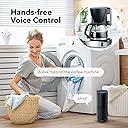
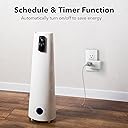
The BN-LINK WiFi Heavy Duty Smart Plug Outlet 4-pack offers robust 15A/1875W power handling with seamless 2.4 GHz Wi-Fi connectivity. Compatible with Alexa, Google Assistant, and Smart Life app, it enables voice and remote control without a hub. Featuring built-in timers and group sharing, this ETL-certified plug is designed for effortless, secure smart home automation.


| ASIN | B07CX5KLXN |
| Actuator Type | Push Button |
| Best Sellers Rank | #46,570 in Tools & Home Improvement ( See Top 100 in Tools & Home Improvement ) #114 in Electrical Outlet Switches |
| Brand | BN-LINK |
| Brand Name | BN-LINK |
| Circuit Type | 1-way |
| Color | White |
| Compatible Devices | Smart Life, Alexa, Google Home |
| Connectivity Protocol | Wi-Fi |
| Connector Type | Plug In |
| Contact Material | Plastic |
| Contact Type | Normally Open |
| Control Method | App, Voice |
| Controller Type | Amazon Alexa, Google Assistant, Push Button |
| Current Rating | 15 A |
| Customer Reviews | 4.2 out of 5 stars 11,342 Reviews |
| International Protection Rating | IP00 |
| Item Dimensions | 3 x 2 x 2 inches |
| Item Weight | 12 ounces |
| Manufacturer | BN-LINK |
| Material Type | Plastic |
| Model | BNC-60/U133T |
| Mounting Type | Plug-In Mount |
| Number of Items | 4 |
| Number of Positions | 4 |
| Operating Voltage | 125 volts |
| Operation Mode | Automatically,Off |
| Part Number | BNC-60/U133T |
| Specification Met | ETL |
| Switch Type | Push Button |
| Terminal | Blade |
| UPC | 857333007073 |
| Unit Count | 4 Count |
| Wattage | 1875 watts |
P**R
Best Smart Plugs I've Used So Far
I put smart plugs on pretty much anything I can. The first thing I like about this set of plugs was the price. The price alone for 4 is very good, there was a 10% off coupon on the product page and using my Prime Visa I received an additional 5% cash back. Also, living in the area I do, I was able to get them the same day. The have been the easiest ones I have bought to setup. They are 2.4 Ghz network compatible only, which has been the case with all the other smart plugs I've purchased. However, when I set these up, unlike the others I have, I don't have to log into my internet modem and turn off the 5 Ghz network, setup the plug, then go back into the modem and turn the 5 Ghz back on (most modems today are dual band with 2.4 Ghz and 5 Ghz which run simultaneously). So, all I had to do was plug in the plug, hold the button for about 10 seconds to put it into setup mode, go into the Smart Home app on my phone, assign it a name and boom the plug is ready. Repeat for each of the plugs as I used them. One issue I didn't like with previous plugs is that the name had to be one word. With these, you can assign multiple word names. For example, instead of using the name Lamp, you can name it Bedroom Lamp, or Table Lamp, basically much better descriptions for what they are. Once setup they are fully integrated with Alexa so you can include them in groups, change names or any other setting right from the Alexa app. So, you can operate these smart plugs from any Alexa enabled device (Echo devices, Fire TV remotes, etc.). Whatever is easiest where you are. Finally, they give off a little "click" when you turn them on and off. I like this because if whatever I tell Alexa to turn on doesn't turn on, I know if I heard the "click" it wasn't because I pronounced the name wrong or Alexa couldn't understand because of loud background noise, and that there may be an issue with whatever I was trying to turn on (like I out of lifetime habit, manually turn the device off by its own on/off switch. The only thing I would change is I wish they were a bit smaller. They work perfectly on wall outlets. You can use one and still plug something else in the other outlet or use two in the same outlet. However, I use a lot of power strips with multiple outlets on the and USB ports and the width of these smart plugs ends up covering the outlet next to it so I can't plug as many things into the strip. But I use the power strips more so that I have USB ports available around my home, so it isn't that big of a deal most of the time. Overall, I highly recommend these smart plugs.
M**J
Works with Google Home Routines!
Great value for 4 of these. Very compact compared to others - see pic. (They are not high drain cords, it's only 2 low-wattage LED lamps, a laptop charger and a TV) I don't think I would plug a heater or anything high drain into this switch (or the outlet extender for that matter) just to be on the safe side. I have a Google WiFI router in my small apartment and everything works as expected. Can't comment on range. Set Up - I completed setting up 4 units and adding to Google Home in about 20 mins. I found my way around pretty quick, especially after the first one, but I am fairly tech savvy. I can easily imagine some people getting confused. The instructions aren't great and simply wrong in some places. In example the instructions say after "add device" to choose "electrical outlet" option. This option did not exist, so I chose something like "socket/wifi" and that worked. There is one especially confusing part while setting up the Smart Life app. It pops up something along the lines of "You must use a 2.4 ghz connection!" which sounds like an error stating that you are not connected to one. Knowing my router is 2.4 ghz, I clicked "continue" and all was fine. After setting up the SmartLife app, I continued setting up within the Google Home app which was fairly straight forward. After the initial setup of the first unit, all I had to do for the other 3 was designate a room. I can confirm they *DO* indeed work individually with Google Home routines, regardless of other information I've read elsewhere. I have it programmed with the single phrase "OK Google ... turn on/off lights" to turn on/off three of the units at once. Beautiful. I imagine most people just aren't very familiar with the proper setup. Technology is changing rapidly and no one can blame anyone for getting behind :) On a whim I completely turned off my phone just to make sure they are working directly via WiFi and not bridged through the phone app in any way (yes they still worked). So I guess in theory, after setup you could uninstall the app. But I plan to keep the app because I'm sure the current-draw feature alone will be useful. Finally I unplugged my router to test re-connection. Less than a minute and some blinking lights later, they each reconnected on their own and each one remembered it's own previous on/off state. Impressive! I can't say anything about the long term durability, but if these hold up for a couple years (until the next big thing) I'll be very happy with my purchase.
J**.
Easy to set up and offer simple energy monitoring
I was looking for some smart plugs to monitor my electrical usage in certain areas of the home, and I came across these BN-Link Smart Plug Outlets. installation and setup was very easy and quick; I did have to install the SmartLife app first, in order to configure each smart plug to my home network (more on this later). One good thing I noticed was that I could program all of the Smart Plugs beforehand using the app. From there I could unplug them and move each outlet to their actual location in the house, plug them back in, and the Smart Plug would retain the programming - very handy. With each Smart Plug installed, in the SmartLife app I could see and control the state of each outlet, optionally program schedules and countdown timers, and most importantly (and why I chose these Smart Plugs) I can see realtime and graphed power consumption. The status page for each outlet shows me current power in watts, the voltage output at the outlet, and accumulative (total) electricity used in KWh. A sub-page shows energy consumption as a bar graph for easy inspection. As far as the "Smart" compatibility is concerned, these Smart Plugs are not compatible with HomeKit out of the box (they are for the Alexa/Google side). However, with a HomeBridge and the SmartLife plug-in, I have successfully and easily added all of the BN-Link Smart Plugs (I bought 8 total) into my Apple HomeKit. The BN-Link Smart Plugs are controllable in the Home app on all of my Apple devices; however, it is limited to on/off functionality only. I cannot check the energy consumption through Apple HomeKit. There are only 2 small things I would ask for with these Smart Plugs. 1: it would be nice if the SmartLife app had an "energy overview" page showing all of the Smart Plug energy consumption on one page; as is I have to go into the setting page for each plug one at a time to check individual energy consumption. 2: I wish there was a simple toggle to turn on/off the LED light on the front of the Smart Plugs; they're not blindingly bright, but in a dark room they definitely are noticeable. Aside from those two small things, I have no complaints about these smart plugs. They are easy to set up and work great. I don't take any points away for not being HomeKit compatible becuase they clearly stated they were not. So, if you're looking for budget-friendly smart plugs that allow you to track energy consumption, be sure to give these a try!
K**.
So useful I got another 4 pack
So I originally got this because I have roommates and we wanted to 1)know how many watts our different air conditioners, heaters, fans, exc used and 2) keep track of the expensive things like air conditioner/heater usage. Over time I started to use other features and I gotta say, this app control is extremely well done. For example not only can you group things together but you can do so and have them turn on or off depending on things like humidity and temperature or sunset and sunrise. You can set multiple on off schedules throughout the day and have them repeat or not. Has a countdown option which you can count down to either have the device turned on or off. I use that every night with my fan and usually just set it for an hour after I fall asleep to shut off. And these are just a few of the many options there are. It especially makes things worth it that don't have more modern integrated controls. Like my kitchen window fan. It's basic, all analog controls. But that's awesome because now I can control it with my phone and when I turn it back on via phone, it automatically turns on instead of having to also turn the fan on via another app or other electronic controls. So that is something to be aware of when purchasing. If you want it to control a device, make sure that whatever device you connect, you don't also have to go over there and push a button or reset the clock or whatever it is every time you decide to turn it off through these. I actually bought a cheaper fan without all that extra cuz I had these, so these can save you money on future purchases depending on what's important to you. Overall, I now got em everywhere and I love em. Being able to also say "Hey Google, turn on the heater" or "turn on the light" is pretty cool. These are all integrated with Google assistant, Alexa, or whatever else you use. You can also put the most common ones (or all if u want) that you use on the home screen of your phone for fast access to that particular outlet. I added pictures including some of the app controls. I really am genuinely impressed with the app. Its extremely well done giving you different controls and options that I honestly probably would have never thought of. If keeping track of your electric usage is a priority, I feel this is just as good for that as it is for all this other fancy stuff. It breaks it down pretty easy to read on one screen with current usage, voltage, day and month use, exc. You can also put caps on how much electric you want a particular outlet to be able to use throughout the month. And so much more. Despite all of these things the app is still really simple and easy to use. I will likely never use over half of the things on here but I definitely gotta give credit to the developers here, really great job guys! Wish all my smart device apps were this well done.
J**7
BAIT & SWITCH - NEW updated version is BAD - DO NOT BUY THIS SOCKET UNLESS YOU GET THE OLD VERSION
Update 1/26/24: Received my replacement box for the 4 that didn't measure power and they too did not measure power, but this time I noticed the box was labeled NEW (as-in new version). So I think BN-Link has performed a bait and switch. The new edition are actually an older chipset model which is very poor quality. I tested this NEW version (but with older chipset model) and : 1) it uses twice as much current as the better older model. 0.45W idle versus 0.86 W idle. 2) It runs significantly hotter. The original was cool to the touch. When I draw the same load on this supposed new and improved model, it ran very hot, almost dangerously so. 3) The older better model measured the power of the attached devices. These new ones don’t. I needed this to automate power down when my attached device are idle (like chargers have charged all my devices, or I turn off my A/V system) So, I would not purchase this brand going forward unless the company returns to the better chipset that measures power of the attached devices, draws less power when idle, and does not run hot when actively loaded. DO NOT BUY THIS BRAND GOING FORWARD Update 1/22/24: Be careful and check your devices right away when received. I ordered a second set of 4 and the new set contained older sockets. The first set of 4 I purchased contained sockets with firmware 1.3.5 which supports power tracking. The second order of 4 contained firmware 1.0.3, which does not support power tracking. The hardware in the sockets on firmware 1.0.3 cannot support power tracking period and cannot be upgraded. Still no issues with the original 4. These first 4 I purchased are working very well and without any issues. ------------------------ I don't know the long term reliability yet, but these are working well within my Feit app (my Feit bulbs only work in the Feit app and do not work in Smart Life). I like that this smart socket tells how much power is being drawn by the attached devices. I purchased the single socket outlet module and then attached power strips to control multiple devices at one time. 1) This app / smart socket does not measure power draw less than 3W. 2) I think someone else measured that this device draws 0.5W without any device connected. 3) All my chargers draw less then 0.5W when idle and not charging, so it takes more than 6 idle/standby devices to even measure power on this device 4) I found out that my Apple TV, TV, and stereo all used less than 3W combined when powered down. So for me, I don't think putting devices on it to control vampire power drain will save too much power. If I have 3 devices using about 1.5W when idle, then I'm saving about 1W of power with this set of 3 devices on this smart socket if the power is turned off with this smart switch instead off just plugging these devices into the wall directly. So I think it would take years to save enough power to pay for this device. 5) I found that my subwoofer and speakers with powered subwoofers drew about 20-40W when idle. So I set up my theater to power down everything if the power draw on the socket dropped below 30W. So, if I turned off my TV and stereo, this smart plug automatically turns off everything saving me 20-30W vampire power draw. This device should easily pay for itself in a year. 6) I bought a 10 outlet power strip to plug all my chargers into it. If I see the power draw is less than 4W, I assume every device has finished charging and I then power down all the chargers. I also only turn on the plug after midnight so I know my chargers only charge when electricity is cheap for me and it will then automatically power down all the chargers when charging is complete. 7) Lastly, I just use these for convenience, to automatically turn on and off devices at certain times of the day.
V**D
So strong, and so fast
There are only 2 problems, one is the app, don't give them the location, this will crash the app, to fix this, uninstall and reinstall, and the other is the noise, it has a bit of a buzzing noise, not loud, but you can hear it, and a bonus, the light is bright, and it does not turn off, its only blue or red, so get some black tape, other than that, it is awesome. First off, the Google Assistant is awesome I can tell it to turn on and off anything at any time anywhere. This thing also can power strong machines at the same time, my 280w laptop, an 80w laser, a 60w air purifier, 5 5v lights, two air monitors one is 4w and the other is 5w, and two air 50w pumps, this is strong, that is running for around 7hrs, it gets slightly hot, but not burning hot. I do have this on basic stuff like my lights, these are on a timer, this is also awesome that at a specific time every day, it with turn it on or off, this will need to be adjected every time changes, and clicking the button turns it on in almost an instant. This is overall very flexible and useful if you have to manage a lot of electronics.
B**S
Works with the Smartlife app and simple setup
I bought this because my first choice of a 4 pack was out of stock and this was right about the same price for 4 plugs. It was about $5 per plug, so we'll with it. I wanted something that could be setup using the Smartlife app. Using multiple apps to set up wifi components is just a pain. These setup very easily in the app using the auto discovery portion. Each was recognized immediately as I set them up. I was able to group 2 of them together for a single item. I have a China hutch with 2 lights. They each required a plug. I grouped them together in the app and now tell Google to turn on the China hutch. Both lights turn on. I setup another on my Christmas tree so I can now control the lights on the tree. I have wifi all over my house and have several devices on it. The wifi signal stays strong. I use both 5ghz and 2.4ghz. The plugs work on the 2.4ghz only, which is fine. After setting up the first device, each subsequent device was just a piece of cake with the saved wifi settings. None of my other devices are cnfksicting it having issues with these. The packing was simple and easy to open. The plug ends were properly protected. The instructions and documentation are under the protector section of the plug ends. I didn't need any of it, though. I certainly recommend these if you use the Smartlife app for your smart plugs and devices.
R**N
You have to use 2.4 wifi, not 5G
These plugs will not work on 5G wifi. If you use the correct wifi 2.4 setting, these plugs are excellent. Easy set up. I love the fact that you can program the lights to go on and off when you want them to. Definitely recommend.
L**N
Buenos y económicos, cumplen.
29/06/2020 hasta el momento los 4 han funcionado perfecto, no hay diferencia entre las mediciones de consumo entre ellos, si se va la luz o el wifi, cuando vuelve se reconectan bastante rápido, incluso más rápido que los teléfonos celulares. Faciles de instalar, excelente compatibilidad con google home, se pueden agregar a rutinas de google o la app de Smart life. Solo falta verificar que sean durables, estaré actualizando el comentario.
C**K
Great alternative to the named brands
Need some extra smart outlets for my Christmas lights and came across this product. It's working as expected, has the same features as other named brands but much cheaper. It can also be integrated into the Google Home and centralized controlled. Recommended
A**S
Compralos!
Excelente producto. Realmente es mejor comprar un Enchufe inteligente que una bombilla inteligente (probé varias, no iluminan lo suficiente). Así conecté las lámparas con focos normales. Este paquete tiene mucho valor en relación a la cantidad. Tengo uno para la tv, otro para el regulador donde se conectan todos los aparatos para cargar (celulares, lap, cargador de pilas etc), así puedes simplemente apagar el regulador con la app o con alexa. Realmente muy útiles. Tienen un botón de encendido/apagado por si se va el wifi o no quieres usar el comando de voz con alexa
P**R
Must have
Very good smart plug, very versatile. Easy to use and install using the app. I can turn on lights or anything else the plug is attached to from anywhere in the world
D**K
Un muy buen producto
El producto se recibió mucho antes de lo esperado. Tenía fecha estimada de entrega para el 14 de Enero y llegó el 3 de Enero. Al ser producto de importación (lo envían desde Estados Unidos), temía que aduanas cobrara el impuesto. No tuve qué pagar más. El producto es muy fácil de usar. Se activa rápido con la aplicación de Smart Life, pero tiene un truco para hacerlo funcionar con Alexa. Al menos para mí, usé un método un poco diferente al que viene en el instructivo adjunto (ojo, el instructivo viene en inglés. Si no saben inglés, se les dificultará un poco). Me tardé como 5 minutos en configurar el primer enchufe. Ya que ví como me funcionaba a mí el proceso de instalación, los demás fue cosa de 2 minutos a lo mucho. Perfecto para el hogar inteligente. Lo que más me gustó es que, por un poco menos de lo que me cuesta un enchufe inteligente de amazon (alrededor de $550.00), obtuve este paquete de 4. También tengo uno de amazon y funciona perfectamente. La única diferencia es que el de amazon es detectado inmediatamente en la app de alexa, y estos tienes qué darlos de alta primero en la aplicación del enchufe (Smart Life) y luego en Alexa.
Trustpilot
1 day ago
3 weeks ago