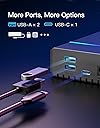
๐ Elevate your storage game with speed, style, and smart power!
The Inateck RGB 3.5-Inch Hard Drive Enclosure FE3003 is a robust USB 3.0 external enclosure supporting 2.5" and 3.5" SATA HDDs and SSDs up to 20TB. Featuring a durable metal body with heat-dissipating design, it offers ultra-fast 5Gbps data transfer speeds via ASM1153E chipset, vibrant RGB lighting for a unique aesthetic, and multiple expansion ports (2x USB-A, 1x USB-C) for enhanced connectivity. Compatible with Windows and Mac OS, it includes a 12V/2A power adapter and smart sleep mode to optimize power consumption and drive longevity.
| ASIN | B0D9Q8RWMH |
| Best Sellers Rank | #456 in Enclosures |
| Brand | Inateck |
| Color | black |
| Compatible Devices | Desktop, Personal Computer, Laptop, Gaming Console |
| Customer Reviews | 4.4 out of 5 stars 1,709 Reviews |
| Data Transfer Rate | 5000 Megabits Per Second |
| Enclosure Material | Plastic |
| Hard Disk Form Factor | 3.5 Inches |
| Hardware Interface | USB 3.0 |
| Hardware Platform | Windows |
| Item Weight | 7.68 ounces |
| Manufacturer | Inateck |
| Material | Plastic |
| Memory Storage Capacity | 20 TB |
| Mfr Part Number | 98-FE3003-BK |
| Model Number | 98-FE3003-BK |
| Supported Devices Quantity | 1 |
W**.
Absolutely Brilliant Hard Drive Enclosure!
I've purchased two of these hard drive enclosures to breathe new life onto my old hard drives and I think this is one of the best enclosures out there. Here are some of my thoughts: Pros: -Quality. The enclosure is made of metal, with plastic ends. Because of how warm 3.5" hard drives could get, I feared that purchasing a plastic enclosure would not withstand the heat of the drive. I'm glad to say that this enclosure does the job well, while also having a solid build quality. The metal sort of acts as a heatsink, so it will get warm to the touch during operation. Nothing about the enclosure feels cheap or flimsy. -Simplicity. It was very simple to get my old hard drives up and running. The product comes with everything you need to get started, even a screwdriver! It's as simple as plugging in the hard drive into the SATA connector, screwing it to the frame, sliding it back into the enclosure, and tightening the whole thing up. -Price. For a few dollars more than plastic enclosures, I thought $25 for a metal one is a reasonable price, especially considering the benefits of a more durable metal enclosure. -Compatibility. So far, this has worked in a multitude of my PCs without a hitch. Cons: -Power brick. This is a bit of a nitpick on my end, but to me, the included power supply is a bit large. I would have liked a smaller power supply, but I cannot complain. Overall, this is an excellent hard drive enclosure that could help you make old hard drives useful again. One more note, if you install a new hard drive into the enclosure, be sure to open "Disk Management" in Windows or "Disk Utility" in macOS and ensure that the drive is initialized and formatted before use. Otherwise, the drive will not function. I hope my review has helped you out!
P**W
One of the best 3.5 HDD enclosures period.
Following from my previous review of the Inateck 2.5 inch HDD enclosure, I think inateck has done it again with their larger size 3.5' one. Build quality is fantastic with a brushed aluminium exterior and plastic panels on front and back for I/O. Two leds (one green and blue) indicate activity and power are a nice touch albeit low brightness. Overall, this is your standard Anker/ ORICO type quality of aluminium with nice edges and anodizing. The aluminum is thick; despite the propensity for metal to transmit vibration, both 2.5 and 3.5' hard-drives had minimal buzz when in operation. Quality aside, I can CONFIRM that the chip being used is the Asmedia 1053e, which, in my opinion, for USB 3.0, is still one of the best chips available. Compared to the 1051 and JMicron an using a travelstar 7k1000, the 1053e on the intateck performed the best, with over 15mbps on the write and 23 on the read. These aren't insignificant numbers, and given that all of the enclosures I tried were powered, shows the superiority of the chip. Also, just to note, the supplied Type B cable is also pretty thick and I was impressed by the spare screws and single set of feet that were included. So overall, this is another knockout product from inateck. With better build and less issues than its 2.5 brethren, and a low price in general, I recommend this to anybody who wants to upcycle a harddrive or replace a cracked or broken external HDD. I could see this as suitable for security or test bench usage as well; though do note that the air vents are quite small and so prolonged use may not be the best. Now while some of you people out there may say that i'm too positive or haven't seen the world of high end enclosures, you're wrong. I specifically had this sent to a PO box in NY (so no, this was not a paid review) before I brought this back to Asia , where ORICO and many others are widely avaliable. Certainty, yes- this chip can be found in some thermaltake cases, stock sata bridges and in the basic (I believe S3 model) of ORICO's enclosure lineup, but I think inateck delivers superb (and I will update this should my experiences change) value. I have also tried mediasonic, vantec (1053e 2.5), and OWC enclosures before.
V**F
Works great
Itโs large. This works if you need to boot the os for a raspberry pi from an external sata ssd. I tried ugreen and sabrent and all of them imaged fine but failed to actually boot. This was the only brand that worked for me i use samsung evo 870 and crucial mx500
W**H
Needs better mounting for HD; 1 of 5 died.
Overall I rate these 3.5 stars (so I rounded up to 4). So far, they are holding up. No DOA, non died yet (5 stars). Speeds seem comparable to other USB3 cases I have (5 stars). HD seemingly has plenty of room within the case, installs very easy (5 stars); I used WD Red 4TB drives. Not much air flow holes though; helps to keep dust out (5 stars) but not good for heat dissipation (2 stars). I like the media sonic cases much better, even though they are plastic, but those do not have the good chipset these cases use. By big complaint with these is the internal mounting for the HD, only provides 2 screws on a flimsy, half length "frame" that attaches to the HD. This will cause the HD to move within this case, as I can hear it "knocking" against the case internally when I move the case (1 star). I've never had ANY cases do this. And I've have many different brands for the past 7 years.. I do not see any way to counter this either other than trying to wedge paper between HD and the case. I recommend these only due to the better chipset being used, coupled with the lower cost of about 20 bucks (5 stars). If others used this chipset and price was close, I'd try those others before going back to this "floppy" HD case. **** *** *** update of the 5 cases I bought in March of 2016 (from the review above). Of those 5 cases, one has failed. I did not notice the failure until recently when attempting to use the case. The case originally had a 4TB WD Red drive (the lesser priced ones, not WD's higher priced red drives) that was seemingly successfully formatted (win7 64 bit). When trying to use that drive, windows wanted to format it, which I tried to do again, and then get a format failed message. I put that drive into another case, that drive shows up no issues, formatted, all is OK with the drive. I tried a 3tb WD Red, un formatted drive into this problem case, same issue, windows shows format failed. Seems like this case took a dump. Win 7 64 sees the case when connected but it will not see the HD's content and wants to format the drive, which will then give format failed errors. Changing star rating from 4 stars to 2 stars ince the other 4 cases are still OK. With the one case dying without any real usage of it;formatting a 4TB drive which took about 7 hours (did not do a quick format) this case dies?? ON A POSITIVE NOTE: The 4TB WD Red drive that was originally formatted in the Inateck case that died, I took that drive, put it into another manufactures case. The drive was seen as being formatted, I've been coping files to it, so far no issues. Generally this cannot be done (using different manufactures cases with the same HD due to different chipsets being used, the formatting of the large HD's is not being done the same). Once you format that HD in that case, you generally are stuck with using that manufactures case for that HD. When / If you swap HD to another case, the HD's files will NOT be seen in windows. This Inateck case seems to use the best chipset available today, which I think contributed as to why I could use the other guys case. It makes no sense as I know the other guys case is not user friendly when attempting to use/swap the HD's within them, to other cases. Other note, price increased from 22.99 (March 2016) to 24.95 (May 2016). ****** Update June 2016 Without my asking, Inateck sent me an email, asking for my ship to address as they were sending me a replacement case! They offered the same exact case type or a different one; I chose the same type. They sent it, all is OK. I still feel the mounting of their cases should be addressed (they need longer metal "frames" on each side of the hard drive, to aid in keeping the drive more solid within their cases). So, with their courteous response and attention to resolving my dead case, i'm increasing my 2 star to 4 stars (would be 5 if they had a better, more secure way of holding the hard drive within the case).
I**K
The Most Attractive and Reliable 3.5 Inch Hard Drive Enclosure
I bought some new hard drives and solid state drives ranging from 7 to 14 TB capacity. The Inateck enclosure is an aluminum extrusion, which is perfect for heat transfer. That is important for the hard drives. The business end of the enclosure is fastened to the extrusion with two screws and they are kind enough to include a screwdriver. The hard drive electronics and indicator lamps are part of this end. The drive is fastened to the interface with two screws that they supply also. They also include extra screws and extra foot pads. The finish is black anodized, with line-sanded grain. The connectivity is USB 3.0, which is necessary for drives with greater than 4 TB capacity. This case also works for 2.5 inch drives, like my new solid state drives. They require too much power for USB-powered 2.5 inch enclosures, but they work perfectly in this enclosure, which has an external power supply.
M**.
Good Quality for the Price
**IMPORTANT**: Drive enclosures are not totally "plug and play" like a USB flash drive. Upon the first time connecting it to your PC, you might have to do a couple simple steps to have the PC recognize the new drive. First try openning Windows Disk Manager (In Windows 10, just type "Disk Management" in the search box on the toolbar and the new drive/enclosure should be listed for you to then properly format it so Windows will recognize it in a "plug and play" manner in the future. If it isn't listed in the Disk Manager, you'll have to open the Device Manager (again, search via the Windows 10 toolbar) and once opened, scroll down to "Universal Bus Controllers", expand the list, then right click on "Intel USB 3.0 eXtensible Host Controller" and choose "uninstall device" from the dropdown menu. Then restart your PC and 99% of the time the new drive/enclosure will then be listed on the Disk Manager. This is what I had to do myself. I thought I should make people aware of this since most (like one of the reviews here) people will assume that it'll be instantly recognizable, and if not, that their drive or enclosure is malfunctioning, which isn't the case. Remember, there's something called "Google" where you can search "USB 3.0 enclosure not recognized by Windows 10" and find the answers you need in seconds which I always strongly recommend prior to unfairly giving this or any product a bad review I chose this Inateck enclosure due to the fact that it's powered and I'd be connecting it to my Microsoft Surface Pro 3 which have underpowered USB ports; meaning that drive enclosures, external drives and other devices completely dependent on being bus powered from the USB port can be problematic. Also by being a powered enclosure, there's the option of using it to house a 3.5" Hard Drive (spinning platter; HDD) which require significantly more power than an SSD. There's also the fact that I intend to use this Inateck drive enclosure in a predominantly sedentary application on my desk as opposed to a more mobile use. Another factor in choosing this enclosure is its use of the Asmedia ASM1153E chipset to convert from SATAIII to USB 3.0 as it features UASP (USB Attached SCSI Protocol) which allows for faster final transfers over USB 3.0. Also, Asmedia Chipsets tend to be less problematic, more robust and longer lasting than competing options like the JMicron JMS567 SATA-to-USB bridge Chipset found in cheaper enclosures; afterall, when it comes to USB 3.0/3.1/3.1 Gen 2 controllers for computer motherboards, nearly every manufacturer (e.g. Asus, Gigabyte, etc) use Asmedia controllers and that says a lot. One of, if not the biggest priority with respect to an enclosure for myself, is data transfer speed; I want an enclosure that allows for the fastest possible connection as I intended to use a high quality SSD with MLC NAND flash and an enclosure that'd bottleneck the SSD would just be wasting the drive's potential. You can see from my picture that I benchmarked the enclosure with a brand new, never before used, Samsung 860 EVO 500GB SSD and it achieved nearly 450MB/sec reads and 420MB/sec writes which is completely satisfying as those speeds are approaching the limits of the USB 3.0 connection (5 gigabits per second or 625MB/sec before factoring in "overhead"). With a 6Gbps SATAIII connection to a motherboard, the Samsung 860 EVO will reach 550MB/sec sequential reads and 530MB/sec sequential writes, so the fact that the Inateck enclosure is achieving 450MB/sec over the USB 3.0 bus with 1 Gbps less bandwidth is impressive. The enclosure itself seems durable enough with the housing made of brushed aluminum. The USB 3.0 cable and power adapter cable included are heavy gauge (thick; included a Bic lighter in photos for size reference) and are definitely much better than a cheap usb data cable that comes with most phone chargers. The back I/O fascia/plate is fastened with two screws (an additional two screws are included as extras) and is definitely secure. There are also two indicator LEDs on the I/O fascia for "power" and "data" which is helpful for troubleshooting. It also includes four smaller, zinc plated (silver) screws to mount the drive to the tray, but the thread diameter on them was slightly too large to fit in the female threads on my Samsung 860 EVO SSD so I'm assuming they're intended for a 3.5" hard drive. This is fine however, as the SATA data and power connector that is inserted in the drive secures a small, light SSD perfectly fine by itself. Included with the accessories in addition to the screws are two extra adhesive rubber feet and a small phillips head screwdriver (in photos) (probably size #0) for the included screws which is definitely a nice touch. I use (and benchmarked) the enclosure connected DIRECTLY to my Microsoft Surface Pro 3 USB 3.0 port, so I cannot comment on what may happen when connected through a USB hub or similar device. I have a cheap Tecknet USB 3.0 3x USB port and Gigabit LAN port hub that I attempted to connect the enclosure through, but for some reason I did not care to ascertain, the Computer would not recognize the enclosure/drive through the hub. I should mention however, that months prior to this, for some reason, the Gigabit port on the hub ceased to function so perhaps the hub itself is to blame. For the price, I feel as though this is about the best USB 3.0 enclosure on Amazon for those that intend to use it in a mostly stationary application. There are much smaller (about the size of an iPod or wallet) and cheaper, bus powered (draws its power directly from the USB port rather than an AC to DC adapter/charger) enclosures specifically for SSDs on Amazon, but most of these use lower quality chipsets like those from Jmicron, are made from far less durable plastic. Also, they are limited to using SSDs, while this Inateck enclosure offers the option to use a 3.5" hard drive which is a nice feature as eventually I intend to use the Samsung 860 EVO SSD in a new PC I am building and will therefor most likely use this enclosure with a large capacity 3.5" hard drive (8+TB) to backup and store seldom used files. The external power supply is also a nice feature as contrary to what many people believe, all USB 3.0 ports are not identical with the amount of power supplied by the port varying greatly as with the USB port on my Surface Pro 3 which is low power. The Inateck enclosure however, is still small enough to be easily portable and will most likely fit in the vast majority of laptop bags, booksbags, and even smaller purses. It's aesthetically simple and pleasing and will fit in with most people's computer "space" (unless you're an Apple fanboy, then you'd probably have to paint it white or something and double the price, haha). I will return to update my review after a month of use and probably again after 6 months to comment on long term durability
D**S
Update: Good Warranty Service
Update 5: After the last update (sometime in October 2015), I shelved this unit and absolutely did not use it until now (March 2018). I used it twice in 2018 and the unit is non functional. So after about 5 to 7 uses of the replacement unit it's dead, just like the similar number of uses from the first unit. I would not trust this unit. It's just too fails after too few uses, obviously, in my experience. Update 4: Now that I've had time to test the replacement drive, it seems that it works quite well. While it still gets warm (when using a 120GB SATA HDD) it doesn't get as warm as my first unit. I recently reverted to Windows 7 x64 from Windows 10 x64 -- which made testing with USB 3.0 problematic since support is a little iffy for me in Windows 7. Using USB 2.0 in Windows 7, the unit had a sustained transfer rate of 24 MB/s. Files under stress testing were copied perfectly. I would recommend Inateck put some vent holes in their case and attach a heat seat to the USB to SATA chip in the enclosure's circuit board. Otherwise this is a solid unit. I'm a little worried about long-term reliability, but I believe this unit is worth considering. So I'm going back to a 4-star review. Pros: + EXCELLENT customer service from Inateck: hint use support web form on their website for post 30-day warranty/return issues + Uses USB 3.0 for faster file transfers / backward compatibility for USB 2.0 + Sturdy construction Cons: + Noticeable heat build up compared to similar USB 2.0 enclosures. From my experience, if the heat build up is too far out of line it may indicate imminent unit failure + Case could use some ventilation holes and a heat sink on their USB to SATA chip. ---------- Update 3: Inatek shipped a new drive enclosure to me without asking for the old enclosure back, which was very nice since it saved me the hassle of shipping. Let me say again: THEIR CUSTOMER SERVICE IS EXCELLENT. I haven't had time to test the new enclosure yet to see if it works, but in the meantime I'm bumping the star rating to two stars. Hopefully after I test the drive and confirm it works as expected I can bump the rating up higher. I feel at this time if I rate it any higher then what I'll be saying is that you're buying great customer service, but not necessarily a good product. ---------- Update 2: Inatek responded very courteously to a request for warranty service. I'll update as I find out more. Good customer service adds value. ---------- Update: After less than two months of barely any use, the enclosure is not working. The SATA HDD I installed powers-up, but the interface to the HDD is not working. I verified the HDD itself checks out. I'll see if the enclosure can be replaced or returned. This is the first time I've ever had an enclosure "die" on me. Rating adjusted to 1 star for hot operation which seems to lead to failure. ---------- Original Review: I bought this because of the good reviews and the faster SATA to USB interface. Since USB 3.0 is backward compatible with USB 2.0 I can be guaranteed the fastest connection possible with older computers. The box is sleek, lightweight and made of metal/aluminum except for the end caps which are plastic. The case and AC adapter are very sturdy and not as bulky as other external drive enclosures. One concern is heat build-up. I had meant to format my hard drive before putting it in the case, but I forgot and had only wiped it. No problem, I formatted after I installed my drive using the Windows Disk Management utility. Man! The case got pretty darn warm! I did a full format of a 120GB SATA hard disk over a USB 2.0 connection. A full format is intensive but the heat didn't seam to affect the drive adversely when running diagnostics. So the "load" of a full format may make your hard drive/enclosure quite warm but I'd imagine small back-ups wouldn't see that kind of heat. This is a nice enclosure; the heat build up is bothersome but may not actually be a problem. I personally wouldn't want to keep an enclosed mechanical drive constantly busy for hours on end with this product. To be fair, I would like to buy this enclosure again, but I would probably look for reviews of other enclosures, so 4 stars.
G**Y
HIgh quality hard drive enclosure
Great hard drive enclosure. The fact that it's metal already makes it a better option than the more common plastic ones. The drive fits securely in the enclosure after inserting it and screwing the necessary screws (which are provided, as are a screwdriver). This also uses the ASM225CM chip which is the newer version of the ASM1153E chip. I've had zero issues running my drive in this. Overall, great value for a metal hard drive enclosure. Inatek did a great job with this product.
Trustpilot
1 month ago
3 weeks ago