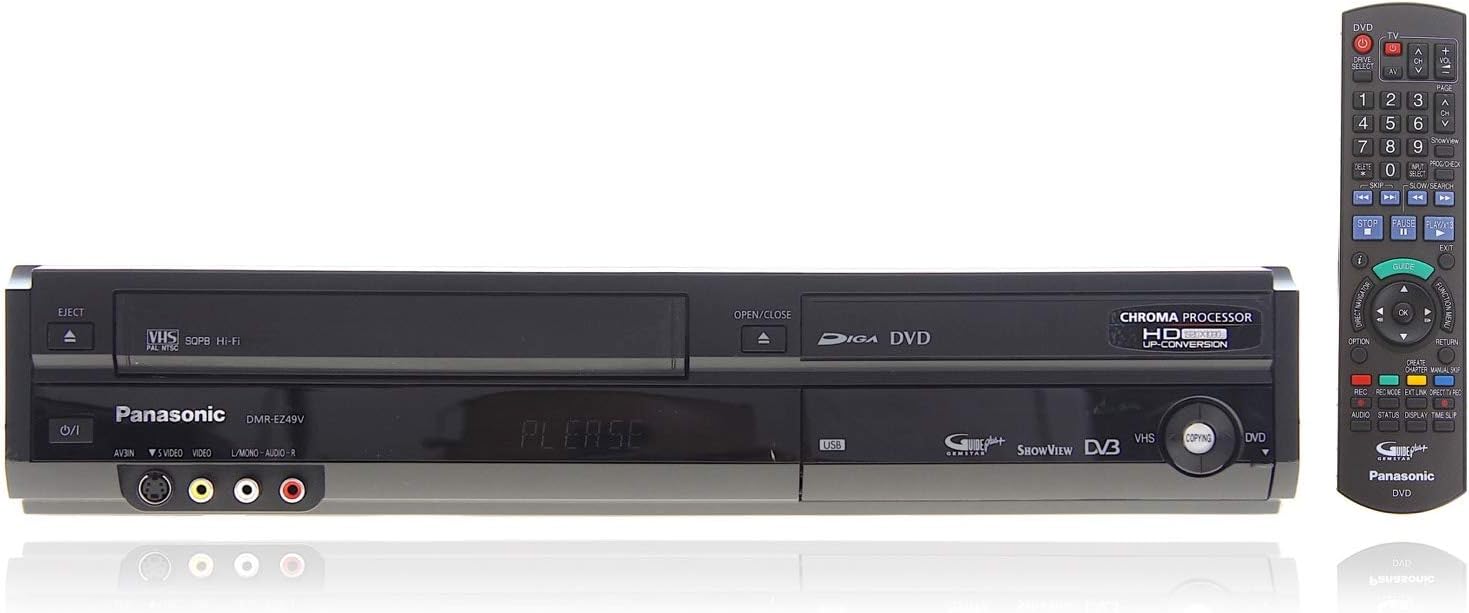
I've owned the Panasonic DMR-EZ49vEBK for 2 years now. It is easy to use and yet customisable (to a level rarely seen today), has a first class thick and detailed (paper/English-only) manual and hasn't so much as stuttered (let alone locked up) once. It has done everything I have asked it to and in short has exceeded every single one of my expectations. Thank you Panasonic! I first opted for one of these (like most, I guess) to record DVDs and transfer some old videos to DVD. My decent enough Philips DVD recorder had given up the ghost and (as I prefer to be able to keep films and such) I opted to buy another rather than a PVR (which has limited storage space). I use the VHS daily for recordings I don't want to keep. The quality (especially when upscaled* through the HDMI lead) is the best I've seen for video tape. It isn't "crystal" clear, but it is perfectly watchable. Even when watching it through a normal scart lead, the quality is about the same as none HD freeview. After a brief setup (including your post code so the guide updates accordingly) the system itself is as simple or advanced as you want it to be. Taping to either VHS or DVD from freeview is pretty much the same as with a PVR. Simply navigate using the guide to the program you wish to record, press OK and then select VHS/DVD and recording quality. Done! Copying to DVD from VHS (and vice versa) is also really simple. Simply a case of selecting copy on the main (function) menu and selecting duration/recording quality etc. It then asks if you wish to finalise the disc (so it will play on other DVD players) and then it starts. The quality of transfer is perfect (obviously effected by the quality of your VHS tape). I also use the timer function frequently for late night films on Freesat (which is easily connected through a scart). With this it is simply a case of selecting the AV channel the scart lead connects with, setting the start and end times/recording quality and media (VHS/DVD). When recording to DVD, you can also key in a name for the program (it does this automatically if you're recording from the guide). Unfortunately, you cannot record to DVD and VHS at the same time (not even when recording from different sources ie: the built-in Freeview and an external Freesat box) a real pity as this would be something I used a lot if it did. Quite often, I find I watch a film or TV programme I taped on VHS and like it so copy it to DVD so I can keep it. Having the ability to do this is useful (and saves you wasting a DVD for something you're not certain you'll want to keep). For TV series, I find it easiest to record them to VHS and then transfer them to DVD in one day when I have enough. You can record them straight to DVD (and remove the DVD without finalising it) though if you prefer. The DVD recording (either with copying or the timer function, but not--disappointingly--from the Guide) has a great flexible recording quality that my previous machine didn't have. It basically calculates the best recording quality you can get for a film or TV program and uses the whole disc. Therefore you can record 1.5 hour and 2.5 hour programs etc. in the best quality (rather than compromising with 2 or 4 hour quality). Other DVD recording quality settings are 1 hour, 2 hour, 4 hour, 6 hour and 8 hours**. For VHS (with a 4 hour tape) you get 4 hour 8 hour and 12 hours. The quality on the lower settings is perfectly watchable (I record 5 hours of US football every week to VHS on long play (8 hours) and can't really see any difference--though with 12 hours, it is obviously lower quality though still perfectly watchable). I won't even begin to list all the extra features you can do with it. I've already done quite a lot and am still finding more and more out about it (for example: you can set the controller to control the basic functions of many TV sets--not just Panasonic). You can even set the level of electricity the unit uses in stand-by mode. For best cost efficiency, you lose the quick start (and it takes about a minute to boot up--instead of 2 seconds) and can't view any connected equipment (such as a Sky box or Freesat) without the unit being switch on. You can select it so quick start is enabled constantly or only during set hours (ie: 18:00-00:00) if you're out at work, to make sure it is both cost efficient and still convenient. How many machines allow you this much control? Finally, just a word on the fantastic instruction manual. It's 95 pages long and covers all features in depth (with easy to follow step by step instructions and a few diagrams to help along the way). It is by far the most useful manual I've had in ages. In fact the whole product is so rich with features (that do pretty much everything you could expect it to) that are explained in such depth, I am so glad still, now, I bought this instead of a PVR. It may not be as convenient (having to insert tapes and discs), but gives you far more flexibility if (like me) you like building a library you've recorded from TV. *Note. the manual says and I found it was true that when watching freeview on this machine through a HDMI lead the freeview reception can be effected. This doesn't matter if you wish to watch a VHS or DVD, but you can't tape from freeview and watch at the same time through HDMI. You can watch with no loss of quality fine through a scart connection (it has 2 2-way scart sockets), even if the HDMI lead is also connected. The remedy is (I found from another review on Amazon somewhere and scouring the web) to either buy a Panasonic HDMI lead (at around £20) or some double shielded aerial cable and decent connectors. I already had the aerial cable so used this (I shortened my current aerial lead to where it comes into the room and fitted a double shielded lead to it with connectors to the machine). It works fine now, but you have been warned. That said, the quality from a scart lead is perfectly acceptable (just normal freeview quality), so if you just want to upscale video and DVD recordings then it's not a problem at all. ** For DVD recordings you can either use 6 hour or 8 hours for extended play (you change it in the settings menu). I usually have it set to 6 hour for taping 3 films to, but sometimes tape 4 films with 8 hour and they are easily watchable (though obviously not perfect).