Desertcart purchases this item on your behalf and handles shipping, customs, and support to Kyrgyzstan.
🚀 Elevate your workspace with powerhouse performance that fits in your palm!
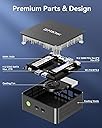
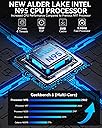
The GMKtec Nucbox G3S Mini PC features a 12th Gen Intel N95 quad-core processor with turbo speeds up to 3.4GHz, 8GB DDR4 RAM, and a 256GB NVMe SSD for rapid responsiveness. It supports dual 4K@60Hz HDMI displays, offers rich connectivity including USB 3.2, WiFi 5, Bluetooth 5.0, and Gigabit Ethernet, making it ideal for professional multitasking, home office setups, and entertainment. Its compact design saves desk space while delivering reliable performance, backed by a 3-year warranty.
| ASIN | B0DCF2S848 |
| Aspect Ratio | 16:9 |
| Available Memory Slots | 1 |
| Best Sellers Rank | 8,280 in Computers & Accessories ( See Top 100 in Computers & Accessories ) 39 in Desktop PCs |
| Box Contents | Blue Cover Lid, GMKtec Nucbox G2 Mini PC 12th Gen Intel Alder Lake N100 12GB RAM 512GB SSD, HDMI Cable, Power Adapter, VESA Mount with Screws |
| Brand | GMKtec |
| Brand Name | GMKtec |
| CPU Model Number | Intel Alder Lake N150 |
| CPU Model Speed Maximum | 3.4 GHz |
| CPU model | Mobile CPU |
| CPU speed | 3.4 GHz |
| Cache Memory Installed Size | 6 |
| Cache size | 6 |
| Colour | Black |
| Compatible Devices | TV, monitor, mouse, keyboard |
| Cooling Method | Air |
| Customer Reviews | 4.3 out of 5 stars 232 Reviews |
| Display Type | LCD |
| EU Spare Part Availability Duration | 1 Years |
| Graphics Card Interface | Integrated |
| Graphics Card Ram | 12 GB |
| Graphics Coprocessor | Intel |
| Graphics Description | Integrated |
| Graphics Ram Type | Shared |
| Graphics card description | Integrated |
| Hard Disk Description | SSD |
| Hard Disk Interface | PCIE x 16 |
| Hardware Interface | DisplayPort, Ethernet, HDMI, USB |
| Human Interface Types | Mouse |
| Item Weight | 0.74 Kilograms |
| Keyboard Description | Pinyin Input Keyboard |
| Keyboard Layout | QWERTZ |
| Manufacturer | GMKtec |
| Maximum Display Resolution | 3840x2160 |
| Memory Clock Speed | 4800 MHz |
| Memory Speed | 4800 MT/s |
| Memory Storage Capacity | 512 GB |
| Model Name | GMKtec Nucbox G2 |
| Model Number | GMKtec Nucbox G2 |
| Model Year | 2024 |
| Native Resolution | 3840 x 2160 |
| Network Connectivity Technology | HDMI, DisplayPort |
| Operating Systems | Windows 11 Pro |
| Operating system | Windows 11 Pro |
| Personal Computer Design Type | Mini PC |
| Power Consumption Size | 6 Watts |
| Power Plug Type | Moulded 2-pin BS 4573 UK Shaver plug |
| Processor Brand | Intel |
| Processor Count | 4 |
| Processor Series | Mobile CPU |
| Processor Socket | Intel Alder Lake N150 |
| Processor Speed | 3.4 GHz |
| Product Features | 4K Triple Screen Display |
| Product Warranty | 3-year limited warranty (one-year replacement, two-year repair) |
| RAM Memory Installed | 12 GB |
| RAM Memory Technology | DDR5 |
| RAM Type | DDR5 SDRAM |
| Ram Memory Maximum Size | 12 GB |
| Resolution | 4096x2160 or higher |
| Specific Uses For Product | Education, Everyday Use, Photo Editing |
| Specification Met | [PARTLY] |
| Style Name | Minimalist |
| Total HDMI Port | 2 |
| Total USB Ports | 3 |
| Total Video Out Ports | 2 |
| Unit Count | 1.0 count |
| Video Output | HDMI |
| Video Output Interface | HDMI, DisplayPort |
| Video Processor | Intel |
| Wireless Compability | 802.11ax |
| Wireless Network Technology | Wi-Fi |
| Wireless Technology Type | Wi-Fi |
A**Z
All the performance most people need
I am slowly replacing my old home server machines with new mini PCs. Having had a great experience with my previous GMKtec M8 mini PC, I decided to get another when it was on offer. This M6 Ultra has an AMD Ryzen 5 7640HS and I noticed in the title that it was an upgrade to the CPU I got in my previous machine. I can tell you it definitely runs faster than the 6600H. Though they have the same 6 cores/12 threads, the higher clock speed and Zen 4 architecture helps a surprising amount! It's another GMKtec with a dual fan setup and I'm happy with that. The fans do spin up regularly but are quieter than the M8 and have done their job well. I also hugely appreciate the much reduced size of the charging brick. I again specifically wanted two 2.5Gbps ethernet ports since the M6 Ultra is to replace a small server, and GMKtec seems to be one of the few who include over 1Gbps ports. The nice surprise in this was the 760M integrated graphics, which is much smoother than the 660M of the M8. That and the included small NPU are well supported under Windows. The BIOS has been much simplified but while I appreciate not being drowned in every obscure setting under the sun, I feel like GMKtec may have gone too much the other way with this one. On to the negatives and the main point for me is the lack of high speed ports. The M6 Ultra has everything the M8 has except it lacks an Oculink port. This makes no sense since the 7640HS has almost double the PCIe bandwidth of the 6600H. I'd like to see more USB 3.2 or USB 4 ports. I'll even take more USB 2.0 ports for keyboards and mice! The included AX WiFi card is fast when it's connected but I find that it can take a while to connect when turning the PC on and especially when waking up from sleep. To access the internals, you just have to pop up the plastic outer cover and inner fan cover. The other thing that irked me was that the mini PC does not wake up on USB input; you need to press the power button. I don't know if I've missed something in the BIOS but it can get annoying. Overall, I am pleased with the M6 Ultra. It works very well to replace my second Proxmox machine and has been a rock solid performer so far. The 16GB/512GB configuration already represents great value for money but if you're going to be running more demanding applications, the higher specification is surprisingly not that much more considering the recent AI-driven price increases.
C**A
Big performance in a compact package
I previously owned an Intel-based GMKtec NUC for my home lab, so I had a good idea of what to expect, but the Ryzen 7-powered NucBox K6 greatly exceeded my expectations. I picked the model with 32GB DDR5 RAM and a 1TB PCIe 4.0 SSD. It’s astonishing how they’ve managed to pack so much power into such a tiny box that’s slightly smaller than a CD case and about as thick as a chunky holiday novel. Its dark grey plastic casing fits neatly beneath my monitor stand. Initially, I’d planned to upgrade my existing home lab setup, but after experiencing Windows 11 out-of-the-box and giving Microsoft Flight Simulator 2024 a spin, plans quickly changed. Previously, I relied on emulation and medium settings; now I’m comfortably running this demanding game at high resolutions, with HDR and detailed graphics settings matching my monitor’s capabilities beautifully. My Geekbench 6 results confirm the excellent performance: * Single-core CPU score: 2,497 (fast, responsive performance for daily tasks and gaming). * Multi-core CPU score: 11,977 (handles multitasking and heavy workloads smoothly). * GPU compute score (Vulkan): 37,343 (outstanding integrated graphics performance, ideal for getting in the cockpit). Regarding fan noise, which I’d read mixed opinions about, it’s genuinely not an issue. Under normal workloads, I hardly notice it. It ramps up during graphically intensive games, but since these typically come with loud audio, my headphones completely mask the noise. Out of curiosity, I took the unit apart just to explore its internals. I was genuinely impressed by how easy it was to dismantle, with careful engineering clearly visible. Components snap back securely with just a firm but steady hand to ensure a satisfying click. The good thermal paste coverage I noticed likely contributes significantly to keeping this powerful little machine cool. My only slight criticisms are software-related. The Windows 11 installation included pre-loaded Microsoft Office click-to-run apps that took longer than I’d expected to uninstall. The out-of-the-box config also has a local policy disabling automatic driver updates, presumably for stability, but GMKtec need to make their driver downloads clearer, particularly stating when drivers were last updated to avoid unnecessary large downloads. One other minor suggestion: the printed leaflet could easily be replaced or supplemented by a downloadable PDF manual, fitting better with today’s digital-first lifestyle. Overall, the GMKtec NucBox K6 is excellent value, especially if you can combine it with one of the frequent Amazon vouchers. It’s perfect as a powerful compact gaming rig, yet equally suited to home lab tasks or a small workstation. I plan to expand my setup with a docking solution via USB 4.0 and DisplayPort soon, but I dont evisage any compatabilitty issues. I’ll update this review only if something unexpected arises, but I doubt that’ll be necessary! Highly recommended!
V**R
Good quality unit and fast response from supplier to minor setup issue.
The unit was delivered quickly and performance was fast and quiet considering its size. Considering the price of DDR5 memory at the moment and the high specification it was a bargain! The real test of a supplier however is when things go wrong and how they react... The unit booted up and updated quickly but Windows would not Activate. I contacted their customer support and had a prompt reply from Lara in their service team who supplied me with a new product key which sorted the problem out immediately 👍 So no hesitation in 5* rating
M**.
Great value!
Fantastic little powerhouse for the price. Stable and versatile too. Recommended! Update after 8 months: Device started powering off unexpectedly then eventually constantly. Replacement by GMKtec (from the UK) took approximately 4 weeks from reporting. These things can happen with all hardware but Lara at GMKtec support did all she could under the circumstances I believe. Be prepared to have a multimeter and extra hardware to troubleshoot any problem (I did) and also to pay for insurance. They refunded £15 which covered most of the cost. The replacement is already performing noticeably better then the original and so I think I was just unlucky with the first one. We shall see! xD Update September 2026: I have modified my replacement K11 to significantly improve cooling after I noticed that temperatures were regularly exceeding 92C (in BALANCED mode with default BIOS settings - it's been a very hot summer after all). I applied the best paste I could find and enhanced the top (don't do this if there is any chance at all of liquid splashes) and bottom air intakes (it's now on stilts) and also added two 120mm air filters to keep out dust. BIOS fan curves were also set to maximum aggression. The result is it always runs cool and surprisingly quiet too. The HWinfo integer benchmark (in PERFORMANCE mode!) now achieves 4.5GHz constantly on all cores at 84C maximum (ambient 23C) with no throttling. Normal Gaming = 74C maximum. Idle = 45C-50C. Problem solved!(?) :D
D**Y
Good compact PC
Easy to install. Good selection of modern ports. so far operating quickly and am well satisfied with it.
M**B
Reliable for Work and Light Gaming – Impressive Performance with Minor Drawbacks
Review: I purchased the GMKTec K11 for personal use and have tested it for a few weeks across office tasks, creative work, and casual gaming. Here’s my honest take: Everyday Use: It handles 4K streaming, multitasking, and everyday apps really well. The setup took around 40 minutes for updates, but it’s been smooth since then. Gaming: I was surprised by how playable some recent AAA games were at low to medium settings. It’s not made for ultra graphics, but it’s definitely good enough for casual gaming. Creative Work: Solid for 1080p photo/video editing. 4K editing is slower but manageable for short projects. Design: It’s compact and saves a ton of desk space. Power usage stays low, even during longer sessions. Pros: - Quiet during light tasks; minimal footprint - Responsive performance for work and light gaming Cons: - RGB lighting stays on, no option to turn off - Fans get louder under heavier workloads - Needed a manual graphics driver install to get dual screens working Final Thoughts: Overall, I’m really happy with this little machine. It’s become my go-to for work, streaming, and casual gaming sessions. The RGB lights staying on and fan noise under load are minor annoyances, but easy to live with considering how well it performs. If you need something compact and efficient for everyday tasks, content editing, or light AAA gaming at medium settings, this does the job nicely. Just keep in mind it’s not meant to replace a full-on gaming PC.
B**A
very good
"My previous desktop had reached the point where turning it on was becoming an exercise in patience. Rather than replacing it with another large tower, I decided to try a mini PC. The difference in size is ridiculous. This little box takes up almost no room compared with what I had before. I mainly use it for browsing, managing photos, printing documents and the occasional bit of basic work. For those jobs, it has been perfectly capable. I was also pleasantly surprised by how many useful connections are on the back. I’ve got my printer, monitor and other peripherals connected without needing a separate hub. It has made my desk much less cluttered and I don't miss having a large desktop case sitting underneath it. If you’re replacing an ageing everyday computer and don’t need something for demanding games or professional software, this is a very practical option."
R**0
Top cover Fan could be noisy. Noisy in my mini PC
I bought this item in Feb 2026. Initially it worked fine and I was very pleased with the purchase. However after about 6 months there was an issue with the top cover fan - after booting up, it would go into noisy hyperdrive mode for about 60 secs before settling down. I contacted [email protected] and they offer me a discounted price of $34.99 including shipping to an UK address. For me the replacement is too expensive. After thinking I decided to replace the fan with a 80mm Fan Mod Kit and a 5V PWM speed controller. I spend more but the outcome improves cooling a lot. (See pictures). GMKtec should improve their customer care especially if a unit is less than a year old. I think it could be a great mini PC but the cooling let it down.
P**E
Parfait pour la bureautique
J'ai pris ce modèle pour me faire une petite station Linux (Mint LMDE), pour le développement et la MAO. Tout fonctionne, moyennant un changement de noyau pour un plus récent dans les backports (avant cela, pas de wifi reconnu ni de multi écrans) Je n'ai pas testé le Windows 11 livré avec. Un peu léger pour le multimédia, mais, si on considère le faible encombrement, l'imperceptible consommation électrique, et le prix plus qu'honnête (au niveau des meilleures calculatrices graphiques) : Franchement ça fait le job.
I**N
Excellent PC
TRÈS bon PC, branchez-le et Windows 11 est rapide à installer.
A**O
Mini PC GMKtec
Lo sto usando da poco più di un anno e sono soddisfatto dell'acquisto. lo utilizzo per Internet, mail, fogli di calcolo ed altre cose di questo tipo per le quali è molto veloce ed affidabile. Un anno fa il prezzo era di assoluto interesse. L'assistenza è veloce e competente: ho dovuto reinstallare il sistema operativo e windows non mi aveva caricato correttamente i drivers originali. Ho contattato GMKtec e l'addetta Lara ha fornito un servizio eccellente aiutandomi efficacemente a risolvere il mio problema.
Y**S
Meine Rezension: Mini-PC mit Intel Alder Lake N150
Ich habe mir diesen Mini-PC geholt, weil ich eine kompakte Lösung für zu Hause und die Arbeit brauchte. Meine Erfahrung ist ziemlich gemischt, aber ich kann die verschiedenen Aspekte gut zusammenfassen. Was mir gefallen hat: Kompaktes Design und Anschlussmöglichkeiten: Der Mini-PC ist wirklich klein und leicht, was ihn perfekt für Reisen oder für einen aufgeräumten Schreibtisch macht. Die Anschlüsse sind top, besonders die zwei Ethernet-Ports sind super praktisch. Linux-Kompatibilität: Für Linux-Anwendungen ist er bestens geeignet. Ich konnte problemlos eine Linux-Distribution installieren, auch wenn ich das Kernel-Update machen musste. Er funktioniert einwandfrei für meinen Homeserver und zum Programmieren. Alltagstauglichkeit: Für leichte Aufgaben wie Office, Internet oder sogar leichtes Gaming und Emulation bis zur PS2 ist er wirklich gut. Er startet schnell, und die WLAN-Verbindung ist überraschend gut. Wert und Verarbeitung: Das Preis-Leistungs-Verhältnis ist sehr gut. Das Gerät fühlt sich hochwertig an, und Windows 11 kommt ohne Bloatware. Was mich enttäuscht hat: Leistung: Leider ist die Leistung des Intel Alder Lake N150-Prozessors nicht so gut wie erhofft. Ich hatte Probleme, als ich mehrere Sicherheitskameras in niedriger Auflösung anzeigen wollte, da lief der PC sofort auf voller Leistung und kam ins Straucheln. Für einfache Büroanwendungen ist er in Ordnung, aber für anspruchsvollere Dinge ist er definitiv zu schwach. Hardware-Einschränkungen: Ein großer Nachteil ist, dass der RAM fest verlötet ist und nicht erweitert werden kann. Auch die Speichermöglichkeit per SATA anstelle von NVMe ist nicht ideal. Überhitzung: Obwohl er im Normalbetrieb kühl bleibt, habe ich das Gefühl, dass er bei Belastung etwas warm wird. Mein Fazit Ich finde, der Mini-PC ist ein tolles Gerät für spezifische Zwecke, wie einen Home-Server oder als Linux-Station für leichte Aufgaben. Er ist preiswert, gut verarbeitet und sehr kompakt. Leider hat er mich bei der Leistung enttäuscht und die Hardware-Einschränkungen sind ein klarer Grund für mich, ihn zurückzuschicken. Wenn man genau weiß, wofür man ihn braucht und die Leistung ausreicht, ist er eine gute Wahl. Für alles, was etwas mehr Power erfordert, würde ich aber zu einem anderen Modell raten.
C**N
gmtec
they are the best
Trustpilot
3 weeks ago
4 days ago