


๐ Powerhouse Mini PC that fits your desk and fuels your ambition
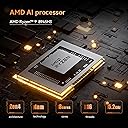
The MINISFORUM UM890 Pro Mini PC packs an AMD Ryzen 9 8945HS processor with 8 cores and 16 threads, turbo boosting up to 5.2GHz, paired with 64GB DDR5 RAM at 5600MHz and a 1TB PCIe 4.0 SSD. It supports quad-display output up to 8K resolution, features dual 2.5G LAN ports, and offers extensive connectivity including USB4 and Oculink. Its advanced cooling system ensures quiet, efficient operation, making it a compact yet powerful desktop solution for professionals demanding speed, multitasking, and immersive visuals.




| ASIN | B0D9Q4NCY8 |
| Aspect Ratio | 16:9 |
| Best Sellers Rank | #287,491 in Computers & Accessories ( See Top 100 in Computers & Accessories ) #443 in Mini PCs |
| Brand | MINISFORUM |
| Brand Name | MINISFORUM |
| CPU Model | Ryzen 9 |
| CPU Model Number | AMD Ryzen 9 8945HS |
| CPU Model Speed Maximum | 5.2 GHz |
| CPU Speed | 4 GHz |
| Cache Memory Installed Size | 16 MB |
| Cache Size | 16 MB |
| Computer Wireless Type | 802.11ax |
| Customer Reviews | 4.0 out of 5 stars 65 Reviews |
| Display Type | LED/LCD (4K UHD) |
| DriveMemory Storage Capacity | 64 GB |
| Graphics Card Description | Integrated |
| Graphics Card Interface | Integrated |
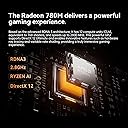
| Graphics Co Processor | AMD Radeon 780M |
| Graphics Description | Integrated |
| Graphics Ram Type | GDDR5 |
| Hard Disk Description | SSD |
| Hard Drive Interface | Serial ATA-600 |
| Hardware Interface | DisplayPort, USB 2.0, USB 3.0 |
| Human Interface Types | Buttons |
| Manufacturer | Micro Computer (HK) Tech Limited |
| Maximum Display Resolution | 7680 x 4320 |
| Memory Clock Speed | 5600 MHz |
| Memory Speed | 5600 MHz |
| Model Name | UM890 Pro |
| Model Number | UM890 Pro |
| Model Year | 2023 |
| Native Resolution | 3840 x 2160 |
| Network Connectivity Technology | USB |
| Operating System | OS |
| Personal Computer Design Type | Mini PC |
| Processor Brand | AMD |
| Processor Count | 8 |
| Processor Socket | Socket F |
| Processor Speed | 4 GHz |
| Processor Type | Ryzen 9 |
| RAM Memory Installed | 64 GB |
| RAM Memory Technology | DDR5 |
| RAM Type | DDR5 RAM |
| Ram Memory Maximum Size | 64 GB |
| Scanner Resolution | 3840 x 2160 |
| Specific Uses For Product | Business |
| Total HDMI Port | 1 |
| Total USB Ports | 6 |
| Total Video Out Ports | 4 |
| Unit Count | 1 Count |
| Video Output | HDMI, DisplayPort, USB4 |
| Video Output Interface | HDMI, DisplayPort |
| Wireless Network Technology | Wi-Fi |
A**R
I regret not purchasing two when I had the chance!
Perfect mini-PC! Using OCuLink with the Minis Forum DEG1 PCiex4 dock and a MSI RTX 4070 Super GPU. Fan runs continuously, even at idle, but is very quiet, but tends to gather dust on the lower portion of the left-side grille. External GPU recommended for any gaming, but not required for general usage like web browsing and watching movies.
E**K
MINISFORUM UM890 Pro - Fast, powerful, quiet and stays cool
This review is for the MINISFORUM UM890 Pro. I was looking for an all around fast PC with good graphics for gaming. I run multiple virtual machines at the same time with Windows and Linux operating systems. My gaming is mostly MMORPGs. I am very impressed with how fast and quiet this Mini PC is even with 100% CPU and 100% Graphics processing. Running continuously at 100% CPU and 100% GPU the temperatures were 71c for the SOC (entire chip) and 81c for the CPU. The system had no problems and the fans were still barely noticeable. The air coming out was warm, but not hot. The 4nm gate technology makes a big difference. It has no problem running virtual machines (make sure to turn off Windows 11 Core Isolation!). I use VirtualBox to run everything from Windows NT 4.0 to Windows 11. Mint Linux 22 with the 6.1 kernel has support for the graphics in this PC. Earlier versions did not detect the graphics device. If you plan to use Linux, make sure you have a recent distro with at least the 6.1 kernel. It comes with Windows 11 Pro. It also starts encrypting your disk as soon as you install Windows. If you don't want your disk encrypted, turn off BItLocker encryption as soon as possible, so you don't have to wait for the disk to be decrypted. My biggest problem with Windows 11 was the Core Isolation security feature. It caused virtual machines to malfunction without any error messages from Windows about blocking access by software. It wasn't obvious why the virtual machines were slow, erratic and crashing. The network ports, wireless and Bluetooth work great and are fast. The audio on the front is clean and quiet to make the most of your headphones or sound system. This Mini PC is well worth the price. It packs a lot of power in a small space and still manages to be quiet and cool. I added a larger nVME module and the PC was easy to upgrade. I had a little trouble reconnecting the fan cable to the main board. It would be better if that cable was longer, so that the top can be flipped up completely without disconnecting the fan. The PC also comes with a separate OCulink card that has to be installed by you if you want it. The OCulink card goes in one of the M.2 slots. So, you might want to install the OCulink card and upgrade storage or RAM at the same time. Be prepared for reconnecting a tiny fan connector.
S**S
Took me awhile, but I am there
Note in the picture that the Minisforum UM890 Pro is less than half the size of my Unifi USW Enterprise 8 PoE switch. The UM890 Pro is REALLY quiet. Under normal conditions you never hear the fan. I ended up putting a Samsung 890 Pro 4TB NVMe in mine to replace the provided 1TB NVMe. I run Ubuntu 24.04 on mine and it runs perfectly from the start. I have mentioned this little marvel on my @ScottiBYTE YouTube channel multiple times. I bought the UM890 to replace my Dell XPS 8930 which had developed problems. I configured the two 2.5Gbps NICs as an 802.3ad aggregated connection to my aforementioned switch and it is great to have a 5Gbps connection that hums along flawlessly. My only complaint has been the design of the BIOS. This BIOS lacks support for legacy boot. So, you will be booting EFI only. I suppose the fact that Microsoft has dispensed with MBR booting has influenced PC makers. The BIOS also lacks granular control over PXE booting features and for that matter I have not managed to get PXE booting to work at all. I have both Netboot.XYZ and a iVentoy PXE servers and my other systems boot from them fine. The UM890 takes the NBP download from the server but hangs on initializing iPXE. I use PXE booting for my backups and I am presently using a USB Bootable thumb drive as an alternative since PXE doesn't work. I emailed Minisforum three times and their support apparently had no idea what PXE was and told me they only support Windows thinking PXE was an OS. The last BIOS issue I found was there appears to be absolutely no provision for a BIOS upgrade to this machine ever. After 40 years of building and configuring PCs that is a first. In fact the BIOs is what I would call the "PlaySckool" BIOS. However, past the BIOS this system is completely and totally FAST and AWESOME and I could not have hoped for better. By the way, pro tip... F7 is the key to bring up the alternate device boot menu.
M**A
It stopped powering on after 4 days of use
5 days in and it stopped powering on. Didn't even get to test how it handled games. For four days it ran beautifully. Then it just refused to power on. No signs of damage, it was plugged in directly to the wall and had plenty of room and ventilation. It ran quietly and set up was a breeze. Never got to test how it held up with gaming but what little I ran it never did heat up. It ran fast but the price point coupled with now the headache of returning the product, not that great.
T**Y
Awesome higher end mini pc
Really nice desktop computer which is capable of light gaming... And with the provided occulink port, you can go higher end gaming if you want without getting a whole new system
Trustpilot
3 weeks ago
1 month ago