We remain fully operational. Our teams are working around the clock to ensure your deliveries continue safely.

DOWNLOAD THE APP


Copyright © 2025 Desertcart Holdings Limited
DOWNLOAD THE APP
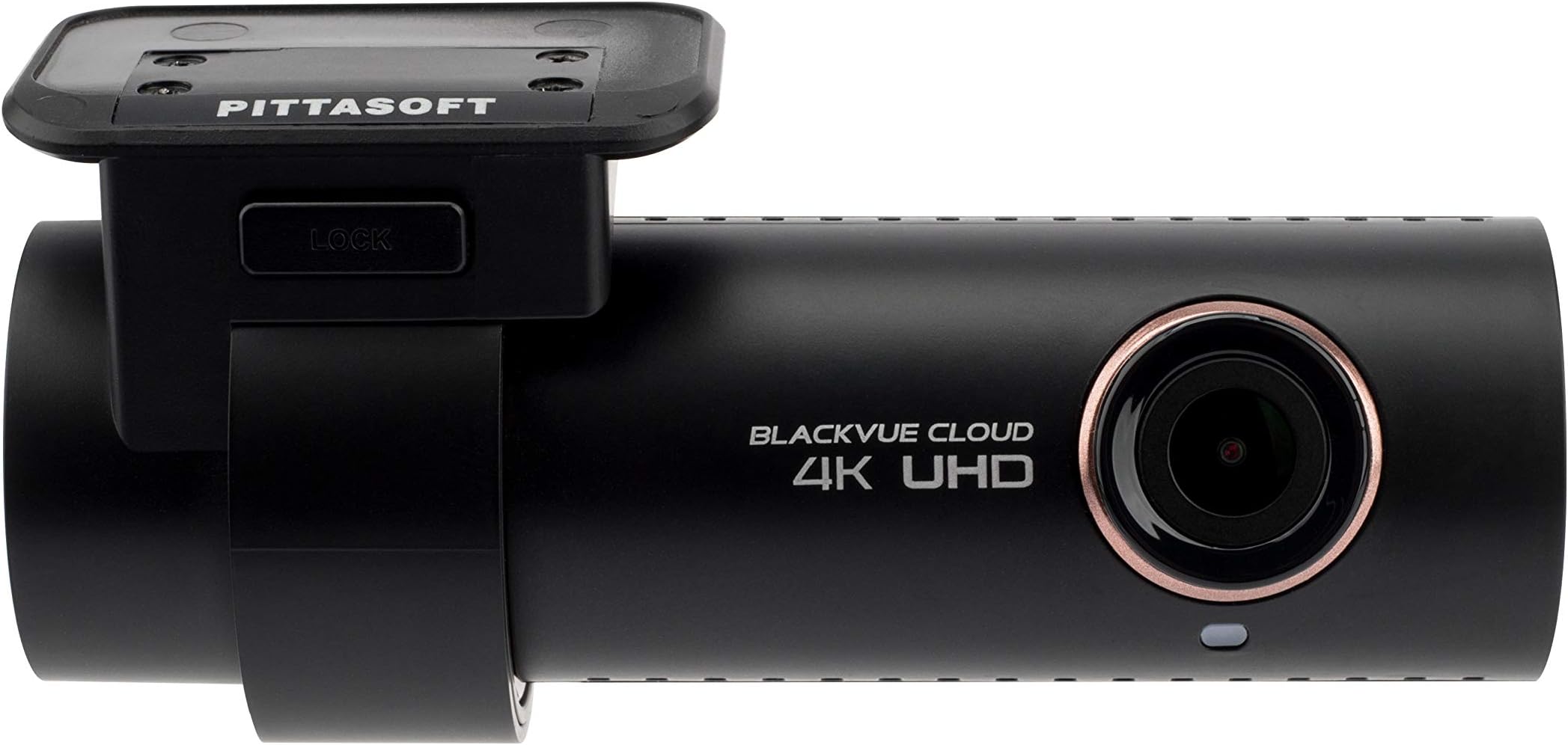


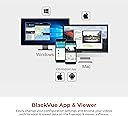
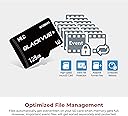

🚗 Drive Smart, Capture Every Moment!
The Blackvue DR900S-1CH is a cutting-edge 4K dashcam that offers exceptional front recording capabilities, advanced connectivity features, and enhanced night vision, making it the perfect companion for safety-conscious drivers.


| ASIN | B07BWYNBDS |
| Are Batteries Included | No |
| Auto Part Orientation | Drivers Side |
| Auto Part Position | Front |
| Best Sellers Rank | #726,054 in Electronics ( See Top 100 in Electronics ) #6,089 in Car On-Dash Mounted Cameras |
| Brand | Blackvue |
| Built-In Media | Camera^Hardware^Cable^Manual |
| Color | Black |
| Compatible Devices | Smartphone, Laptop, Personal Computer, Tablet |
| Compatible with Vehicle Type | Car |
| Connectivity Technology | Wi-Fi |
| Control Method | Remote |
| Customer Reviews | 3.8 3.8 out of 5 stars (92) |
| Field Of View | 162 Degrees |
| Flash Memory Supported Size Maximum | 128 GB |
| Flash Memory Type | SD |
| Frame Rate | 30 Frames Per Second |
| Global Trade Identification Number | 00799040023833 |
| Manufacturer | BlackVue |
| Mfr Part Number | DR900S-1CH |
| Model Name | DR900S-1CH |
| Model Number | BV-DR900S-1CH-16 |
| Mounting Type | Windshield Mount |
| Optical Sensor Technology | CMOS |
| Real Angle of View | 162 Degrees |
| Screen Size | 3 |
| Supported Standards | 4K UHD, CMOS |
| UPC | 799040023833 |
| Video Capture Resolution | 4K |
| Warranty Description | 1 Year |
S**N
Easy install, works with other SD cards, excellent quality.
Easy to install and worked with bundled 128Gb memory. When you first power up the camera, it will prompt you to check the SD card, format the card in camera (instructions easy to follow) then it will initialize, load files and start recording immediately. Wireless connection to phone was very easy, good field of view and excellent picture. Was larger than i expected, but still hid behind rearview mirror.
A**R
BlackVue 900s 1 ch
This dashcam Sims good,the one thing I don’t like the video when you look at the recorded video it’s kind of small and far away from you so I guess it’s OK. Bluetooth is working really nice download fast just to the video it’s kind of far from you when you watch on the phone or laptop .
M**L
Good quality unit. Poor support.
Unit arrived yesterday. Installation in the car is super easy (except running the power cable, but that's not Blackvue's issue. It did come with a little "pry tool" to help slipping the cable under the headliner, so kudos for that). Technically, the unit seems to be very well built and generally operates as advertised. For some reason, the Wi-Fi on my unit is intermittent. The picture quality is pretty good. It doesn't quite capture license plates while moving, but other than that it is quite good. The manual is mediocre at best and the online support is about the same. Reaching out to the support team has resulted in no response in 18 hours. Not ideal. The iOs app is completely non-sensical and I can't find any documentation. The OSX application is worse. Still, the best dashcam unit I've found.
A**E
will randomly re-boot
this thing is garbage. the BlackVue will randomly re-boot, and the 4k quality is 1080p at best.
T**O
Good hardware - mediocre software
Out of the box the camera got voice message "Dashcam model error" ... when plugged SD card into computer I saw test videos (came with the card) for 2CH dashcam. Solution: download the latest firmware and flush it - this will create a new config.txt for your camera (had no desire to play with config params) ... any config changes in phone app require camera restart. Desktop app (Mac) is fine but user's manual for it is outdated (Settings are not were you're pointed to)... Mobile app (Android) while it's doing the job is mediocre and feels like designed and implemented by junior software engineer. WiFI - connectivity problems ... almost always after camera restart you have to WiFi off/on cycle and restart the app. Even set to 5GHz the app is constantly buffering the video (crappy video player implementation. Video quality - need to see more (and after I try polarization filter) but at this moment not impressed - I see jagged edges on high contrast lines. To Be Continued... REVISED: jagged edges are because of the video player resizing (full screen is ok) ... due to video compression license plate above 15 yards impossible to read (plates at angle - even closer) ... will make so experiments.
J**1
Works really well
Install was extremely easy (I used a Blendmount instead of the included mount) and the video quality is great. The product from blackboxmycar includes a memory card that pops right in and works immediately. Really happy with it. The only annoying part was running the cable throughout my car but I'm probably going to get the mirrortap kit to make the install even cleaner. Love it, works great, hopefully I never need to use it or the footage it captures as evidence after an accident.
T**N
great camera
Love the blackvue product. I have owned 2 650's in the past and both have had their own issues. so far so good with this 900. picture quality is perfect. only thing I can complain about is the FOV may be a little too wide.
S**Y
A 490, A 590, Now 900s; It just gets worse.
I started with the Blackvue 490-2ch 2 years ago. My first dashcam. It was great to me but nothing like the pictures everyone posted from their dashcams. I didn't buy the add-on GPS module, so when I grew tired of taking the memory card out every time I needed to correct the time, or reformat the card to get it recording again, or blah, blah, blah, I bought a model with WIFI access. In comes the 590W this past December. Installed it in my wife's Lincoln. Read all the reviews about improved sensor, better night vision, blah, blah. I had great anticipation for the things I've been missing on the 490 such as being able to read license plates and street signs and seeing other cars at night, like all the pictures everyone posts on the forums. Disappointment after the install! Picture quality is worse than my 490. Not a lot grant you, but just noticeable and the night vision is equally poor. Still no readable license plates or street signs unless I'm WAY to close to the vehicle in front of me. I hear about the Ultra High Definition DR900s, 4K sensor, improved night vision, improved lens, built in everything including cloud, new file system not needing continual formatting, programmable auto reboot keeps things running smoothly. I bit, I bought, I installed it. DARN! It has some kind of debris behind the lens messing up the video. I get online again and ask for a replacement through amazon. WHAM new one on my doorstep and the returned unit accepted smooth as silk within days. Installed the new camera in my Expedition. The video is; well less than stunning, one might even call it bad. Can't read license plates or street signs. Large retail signs and cars just a short distance away look blurred. I don't know what to say. 3 different models over 2 years? If I were you I'd think long and hard before a Blackvue if picture quality is important. The last 2 units have been feature rich and and the 590 has been much more reliable in the short time I've had it compared to the same time with the 490. I can't comment on the 900 reliability as I've only owned 2 in less than a week. I posted pictures of my 490 and my brand new 900s 4K UHD so you can see first hand the video quality (or lack of) I'm talking about. These pictures should help you compare and make a good decision.
S**B
Positive: EXCELLENT camera, easy-to-install, GREAT features. (this outweighs the negative below). Negative: Blackvue makes it very expensive to upgrade your SD card (the only SD card that works is theirs). To frustrated owners however, there does appear to be a workaround: copy the contents of the 16 GB SD card that comes with the camera to (high-speed SD card of your choice) and insert your SD card. This seems to work. I'm hoping this helps other owners out there. Oh - and don't buy their Power Magic EZ - it doesn't work on many cars, which may be why they are discontinuing it.
R**T
Awesome products. This is the second one I bought. It has been a life saver.
W**K
I currently use a 720p blackvue recorder thats several years old. I decided to upgrade to the 4k version and it took my several hours to figure out why it didn't work. In the newer versions of blackvue cameras you can only use the blackvue micro sd cards. I had a 64gb micro sd card in my 720p blackvue camera and I formatted it and put it into the new camera. The new 4k camera kept saying "Micro SD error". So I went out and purchased a new 64gb card from Sandisk. It was also not compatible, then I tried transcend and lexar and they also did not work. I phoned the 1-800 # to blackvue and they confirmed that only blackvue memory cards will work in their product. It gets even worse - the 16gb card that this came comes with must be removed and formatted by a computer periodically due to the heavy looping due to the small card size. The constant loops of the smaller cards leads to card read errors, hence the constant formatting. According to blackvue if you have a 64gb or larger memory card you do not need to remove it and keep formatting it. I want a maintenance free dash cam and I definitely don't want to be forced to pay 4x's more for the proprietary memory cards from blackvue. This unit is getting returned.
D**N
First of all , only on Amazon a good rebate was available, even not able to get one on the seller store , this model of dashcam is really good and i want it for all is featured , why only 3 stars because a rebate was on this item but i think why , it was a defective item so this item they have tried to sold it with a better price , the problem with this cam and i could see it immediately was with the lens there was coating missing on it on all the ext edge there was about a 1/16 inch where the coating was missing , it was looking like white or some thing like a plastic was on it but you could definitely see there is the problem with the lens and could cause some blur on the videos , i have read that other customers also have defective lens and blur problems with Blackvue DR900 , i did not install the cam and i am returning it , maybe i will try one more time with this model if it is ok i will keep it if not i will go with another model.
D**T
My old dashboard camera died recently. The old one was Blackvue, so I was looking for another Blackvue to reuse existing hidden wiring. Generally speaking Blackvue cameras are more expensive than others, and this camera is not an exception. However, my previous camera died after 7 years of daily service, so investing more money in reliable product makes financial sense. I would expect better quality from 4K sensor. Probably lenses are not the best quality, so image looks blurry, especially at the edges. As you may see in the attached pictures, number plates are not readable if car in not in the same lane, even at day light. For me the installation was easy, because I already had another Blackvue camera installed, so no new wiring, just remove old holder and stick the new one. I wouldn't expect difficulties installing this camera fresh, as Blackvue provides all mounting brackets and even pry tool. Many reviewers complain about inability to use third-party memory cards. This is not true. Samsung EVO Plus works great with this camera. In needs to be formatted by camera itself - just press and hold "WiFi" button for more than 5 seconds, and camera will do the rest for you. Need to make sure that memory card is U3 standard, so it's capable of write speeds for 4K video stream. WiFi capability in this camera is very useful - no need to remove SD card from camera and insert it to a computer to watch recordings. Just install application to a smartphone, connect to camera's WiFi and watch/download the videos on smartphone. Conclusion: If I wouldn't have Blackvue before, I would shop around for better video quality to price ratio.
Trustpilot
1 month ago
3 weeks ago