Buy anything from 5,000+ international stores. One checkout price. No surprise fees. Join 2M+ shoppers on Desertcart.
Desertcart purchases this item on your behalf and handles shipping, customs, and support to Kyrgyzstan.
🚀 Upgrade your wireless game — faster, smarter, and effortlessly connected!
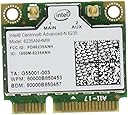
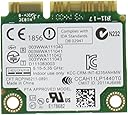
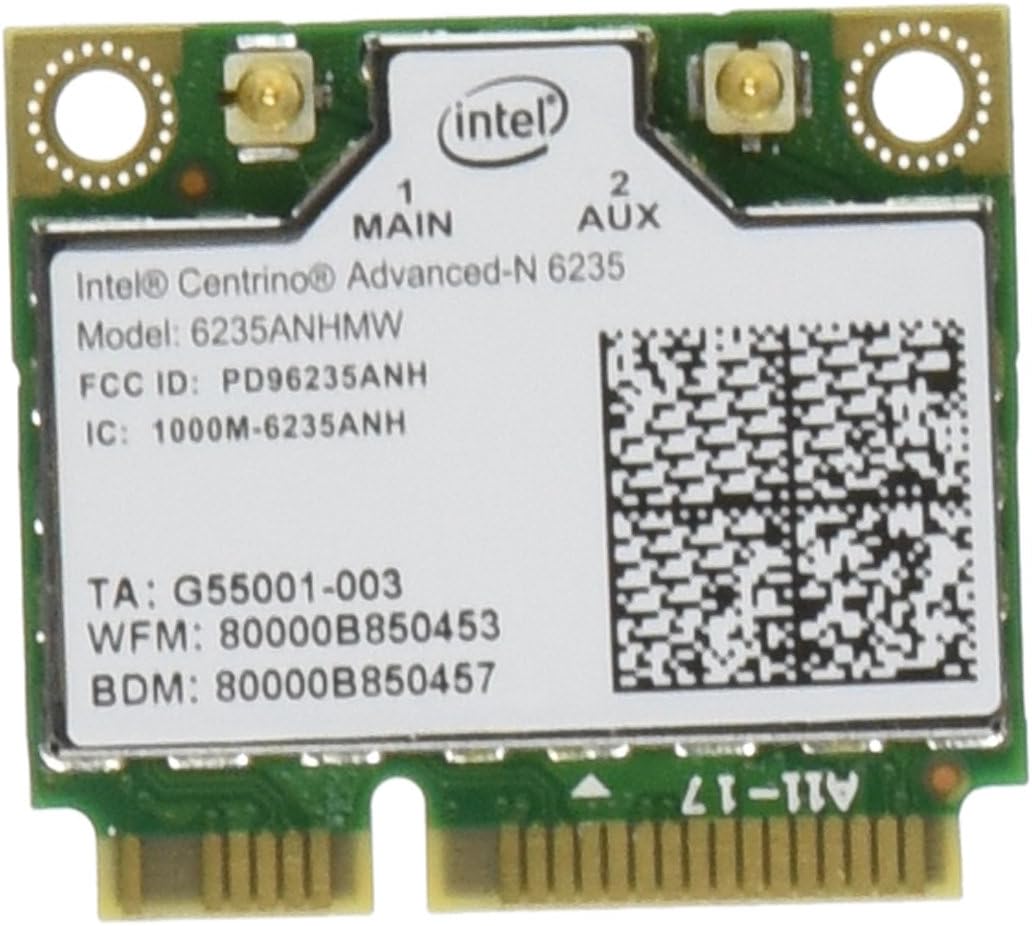
The Intel Centrino Advanced-N 6235 is a PCI Express Half Mini Card network adapter delivering dual-band Wi-Fi speeds up to 300 Mbps and Bluetooth 4.0 support. Designed for home and small business use, it features Intel-exclusive technologies like Smart Connect and Wireless Display, ensuring reliable, high-performance wireless connectivity with broad OS compatibility and robust security standards.
| ASIN | B007QXLIWI |
| Are Batteries Included | No |
| Best Sellers Rank | 281,985 in Computers & Accessories ( See Top 100 in Computers & Accessories ) 2,240 in Graphics Cards |
| Brand | Intel |
| Colour | - green |
| Customer Reviews | 4.2 4.2 out of 5 stars (443) |
| Date First Available | 1 Jan. 2012 |
| Graphics Card Interface | PCI Express |
| Graphics Chipset Brand | Intel |
| Guaranteed software updates until | unknown |
| Item Weight | 14 g |
| Item model number | 6235AN-HMWWB |
| Manufacturer | Intel |
| Operating System | Cisco IOS |
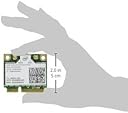
| Product Dimensions | 3.05 x 0.25 x 2.79 cm; 14 g |
| Series | Centrino Advanced-N 6235 |
| Wireless Type | 802.11b, 802.11g, 802.11n |
R**S
Intel wirelsee card
Windows 10 had the right drivers for this, unlike the old one fitted in my Dell XPS. Easy to fit and works instantly, no more trouble with the wireless.
P**V
Great Network Performance
I ordered the Intel N6235 to replace the poor WiFi module in my Sony VAIO T13 ultrabook. The ultrabook is not able to use the bluetooth chip of this card due to hardware limitations of the ultrabook so my review does not cover the bluetooth part of the N6235 and I am not taking any stars out becuase it is the ultrabook's issue and I actually knew of this limitaion before I ordered. The WiFi performance at 5GHz is great in my 70 sq.m. apartment - the N6235 connects at 300Mbit to my router. I am able to download torrents at the brim of my 50Mbit internet connection to a WD Gigabit NAS and stream 1080p media from the same NAS at the same time with no lag or stutter. The WiFi connection has never dropped in the 6-7 weeks I have been using the N6235 (with the latest drivers from Intel). It can also connect at 2,4GHz if you do not have a 5GHz router but I have not tested the performance. I have not tried the WiDi module due to lack of a WiDi reciever but I will update the review if try it because the ultrabook has all the other necessary hardware to support WiDi and I am curious if the card is capable to do all mentioned above but while outputting via WiDi. In summary: Sony VAIO T13 owners, if you, like me rely on a NAS for all your files and want to upgrade the poor WiFI module in your ultrabook and do not mind losing the bluetooth capabilities go for the N6235. I bought the Kinivo BTD-400 Bluetooth 4.0 USB adapter to restore the bluetooth capability and I keep it constantly in the USB 2.0 slot - it is small enough to plug and forget.
P**K
Works Fine in Dell 17R
I got this card to replace an Intel 2230 blue tooth and wireless card. The laptop I fitted it to is a Dell 17R SE 7720. The good news is that despite Dell saying they can’t guarantee that it’ll work in the 17R, it does work fine. I had to down load the Intel driver pack for it to get the full functionality. It works fine though with no dropouts or other problems. I use it exclusively on the 5GHz band (which is what I bought it for) and the reception is similar to my previous laptop with a Dell DW1520 card fitted. I guess the only warning I would give to people fitting these cards is that connectors that the aerials connect to are very small and surprisingly tight fitting. I ripped the connector clean off the 2230 card that I was removing from the laptop. Fortunately not a problem as that was the card I was ditching. I would recommend a gentle approach though none the less.
H**G
Very good
Easy to install however wireless n on 5ghz is very much just hype. Broad speeds were roughly the same except for one part of my house where the speed was double than if I had 2.4ghz . Further, 5ghz has a shorter range so be ware Product tho, minus the technicals is good YOU MUST YouTube the installation no manual is provided
S**S
Awesome upgrade now I can WiDi to my TV.
Awesome upgrade to my Medion Akoya E6220. I really needed this to enable WiDi from my laptop as the previous bundled centrino card wasn't compatible. This keeps the connection much better and for the price was a great buy.
L**E
N6235 for Samsung N130
I use Ubuntu 13.10 on Samsung N130 (Netbook) works fine no problem no need of driver-download. In my case the speed is 114Mbits/s but the router works with 144Mbits/s. No lost of connection.
S**E
didnt work after a day cant recomend
title says it all stopped working after first use practically don't waste your time buying this product I should have got a refund but got forgotten about!
W**S
being intel drivers where quick & easy to install
Works well, being intel drivers where quick & easy to install.
A**O
Istallata sul mio asus N551JM per sostituire la scheda di serie che non era proprio il top. Ormai è un paio di mesi che la utilizzo sia per la banda a 2.4GHz sia per quella a 5GHz e ne sono rimasto soddisfatto in tutto. Assolutamente consigliata!
A**R
BACKGROUND I have an older laptop that is running fine for what I do - internet, word processing, spreadsheets, playing video, and basic photo retouching. Speed-wise, it was falling behind a bit so my first upgrade was to a sold-state-drive (SSD) which boosted its "pep" remarkably. The other Achilles Heel of my system: only 2.4GHz wireless, not 5GHz, and no Bluetooth connectivity. WIRELESS UPGRADE The wireless spectrum around my home is quite crowded - there are about a DOZEN other WiFi networks visible, all "trampling" on mine, mostly in the 2.4GHz band, which is notorious for interference. (your microwave, as well as ANT+ fitness equipment, HR monitors, smart watches and so forth all operate in the 2.4GHz range) I might have put up with this but I was seeing drop-outs when doing real-time networking such as indoor cycling with Zwift that relies on ANT+ and Bluetooth. Rather than replace the whole computer (which is running fine otherwise), some quick Googling shows that its mini PCIe networking card is easily replaced. I can't over emphasize how easy this upgrade was. Finding the instructions for opening my laptop, I popped the case open, disconnected the existing antenna from the old card, unscrewed and removed it, popped the new card in and reconnected the antenna. The new 6235 card has two antenna connectors so I'd also ordered an extra antenna with it. That got taped to the inside of the case, and the plug connected to socket 2 on the card. (use tweezers or fine needle-nose pliers) POWERED-UP, NEW CAPABILITIES On closing the case and powering up, Windows 8 immediately detected the new card, a Bluetooth icon appeared in the taskbar, as did the wireless network icon - totally painless - and my 5GHz wireless network showed up as it should. Speed was, unsurprisingly, noticeably faster on 5GHz, likely a combination of higher bandwidth versus 2.4GHz, as well as less interference. (5GHz has less range than 2.4 so your neighbours' networks won't "step on" them as hard) This card features Bluetooth 4.0 which is important: BT4.0 is a huge upgrade over BT3.0 so if you're buying a card, make sure it's at least BT4.0. (supports low-energy connections) There are still Bluetooth 3 cards floating around and while they'll work, they don't seem to cost any less, but aren't as future-proof. All in all, great little upgrade, and pushed my next computer purchase a few years down the road - maybe for you too!
S**R
Funciona bien para una Alienware X51 r2 que sólo traia WiFi. Sólo hay que reemplazarla y Windows se encargará del resto... maravilla.
P**K
Habe es eingebaut wie immer kein Problem Beide Netze laufen wie sie es sollen Jedoch wird BT nicht aktiviert böse Falle denke aber es liegt an meinem Laptop. Also vorher prüfen und falls es nicht geht zurücksenden
M**D
J'ai acheté cette carte en remplacement d'une Atheros sur mon portable 17", plus aucun problème de lag réseau. Mode a apparemment pris en charge (abgn indiqué dans les paramètres de carte) mais pas confirmé car aucune connexion "a" disponible sur mes routeurs. Pensez juste à télécharger le driver intel auparavant, la carte n'est pas correctement installée en plug and play
Trustpilot
3 weeks ago
3 weeks ago