Desertcart purchases this item on your behalf and handles shipping, customs, and support to Kyrgyzstan.
🚀 Elevate your screen game—cut the cords, not the quality!
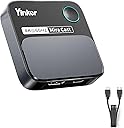
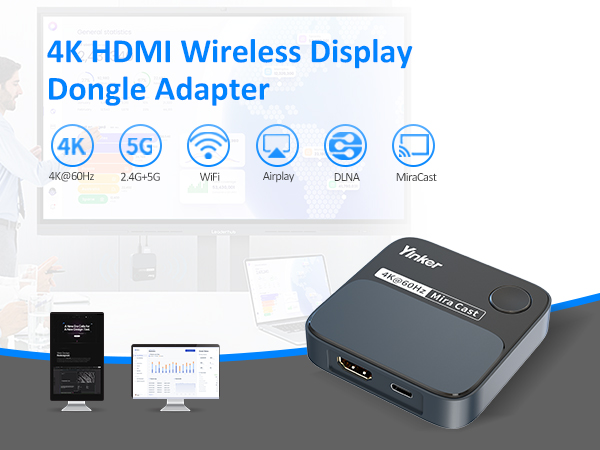
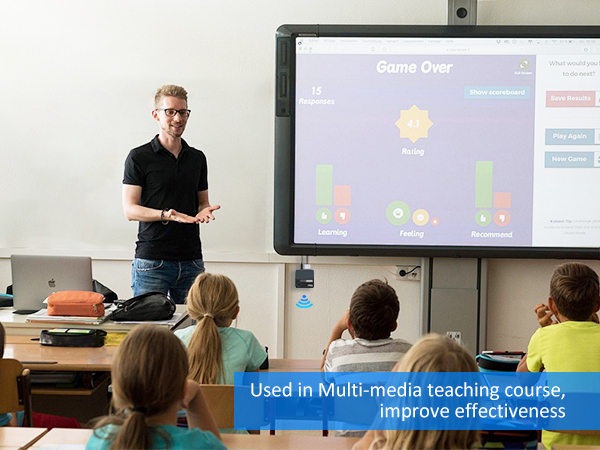
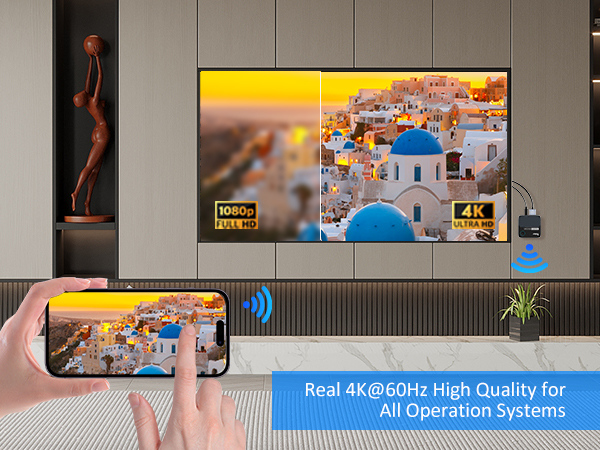
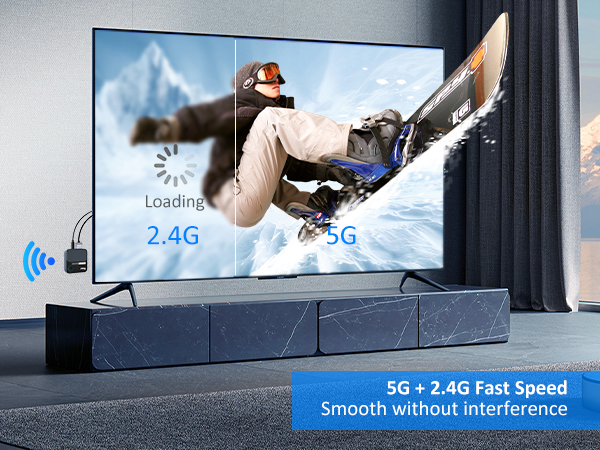
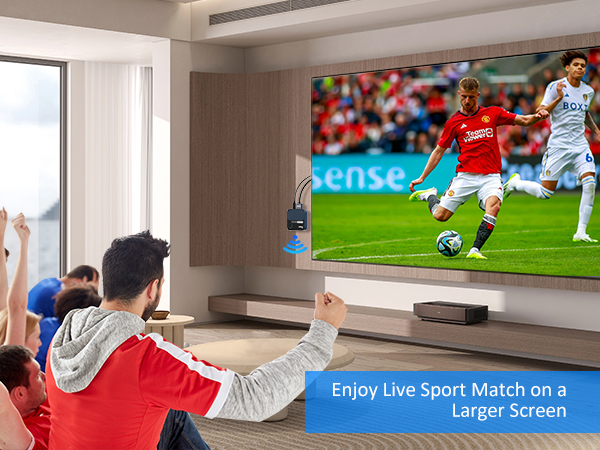
The Yinker 4K@60Hz Wireless HDMI Display Adapter delivers crystal-clear ultra HD streaming with dual-band WiFi for stable, lag-free mirroring. Compatible with major platforms and apps, it supports seamless switching between landscape and portrait modes, making it perfect for entertainment, live streaming, and professional presentations—all without the clutter of cables.


| ASIN | B0CPY1YR3S |
| Best Sellers Rank | 58,310 in Electronics & Photo ( See Top 100 in Electronics & Photo ) 535 in Streaming Clients |
| Brand | Yinker |
| Brand Name | Yinker |
| Colour | black |
| Compatible Devices | Gaming Console, Monitor, Projector, Tablet |
| Connectivity technology | HDMI |
| Connector Type | HDMI |
| Connector type | HDMI |
| Controller Type | Remote Control |
| Country of Origin | China |
| Customer Reviews | 3.7 out of 5 stars 61 Reviews |
| Form Factor | TV Stick |
| Item Dimensions L x W x H | 15.7L x 11.7W x 4H centimetres |
| Item Weight | 0.37 Kilograms |
| Manufacturer | Yinker |
| Manufacturer Part Number | WX3 |
| Model Name | WX3 |
| Model Number | WX3 |
| Network Connectivity Technology | HDMI |
| Other Special Features of the Product | Miracast |
| Resolution | 4k |
| Special feature | Miracast |
| Supported Internet Services | Netflix |
| Supported Internet services | Netflix |
| Unit Count | 1.0 count |
| Video Codec | H.264, H.265/HEVC |
| Video Output Resolution | 3840x2160 pixels |
S**T
Great for Miracasr
Using only for Miracast is great - fast connection and no problems!
E**A
Not ideal for corporate environments
Could have been a perfect replacement for the discontinued MS Wireless display adaptor…. But for a corporate environment I need to return it. Reason being, the splash/Home Screen on the TV is not customisable. We don’t want full login instructions (usernames AND passwords) in our meeting rooms thank you. If it was customisable with what you want to show on the homepage, I would buy 50+ of them as the connection is really good, shame
R**I
Gets the Job Done (Mostly)
This is okay, but I'm not as excited about it as I thought I'd be and I'm likely to stick to using my Chromecast instead. I do appreciate the compact, rounded square shape of it, though, making this feel particularly stable and easy to store. So, this device is somewhat easy to connect to Wi-Fi because as soon as you plug it in and connect it to a TV it shows you instructions on screen; the written instructions also do a reasonably good job at helping with the initial set-up. Once connected to Wi-Fi, it’s fairly easy to use as a secondary display on an Apple device, and it works pretty much as expected. On a Mac, it supports sound as expected and macOS knows what to do with it. It does have a noticeable amount of latency, which is regrettable because it’s relatively okay for presentations and videos but you definitely wouldn’t play a game on it. YouTube in a browser window on the secondary display seems to work perfectly fine. Netflix wouldn't work over screen mirroring because of DRM (according to Reddit, it would work in Firefox if not Chrome, but I didn’t have a Firefox install handy when testing). On Android, I was mostly able to get things to work once I installed EzCast. The EzCast app can send photos, music, and videos over (photos and music worked just fine, but I haven’t quite managed to get videos to work well). Interestingly, the app supports a way to cast straight from the camera/selfie camera on the phone, with microphone support; this is pretty cool and I can definitely envision it being useful. Screen mirroring is okay, and videos and sound show up okay as well; it also supports both portrait and landscape modes. Something odd here is that on the YouTube and YTM apps on Android, the device sort of appears in the list of casting devices, but casting to it doesn’t work. Anyway, I'm sort of undecided as to whether I'm likely to keep using it or not, but it's not a bad device.
K**R
Strange magic box that does things
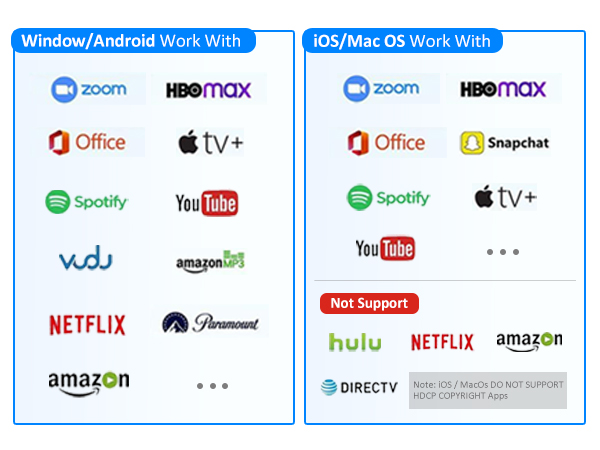
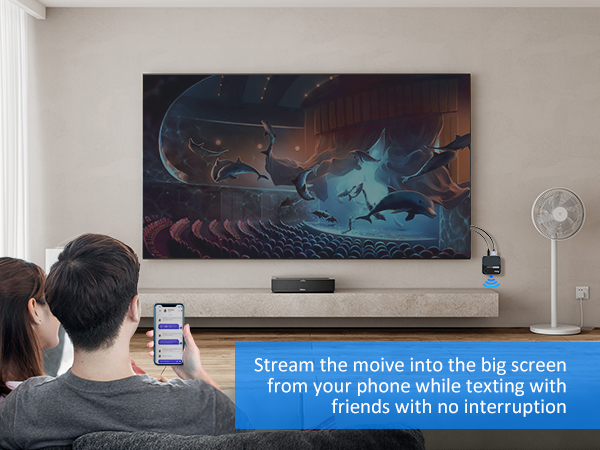
I ordered this 4K60Hz HDMI Wireless Display Dongle Adapter, my the amazon brand Yinker. Basically what it does is this. You plug it into the HDMI port on the biggest screen you have ( mine's only 32 in but don't let that limit you in your world). You get your cat video that you are watching on social media and you want to show the entire room how great it is. You connect the magic box to your phone via wifi. The magic box streams the cat video on your phone onto the big screen. There are literally no wires to plug in additional ports to attach. You can watch you cat video in 4k quality (if your big screen is 4k quality) and you can watchit in landscape or portrait mode, you just flip the phone. The phone by the way can be apple, android, or other available operating systems. However there is one problem I've encountered and that is that streaming services such as Netflix stream their content in a specific format with HDCP protections that are not compatible. I'm going to have to knock a star off for the Netflix issue but other than that it's a great bit of kit and I'm looking forward to watching lots of content that I like on my phone without getting a crick in my neck. Four stars.
A**R
Give older TV's new capabilities
The device offers a convenient way to wirelessly stream content from your phone, tablet, or laptop to a larger display like a TV or projector without the clutter of cables. Its compact, rounded-square design makes it easy to store and makes it the perfect travel companion for on the go. Setting it up is simple: once plugged into your TV, on-screen instructions guide you through the process, making connecting to Wi-Fi straightforward. The written manual is also clear enough to help during setup if needed. Once connected, this dongle performs well. The 4K support and dual-band Wi-Fi ensure that the picture quality is sharp, and it handles content streaming smoothly, especially for videos and presentations. That said, it does have some drawbacks. There’s noticeable latency when mirroring displays, especially during fast-paced activities, which makes it unsuitable for gaming. Although you would never use something like this for gaming. Streaming from apps like YouTube works fine, but due to DRM limitations, apps such as Netflix and Amazon Video don’t allow mirroring on iOS and macOS devices. This is a bit of a bummer because this could be a major use case for some people. Android users can install apps like EzCast to cast photos, music, and even videos, though I had mixed results whilst I tried to test things with Android, I feel things were more stable on iOS. YouTube and YouTube Music apps detect the device, but casting from them can be a bit unreliable. One cool feature is its support for both portrait and landscape modes, making it versatile for different types of content. The device doesn’t come with a power adapter which is a bit of a shame, but I found that connecting it to a TV's USB port worked fine. However, this sometimes did cause reliability issues due to the TV's port not supplying sufficient power, resulting in restarts etc. But when using a dedicated power supply like a mobile phone plug, the device worked flawlessly, so this is one thing to note. All in all, it’s a useful device if you're looking for an easy way to mirror your screen or cast media, but its quirks—especially the latency and limited support for certain apps—mean it's not without its trade-offs. For those who can live with these limitations, it’s a solid option to enjoy wireless streaming in 4K.
A**N
Effortless Screen Mirroring with a Few Quirks
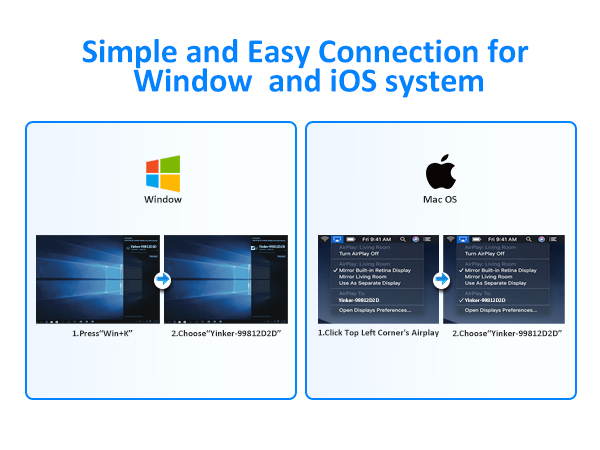
The Yinker HDMI Wireless Display Dongle is a handy gadget for anyone looking to enjoy videos from their smartphone, laptop, or tablet on a larger screen like a TV, monitor, or projector without the hassle of long cables. Setting it up is straightforward; simply use the screen cast or mirror function on your device, and the wireless dongle display adapter appears ready to go. The adapter supports 4K resolution and uses dual-band WiFi, ensuring high-quality streaming. The picture quality is impressively sharp, making it a joy to watch your favourite content on a bigger screen. One thing to note is that the dongle requires a power adapter (5V/1A), which is not included in the package. I managed to power the receiver by connecting it to the USB socket on my projector, but you could also use a separate USB charger if needed. However, a minor inconvenience is that iOS and MacOS devices can't stream content from HDCP-protected apps like Netflix or Amazon Video, which might be a dealbreaker for some. Additionally, the dongle has a tendency to switch off by itself at times without any apparent reason. This could be due to it being underpowered, so some experimentation with different power sources might be necessary. Despite these minor issues, the Yinker HDMI Wireless Display Dongle offers a convenient way to switch between landscape and portrait mode with just a push of a button. This feature adds to its versatility, making it suitable for various types of content. Overall, while it has a few quirks, the dongle provides a solid performance for those looking to enhance their viewing experience without the clutter of cables.
K**K
Good Wireless (HDMI) streaming device
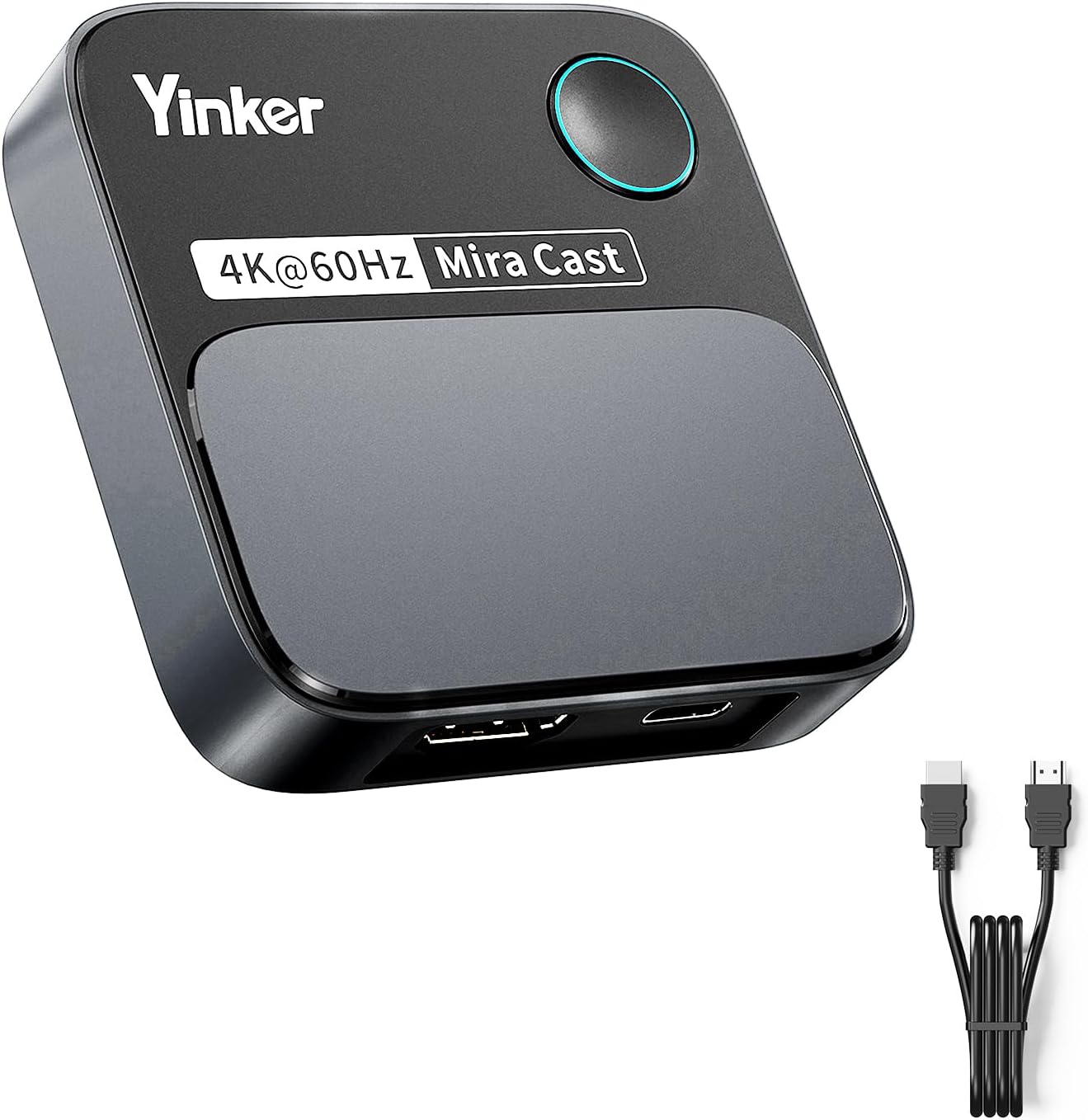
This Yinker 4K60Hz HDMI wireless display dongle pretty much does what it is supposed to do. It comes with the dongle (quite large approx. 74mm x 74mm) itself, a HDMI /HDMI connector and a USB connector (for power). There is not mains adapter so a USB compatible adapter/socket is required. Set-up was not quite as simple as expected, but not overly difficult, and probably more down to user impatience :). Had is running on a Z-Edge monitor, an LG TV and latterly a Samsung TV. Connected to all three fine. Used to cast from Windows PC and Android devices. Picture quality was good. You wouldn't want to be using it to stream a high-end, graphically rich with rapid refresh rate, game but for most other stuff it was fine. We had a couple of issues with the device unexpectedly going on standby on the Samsung TV. This may have been primarily because this was the display that had the most extended use. Overall though for this sort of device is not bad for the price.
S**R
A great dongle
I needed a wireless way to connect to a projector on my ceiling. Once the Wi-Fi connection was made, it worked effectively with a clear picture. I didn't see any dropout at all. I managed to power the receiver by connecting it to the USB socket on the projector. I was lucky that the projector's USB was powerful enough. So, there was no need for a separate power adapter. But this would depend on the make and model of the projector you are using. However, it did switch itself to standby which can be annoying. I am not sure if this is because of the setup I have though. It won't stream some internet services from an Apple device so I had to use my Windows laptop to get around this issue.
N**N
THIS IS THE $50 SCREEN ROTATION BOX TO BUY.
This is THE ROTATION BOX SOLUTION FOR $50 to screen cast onto a television monitor in portrait. I was looking for a solution to rotate the input 90 on a TV for over a month, and found this item linked on a chat board. I was able screen cast from an android TriplTek 9 Pro tablet to a cheap 40" Vizio television, turned on end for a portrait aspect ratio. The left and right edge of the display screen was cut off by about 5 percent, on the TV. In a perfect world it would stretch or add black bars to fit the TV, but it was only $50! It is possible an android with a narrower screen would not have the side cutting problem, but maybe then it would cut the top and bottom, instead. Oh well, for $50 it is still an incredible bargain, and it worked great for my portrait specific android software demonstration needs. Anyway, I am very satisfied with the product performance for the price. Other similar devices cost 4 to 6 times as much, and ship from China, and who knows if they even work. The only other option would be to buy an $800 TV that could rotate internally. This product arrived in just a couple days from stock inside the USA.
C**N
Ok ras
Fonctionne correctement
O**A
fungerar men
- Glöm om 4k/60Hz då den laggar mycket. - Passar kanske mest till statiska presentationer, inte till video då den laggar ofta. + Med Miracast från Windows fungerar acceptabelt vid 4k/30 + Med AirPlay fungerar den med sämre kvalitet. + Fungerar att streama från Android, kvalitet beror på enheten och nätet.
F**.
Ich mag ihn
60 Herz klappt nicht wirklich, aber es ist definitiv schneller, als Konkurenzprodukte. Ton und Actionreiche Filmszenen verstragen sich nicht, da das Bild bevorzugt wird und der Ton dann stottert. Trotz der intern Antenne ist aber der Empfang super, auch hinter einem Monitor mit Metalgehäuse und, wie bereits erwähnt, hatte ich schon andere Geräte probiert, welche wesentlich mehr ins stocken gekommen sind, bei schnellen/vielen Bildänderungen. Ich nutze einen portablen 24"-Monitor, einmal aus Platzgründen an einem Arm neben dem Bett, aber auch wunderschön mit Powerbank, einmal am anderen Ende der Wohnung (vom PC aus), über der Wanne. Da die Lautsprecher im Monitor eh nicht die besten sind, stört das mit dem stockendem Ton mich nicht, da es sich über eine Bluetooth-Soundbox ideal lösen lässt. Aber wenn man die unnötig helle LED noch abschalten könnte ;)
N**E
Très Pratique
Acheté pour pouvoir projeter ma tablette sur un moniteur. Très pratique malgré une perte de son par moments où une déconnexion qui m’ont obligée à tout relancer.
Trustpilot
2 months ago
4 days ago