Desertcart purchases this item on your behalf and handles shipping, customs, and support to Kyrgyzstan.
✍️ Elevate your iPad artistry with the smoothest paper-like touch you didn’t know you needed!
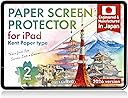
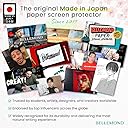
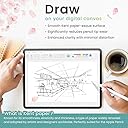
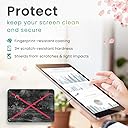
The BELLEMOND Kent Paper Screen Protector for iPad 10.2" (7th-9th gen) offers a finely tuned matte surface inspired by traditional Kent drawing paper, delivering smooth Apple Pencil control with reduced tip wear. Designed and manufactured in Japan using premium PET materials, it features a low-glare finish that minimizes reflections and fingerprints, enhancing usability in bright environments. This 2-pack provides excellent value with easy installation and durable protection tailored for artists, writers, and note-takers seeking a subtle paper-like experience without compromising screen clarity.


| ASIN | B0FK45ZVNW |
| Best Sellers Rank | #197 in Tablet Screen Protectors |
| Brand | BELLEMOND |
| Brand Name | BELLEMOND |
| Color | Clear |
| Compatible Devices | iPad |
| Compatible Phone Models | iPad 10.2 (2021/2020/2019) |
| Customer Reviews | 4.4 out of 5 stars 1,247 Reviews |
| Finish Type | Matte |
| Included Components | Installation Kit x 2, Kent Paper Screen Protector x 2 |
| Item Dimensions L x W | 8.16"L x 6.12"W |
| Item Hardness | 3H |
| Item Weight | 168.11 g |
| Manufacturer | BELLEMOND |
| Material | Polyethylene Terephthalate |
| Model Name | GFLPLKNTIP |
| Model Number | GFLPLKNTIP-2S-1020 |
| Number of Items | 1 |
| Part Number | GFLPLKNTIP-2S-1020 |
| Product Dimensions | 8.16"L x 6.12"W |
| Screen Size | 10.2 inches |
| Screen Surface Description | Matte |
| Special Features | Anti-Glare Matte Surface, Apple Pencil Compatible, Designed & Manufactured in Japan, Reduced Pencil Tip Wear, Smooth Kent Paper Texture |
| Unit Count | 2 Count |
| Warranty Description | Limited manufacturer warranty provided by BELLEMOND. Please contact our customer support team for assistance. |
J**S
Perfect screen protector for drawing on Ipad
If youre looking for a super textured or matte screen protector this isnt the one for you, but if you just want a subtle paper-like experience this is perfect. Texture-wise it feels very similar to my Wacom cintiq with a subtle paper-like texture that makes for a comfortable experience to draw with. The screen protector causes very little distortion, and the anti-glare sparkle is only visible on light-colored backgrounds. When watching videos or playing games I didn't notice any distortion. This screen protector also gives a nice matte effect that reduces glare, making it easier to draw in bright environments and from different facing angles. The thickness of the protector is very thin so theres no line interference. The protector fit perfectly on my 2022 Ipad Air. TIP FOR APPLICATION: Application is a little nervewracking but i was able to apply it with no bubbles successfully. A little lifehack I found out recently: run a warm shower in your bathroom for a bit and afterwards apply the screen protector in the bathroom. The humidity from the warm shower water will make all the dust in the room fall out of the air, making the application much easier.
J**C
Great value
I’m really impressed with this iPad screen protector. The Apple Pencil feedback is excellent. It feels smooth and natural, not slippery or laggy, and writing or drawing still feels precise. Installation was surprisingly easy with no bubbles or hassle. Overall, it feels great to use and honestly performs just as well as the expensive name brand options. For the price, this is a no brainer. I would absolutely recommend it over the overpriced alternatives. Plus you get two!!
J**N
I think I made a good choice.
I HAVE THE ZUGU CASE (I don't know if there's multiple but it's the one that has the 10 step stand thing on it) AND 12.9 2021 IPAD PRO I think I covered mostly everything below but if you have questions, feel free to message me on Instagram at art.by.jb.23 with any questions and I'll give an honest answer to the best of my ability! I don't often leave reviews but I had a hard time picking one of these products due to all the back and forth so I want to give my review of it after a few weeks. I seen some people say it wore down a lot. I've used mine for a few hours minimum but up to 14 a day since I got it and installed it and I think overall it's worn down pretty evenly but that being said it's still matte, it's still not the same as a glass screen, and it still gives me auditory and physical feedback I was looking for. Some people saying it messed with video quality and I mean yeah it's kinda adds a grainy effect but it's so minimal that I barely even notice unless I purposely remind myself so for me it's not an issue, and I use my iPad almost solely for the purpose of art so idc Some say it's hard to install, I don't think it was too bad. Really just make sure you get all the dust clear and everything and make sure you put it on the right way because I put mine on opposite so until I feel the need to replace it with the second one, my front camera is kinda useless. Luckily in any decent lighting face ID does still work lol. As for using with a case, I saw A LOT of issues with people on all of these products that span the whole size of the screen (like this one) saying to trim them and stuff, I was not about to do that before at least trying because the idea of having the edges showing honestly disgusted me, I'm adhd and I will pick at something while I think if I have the option. So I didnt trim, and I carefully tried to fit 3 corners in as much as I could and then put my thumb on the screen protector on the final corner and pushed it in, success! That being said tho, occasionally a corner with have air on it as if it came up some, which I think is due to when I was installing I lifted to remove a dust spec and I think I killed the adhesive slightly but I literally just press it down and it's good for another couple of days. As for nib damage on the pen, I've noticed very minimal sharpening of the tip, but cmon guys, it's soft rubber/plastic meant for smooth glass, of course a rougher surface is going to do some damage quicker than it normally would. The nibs are cheap and I think it's worth the improved experience. Glare reduction I feel like is a touchy one, is the glare reduced? Yes. Is glare gone? Of course not. The screen with bare glass reflects like a mirror. With the protector it's more of a soft light shape. Much better than bare tho. Fingerprints are also reduced but oily hands will always leave residues, that's a downfall of us not the protector. That being said I used to carry around spray and cloth in my bag to clean my screen and now a simple wipe with my hand or shirt clears up any fingerprints, which are more of hazy smudges that you can't really see with the screen on anyways. So with very minor complaints, I'd say I'm probably not going to try any other brands and stick with this one! Thanks for the good quality product!
K**A
Perfect screen protector for artists
I am a professional artist that uses my iPad extensively for creating artwork. I’m not a huge fan of the slick screen feeling so I’ve always used the paper textured screen protectors. Which are usually hard to install without getting air bubbles and or dust speks caught under it. They are also incredibly harsh on the Apple Pencil tips. When I install a new paper feel protector it will wear down one of my pencil tips in mere days. I saw this recommended online and thought I would give it a try. I was a little worried about it saying “Kent paper feel” because I wasn’t quite sure what to expect as far as texture. I am extremely glad I decided to order Bellemonds’ Smooth screen protectors. Not only was it easy to install- watch the helpful video- it’s different than most companies way and I found I had virtually no air bubbles or dust after applying it to my iPad Pro 12.9. The other extreme plus was the texture itself. It says “smooth” and it IS smooth, but it’s not like a tempered glass or blank screen is. It still has a bit of texture to give your Apple Pencil a fraction of resistance. Nowhere is the gritty feeling of sandpaper from other paper feeling protectors that practically act as a pencil sharpener. Also the Apple Pencil does not make any grooves in the film like other protectors I’ve had as well. Minimal fingerprinting but easy to clean. No glare, but it did dull the colors on my screen just the tiniest bit. Small bit of light refraction as well. So artists- if you are reading this and that’s a game changer for you, I will say that bellemond’s is not nearly as bad as other textured protectors, but there is some. I am ecstatic that this is working so well for me and I will always have this company’s screen protectors on my iPad screen from now on! And no I was not given any free to try ones or am a compensated/paid reviewer. I am simply a happy artist that has finally found exactly what I was looking for.
Z**L
Great for art tasks.
Good quality alternative to paper like. The texture hasn’t smoothed and my Apple Pencil hasn’t been ground down at all. The plastic is soft so it’s very prone to being gouged by anything hard, but I just use a portfolio style case and it holds up well. The texture is nice for control but sometimes a little too abrasive for your fingers. Specifically if you want to use your thumbs for games on the side I find it hard to get smooth movement. For the price it’s a great buy.
J**J
Love it on e-ink!
FOR BUBBLE-FREE APPLICATION: (Ensure your device is at least splash-proof or waterproof first…) - Put water into a spray bottle with a teeny tiny bit of gentle dish soap or baby shampoo and shake vigorously to mix. - After cleaning your screen with the included wipe & cloth, spritz it with the soapy water. - Remove the screen protector backing and spray soapy water on the sticky side as well. - Place the soapy-wet screen protector on the soapy-wet screen. - Arrange it until perfectly aligned, and scrape the bubbles out. - Allow to dry before use. This makes the process MUCH easier, as the water + surfactant combo gives you ample time to align the film with your screen, makes the bubbles a snap to push out, and helps “wash out” any trapped dust. ___ I use a Mobiscribe Wave, a 7.8” e-ink tablet. Every accessory for it is out of stock, likely due to the business preparing to shut down, so I couldn’t find a screen protector that was the right size, but the screen is made of a slightly flexible plastic (not glass), so it’s very easy to scratch. Thankfully I have a paper cutter that can manage thicker materials :) I tried a few other brands of similar papery films including paperlike and another one I don’t remember the name of. The former was too smooth and peeled up at the edges easily, while the latter felt like sandpaper, gritty enough to sand down a Staedtler Mars Jumbo EMR nib in a day or two. Both also felt thin enough for me to get nervous using a ceramic or titanium nib to write. I ended up getting this one (Bellemond Kent, iPad Mini size) after reading that it’s made to feel thicker than others. It’s a little overpriced, but it’s worth it for me, especially given that I don’t have to change it very often (and I was more confident about getting it right after discovering the soapy water trick online). Two aspects go into making a screen protector feel similar to paper: the texture and the cushion. Preference is obviously subjective, but I really like that Bellemond Kent has both a matte texture & plush, notebook-like feel (vs the thinness you’d feel writing on a single sheet of paper on a hard tabletop), not to mention it actually works to protect my screen from scratches, regardless of nib material :) Worth noting: I did also test the original version from Bellemond, but I didn’t like it as much due to the lack of aforementioned “cushion,” apparently only in the Kent Paper variant. I’ll be back for more when I need it :)
B**H
Hard to align
This is the sweet spot of screen protectors; it makes writing on the screen feel natural but doesn’t dull the picture too much. However, I can’t get it on straight. I was careful, and my first attempt is a complete waste. I will have to throw this one away. I’m a little afraid to try again with no guide or alignment stickers.
C**E
Paperlike, who?
[Pros] + Probably the best-quality screen protectors for the iPad. This brand offers a few different styles with varying tooth so you can find one that fits your tastes. I personally prefer the smooth kent. + Toothy, but not too toothy. Just enough for the perfect amount of control over my strokes without feeling like I'm fighting against the surface of the screen. +Completely mattifying. With these, you won't get a hint of glare. I promise. It's great for when you're trying to write or draw in a well-lit area or somewhere there's a bright light. +Much cheaper than Paperlike. A pack of Bellemond typically runs for under 20 bucks. Under half the price of Paperlike. Personally, I prefer the quality of this brand over PL so the choice would be obvious even if they were closer in price. [Cons] - While the application is easy, it can be a bit annoying. As with all screen protectors, putting the damn things on your iPad will be a test of patience. Do it on a clean, flat surface with no fans running and the window closed. Not your bed. Not in a moving car going down the bumpiest street in the city Learn from my mistakes. Look up a video tutorial on how to apply the protector on YT and watch it at least twice before trying yourself. It's not a huge deal if you make a goof, but know that if the protector is slightly misaligned it will encourage the overhanging edges to lift, allowing dust underneath over time and shortening the lifespan of that screen protector. Make sure you get out all of the big air bubbles, and the small ones too if you're that person. - This will dull the colors. If you're the kind of person who primarily watches TV or movies on your device and cares a lot about how crisp and colorful the screen is, I'd probably pass up on protectors altogether or go for a glass one. - It will wear down your Apple Pencil tip. I am VERY heavy-handed and it took over a year and a half of daily drawing for my pen tip to hit metal. Sounds scary, right? I mean, why would you use a screen protector that actively damages your pen?? Well, Apple Pencil tips are easily replaceable - 20 dollars for a pack of 4. If you replace your tips at the same rate I did, it'll be over 5 years before you need to spend another 20. Keep in mind, Paperlike is abrasive as well so the wear is inevitable. Paperlike screen protectors and a single sheet of that cost as much as a pack of Bellemond protectors and a set of replacement tips combined. A single sheet lasts me about 4-6 months. If it starts to feel slick before then, give it a good wipe down with a screen wipe or some eyeglasses cleaner on a microfiber cloth. It's probably the oils from your hands collecting on the surface rather than the tooth wearing down. Pros and cons considered, this brand doesn't miss. I'd pick it over Paperlike every time.
D**A
NO BUBBLES, SMOOTH APPLICATION
OBSESSED. THE APPLICATION WENT PERFECTLY SMOOTH AND NO BUBBLES ON THE SCREEN. I’M VERY HAPPY AND DEF WOULD BUY THIS AGAIN!
R**V
Very paper like
Excellent
S**O
Muy similar al papel
Todo un descubrimiento. Acostumbrada a escribir sobre cristal, la primera sensación es como de asperezas, pero mucho más parecido al papel. Estoy encantada.
C**N
Qualité et facilité de pose
Ayant eu récemment un iPad air M3 pour dessiner, j'avais un peu de mal avec la surface complètement lisse et surtout j'avais peur d'abîmer le verre. Venant d'une tablette graphique sans écran, j'avais l'habitude d'avoir une texture sous le stylet. J'ai lu les autres commentaires avant d'acheter et j'avais quelques doutes mais j'ai quand même pris le risque car le modèle le plus connu était deux fois plus cher ! J'ai lu que le film était difficile à poser, qu'il n'y avait pas de guide, etc... Alors voici mon expérience : On reçoit les films très bien protégés dans un beau carton rigide. Est compris à l'intérieur, deux films et dans une petite pochette séparée il y a une grande "raclette" pour appliquer le film, deux lingettes nettoyantes, deux set de guides, deux petits chiffons pour le nettoyage de l'écran et deux autocollants anti poussière et pour finir deux pads antidérapants afin de ne pas abîmer l'iPad lors de la pose. La manipulation est vraiment simple, on place les pads sur la surface de travail, on colle les guide au dos de l'iPad en suivant les pointillés, on place le film sans décoller les protections de celui-ci et enfin on colle les guides sur cette dernière afin de bien la maintenir en place. A partir de là, il suffit simplement de décoller le premier film et appliquer avec la "raclette". Si on applique le film grâce à l'outil prévu, très peu de bulle ne se forme, c'est d'une facilité déconcertante ! Je n'ai eu que 3 bulles sur les bords mais en utilisant l'outil fourni, j'ai pu les chasser en deux ou trois passages. Le temps nécessaire à l'application sur mon écran d'Ipad m'a pris en tout et pour tout 10 minutes ! Au niveau de la sensation du pencil pro, il n'y a aucune comparaison, les gestes sont bien plus agréables et précis, moins hésitants et vraiment plus naturels. Pour ce qui est de la netteté de l'écran, oui il y a une petite différence mais je trouve que c'est vraiment très loin de détériorer l'image. C'est peut-être moins éclatant au niveau des couleurs mais personnellement je préfère ce petit inconvénient au vu de ce que celà peut apporter au confort de dessin et à la tranquilité d'esprit ! L'achat de cet iPad représente une somme conséquente et je préfère avoir une détérioration au final assez minime de l'écran que de rayer ce dernier et devoir le changer au bout de quelques années car il sera forcément plein de micro rayures inévitables. Je ne met que rarement des commentaires et j'ai payé cet article mais au vu de la qualité du produit, je trouve important de laisser un commentaire pour remonter sa note car il le mérite largement !
L**B
Simply the best
I tried a lot of screen protectors from different brands, this is just the best I have tried so far. I thought I would struggle since it didn’t have alignment frame like the others. But surprisingly installing it was way easier than with other ones.
Trustpilot
3 weeks ago
3 weeks ago