Desertcart purchases this item on your behalf and handles shipping, customs, and support to Kyrgyzstan.
🎮 Elevate Your Game with Sound That Moves You — Comfort, Clarity, and Control in One Wireless Powerhouse!
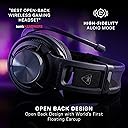
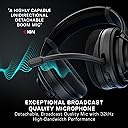
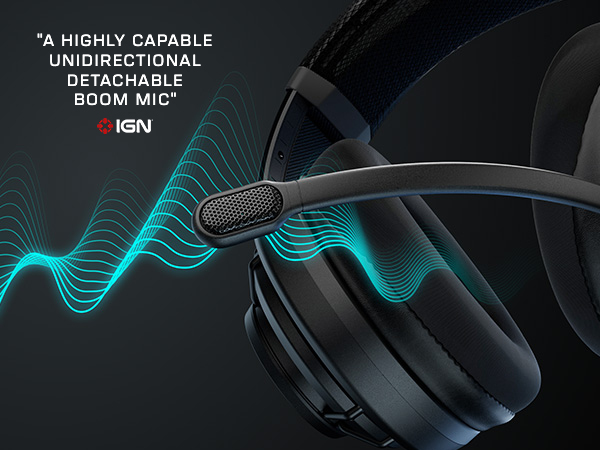
The Turtle Beach Atlas Air is the first wireless open-back gaming headset designed for PC, PS5, PS4, and mobile. Featuring 40mm high-precision drivers with 24-bit high-fidelity audio, a detachable broadcast-quality mic with 32kHz sampling, and a revolutionary floating earcup design, it delivers immersive sound and all-day comfort. With low-latency 2.4GHz wireless, Bluetooth 5.2, up to 50 hours of battery life, and advanced audio customization via Swarm II software, it’s engineered for pro-level gaming performance and seamless multi-device use.


| ASIN | B0D13VX3S6 |
| Additional Features | Fast Charging, Lightweight, Microphone Included, Rechargeable Battery, Wireless, open back, Bluetooth, multiplatform |
| Age Range Description | Adult,Kid |
| Antenna Location | Gaming |
| Audio Driver Size | 40 millimeters |
| Audio Driver Type | Dynamic Driver |
| Audio Latency | 50 milliseconds |
| Battery Average Life | 50 hours |
| Battery Charge Time | 50 hours |
| Best Sellers Rank | #2,481 in Video Games ( See Top 100 in Video Games ) #104 in PC Game Headsets |
| Bluetooth Range | 60 feet |
| Bluetooth Version | 5.2 |
| Brand | Turtle Beach |
| Brand Name | Turtle Beach |
| Built-In Media | Cable, Ear Cushions, User Manual |
| Cable Features | Without Cable |
| Carrying Case Material | Fabric/Nylon/Leather |
| Color | Black |
| Compatible Devices | Cellphones, Desktops, Gaming Consoles, Laptops |
| Connectivity Technology | Bluetooth, Wireless |
| Control Method | Touch |
| Control Type | Volume control: Rotary; Control type: Buttons,Rotary |
| Customer Package Type | Standard Packaging |
| Customer Reviews | 3.6 out of 5 stars 686 Reviews |
| Ear Placement | Over Ear |
| Earpiece Shape | Over Ear |
| Enclosure Material | Plastic |
| Form Factor | Over Ear |
| Frequency Response | 40 KHz |
| Headphone Folding Features | Over Ear |
| Headphone Jack | 3.5 mm Jack |
| Headphones Ear Placement | Over Ear |
| Impedance | 32 ohm |
| Item Weight | 297 g |
| Manufacturer | Turtle Beach |
| Model Name | Atlas Air PC Black |
| Model Number | TBS-5101-05 |
| Noise Control | None |
| Number of Items | 1 |
| Specific Uses For Product | Entertainment, Gaming |
| Style Name | Stealth Atlas Air |
| Theme | Video Game |
| Total USB 2.0 Ports | 1 |
| UPC | 731855051069 |
| Unit Count | 1 Count |
| Warranty Description | 1 year Limited Warranty |
| Water Resistance Level | Not Water Resistant |
| Wireless Technology | Bluetooth, Wi-Fi |
D**E
Amazing Headset with Amazing Comfort!
I got this headset in today and used it for working and gaming. with working I take a lot of zoom calls which can be anywhere from 30 minutes to 2 hours. The comfort with these are unmatched. They are extremely light, and the strap with mesh mechanism makes it feel like nothing is on top of your head. These will bleed sound though so if you are in an office i’m not sure i’d recommend. In gaming i typically play FPS, and some say open back isn’t great for FPS but i strongly disagree. The wider soundstage makes all the difference when trying to place footsteps. I’m able to pinpoint where people are with ease (there are some settings in the swarm app that help as well). Microphone quality is great. I needed to switch it to clarity in swarm for it to sound the best with my voice but i think most will be suited for the full preset mic eq. Sound quality is great as well, people said these do not get loud but i could not disagree more. Some notes: I’m playing on a PC and i have not tested on console. Your eqs save to the headset (at least from the pc application but i have not tested with the phone application). These will not work wirelessly on xbox but will work wired. No simultaneous wireless/bluetooth. I don’t care for this but i know that others do. No sidetone hiss! You can turn it as loud as you want and you will not hear that audible hiss that most headphones suffer from. All in all I am loving these headphones. They fit my needs perfectly. I have tried many headphones over the last 3 years and these are up there with the best.
G**H
Great headset ruined by a terrible headband design.
The outer headband is designed for the outlier most enormous human skull size, and has this "adjustable" mesh that's supposed to tighten inwards to allow the inner band to fit smaller skulls by pulling straps on either side and fastening them in place with velcro. EXCEPT: THE VELCRO ON THE HEADSET IS HELD ON WITH EXTREMELY WEAK GLUE. The available adjustment range is already MINISCULE, and if you take it to the max setting, the tiny elastic force will pop that adhesive right off. If it did work, the other downside to this is that it makes the inner band completely horizontal instead of concave so it just rests upon the tippy top of your head instead of spread out. It doesn't really help the incredibly weak clamp pressure either. As such, this will always be the loosest headset you will ever use. It will wobble any time you turn your head and if you stand up too fast it's likely to fall off. The mute position of the microphone also doesn't lock in place so the microphone will fall back down if you tilt your head. The mic monitoring is also really weak, and there's a strong noise filter built in that cant be turned off, so it will drop any softly spoken words and you'll never be able to get singing to come across if you wanted to. There's an additional noise filter you can apply if you really want it to cut out every time you whisper. Also I've never held a cheaper-feeling non-premium headset. I feel like they disguise the cheapness as tech, like this mesh headband is probably way cheaper to make than an adjustable one, and the free-floating earcups when you take everything else into consideration are not high tech at all, they are just securing them to the headset with rubber bands which is probably way cheaper to manufacture than real joints. And why would you want earcups that want to forever resist a set position against your ear instead of ones that hold the position you put them in? If you think that maybe these are sound-isolated by being suspended, well somehow they aren't. if you even lightly touch the top of the headband it will sound loud in your ears, so it all travels through the bands anyway. Also, the wheel on the side adjusts the volume in four steps only. Four steps is a huge difference. This means that you cant get very precise with volume. There is no way to adjust the game/chat balance on headset like other turtle beach headsets. You have to do it in an app- Another cheap decision. On the plus side, they are open-back and you can pretty much hear your environment normally, which is great if headsets normally give you a headache from the isolation. For that reason alone it will be a tough decision to return these, but I mean if it's not even picking up my voice when I mutter, how do I know when my party is hearing me?
H**E
Best customer support!!!
I absolutely love these headphones! The open back design allows clear game and discord audio while still able to hear my surroundings. I wanted this design so I can hear my husband, dogs and delivery people and still enjoy the gaming experience. I did have some connectivity problems with my set and did finally need them replaced but I want to stress that the turtle beach support team answered my first email under 24 hours. And they continued troubleshooting with me for about six weeks. I’d receive an email with a fix suggestion, try it, evaluate and update them. They countered with another fix suggestion and we would do this cycle…almost reaching 100% satisfaction but there was just something not communicating correctly in the headset so I am waiting for a replacement. Here’s what I love about them: Clear audio Good volume Natural hearing, not feeling like I’m in a vacuum Very comfortable Lightweight but still full size Easy to use Long battery life Here’s the problem that I encountered: Unreliable connection - sometimes I logged into my game and discord and it was perfect. The next time, I would hear my game but not discord or visa versa. Sometimes just leaving one discord channel for another caused the disruption. Also, it would toggle between Bluetooth and wireless until I finally just unplugged the dongle and just used the wireless connection. That fixed a lot right there. Honestly, the problem might be my computer’s Bluetooth connection and I’ll find out when I get the replacement. When these work, they are the best headphones that I’ve ever had. But they are not meant to deliver a full immersive experience so if that’s what you want, you will not be happy. And I love that tech support never gave up and responded knowledgeably and listened to me. They earned a lifetime customer as long as their quality doesn’t wain.
D**E
Wireless open backs!!
I'm very very excited about a wireless open back headphone. They deliver on the promise. Less fatigue. Great sound-stage. The clamping force is light enough to be very comfortable, which is nice, but keeping them centered on your head can be a bit of a pain. Leaning forward, shaking your head, laying down, you'll have them slide around on your head. The volume knob is smooth but easy to bump on accident. There are three buttons, power, bluetooth/wifi toggle, and a pairing button. The pairing button doubles as a play/pause but doesn't work on some devices. Microphone is detachable which is great and sounds good to others I game with or take phone calls. It won't do simultaneous bluetooth/wifi but it will switch automatically when you get a call. So...complicated, I love them very much, but there's room for refinement. No many options in this category unfortunately.
A**R
It's 2026 people. How is this being sold at this price?
I cannot recommend this headset at this price point. The build quality just is not there. They don't seem to know how wireless connections should work in 2026. Every time I hear the mute/unmute notification sound(when I had no intention of muting/unmuting) I want to throw it in the trash can and order any other headset. Pretty much just waiting for it to break so I can move on. Drop the price about $100 and maybe it would be worth it to someone. Pros: I think it is comfortable. Battery life is sufficient for me. Sound/microphone quality is fine. I am not an audiophile. Cons: The physical microphone mute is incredibly finicky to the point where it is best to leave it unmuted and hope your applications are muted appropriately. Whenever you physically mute/unmute, your desired audio is cut out and a loud sound is played to notify you that this piece of crap has accidentally muted/unmuted for the 5th time in a row within the span of 5 seconds. Something in the microphone is not correctly making contact, seemingly a widely reported issue with no fix. Possibly the most infuriating part of this review. The wireless connection is not stable and is incapable of reconnecting by itself 9 out of 10 times. If you walk 15 feet away to your bathroom, audio will cut out. You would think audio would automatically start up again when you come back within its meager range, right? No, you must perform a ritual of changing connection modes, disconnect/reconnect the USB transceiver, and power cycling the headset to get audio to work again. All this while being able to adjust the Windows system volume from the headset. The headset is connected, just send the audio?? What is so hard about that? The app has no functional purpose I can discern. There are new updates often...but there's nothing about this headset that should require weekly software updates. Just guessing it's a way to offload your data, but literally every company does that so whatever. Lastly, there is no physical volume control. There is a volume knob, but the knob only adjusts the operating system's volume levels. This leads to various issues with wildly inconsistent volumes between applications. Just give me a knob that controls the volume of the headset, not my computer. Like every other headset.
A**S
An incredible headset
I was looking for an open-back wireless headset, and this was the only option. At first, when I saw some of the reviews, I was hesitant, but then I decided to give it a shot, and I am very glad I did! The sound quality is amazing. Very natural sound, and the bass is dry and just right. If you max the volume, the sound gets distorted, but I can’t really complain because I don’t listen to anything at that volume. The volume knob is too aggressive, but okay. Mic quality is not bad if you use the wireless mode. When it comes to comfort, this is one of the most comfortable headsets I have ever tried. It’s light and secure on the head without crushing it! I love the open back too, although I wish more sound could go through. The only complaint I have is how flimsy the mic connection is, and it rattles when I shake my head. In general, I love it, and I think it’s worth the price compared to other headsets in the range.
K**Z
I really wanted to like these…
I had mixed feelings about the Turtle Beach Atlas Air Wireless Open-Back Headset. The sound quality is generally good, but I occasionally noticed a bit of static, which was distracting when it happened. The headset also feels comfortable at first, but after wearing it for a few hours, it started to feel a little heavy (this is just my personal experience, I like lightweight headsets). My biggest issue was the connectivity. It kept disconnecting when using Bluetooth mode, and I also experienced disconnects when using the wireless dongle. Since I had connection problems with both wireless options, it made the headset frustrating to use at times. Overall, there are things I like about this headset, but the occasional static, the weight during longer gaming sessions, and the repeated disconnecting issues kept me from rating it higher and I am returning it to try a different open back headset.
B**H
Absolutely love the clarity of the immersive sound and the comfort of this headset
I was comparing this headset for Black Friday sales against a few other headsets. Eventually, I narrowed it down to two. This and the Logitech G Pro X2. Both are great headsets, but ultimately, I went with the Atlas Air and it wasn't even close. This was my first time trying an open back headset. Because it is open back, the sound is just so crisp and pure. It's hard to put into words. It just sounds very natural with no distortion. The wideness of the sound (soundstage) is very impressive. For the types of games I play (Baldur's Gate 3, Cyberpunk 2077, Horizon Forbidden West, Witcher 3, Elden Ring, etc., it is perfectly made for those games. There were two things I was worried about. One was whether being that it was open back, the sounds of my surroundings would bother me. For me at least, the answer is a big no. When you are playing a game, the sound itself blocks out most everything around you. I don't hear my gaming laptop fans, I can hear to some degree things around me, like if someone was blasting the TV in another room, but nothing so far has distracting me from the game I'm in. The other thing that I was worried about was the Swarm II software. I had read for weeks about how firmware updates broke the volume and even doing a firmware update could be challenging. I'm happy to say that they must have fixed things because this thing gets quite loud, I only have the volume around 50-60 and to me it is more than loud enough. In addition, I really don't use the software for sound. I use the Dolby Atmos software instead. That is what you want to focus on and turn most things off in the Swarm Software. Keep the sound on "Signature", get a Dolby license for about $10 of whatever it costs, and use its presets or equalizer to tailor the sound to your preference. If you bump up the left two equalizer settings, the bass is more than good enough. Don't use Bass Boost in the Swarm settings. Again, focus on the Dolby Atmos app. Comfort was in my top 2 priorities, and this is by far the most comfortable gaming headset I've ever warn. I have zero connection issues, no perceivable latency, and I feel like this was a steal for the price I paid. It is such an immersive sound and the rating should be much higher than what some here are stating.
T**T
Unnecessarily complex connection that tries too hard to be clever but falls flat on its face.
This headset uses wireless and Bluetooth to connect with the pc and for the last few weeks I have been struggling with trying to make it work. The manual tells you to look at the dongle's led lights to help diagnose any issues. Great choice unless you install it on the rear USB ports. The audio status messages are only half as helpful as you might think because there are 3 buttons and it's difficult to know what you are pressing unless you like to take off the headset every now and then to see what you are doing. The headset disconnects or enters some kind of sleep mode when there's no audio playback for a while and it doesn't tell you until you play a video and you hear nothing then you have to fumble with the buttons to get it to work again. Just tonight it was on Bluetooth mode when it suddenly switched to wireless mode for no reason. Buy this if you love troubleshooting every day and at surprise intervals and playing a game called "Guess the connection used" everytime.
O**N
Software ein kleines Elend
Geniales Set, wenn es läuft – klare Empfehlung mit kleinen Tücken bei Updates Bewertung: 4,5 von 5 Sternen Seit 2024 täglich mehrere Stunden im Einsatz und insgesamt sehr zufrieden. Tastatur, Maus und das TB Atlas Air liefern zusammen ein starkes Gesamtpaket: tolles Tippgefühl, präzise Maussteuerung und ein Headset mit gutem Klang. Wenn alles läuft, ist das Set einfach genial. Hinweis: Bei Firmware-Updates am besten jedes Gerät einzeln aktualisieren und den Rechner jeweils neu starten. Mit der Swarm Software hatte ich gelegentlich Probleme, etwa kurze Funkabbrüche oder dass das Headset nicht erkannt wird. Die Tastatur lief dagegen immer reibungslos. Mit der Update-Routine und etwas Geduld ist das Setup aber stabil und absolut empfehlenswert. Fazit: Top Hardware, die im Alltag überzeugt. Mit einem sauberen Update-Prozess und gelegentlichem Neustart steht dem Genuss nichts im Weg. Bravo! Langfassung Titel: Starkes Trio für den Alltag – großartige Hardware, Software mit Luft nach oben Ich nutze Tastatur, Maus und das TB Atlas Air seit 2024 praktisch jeden Tag für mehrere Stunden. Mein Gesamtfazit fällt sehr positiv aus: Die Hardware ist hervorragend und macht im täglichen Einsatz richtig Spaß. Was mir gefällt Tastatur: Zuverlässig und präzise, bisher ohne Aussetzer. Angenehmes Tippgefühl, wertige Verarbeitung. Maus: Sehr präzise und ergonomisch, ideal für lange Sessions. TB Atlas Air: Kräftiger, klarer Klang und gute Sprachverständlichkeit. In Kombination mit dem Rest ein echtes Highlight. Gesamtpaket: Wenn alles läuft, ist das Set einfach genial und erhöht die Produktivität spürbar. Was man wissen sollte Firmware- und Software-Updates: Ich empfehle, jedes Gerät einzeln zu updaten und nach jedem Update den PC neu zu starten. So vermeidet man die meisten Stolpersteine. Swarm Software: Hier kam es bei mir wiederholt zu kleinen Problemen, z. B. Funkabbrüche, Headset wird nicht erkannt oder Mausverhalten ist kurzzeitig auffällig. Mit der oben genannten Update-Routine und einem gelegentlichen Neustart hatte ich danach aber Ruhe. Stabilität: Die Tastatur war bei mir durchgängig unauffällig und stabil. Die meisten Themen betrafen Headset oder Maus in Verbindung mit Swarm. Praxis-Tipp Update-Routine: Gerät 1 updaten, PC neu starten, Gerät 2 updaten, neu starten, Gerät 3 updaten, neu starten. Danach läuft es bei mir zuverlässig. Wenn es kritisch ist: Keine Updates unmittelbar vor wichtigen Terminen einspielen, solange alles stabil läuft. Fazit Hervorragende Hardware mit einem sehr guten Nutzwert im Alltag. Die wenigen Software-Tücken sind mit einer sauberen Update-Routine gut beherrschbar. Unterm Strich eine klare Empfehlung. Bravo an die Entwickler für das starke Set! Ein Tip: Empfehlungen vor und während Updates Nur ein Gerät zur Zeit: Headset, Maus, Tastatur nacheinander. Nach jeder Aktualisierung einmal vollständig neu starten. Direkt am Mainboard anschließen: Dongles und USB-Kabel ohne Hub/Monitor-Hub, ideal an USB-Ports hinten am PC. Andere Funkquellen kurz deaktivieren: WLAN auf 5 GHz belassen, 2.4 GHz möglichst vermeiden; Bluetooth-Geräte in der Nähe kurz ausschalten, um Interferenzen beim Pairing zu vermeiden. Shutdown statt Neustart: Vor dem nächsten Gerät einmal richtig herunterfahren und kalt starten (kein „Schnellstart“). Swarm-Version prüfen: Vor Update die neueste Version installieren; bei Problemen erst Swarm sauber entfernen und frisch installieren. Stabilitäts-Checkliste nach dem Update Windows-Energieeinstellungen: USB-Selektives Energiesparen ausschalten: Systemsteuerung > Energieoptionen > Erweiterte Einstellungen. In Geräte-Manager unter „USB-Controller“ und „Mäuse/Tastaturen“ bei den Energiesparoptionen Häkchen „Computer kann Gerät ausschalten“ entfernen. Dongle-Management: Headset-Dongle allein einstecken und koppeln; danach Maus-Dongle; zuletzt Tastatur. Wenn möglich, mit Abstand zwischen den Ports. Wenn das Headset gelegentlich „nicht erkannt“ wird: Dongle kurz abziehen/anstecken, dann nur die Headset-Software öffnen und warten bis die Verbindung stabil ist. 2.4 GHz-Störungen reduzieren: Router auf 5 GHz bevorzugen oder 2.4 GHz-Kanal wechseln (z. B. auf Kanal 1, 6 oder 11). Metallische Objekte/Monitore direkt neben den Dongles vermeiden; Dongle möglichst „frei“ platzieren. Treiberbereinigung: Geräte-Manager: Ansicht > Ausgeblendete Geräte anzeigen; alte Instanzen der Headset/Maus/Tastatur entfernen, anschließend neu verbinden. Chipsatz- und USB-Treiber aktualisieren: Aktuelle Mainboard-Chipsatztreiber von Intel/AMD sowie USB-Controller-Treiber installieren. Firmware-Rollback als Test: Wenn ein bestimmtes Headset-Firmware-Update die Aussetzer verursacht, prüfen, ob der Hersteller eine Vorversion anbietet und testweise zurückgehen. Spezifisch zum TB Atlas Air (Headset) Pairing-Reset: Headset und Dongle gemäß Herstelleranleitung neu koppeln (häufig: Dongle in Pairing-Modus, Headset-Tasten-Kombination zum Pairing). Modus fix wählen: Wenn verfügbar, bevorzugt den 2.4 GHz-Dongle-Modus statt Bluetooth für geringere Latenz und stabilere Verbindung. USB-Port wechseln: Insbesondere für den Headset-Dongle einen anderen Port testen (USB 2.0 vs. 3.0 kann Unterschied machen).
T**A
Amazing gaming headset!
Really impressed with the Turtle Beach Atlas Air. The sound quality is excellent, it’s comfortable to wear for long gaming sessions, and the wireless connection works great. I also love the open-back design it feels much more natural and spacious. Definitely recommend!
O**O
Great idea, poor quality
These are a unique piece: wireless open-back gaming headset, IMO the best combo. It's extremely breathable and comfy to wear but it doesn't "hold" to my head enough. Open nature of the drivers is awesome for both gaming and music, sound quality is not bad (it's a cheap wireless transmitter optimised for low lag not quality after all but it doesn't suck too much), mic is fine as long as you disable those pointless noise canceling features. BUT! The build quality is just horrible. It looks and feels like something that has been bought for $30 on Aliexpress. It even smells like a pair of knockoff sneakers from Primark! And the mic boom is wobble and squeaky straight out of the box. If TB releases a premium version with all the same features but built properly I'm buying ASAP but this one goes back to seller. UPD. Seen one in a store. That one had way better quality so maybe I just got a faulty unit.
T**P
Comodissime
Avevo bisogno di un paio di cuffie gaming, prevalentemente per uso PC, che fossero comode e leggere, non opprimenti. Vengo da un paio di Corsair HS50 e prima ancora diversi modelli di cuffie logitech. Sicuramente sono le più comode che ho mai avuto. Sulla qualità dell'audio non posso fare commenti approfonditi, non sono esattamente un audiofilo. I mezzitoni e gli altri non sono esattamente cristallini, ma hanno sicuramente una buona spazialità . I bassi sono dei normali bassi da cuffie, fanno il loro. In più, switchare al bluetooth collegato al telefono è effettivamente molto pratico quando arriva una telefonata. Consigliatissime
Trustpilot
2 weeks ago
2 weeks ago