We remain fully operational. Our teams are working around the clock to ensure your deliveries continue safely.

DOWNLOAD THE APP


Customer Services
Copyright © 2025 Desertcart Holdings Limited
DOWNLOAD THE APP




🔥 Power, Precision, and Prestige — Game Like a Pro
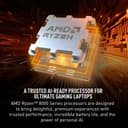
The MSI Katana A17 AI is a cutting-edge 17.3” gaming laptop featuring a blazing 4.0 GHz AMD Ryzen 9-8945HS CPU, NVIDIA GeForce RTX 4070 GPU with ray tracing, and a vibrant 240Hz QHD display. Equipped with 64GB DDR5 RAM and a massive 2TB NVMe SSD, it delivers ultra-fast performance and storage. Cooler Boost 5 ensures optimal thermal management, all running on Windows 11 Home for a sleek, professional experience.


| ASIN | B0CZPP4PJX |
| Audio Output Type | Headphones, Speakers |
| Audio Recording | Yes |
| Audio features | Speaker, Microphone |
| Battery Cell Type | Lithium Polymer |
| Best Sellers Rank | #3,710 in Computers & Accessories ( See Top 100 in Computers & Accessories ) #425 in Traditional Laptop Computers |
| Biometric Security Feature | Face Recognition |
| Bluetooth Version | 5.3 |
| Bluetooth support? | Yes |
| Brand | msi |
| Built-In Media | Laptop, Charger |
| CPU Model | Ryzen 9 |
| CPU Model Generation | Ryzen 8000 Series |
| CPU Model Number | Ryzen 9 8945HS |
| CPU Model Speed Maximum | 5.2 GHz |
| Color | Black |
| Compatible Devices | External displays, mice, keyboards, storage devices, printers, and other accessories |
| Connectivity Technology | Bluetooth, Ethernet, HDMI, USB, Wi-Fi |
| Customer Reviews | 4.1 out of 5 stars 344 Reviews |
| Display Resolution Maximum | 2560 x 1440 pixels |
| Display Technology | LED |
| Display Type | LED |
| Form Factor | Laptop |
| Graphics Card Ram | 8 GB |
| Graphics Coprocessor | NVIDIA GeForce RTX 4070 |
| Graphics Description | RTX 4070 |
| Graphics Ram Type | GDDR6 |
| Hard Disk Description | SSD |
| Hard Disk Size | 2 TB |
| Hard-Drive Size | 2 TB |
| Hardware Interface | Bluetooth 5, Ethernet, HDMI, Headphone |
| Has Color Screen | Yes |
| Human-Interface Input | Keyboard |
| Item Dimensions L x W x Thickness | 15.67"L x 1.11"W x 10.75"Th |
| Keyboard Description | Backlit |
| Lithium-Battery Energy Content | 52 Watt Hours |
| Manufacturer | MSI |
| Memory Slots Available | 2 |
| Memory Speed | 5600 MHz |
| Microphone Form Factor | Built-in |
| Model Name | Katana A17 AI B8VG-879US |
| Model Number | KATANAA17B8879 |
| Model Year | 2024 |
| Native Resolution | 2560 x 1440 pixels |
| Number of Ethernet Ports | 1 |
| Number of Ports | 4 |
| Operating System | Windows 11 Home |
| Other Special Features of the Product | Backlit Keyboard, HD Audio |
| Processor Brand | AMD |
| Processor Count | 1 |
| Processor Series | Ryzen 9 |
| Processor Speed | 4 GHz |
| RAM Memory Installed | 64 GB |
| RAM Memory Slot Total Count | 2 |
| RAM Memory Technology | DDR5 |
| RAM Type | DDR5 RAM |
| Ram Memory Maximum Size | 64 GB |
| Refresh Rate | 240 Hz |
| Resolution | 1440p |
| Screen Size | 17.3 Inches |
| Specific Uses For Product | Entertaniment, Gaming, Student |
| Supported Monitor Maximum Quantity | 3 |
| Total Number of HDMI Ports | 1 |
| Total Usb Ports | 4 |
| UPC | 824142367339 |
| Video Output | HDMI |
| Video Processor | NVIDIA |
| Virtual Reality Ready | Yes |
| Warranty Description | 1 Year Manufacturer Limited |
| Warranty Type | Limited |
| Webcam Capability | Yes |
| Wi-Fi Generation | Wi-Fi 6E |
| Wireless Compability | 802.11ax, Bluetooth |
| Wireless Technology | Bluetooth, Wi-Fi |
J**G
Love it
So far a great laptop. It's lighter and more powerful than my old Acer Predator and generates half the heat. The keyboard function keys are weird to get used to but you get used to it. The sleep function...this laptop does not like sleeping. It randomly wakes up for no reason lol Gaming, this laptop does what I bought it to do, and does it well. Again, with less heat than my previous laptops. The ports are all stiff and solid, which you want. USBs dont wiggle at all and dont randomly fall out. The buttons feel great to press, soothing for my autism. The wifi adapter on here is really strong, way stronger than my old laptop. The 4070 and Ryzen 9 combo are fantastic for pretty and intense games like Helldivers. NOTE: if you have trouble with the built in crosshair (which is usefull tbh), then go to the settings for it and disable the option allowing you to move it with cursor. Works wonders so your game stops switching to desktop.
D**P
Awesome price, great laptop
After a whole lot of research, I came to the decision that this was the best bang for my buck in terms of gaming laptops. I know a 4080 or a 4090 would have been better, and it could’ve used a bit more VRAM. But those laptops were easily at least $500 more and up, and it just didn’t seem worth it imo. And man, does it still do a great job. I’ve played almost every game at Ultra and Maximum settings with little to no issues. If running natively on the laptop screen, it’s buttery smooth. I am using a 34’’ curved monitor, and projecting to two screens at once at 3500 resolution, which can cause some games to lag a little at Ultra settings, but after some minor tweaks I can still run everything great! Overall, this laptop is a piece of art. It’s form is sleek and sexy, it’s relatively lightweight, the screen is great, it’s RGB keyboard looks awesome, and it’s just a total powerhouse, not to mention extremely affordable for what you’re getting. Incredibly happy with my purchase, one month in and I have no regrets. The speakers are nothing special, but the sound quality it outputs is clear. Also, I haven’t really tested out the battery, I hear it’s got a short lifespan, but I keep it plugged in so I don’t really notice. It does get REALLY hot though, and quite easily, even when just using Chrome I’ve clocked it at about 104 degrees Fahrenheit. If you’re thinking about getting this laptop, I would **highly recommend** getting a laptop cooling fan to sit underneath. There are some great brands for reasonable prices on Amazon. I purchased the Kevin Gaming Laptop Cooling Fan (I think that’s its name),, it can go up to 2,800 rpm and keeps my laptop at a nice 90-94 degrees.
A**R
It’s no Mac… WiFi issues and power supply problems galore
I felt like I did plenty of research going into this computer purchase, compared benchmarks and hardware to ensure I was making a choice in product that would last 3-5 years. Let me tell you, this laptop isn’t it for my application. I needed a laptop to be mobile and edit content, primarily graphic design and 1-5 minute video editing. This includes using the entire Adobe suite with either one or multiple programs (not all at once). I found my experience with this laptop to be subpar at best. Right away I was leery of the AMD processor, I much prefer Intel. I cannot prove that this CPU was the root cause of all my issues, but I have a feeling it was a contributor. I was very disappointed with the lack of reliability, and it seemed every time I needed to use the laptop, there was some issue. And then of course if I gave it a little time it would finally come around, just enough for me to question if I could “make it work” in the long run. It got to the point where I started documenting the issues 2 days in and noted weird things I was finding since this laptop just didn’t feel right. Below were several of the things I noticed in just over a week of owning and using daily. Keep in mind I came from a M3 Pro MacBook Pro prior to this. Delivered: 9/20/24 Issues with laptop: Google chrome opens first search with bold text every time, super annoying. Incognito mode does same thing so doesn’t seem to be an account setting/issue Initially opened using Yahoo as search engine with brand new Google Chrome download. Could have been an issue with previous extensions that I had, since I had logged into google first before searching anything 9/23 Laptop was at 10% and went into power saver, keyboard dimmed and brightness went down. Plugged it in for an hour, go to turn it on, black screen. Plugged into other outlet (neither outlet is switched) and it finally fired up 10 minutes later. 9/25 Got home and opened laptop, won’t connect to home WiFi, which it’s been connected to for almost a week and has remembered. Turned WiFi off and on again, and now says No Wi-Fi Networks found. Need external WiFi adapter to use internet now. 9/26 Plugged in hard drive (offline) to work on project, computer won’t read hard drive. Previously Norton wanted to run a scan every time I plugged in, so not sure if that’s why it’s not recognizing the drive but I wasn’t able to do work off the SSD until I had WiFi again 9/26 Was editing a project with computer, closed lid for 15 minutes, came back and screen is black. Won’t turn on or restart… 20 minutes later it turns on after deciding it wanted to be shut down, and tabs are now all closed and unsaved work lost… not cool. 9/28 Finally used Adobe Premiere Pro for the first time on this device, playback is CHOPPY, it will play forward when previewing, then chop back a few frames, then play forward, they chop back a few frames. Not a clean simple playback to review my timeline and see how my project looks… Trackpad pinch to zoom doesn’t zoom-in on timeline in Premiere… throws off typical workflow, VERY annoying 9/29 Perfectly on que… blue screen of death “Recovery” while turning on… time to get a MacBook. Another odd thing: EVERY time the computer restarts MSI Center and Xbox re-pin themselves to the taskbar I also added quite a few add-ons to “try” making the laptop feel more like a Mac. I added things like 3 finger drag, spacebar preview, phone link, changed photoshop and Illustrator settings to allow pinch to zoom… and even with all of this to help my workflow feel more like a Mac, the clunky computer workflow and unreliability kept me feeling disconnected from my work.
R**E
The Katana A15 is nice with 1 flaw...
The Katana A15 AI B8VG is a capable gaming laptop once you get past the blue screens. On set-up just keep letting it fix itself while updating BIOS, downloading the Microsoft updates, and graphics drivers. You will have to let it restart several times. It took about 25 mins but became stable once everything was up to date. A mild inconvenience but still annoying. I caught it on Amazon Day which knocked off almost a few hundred bucks making it completely worth the price tag. I use mine for gaming and business without any issues. I love the way the keys feel. The 4070 does its job well enough for the time being. - 1 star: The main drawback to this laptop in my experience is the battery life. You will only get a few hours out of it tops unless you stay in power saving mode which gives me another 2 hours. I bought another charging cord to keep at work, but the whole point of a laptop is to be mobile. So, if you can't be tethered to an outlet a couple times day, it may not be for you. Overall, it's a good mid-range gaming laptop that puts you on a bit of a leash.
N**K
If you got the money
Great laptop specs are crazy for the price. Still use it to this day for everything. If you got the money why not.
D**.
Love it
I had another laptop previously and it just wasn't sparking joy. I wanted this one but it was a bit heavier so I opted for the other. I regretted it. It was so buggy. So I sprung for this one. Beautiful, fast, no problems out of the box. Love it.
C**E
Weird hardware/cord issue
Owned this for a few months now. It runs fine, but a really obnoxious hardware flaw I’ve had with it already- When the power cord is plugged in and it goes into sleep mode, the power button won’t work to turn it on. Not sure if this is a settings thing, but it does it by default and is really frustrating and confusing.
E**N
Good enough.
Got it cheaper than Newegg, does everything I want it to do. Kinda wish the keyboard was individually RBG instead of zone RBG. But it’s great otherwise. Minor negatives, can get a little warm, use a cooling pad if gaming. Battery life is okay when NOT gaming. HD video or gaming will kill the battery in an hour. Battery will drain faster than it charges when gaming. Take occasional little breaks if you plan on marathon gaming.
Trustpilot
5 days ago
3 weeks ago