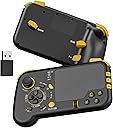
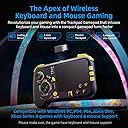
๐ฏ Elevate your game with precision and freedomโnever miss a move again!
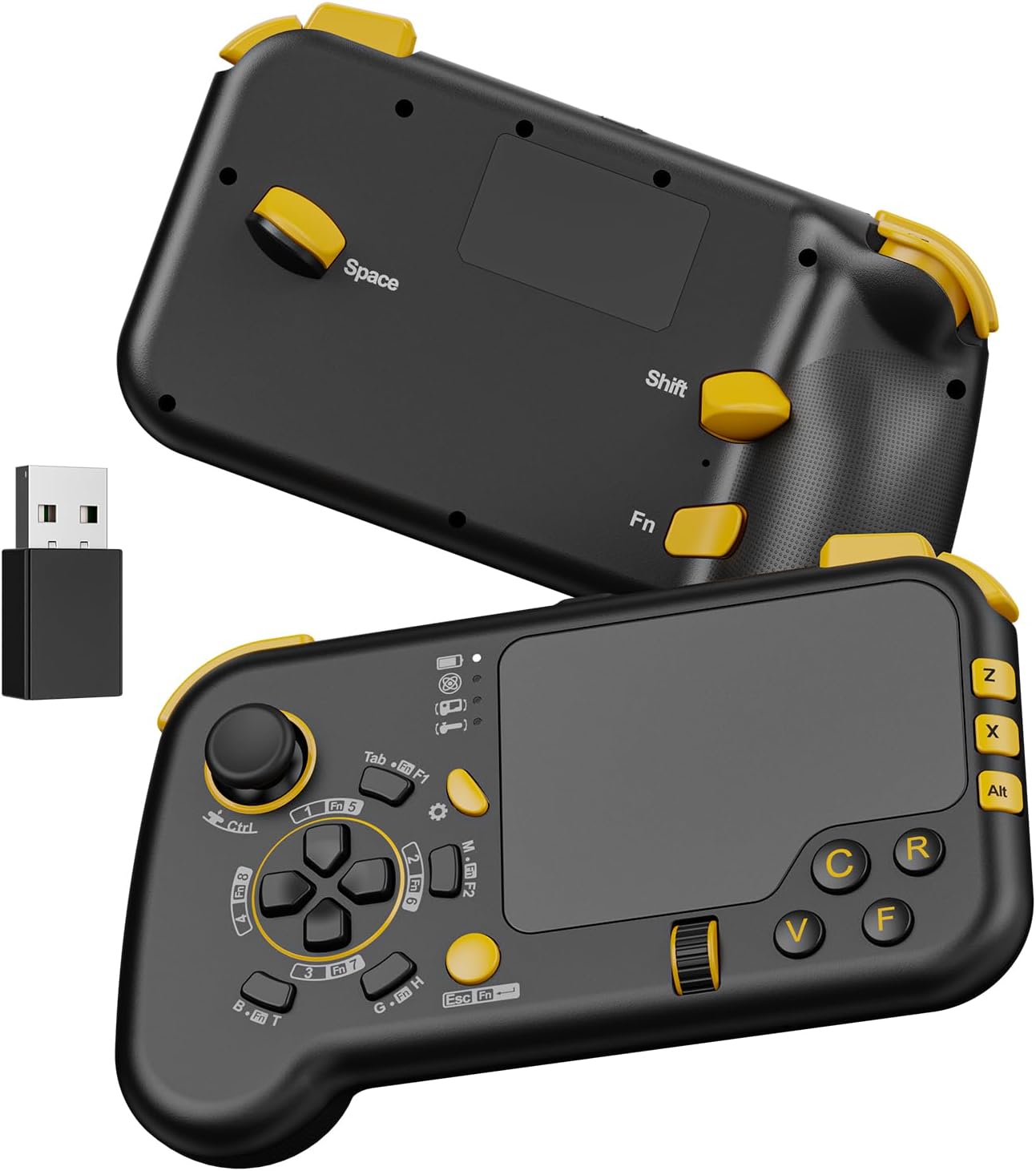
The GTP01 is a cutting-edge 2.4GHz wireless gaming touchpad combining keyboard, mouse, and gyro controls into a compact gamepad shape. Featuring a highly responsive trackpad with 6 adjustable speeds, 3 gyro modes with customizable axes, and an optimized button layout including micro switch buttons and ALPS joystick, it delivers unparalleled accuracy and flexibility. Compatible with major consoles (Xbox Series X/S, Xbox One, PS4, PS5) and PC/Mac platforms, itโs designed for gamers demanding precision and versatility without the clutter of wires or drivers.


| ASIN | B0CLQ6WV4P |
| Antenna Location | Gaming |
| Are Batteries Required | Yes |
| Best Sellers Rank | 78,880 in Computers & Accessories ( See Top 100 in Computers & Accessories ) 545 in Computer Keyboard & Mouse Combos |
| Brand Name | IFYOO |
| Colour | Black2 |
| Compatible Devices | Gaming Console, Personal Computer |
| Customer Reviews | 3.7 3.7 out of 5 stars (158) |
| Item Weight | 0.37 Kilograms |
| Keyboard Description | Gaming |
| Keyboard Layout | QWERTY |
| Manufacturer | IFYOO |
| Movement Detection | Gyroscopic |
| Network Connectivity Technology | 2.4GHz Wireless |
| Number of Batteries | 1 Lithium Ion batteries required. (included) |
| Number of Keys | 21 |
| Operating System | Windows, macOS |
| Other Special Features of the Product | Touchpad, Wireless |
| Power Source | Battery Powered |
| Product Warranty | 90 Day Warranty Against Manufacturer Defects |
| Unit Count | 1.0 count |
G**S
Steamdeck usage
I bought this as a controller for playing pc keyboard games on the steamdeck but.... For it to work it needs to be in the dock wired. it does work for me if needed but if your sat at a distance then this won't work for you im afraid. Just a note I really don't know if there is a way to set it up wireless on steamdeck im sure there is but im not technically minded enough for that.
L**N
Not bad but not great either
I found it interesting and quite fun, needs time to get used to using it and set up.
R**.
Finally!! and so far so good
Been over a week and its so versatile. I'm thinking, everything from Duke Nukem, Decent, Steet fighter 4, Need for speed, retro emulatos to CIV3&4. It all works as it should, its really easy to map the controller on a PC, it instantly registered as a keyboard and touchpad which meant I could use the touchpad to navigate the configuration. Love the position of the triggers on the back. It is meant to be held like a controller on the left side, while on the right your hand isn't suppose to grip it like a traditional controller. Let it rest on the right ring finger, with the index on first finger on the triggers, your thumb free to navigate half of the controller WITHOUT your palm griping it. Can't comment on the Gyro controls yet, I really would like more feedback from games on whether or not they recommend or have tested the game with different controller schemes like steering wheels and accelerometers. I know I can play a lot of RPG's one handed which is a really nice idea. You always could with a keyboard, never a controller, but not anymore. And I know its a complete game changer for FPS games, more immersive, more fun. Ricky.
R**N
Great for older console players transferring to pc
Really happy with this keyboard/mouse in a controller form...as a long time console player this really is a awesome way to transition to pc gaming I actually really like that all the inputs are labelled as pc inputs as it makes learning the pad a lot easier than mapping controller buttons via steam and trying to remember what's where...if your finding using mouse and keyboard hard to use id definitely recommend trying this I really like it.
D**Y
Config poor
You know, if it came with software to tweak gyro and button sensitivity it would have been amazing. New version of it in the summer with added software
S**1
rubbish signal, randonly turns off
just what i was looking for and i wanted to like this but the 2.4ghz signal is terrible. only seems to work line of sight. device also intermittently powers off. maybe mine is faulty, but im not gonna try another one.
D**E
Not had too long !!
Only just received and gave it a go on Xbox series x , wow talk about all over the place think this will take time to master as I normally play with controller, but I can see once I get my head around the difference button inputs will be a very good controller, build quality is ok, touch response is very good, gyro is also very good just the button placement but that just a learning process overall a good controller but will take time to master.
ร**.
Warning: Terrible product quality, unable to return defective product **DO NOT BUY**
The touchpad is not working anymore suddenly, even after factory reset. The product is three months old and has seen very light and limited usage. All other buttons and even the gyroscope are working, confirming that the problem is limited to the essential touchpad. I am unable to get any support or to return the product after multiple attempts. A total of around ยฃ80-90 GBP wasted and lost paying for a defective product, shipping and customs VAT. WARNING: DO NOT BUY THIS PRODUCT. LACK OF CUSTOMER SUPPORT AND A PRODUCT RETURN OPTION IS COMPLETELY UNACCEPTABLE FOR ANY SELF-RESPECTING CONSUMER.
A**O
I set up my gaming laptop on a music stand behind my exercise bike and use this as a controller for COD it works perfect!
D**D
PERFECT for playing your PC on a TV without needing a desk. The gyro has no input lag, BUT the touchpad does. (It feels like playing a game on a 60HZ monitor with V-Sync enabled) This controller is not for everyone. Pros: [Great for old games] It works really well with older games that do not have X-input support like Splinter Cell (the first one) and Elder Scrolls: Oblivion. It has a GYROSCOPE for perfect aim in FPS games! It's plug and play and requires no driver downloads. It can comfortably be held in one hand while you hold a mouse in the other, if your play style requires it. Cons: Since it's plug and play, like any keyboard, you cannot remap the D-Pad to W,S,A,D when the game doesn't allow you to map number keys to anything. (Like Warcraft 3: Reforged). WORKAROUND: You 'could' buy a keyboard remapper dongle if you're really dead set on using this the way you want to. There's no Bluetooth support, which probably would have introduced input-lag if it were included anyway. Since it's emulating a keyboard, the joystick doesn't have an analog output. If you're playing Splinter Cell, you can still control your speed with the mouse wheel. Verdict: It's great for certain kinds of games (older ones especially) , you just have to make sure you're able to map things to the keys you want. It would be nice if there were version that supports remapping certain buttons and such. Touchpad gestures would be nice too. If you want the perfect controller, you're going to have to wait for Steam Controller 2.0 or something else.
J**S
Basically it a it's like playing on a laptop with the comfort of it being in a controller. Buttons are in good location and covers all keys you will need. Works good on old games and games lacking controller support. Aiming is fantastic but you got to adjust settings in game for sensitivity to get it just right. I'm using it on wired connections and have no input lag, wireless is a little spotty but I have a lot of interference in my area so this is possibly the issue and why I use wired over wireless everything. I will say it's not heavy and I think that makes it feel cheap but it not and the buttons are very solid. Now modern games for example bf6 after some tweaking to aim speed and sensitivity this is the best way to play it if you looking for the best of both worlds experience being able to flick with my thumb is op. This is probably not for everyone if you are someone that struggles with mnk games in general then this is not going to make it easier. Practice with it on a single player game before getting mad and saying it's no good. My only issue is size I feel the touch pad could be smaller and buttons closer together not trigger button or shoulder the are in the right places
C**F
I Use this for Apex Legends & Warzone. Once you understand Coefficiency and DPI, meaning the difference you'll have to calibrate for travel and speed with the thumb instead of your whole arm, this is an absolute game changer that literally puts you in such an advantage! I cannot touch a controller or regular keyboard and mouse anymore. The MOST Important part to consider and understand is that each game will have a complete different configuration/keybinds that you yourself will have to figure out, but once you figure it out & dial it in, DON'T Change it! Just memorize & get used to it Until you realize that you have the speed and precision of a mouse, Gyro With ANY Keybind you want, tons of different Touchpad & Gyro Speeds, all within basically a controller. For the first few hours that I held it, I thought that it felt terrible and I would never get used to it or it would Never get comfortable. After about 8 hours of use All together, it felt so bad to try & pick up a controller or a regular mouse and keyboard afterwards! I'm serious though, you'd have to give it that amount of time for muscle memory to Kick in and your hands to get comfortable holding something so lightweight and small! The wired version without gyro is fine but it is on a complete different level with the wireless pro version. And the gyros still works fine even while using it plugged in. I noticed no latency on console or PC wired or using the wireless dongle! And I'm hypersensitive to Latency so I'm not just saying that to say it. Sure this machine could use some improvements or alterations, but it's still a straight up gift as it is in my opinion! It just takes time to get used to it that's It. Trust me, it's Gonna Feel FOREIGN FEELING FOR A WHILE UNTIL YOU REALLY GET DIALED IN. BLESSINGS.
D**O
I would love to give this controller a full 5 star review. I really would, but the right mouse button trigger stopped working after like a week, so... it's got to go back. I'll take a chance on a second one though. It does a lot of things right. Onto the actual review, point by point. PROS: *Surprisingly ergonomic. Feels good in the hand. It really is a bridge between keyboard & controller. *Works right out of the gate. Plug and play, literally. It has it's own dongle, broadcasting on a 2.4Ghz band, which is better for game latency than Bluetooth. I've also never had it drop connection, which compared to my other experience with the PS5 controller is a HUGE pro. *It has lots of buttons. That's why you're buying it. They're mostly in the right places for easy access. *The mousepad works like a dream. I was dubious until i tried it. Pretty sure this is why people still pay through the nose for used Steam Controllers. *It has Gyro. It's setup to activate by toggle, by default. It works just as well as the one in my PS5 controller, maybe better. I found myself using it in conjunction with the mouse. I just naturally started using it, never would have thought. It just allows for more fine tuned movement at times, and can help expand the range of the trackpad without having to move your thumb. *Battery life is great for what it is. Found myself plugging it in every 3 days or so, for a few hours. This is seamless BTW. It uses a standard USBC charger, which you probably have by you for your phone anyways. Never felt tethered. CONS: *It's made of light material, and it feels cheap. Certainly has nothing on the build quality of other major controllers, or most keyboards. It just doesn't feel like its worth 60 dollars. Knock that down to 40$ and it will feel like a better deal. Plus, i mean... my right mouse trigger broke. If any part of the controller should be durable, it's that. *Some of the keys have awkward resistances. Some keys/triggers press too easily, others too hard. It's part personal preference, but getting those perfect is what really stops this from being a hardcore FPS controller. *The controller is setup so that the spacebar is on the back. When it's in your hand, it's nested nicely behind your right index or middle finger. When you put the controller down, its the first thing to be depressed, and it triggers really easily. There's no good way to put the controller down without pressing that button. *Manual said the controller should be turning itself off after 20m of inactivity. I've had it happen in far less than that. I've pretty routinely stopped to read something on screen, taken too long, and the controller shut itself off. Not a deal breaker, as it starts back up instantly. Annoying though. *There's no software to modify controller inputs, which is the #1 most demanded feature (and with good reason). I would like to add a #2 though, and that's to have better feedback for changing settings in the controller itself. I feel like I've gone back in time 30 years, to a time when you had to read a manual to figure out how to set the time/date on a wristwatch. This is exactly what it feels like to change the mouse-sensitivity or Gyro settings. There are 4 feedback lights on the controller, which should be pretty cut & dry. On/Off lights. One for power, one for wireless connection, one for gyro. etc. That's how every other device on the planet works. Instead, the controller simultaneously uses these lights as sensitivity levels, turning the light combinations into a code that you have to consult the manual to interpret. *As an addendum to the above point, not only are the feedback lights fantastically inscrutable, there's no good way to tell how much power the controller has left at any time. With almost any other controller there would at least be a software indication, but because this controller registers as an actual keyboard... There's nothing. In my time using the controller, i didn't see so much as a blinking light. You want to charge 60$ for a controller? Make a battery icon with charge levels. It's pretty basic. -------------------- Final Thoughts: I'll be returning this one and getting a replacement model. I like it enough to give it another shot. Maybe i just got a dud. It happens even with the most expensive devices. This is the second iteration of the same controller by this company. The first being a wired version (don't get that). I look forward to their 3rd, because they are really onto something here. I'm a little surprised that no other company has run with something similar. I mean, if the Chinese can do it... I would like to see another major company pick this up. Make it heavier, more durable, maybe embed some form of display underneath the trackpad. It's certainly big enough. Give it a shot.
Trustpilot
3 weeks ago
3 weeks ago