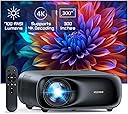
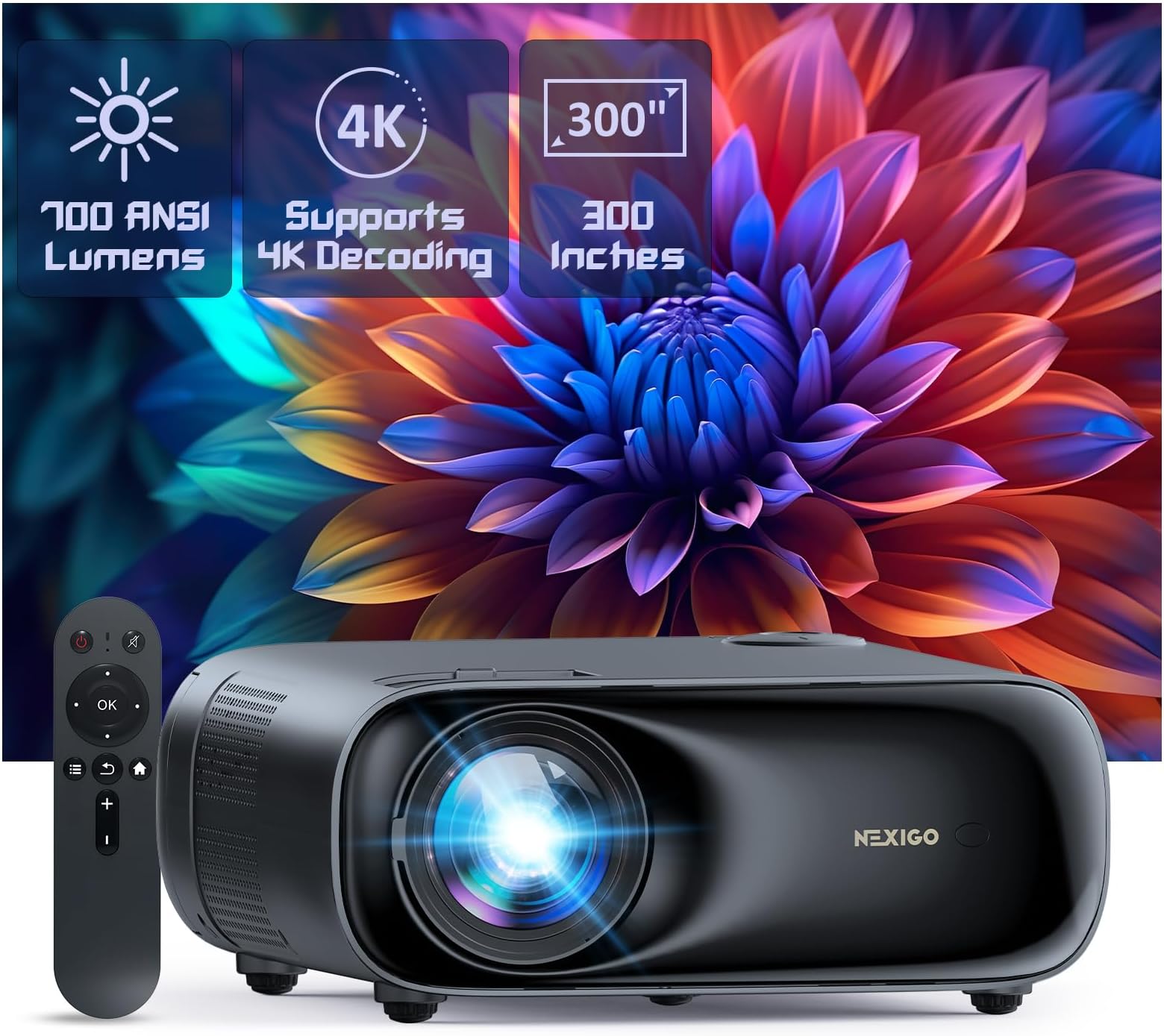
🎬 Elevate your home cinema game with NexiGo PJ40 — big screen brilliance, no compromises!
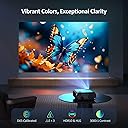
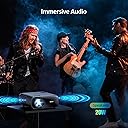
The NexiGo PJ40 (Gen 3) projector combines native 1080P resolution with 700 ANSI lumens brightness and D65 color calibration for vivid, true-to-life images. Its 20W built-in speakers and Bluetooth 5.1 enable rich audio without extra devices. Designed for both indoor and outdoor use, it offers 4D keystone correction, adjustable fan noise levels, and wireless screen mirroring compatible with iOS, Android, and Windows. Multiple ports including HDMI 2.0 and USB ensure versatile connectivity, making it a premium yet affordable home theater solution for millennials craving cinematic experiences at home or on the go.


| ASIN | B0CRKLJ8HC |
| Additional Features | ① Native 1080P with 700 ANSI Lumens, D65 Calibrated ②Low Noise with adjustable fan speed, Latest Cooling system ③ Built-in 20w speaker features lifelike sound ④ HDMI CEC Support ⑤Wireless screen mirroring for IOS, Android, and Windows devices. |
| Antenna Location | Business, Gaming, Home Cinema |
| Best Sellers Rank | #180 in Video Projectors |
| Brand | NexiGo |
| Brightness | 700 lumen |
| Built-In Media | Power Cord, User Manual |
| Color | Black |
| Compatible Devices | TV Stick, iOS, Android |
| Connectivity Technology | Bluetooth, USB, Wi-Fi |
| Contrast Ratio | >10000:1 |
| Control Method | Touch |
| Controller Type | Button Control |
| Customer Reviews | 4.1 out of 5 stars 2,973 Reviews |
| Display Resolution Maximum | 3840 x 2160 |
| Display Type | LCD |
| Display resolution | 1920 x 1080 |
| Form Factor | Portable |
| Hardware Connectivity | Bluetooth, Ethernet |
| Item Weight | 3.56 Kilograms |
| Lamp Wattage | 20 Watts |
| Light Source Operating Life | 30000 Hours |
| Manufacturer | Nexight INC |
| Maximum Image Size | 150 Inches |
| Maximum Throw Distance | 30 Feet |
| Mfr Part Number | PJ40 Gen 3 |
| Minimum Throw Distance | 6 Feet |
| Model Name | PJ40 Gen 3 |
| Model Number | PJ40 Gen 3 |
| Mounting Type | Table Mount, Ceiling Mount, Tripod |
| Native Resolution | 1920 x 1080 |
| Picture Quality Enhancement Technology | D65 Calibrated |
| Projector Maximum White Brightness | 700 ANSI Lumens |
| Recommended Uses For Product | Business, Gaming, Home Cinema |
| UPC | 766214654544 |
| Unit Count | 1.0 Count |
| Vertical Keystone Correction | 15 Centimeters |
| Video Encoding | HEVC |
| Wattage | 20 watts |
A**S
Fantastic budget projector
I had a decent, big name brand, bulb projector about six years ago and recently got interested in getting another one because of the new LED/LCD technology that's currently available. I watched a lot of reviews and decided this one looked like the best all around pick for me and I was correct. This thing is BRIGHT, like watchable in a fairly well lit room bright. Of course it's best in low light as any projector would be, but I can have lights on and even curtains open (blinds still shut) with almost no degradation in picture quality. I have it set up where it's about a 100" screen and the picture is crystal clear 1080p and I have no doubt it would look amazing all the way up to the possible 300" (which I can't wait to try when I can find a space big enough for it). I also just have the thing projecting on a flat white painted wall, no special screen or paint and it looks prefect, I can only imagine how good it would look on a purpose made screen. I originally hooked up the sound output through a bluetooth speaker, but there was a slight delay in the sound making it not line up with the picture. I disconnected the bluetooth and to my surprise the built in speakers actually sound great. I'm still going to try to run a hard line 3.5mm headphone cord to the speaker for booming sound when I want it, but I'm honestly very content with the unit itself. I have the thing mounted just a couple feet over my head and the fan noise at level 8 (stock setting) is basically zero, I don't even hear it when there's any audio playing. I haven't tried hooking up to a gaming system yet, but I'm fairly confident that it will preform well. I'll update this review if it's at all laggy once I do. I couldn't be happier with this purchase, for the price of a 50" television I have a 100"+ screen that absolutely rocks. Just a note, I do have mine set up where it requires no keystone correction which should give it the best chance of optimal performance. Be aware that it projects the picture evenly, equal up, down, and side to side, so you want to be as centered and straight on to your screen as possible. As you can probably gather I have nothing but good things to say about the PJ40, but I will be brutally honest and update this review if I encounter any issues in the future. 6 month update: I have typically used this projector for 2-3 hours each evening for the last six months and it's still as amazing as the day I got it. Every person that sees the image, size, and brightness of the screen is seriously impressed. I couldn't be happier with its performance. I still haven't even bothered getting a real screen or special paint for the wall because it looks perfect on my flat white wall. I think this projector is going to last, but even if it crapped out today, I have spent the equivalent of about $1.60 a day to own it at this point (around $300 to buy and owned for around 180 days), totally worth it already. There's no need to buy a more expensive projector for general home theater use.
A**R
Fantastic quality, more conveninlent than a TV, and less expensive!
Fantastic bang for the buck with the same stellar quality I've grown fond of with NexiGo. I have a NexiGo webcam I love, which has great quality. And with the PJ40 I was hoping for the same, and I was not disappointed! Not only is the device itself very nice, but even the manual and box feel quality. I Was also impressed that I was able to update it immediately update it online by connecting to wifi. Love how NexiGo keeps on top of their product software. I travel a good bit to visit family and sometimes for work, and there isn't always a TV available for me to use at the destination. But this beast is not only easy to pack back up and transport than some giant TV, but it's also significantly less expensive. Up to 300" screen size? Setup in just a couple minutes with manual focus adjustment that works perfect? Phenomenal color quality and gorgeous picture? 1070p native and 4k??? Count me in! It also comes with a remote with batteries. But has buttons on the projector in case your dog eats the remote! And if the dog eats the manual too? There's a digital copy built into the projector, that you can easily access! I think they've thought of everything with this one. Truly blown away. And with NexiGo's incredible customer service, I'd be surprised if you have any issues that don't get properly resolved if you give them a chance. I saw a negative review that seemed to be left by someone that never gave the company a chance to repair or replace their product. I guess my point is, don't hesitate to to business with NexiGo. Need something convenient that's less than a TV? Have family or kids that visit? Travel often? Want to set up your own theater? Then the PJ40 will do a great job for you, for whichever your needs are!
B**M
Much better than the cheaper projectors
The projector is great has a amazing picture and the bluetooth has great connection works amazing with gaming and in my opion has a better image than my 70inch tv the brightness is easy to control and for the money it is very very good the sound quality is ok for a projector much better bluetoothed or hard wired to a speaker but all functions work great but one the remote has to be a few inches away to work may only be a problem with my particular remote or projector other than that its awesome i would give it 5 stars if i did not have the remote issue
N**N
Great picture quality and sound - Highly Recommended
I don't have a lot of projector experience. I owned an Epson prior to this purchase. I wanted to get another projector for my bedroom, to watch TV & Movies in bed at night. I'm a huge fan of Nexigo's webcams so I wanted to try their projector. Unboxing the projector, you can immediately tell this projector is a high quality build and doesn't feel cheap like some of the others I've tried out in stores. It has a little weight to it, and feels very solid. I mounted a shelf on the wall next to my bed, specifically for the projector. I'm projecting onto the wall near the foot of my bed, approximately 12 feet away. That wall does not have a projector screen, or special projector paint on it. It's standard benjamin moore paint. However, the picture quality is exceptional. The epson I previously owned was also a 1080p projector, however, the quality from the Nexigo is even better. The built in speakers on this unit are also amazing. I used to have my previous setup with two Apple homepod Mini's to get enough sound. However, this Nexigo projector has very high quality build in speakers and I don't feel the need to add any additional sound sources. These speakers are definitely great for my needs, as they are plenty loud and good quality. To be honest, I've only found two very minor cons to this projector: 1) The power cord wasn't long enough. I believe it was 6 feet, but it wasn't long enough to reach the floor from the shelf I mounted it on. Not a big deal, I spent $10 and bought a longer one. 2) The internal fan is a little loud IF you place the projector on the brightest setting. However, I normally have the projector brightness set at 5 out of 10....and I can't hear it at all due to the HVAC/AC system. Overall I have to say I'm extremely impressed by this projector, especially for the price. I would highly recommend it, and will update my review with some photos.
N**D
One of, if not the, best Budget projectors! Just add a streaming device!
I compared this against a handful of other projectors in person - Xgimi Halo+, Mogo 2, and there really wasn't a contest. The PJ40 gets brighter, has better color accuracy, and in general just feels slightly more "together" as a projector. Now, it isn't all sunshine and roses - I wouldn't call this a portable/portable-like projector. Instead, I feel this projector is more suited to a fixed location (or two) with a set throw distance. My setup, for example, is the projector sitting on a shelf ~10 feet away from the wall. With the Xgimis I could set them about the room, and they would auto-focus and attempt to adjust the screen on the wall, but it didn't feel that it worked as well as I would have liked. The PJ40 does have some drawbacks, worth planning around. I still feel that overall this is the best option under $350 (especially if you can get it on sale, I caught it around 240). The things below are me somewhat searching for issues - overall, I love this projector! That said, some of the issues I've run into with it: 1. Audio quality is... fine. I'm not saying that it's bad, don't misunderstand. However, it was noticeably weaker than the Xgimi models. Additionally I don't love audio coming from behind me (personally, some may not have a problem with it). I had a spare Apple HomePod (I realize I might be a bit unique in this situation) so when I paired it with an Apple TV, I was able to have a fabulous audio & video situation. I had to score it 1 to 10 (1 being cheap bluetooth speaker, 10 being a Sonos Arc, with my iPhone 13 sitting somewhere around a ~4) they're about a 5. 2. Fan Noise can get loud as brightness increases. If you have this situated behind your chairs/couch/whathaveyou, it could definitely become noticeable. However, I found that the brightness difference between 5 (fan barely audible) and 10 (definitely present) was minimal to the point that for my space (light controlled office) I was able to leave the projector between brightness 3-5 without losing anything, but not hearing the fans. If you are in a well lit space, I would just keep placement in mind. 3. A Roku can't really control the projector itself. If you aren't pairing it with a Fire TV, it seems hit or miss. I saw some folks use a projector to control their PJ40, but I had no luck. I personally my setup works well, especially if you look for a used 1st gen HomePod, which run ~$100 or so shipped. With my Apple TV, I'm able to use CEC to turn the projector on. However, I haven't been successful in controlling the volume on the PJ40 with either the Apple TV remote or the Roku remote, at least consistently. I swear it happened once with each streamer, but it wasn't reproducible. Again, minor issues that are all easy to work around! Highly recommended!
D**K
Probably the best in its price class
My family doesn’t watch TV, ever. But we do like to watch streaming shows during meals. Three people staring at a tablet can get old real fast. I didn’t want to hang a display in the dining room so I decided to give a projector a try. Having used several NexiGo products in the past, particularly cameras, I decided to give their budget projector, the PJ20, a try. It had a great deal for Black Friday which made it too good to pass up. This review does not touch on all of the capability of the PJ20, but it does cover my use case in detail. Unboxing the projector and getting the initial setup done is a piece of cake. I found a space at the end of the table facing a blank wall, setup both WiFi and Bluetooth, and got the keystone and focus set. First thing I found was that the image was tilted to the side. I was worried that the projector was wonked but when I pulled out a bubble level I found that the table itself had a slight tilt. Taking that slight tile and blowing it up to a 6’ across screen really exaggerates the effect. Fortunately, this could be solved with a notepad under one corner. Having a built in level and adjustable feet would have made this a bit easier (especially for people who use the projector on the road), but you can’t really expect that at this price point. Next thing I noticed was how the focus and keystone correction interact. This projector uses an optical keystone correction instead of a digital one. This has advantages and disadvantages. The advantage of optical keystone is that you don’t end up with jagged effects from pixels being stretched or compressed by the keystone correction. The disadvantage you get is that the focus is not quite consistent when correcting the keystone. Depending on how much correction is applied, it becomes impossible to have both the center and outside corners in focus at the same time. This is not something you are likely to notice with video content (as long as you focus the center of the screen), but if you are showing computer content such as text it may be noticeable. Easiest solution here was to get the projector up higher. For some quick testing, a 20” stool (on the table) was good enough and put the image high enough to be comfortable for viewing while seated. When the image is straight on you can get good focus for both the center and the sides. Speaking of focus, any time you push the focus buttons on the remote, a test pattern is displayed that helps to make the adjustments. It goes back to your regular content a couple of seconds after you stop pushing the buttons. Now that it is ready to go, time to try out some media. First attempt as having the trusty tablet feed video to the projector using a USB-C to HDMI hub that I travel with. I’ve used it with my phone many times to throw content (including movies) onto TVs at hotels. I plugged it in, switching input to HDMI 1, and there was my tablet’s screen on the wall. Looked great until I started playing a movie with Netflix and everything went black. Welcome to the wonderful world of DRM (Digital Rights Management). There are warning on the product page about major streaming services not working with wireless display on the projector. Unfortunately, even a wired display has the same issue when being fed from an Android tablet. Services that don’t impose DRM, such as YouTube, displayed fine but if you have paid services, it is likely they won’t work. Time for plan B. I took an old Chromecast (second generation), grabbed a short USB cable, and plugged it into the projector. The Chromecast is plugged into the HDMI input and one of the projector’s USB ports is providing power. Turned it on, and after a minute for the Chromecast to boot up its home screen appeared on the wall. So, next, fire up the tablet again, back into Netflix, and this time tell it to cast to the Chromecast. Success! The movie was playing on the wall big as life. And by big as life, I mean an image that was 68” across (diagonal) at 92” distance from the projector face. Let’s talk about image quality. Unfortunately, I can’t give an accurate description here due to two factors that impeded my test. First, it was daytime and there was a huge amount of ambient light. The image was still watchable, but it was very low contrast. I’m pretty sure that in the evening it will be fine in that regard. Next up was the color. Unfortunately, again, I don’t have the right setup. I haven’t picked up a screen yet and was throwing the image at a wall which is a bit of a yellowish beige color. Despite both of these encumbrances, the image was still sharp and any text on screen was easy to read. For general media consumption, I’ve never seen the need for anything more than 1080p, which this projector handles just fine. Next is sound. The built-in speaker is loud. Loud enough that it caught me off guard when the movie started and I had the volume cranked as I was expecting the same tin can speakers that most computer monitors have. I had to dial the volume back to about 30% to be comfortable. You could fill a large meeting room with the sound from the built-in speaker. The fidelity isn’t as good as you get with a separate sound system though, so this was the next area I tried out. I have a Sony portable speaker that works with either Bluetooth or wired. Tried it out with Bluetooth first. It was easy to detect and setup but the sound was out of sync with the video. Yes, I’m on 5Ghz WiFi. This is a known issue with this particular speaker and I had the same issue when using it with a tablet, so no real surprise here. Pulled out an audio cable and hooked it up to the projector that way. Sound switched from the internal speaker to the Sony as soon as the cable was plugged in and it sounded great. With that we have a working streaming video setup. I do have a few improvements planned but I need to order (or wait for deliveries) on them. First off, of course, I need a proper screen. An off-white wall just doesn’t work right. That is on me and would affect any projector. Next up, the media source. Another Black Friday deal I ran across is a new Chromecast with Google TV. It won’t be here for another week but once it is I’ll be able to stream Netflix, YouTube, Amazon Prime Video, and Plex (the four sources I use for most of my content) without having to use a phone or tablet. I should be able to hook it up the same way as the current Chromecast. Last thing I’m planning to get is an adjustable projector stand so I can get the ideal height without having to worry about keystone adjustment. Of course, no product is perfect, especially at this price point. There are a few things that could be better but I won’t hold it against the PJ20 based on the price point it operates at. The biggest issue is the fan. It is loud, really loud. If you are watching a quiet show, it will be very noticeable. The case for a projector like this is mostly hollow. It wouldn’t be too hard to put a couple more fans in that run at lower speed so that one fan doesn’t have to work so hard. The fans could also be set to adjust speed based on temperature so that they don’t have to run full speed all the time. This is an improvement that wouldn’t need to add much cost to the unit. Something else that would be handy, but again isn’t expected at this price point, is a leveling system. Put a small bubble level in the top of the projector and make the feet adjustable. If someone is using the projector for a demo on the road, and the setup is ideal, being able to adjust without eyeballing and sliding stacks of paper under the feet would be much more professional. Last thing is integration with streaming. Again, probably too big of ask at this price point but still worth considering. Ideally would be to build streaming right into the projector, but I don’t see that happening except on models costing twice as much. One compromise would be to add two features. First, allow one of the USB ports to remain powered when the projector power is switched off. This would allow a streaming stick (such as a Chromecast) to stay active instead of having to boot up from cold every time the projector is turned on. The next thing, would requires the powered USB to work, is to support CEC (Consumer Electronics Control) for the HDMI ports. When my Chromecast is hooked up to a TV I can shout at the nearest Google smart device, “OK Google, turn on the kitchen TV”. The Chromecast will then tell the TV to turn on and it will be ready for use without me having to hunt down a remote. It would be great to be able to turn a projector on the same way. There you have it. For an entry-level projector you can’t ask for much more. As long as you don’t set your expectations above the price point you will be very happy with the NexiGo PJ20.
J**.
Not the greatest but overall can fit into many household situations given its cost....
After having this projector for a better part of a month, this is definitely not a high end unit, but is respectable for the cost given it’s native resolution is 1080p. Some of the biggest drawbacks for the unit is the remote control which should be a UHF remote rather than infrared, it was a constant pain to have to point the remote at the unit to get it to focus while you're trying to pay attention to the picture on the screen and there are really no small adjustments that can be made at the unit from what I could tell. If you misplace the remote, you’re toast. Given the fact that most projectors don’t come with a built in speaker, this one does have one, but they would have been better to have left it out as its not impressive and the sound quality is not the qreatest nor does it produce much volume. Besides, with projectors, you are likely to be hooking these up to an external sound system anyway to get that robust Dolby Sound that you would come to expect when you are playing digital media these days. Even with its Dolby Sound support, it does not offer much support for the various Dolby formats. It was nice to be able to connect a bluetooth sound bar or use the external jack to setup a basic speaker. I would consider the NexiGo PJ20 more of a recreational system. For its cost, it is great for using in the back yard or party situation when you have guests and just want to entertain people. If something were to happen to it, it’s not like you are out big bucks as this unit is very budget friendly. But if you’re serious about your digital content, this isn’t for you. It doesn’t have all the bells and whistles you would expect of most high-end projectors, the picture is decent, it’s brightness is okay, and it’s resolution will play most of the shelf media decently. But I didn’t see that crispness in the finer details, the colors were a little muted, and it just wasn’t as bright as I would have liked it. It seems well built and it does offer various setup modes which is a plus. I was disappointed that even though it would connect to the wifi, that you couldn’t update the software or firmware of the unit via this connection, it had to be done with an external usb. Overall, would I purchase the NexiGo PJ20 as my primary projector with a good quality sound system meant for a theater style room? Probably not. However, I think it does have an advantage of being a decent project for the money for those that are budget conscious and just want to enjoy a large picture as long as they don’t set their expectations too high. I think NexiGo is heading in the right direction, it should be interesting to see what other products follow this one and whether they can improve while keeping the costs reasonable for the masses.
C**T
Picture Quality is Stunning but figuring things out might be hard for Non-Tech Folks.
First, I am not what I would consider a “tech-person.” Things have to be very simple for me to try to figure out when it comes to technology. So, I was super thrilled at how easy it was to set up the PJ10 in terms of setting up the language, figuring out the focus, screen tilting, getting connected to the Wi-Fi, etc. The remote control is simple to use, but sometimes pushing the buttons wouldn’t always get me to the place I wanted to be. I found myself pushing the buttons multiple times in some instances to get to the screen or choice I wanted to get to. But to me, this is more of a minor annoyance than it is a major issue (I’m probably pushing buttons too fast, or off center, etc.) Also, the picture, color, clarity of the projection is stunningly magnificent, and the project is lightweight which is also a plus!! The only problems I had was really maneuvering through the menus to figure out how in the heck to get things (computer, iPhone) connected to mirror images. Some of the problem actually lied in the connected devices and trying to figure where to go what to do, etc. This had less to do with the projector itself. I’m pretty sure that if I just used connector cables like my HDMI cord, I would have got this thing up and running quite soon. But the draw for me to this project was the fact that I didn’t have to use any of these other connections to use it. I also couldn’t not figure out the Bluetooth function for the iPhone easily. I was able to figure out the iOS mirror screening from the iPhone but when I actually tried to mirror a movie from my iPhone to the projector, it would only do the sound from the projector, but not the actual picture itself. But again, I’m not sure that the problem is the projector, it’s probably me…LOL. Once I was able to figure out how to actually mirror and/or duplicate/extend my media from my computer to the projector, it became a whole lot of fun. The only thing is that you may have to connect a component audio source speaker because there is very little bass in the sound from the projector and the sound is a bit tin thin. However, there is very little fan noise coming from the machine which is ten times better than my old projector which made SOOO much noise and got so darn hot after a while, I had to shut the apparatus off. This is not the case with this projector. It hums quietly so as to not interfere with your viewing entertainment. Overall, I am satisfied with the projector, I just think I have to get a lot more practice in figuring out the Wi-Fi connection piece so I can continue using it without having to hook up any additional wires to it. Also, it does seem that I have to put in the Wi-Fi password each time I turn the machine back on and I’m wondering if there is a way that the Wi-Fi password stores itself into the projector, so I don’t have to spend time typing it back into the projector each time I use it. I give it an overall rating of 80%. It’s a pretty cool machine.
G**P
Great projector
Excellent product. Pure joy to use it.
P**N
OTTIMO PRODOTTO
Il prodotto è ottimo ed ha un rapoorto qualità/prezzo fantastico. Arrivato in tempo ed integro.
W**O
AMAZON E DHL, SÃO 10.
RAPIDEZ,SERIEDADE E RESPEITO COM O CLIENTE. PARABENS A ESTA DUPLA PERFEITA,AMAZON E DHL POIS AS DUAS SABEM COMO FAZER O CLIENTE SUPER SATISFEITO. RECOMENDO COM CERTEZA ESTE PROJETOR MUITO BOM MESMO E DE ÓTIMA QUALIDADE.
A**H
BEST VALUE PROJECTOR EVER!
The most famous affordable home cinema experince. PROS: -SHARP -LARGE -BRITH -GOOD COLORS -GOOD AND EASY MENU CONS: -NOT FOR GAMING: Even with gaming mode, it has a noticeable latency (like 1-2 seconds/1000ms+) dont game on this. Check on youtube, this stuff is good compared to its price. (VS expensive high-end projectors)
A**A
Appareil inutilisable
Rien ne fonctionne, ni le wifi,ni les ports usb, hdmi et flash drive. Contrairement à sa présentation il est incompatible avec android...pfft et en plus appareil qui a déjà été retourné par qqun d autre vu le paramétrage des réglages....
Trustpilot
5 days ago
2 days ago