Buy anything from 5,000+ international stores. One checkout price. No surprise fees. Join 2M+ shoppers on Desertcart.
Desertcart purchases this item on your behalf and handles shipping, customs, and support to Kyrgyzstan.
⚡ Power, speed, and future-proof visuals — dock like a pro!
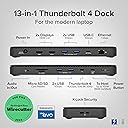
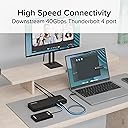
The Plugable Thunderbolt 4 Dock (TBT4-UD5) is a premium, Intel Evo-certified docking station delivering 40Gbps Thunderbolt 4 speeds, 100W laptop charging, and versatile connectivity with 13 ports including dual 4K or single 8K HDMI outputs. Designed for professionals using Windows or Mac, it ensures stable, high-bandwidth performance with comprehensive device compatibility and award-winning reliability.


| ASIN | B0CNTTVVN6 |
| Best Sellers Rank | #182 in Computers & Accessories ( See Top 100 in Computers & Accessories ) #23 in Laptop Docking Stations |
| Brand | Plugable |
| Color | Black |
| Compatible Devices | Windows 11 Thunderbolt 4 hosts and Thunderbolt 4 Macs with macOS 11+ including, M5 / M4 MacBook Pro and MacBook Air, M1 Pro/Max, M2 Pro/Max, M3 Pro/Max, or base M3 (with clamshell mode required for dual displays), HP Omnibook / EliteBook / DragonFly / ProBook / Spectre x360 series, Dell Pro Max / Plus / XPS / Latitude / Inspiron, Lenovo ThinkPad / IdeaPad / Yoga , Framework (Intel Processors), Microsoft Surface Pro 11 & 10 for Business, Surface Pro 9,8 / Surface Laptop Studio / Surface Laptop 6 / 5, Acer Swift, Predator, Aspire Vero, ASUS ZenBook, ExpertBook, ROG Zephyrus, ProArt Compatible Devices Windows 11 Thunderbolt 4 hosts and Thunderbolt 4 Macs with macOS 11+ including, M5 / M4 MacBook Pro and MacBook Air, M1 Pro/Max, M2 Pro/Max, M3 Pro/Max, or base M3 (with clamshell mode required for dual displays), HP Omnibook / EliteBook / DragonFly / ProBook / Spectre x360 series, Dell Pro Max / Plus / XPS / Latitude / Inspiron, Lenovo ThinkPad / IdeaPad / Yoga , Framework (Intel Processors), Microsoft Surface Pro 11 & 10 for Business, Surface Pro 9,8 / Surface Laptop Studio / Surface Laptop 6 / 5, Acer Swift, Predator, Aspire Vero, ASUS ZenBook, ExpertBook, ROG Zephyrus, ProArt See more |
| Customer Reviews | 4.3 out of 5 stars 472 Reviews |
| Global Trade Identification Number | 00819927013174 |
| Hardware Interface | Thunderbolt |
| Item Dimensions L x W x H | 8.9"L x 3.3"W x 0.9"H |
| Item Weight | 2.42 Pounds |
| Manufacturer | Plugable |
| Mfr Part Number | TBT4-UD5 |
| Model Number | TBT4-UD5 |
| Number of Ports | 13 |
| Product Dimensions | 8.9"L x 3.3"W x 0.9"H |
| Smart Home Compatibility | Not Smart Home Compatible |
| Total Number of HDMI Ports | 2 |
| Total USB Ports | 6 |
| Total Usb Ports | 6 |
| UPC | 819927013174 |
| Unit Count | 1.0 Count |
| Warranty Description | 2 Year Limited Parts and Labor |
| Wattage | 96.00 |
K**N
Excellent Thunderbolt 4 Dock for MacBook Pro, Finally True Dual Monitors
★★★★★ The Plugable Thunderbolt 4 Dock has honestly been one of the best desk upgrades I’ve made for my MacBook Pro 16". Setup was basically plug-and-play, and it immediately solved a major frustration I had with another dock that would only mirror displays instead of properly extending them. With this dock, I’m running two external monitors independently with no issues at all, while also keeping the MacBook fully charged through the same connection. The 100W charging has been more than enough for my workflow, even with video editing, multiple monitors, and accessories connected. Physically, the dock has a very clean and professional design. It’s compact for what it does, roughly 9" x 3.5", and under an inch tall, so it fits nicely on the desk without taking over the workspace. I also appreciate the subtle blue LED indicator. It’s visible enough to confirm power, but not distracting in a darker office or studio setup. Performance has been excellent overall. Connections have stayed stable, monitors wake correctly, and the dock runs cool and quiet. The front-facing ports are convenient for quick access to accessories and drives. My only real complaint is the laptop connection placement. The main Thunderbolt cable that connects to the laptop plugs into the front of the dock instead of the back. Functionally it works perfectly, but from a cable management standpoint I really wish Plugable had included a rear host connection option to keep the setup cleaner. That small design choice aside, this has been an outstanding dock for a MacBook Pro setup, especially if you need true dual-monitor support, charging, and reliable Thunderbolt performance from a single compact device.
D**I
Fantastic Thunderbolt 4 Dock — Rock‑Solid Performance and Outstanding Support
The Plugable TBT4‑UD5 has been one of the best Thunderbolt docks I’ve used. It delivers stable, high‑bandwidth performance with my dual 4K ASUS ROG Strix monitors and handles demanding workloads (AutoCAD, Blender, gaming) without breaking a sweat. One of the biggest advantages is that the HDMI ports provide native GPU output without DisplayLink, which means no compression, no lag, and no weird artifacts — a huge plus for anyone who needs accurate, high‑quality video. I did run into an intermittent monitor flicker early on, and Plugable’s support team was exceptional. Evan walked me through detailed diagnostics, reviewed logs I sent, and ultimately arranged a warranty replacement. The new dock has been flawless. Great hardware, excellent performance, and truly top‑tier customer support. Highly recommended.
J**H
From USB-C Hub to Thunderbolt 4 Dock – Huge Difference!
Review of Plugable Thunderbolt 4 Dock (TBT4-UD5) I bought this dock to replace a simple USB-C hub for my MacBook Pro — and the upgrade has been a game-changer. Before researching, I honestly didn’t know the difference between a USB-C hub and a Thunderbolt dock. I just thought both gave me extra ports. Now I understand why Thunderbolt docks cost more: they deliver full Thunderbolt speed, power delivery, and rock-solid reliability. Here’s what I’ve noticed since switching: Blazing-fast storage: My external Lexar SSD now runs at full Thunderbolt speed (with the right cable). File transfers are noticeably faster. Instant display wake-up: With my old hub, I had to mash the Return key and wait for my monitor to wake. With this dock, my external display wakes instantly. Future-proof video outputs: It supports dual 4K monitors or a single 8K monitor. I don’t own one yet, but it’s nice to know I’m ready for the future. Reliable Ethernet: The built-in 1 Gbps Ethernet port keeps my internet connection fast and stable. Plenty of ports: I get 4 USB-A ports (2x 5 Gbps + 2x 10 Gbps), a 10 Gbps USB-C port, and another Thunderbolt 4 port (40 Gbps). I can plug in all my external SSDs and hard drives — they mount instantly with no lag. Strong power delivery: The dock charges my MacBook Pro at 95 W and keeps it near 100% even under load. Extra convenience: The audio in/out jack works perfectly for my monitor speakers or a headset mic for voiceovers. The built-in microSD/SD reader let me ditch my old card reader and free up desk space. Overall, this dock feels solid, performs flawlessly, and keeps my MacBook and peripherals running fast and reliably. It’s not cheap, but the stability, speed, and convenience make it worth every penny.
L**O
One plug only to connect/disconnect
Fully functionable, full featured, no setup. Plugable replaces my power supply (original stays in my backpack for travel) and incorporated 2 HDMI monitors, USB-A camera and drive, a USB-C drive, and Ethernet. There is only one USB-C power cord going to my new Dell notebook--all other peripherals handled so I only need to disconnect/reconnect one cable. I am extremely pleased with this device which is less than 2/3 of the cost of the equivalent Dell accessory. The description was not clear but a Thunderbolt 96w power supply is included, power passes through to the Thunderbolt 4 port on my laptop.
J**D
Flawed
When it works, it works great. Unfortunately it fails daily. I set my monitors up and it changes the setup. I confirmed it supports my new macbook pro, I follow the directions, I reboot it, reconnect things, try different cables, and it still does not remember how I have the display set. Plugable claims they have great support. I have contacted support multiple times and they don't respond to any emails, not one.
P**P
Dual 4k monitor @ 30Hz works
I am running running 2 4k monitors @ 30 Hz from a Surface Pro 8 along with a keyboard and mouse connected to the dock and everything works well! I wasn't able to get both monitors working at 60 Hz but that might be due to other factors like my HDMI cables. A lot of cheaper docks that advertise dual 4k don't work so I was pretty happy to get that working on its own.
B**K
The Right Dock for Me!
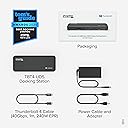
I bought this dock because I needed one that worked with both MacBook and my Windows machine. This dock fit the bill and has worked as expected. This completes my setup and I'm happy with the purchase. I wish I had known that this product shipped with a Thunderbolt 4 cable to hook my machines to the dock. Not explicitly stated in the description, however, it DOES come with an included cable so don't need to separately buy a cable to make this work.
B**K
It works, but make sure of your ports, if your having a problem,
About this dock, I find it a good value. No external dongles needed for HDMI connectivity. 96/100w charging. Ethernet. Long story for those fighting with docks... So I'm up to 3 Docks I tried, and until this morning, none of them worked correctly. My the laptop maker tech support said, yup need to use the TB4 port for it to work. If not working, call the makers of the dock. I sent back the first one (from another company), factory tech support said, either not compatible, or broken, we aren't sure. only 1 monitor, ethernet would constantly disconnect. No charging. So back it went. Others had the same complaints, so figure, get a refund and move on. So bought the TBT4-UD5 from Plugable from amazon. My laptop "maker" sent me the graphics of where the TB4 port was/which one, and no it didn't work correctly. Only 1 monitor, but ethernet did, charging didn't. Updating drivers, new cable, nothing worked. After sitting back, I finally tried the USB-C 3.2 port that is not s/b to work (according to my laptop "maker"). But it did. Called my Laptop "maker", and finally the one tech support worker sent me the motherboard manual, and my laptop "maker's" info of what port is which and what did what was WRONG! What they called TB4 port, was really the USB-C 3.2 for power and for 1 display.port. Which did gave me ethernet and 1 monitor via the dock. Plugged the TBT4-UD5 into the real TB4 port, what the laptop maker called the USB-C 3.2 for data use, no power... gave me the 2 displays the dock promised, ethernet and charging !.. I was happy about the 2 displays and ethernet... charging too was a bonus. (I was originally told by my maker, ok, so it's not, to be expected with powerful laptops.) In the middle of banging my head against the desk, I bought a "lesser" model from plugable from amazon, USB4-HUB3A , it now works too. Plugable tried to help me, no one questioned the port, I shared the laptop company's port designation. So not their fault. Plugable tried a few things, one reason I bought the lower cost dock of there, get another one of their OEM TB4 cables which was suspect. So lesson is, if its not working, really have to dive deep into the ports and what they do, and which one is which.
D**S
Buen producto
Buen producto
H**K
All the right ports, including a front TB4!
Plugable TBT4-UD5 Thunderbolt 4 Dock. Got a new laptop with two ThunderBolt4 (TB4, aka. USB4) ports. So, went hunting for a dock to take full advantage. The field is very limited though, and this one seems the best, better even than the "big brother" of it from Plugable. This was the only dock I found that had another Thunderbolt port (on the front, even) for peripherals. As well as a pair of 5gbs USB3 ports on front, and several 10gbs ports on the rear. This is a great dock and is working well here. My only(!) complaint is the dumb front-mounted port for the laptop cable. Lots of other docks make the same mistake, dunno why? It belongs at the REAR, guys!! Otherwise all quite good! There's a white version that is sometimes lower priced: B0FGFW5FVD and also the Kensington AD2010T4 dock appears to be exactly the same thing as this one. EDIT: More than a year on, and it's going strong here and I'm exceptionally pleased with it. No issues. Loving the extra TB4 jack on the front, for backups to external NVMe drives. Solved the front-mounted laptop cable issue with a right-angled TB4 cable that easily routes to the rear and keeps things tidy. Note that I use this almost exclusively with Kubuntu Linux 24.04 on the laptop. Everything works very well with no fuss. Added a photo, with a KVM switch sitting on top.
M**N
Everything works as expected and great customer service
The first unit I received had been previously opened had minor damage, most probably because I received a previously opened box from Amazon. I reported the issue to Plugable which responded within the hour saying that they would ship me a new unit to replace it. I received the unit on the next day. Installed the dock and it worked right away with two 4K monitors, a wired GigE connection, a streaming camera and many other USB connection, both USB 3.0 and USB2.0 with no issue at all. I use two different laptop with that dock, a MSI and a Lenovo device and they both work great. OS is Windows 11 and both Laptop have Intel CPU (Ultra core 7 and i7) with the integrated ARC GPU. I guess it probably helps to make sure the latest driver are installed (the one from Intel directly, not the one comming with a manufacturer/Windows install) and to make sure the laptop supports Thunderbolt 4. I previously had tried these setup with lower cost USB-C 2.0 dock devices but always had problem, especially trying to get two 4K display working. At best, I was only getting one display to work in 4K and the USB bandwidth was greatly affected (forget fluid video streaming from the webcam!). No an issue with this unit. As far as durability is concerned, it is hard to tell after only a couple of days of usage. I can say that it look sturdy and very well built. I don't think there should be an issue on that side but only time will tell! Others reported the unit as becoming hot. On my side I can say that yes it heats up but nothing out of the ordinary, especially with a unit running at that speed and providing 96W.
R**O
Excelente Producto!
Excelente! Llego antes de lo esperado, pero lo que mas me gusto, es que era exactamente lo que estaba buscando. Funcionó a la perfección con mi Macbook Pro 16 M4 Max! Excelente producto MUY recomendable!
J**B
Stable - no issues in over a year
Works great with my M1 work mac and M4 personal mac. I've had no persistent issues. Every now and then my mac won't display on my monitor when I plug into the dock, but I just need to plug the cable in and out - which honestly, is really good from my typically experience using docks.
Trustpilot
2 weeks ago
2 weeks ago