⌨️ Elevate your game with the world’s first analog mechanical keyboard—feel every press, win every move!
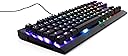
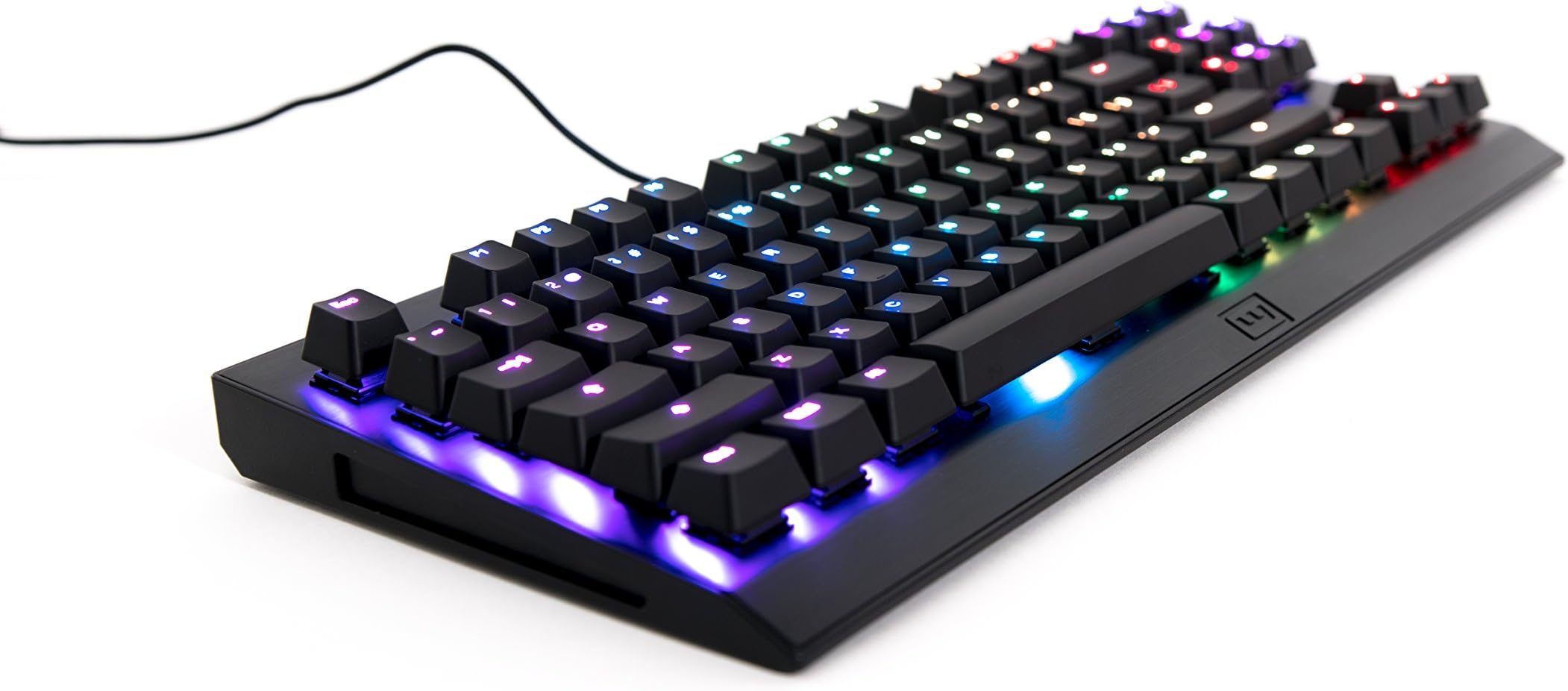
The Wooting One is a tenkeyless analog mechanical keyboard featuring pressure-sensitive Flaretech optical switches with adjustable actuation points between 1.5 and 3.6mm. It boasts ultra-low input latency (<1ms), per-key RGB backlighting with over 10 effects, and a robust aircraft-grade aluminum chassis. Its hot-swappable switches and the Wootility software provide seamless customization and compatibility across Windows, Mac, and Linux. Designed for both competitive gamers and professionals, it offers a unique blend of precision, speed, and durability.


| ASIN | B07772B3HX |
| Customer Reviews | 4.1 4.1 out of 5 stars (119) |
| Date First Available | November 6, 2017 |
| Is Discontinued By Manufacturer | No |
| Item Weight | 1.8 pounds |
| Item model number | W00T01P087V100 |
| Manufacturer | Wooting |
| Product Dimensions | 6.34 x 1.61 x 14.53 inches |
M**N
A Great Keyboard
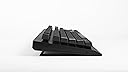
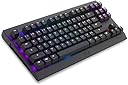
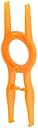
Overview: The Wooting One keyboard is labeled as the first ever analog gaming keyboard, which basically means that the switches can detect different amounts of pressure on the keys and relay that information to video games that are compatible with analog input. This is a huge help to games such as racing and shooting games. The “analog” label is what makes the Wooting One standout. It is its main feature along with some other useful features. Design: The design is a standard tenkeyless keyboard without a number pad. I had no gripes or problems with the design, although a number pad would have been a nice addition. The RGB backlighting and key lighting are vibrant and colorful, standard on most gaming keyboards today. It’s a nice and compact design that I could see people taking along with them when traveling. However the keyboard is on the heavier side of the spectrum in terms of weight. On the bottom, the stands are a nice addition that allows you to prop the keyboard up. Also, on the bottom are slots that allow you to manage the USB cable that connects to the computer. A minor thing but still a nice thing that is included. The wire itself is braided and long enough that most people will not complain about a short cable. One last thing is that the included key and switch remover is a very nice addition, which makes it very easy to customize the keyboard however way you like. Overall the build quality seems very premium and the design is standard, but elegant. Comfort: At first it took a little bit of time to get adjusted to the placement of the keys, but that's expected as I was switching from a non-mechanical keyboard to the Wooting One. What was good was that it only took about 2 days for me to get used to the Wooting One. Overall the key placement is in the standard position so it is a very comfortable experience when typing. Software: The Wooting One uses the Wootility application to program the RGB lighting and setup the analog keyboard. The Wootility application is simple to use and there are instructions online on how to set up the Wooting One, which was very helpful and easy to follow. It’s super simple to adjust the RGB lighting however you want. Also. the presets included are very nice and appreciated. Overall the software is simple to use and it gets the job done. Performance and Features: The Wooting One’s main feature is its ability to be analog. I tested this feature out by driving around and GTA V and I could clearly see the difference between non-analog and analog. While on analog mode, it was much easier and smoother to control the car I was driving. Another feature that I personally liked was the DKS feature because it fits perfectly in MOBA games such as League of Legends, a game that I personally play. Overall I could see why people would use the Wooting One. If people spend time adjusting it to specific games, it could give a huge competitive advantage. One side note is that not all games work with the Wooting One’s analog abilities. Conclusion: The Wooting One is an unique keyboard that adds additional features on top of being a mechanical keyboard. Although it’s standard design doesn’t stand out, I have no complains about it because it gets the job done. The one thing that I really wished to included was a number pad, but even that isn’t much of a complaint. I believe that the Wooting One is an extremely excellent keyboard for typing and gaming, especially for those that are into competitive gaming. This is a keyboard worth learning how to use and stick with for a very long time.
C**K
Great keyboard for typing and coding -- added custom retro keycaps
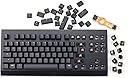
I'm not a gamer. While I understand that the analog switches on this keyboard make it a very interesting option for gamers, I was looking for something to replace my old clicky key IBM Model M keyboard. After purchasing and returning two other mechanical keyboards that had quality problems (thank goodness Amazon makes returns relatively easy), I was leery of pulling the trigger on yet another keyboard purchase. But after watching many YouTube reviews, I decided to go for the Wooting One. The optical switches seemed promising, and I like the more compact layout without a number pad (tenkeyless). After a week of heavy use, I've found that the keyboard is very easy on my hands, and due the to silky smooth switches, I'm actually typing faster and whacking the keys a bit less hard--often not "bottoming out", but quietly just pressing up to the point where the switch commits. I am a touch typist with large hands, and I find the compact layout doesn't compromise anything. It's easy to hit the keys, and the layout feels right. Because I'm a bit retro myself (computer user since the mid 1970s), I wanted to go for a retro look and feel, so I replaced the stock keycaps with "ONECAP Control Code ASCII Retro Beige 139 Keys SA PBT Keycap Sublimation Keycap Cherry MX Switch keycaps for Wired USB Mechanical Gaming Keyboard", which I also found on Amazon. These are the keycaps shown in my picture. These are not the original keys. It's a pleasure to work on this rig!
A**I
A non-gamer's review of a gaming keyboard
I'm not a gamer. I purchased this keyboard as a general purpose keyboard. I also wanted to try the Flaretech switches. Aesthetics: Keyboard looks ok. Not ugly, not beautiful. I would have preferred a slightly smaller, standard 80% size without bezels. Typing feel: The switches are very smooth. Extremely smooth, even. No gritty feeling at all. The tactile click is very pronounced. Keys feel very light and pleasant to type on. Outstanding. Typing sound: The click sound is too high pitched for my taste, but not as bad as Cherry MX Blue and similar switches. Thicker keycaps would have improved the sound. Keycaps: Thin ABS plastic. Feels cheap. I'd expect thick PBT keycaps from a product of this class. The switch stems are Cherry MX compatible, and it's possible to replace keycaps on this keyboard with something better. Keys are moderately wobbly. RGB backlight: Full feature set of RGB backlighting with all effects and gimmicks. Backlight flickers (most likely PWM flicker) on any brightness level. This makes backlight unusable for me. Software: Surprisingly nice, for a keyboard. "Analog" gaming features: Not reviewing this. I do not care about these features at all. Overall: a very satisfying typing experience with acceptable, but a bit too loud and high pitched sound. Apart from keycaps, the keyboard does not feel cheap. Note that I'm reviewing a keyboard with blue (clicky) switches. Sound will be different with linear switches. For a first keyboard of an independent small firm, it's a very good attempt. By the looks of everything: packaging, software utility, their web site, you can tell that they care about their product.
S**G
Received them in perfect condition. Set-up was really easy. The keys are really smooth to touch. The colours are vibrant as well.
P**S
I bought this primarily to try out the Flaretech Red switches and was not disappointed. The travel is buttery smooth and theoretically should last me until I decide to upgrade again rather than having them wear out like my previous Cherry Reds. The LEDs are really nice and light up the symbols evenly. The font isn't "g4m3r" junk like you come across in a lot of other boards which is a huge plus for me. It's actually a functional keyboard you can use in the office. My only complaint is that I'd really like to buy some Flaretech Blue switches to replace the top row, nav cluster and modifier keys on the board and have had absolutely no luck finding some to order that deliver to Australia. Definitely worth the money if you're after a premium feeling board.
C**O
La tastiera si presenta bene sotto un punto di vista estetico, le personalizzazioni RGB sono spettacolari e anche i colori . Qualità dei materiali anche ottima, forse i tasti sono un po' troppo ballerini . La possibilità di aggiungere macro su uno stesso pulsante attivandolo in base a quanto in fondo si preme rende l'esperienza più appagante su alcuni giochi. Un problema fondamentale che ho riscontrato è nella modalità analogica dei tasti, quando appunto si simula l'input di un analogico, in quel caso il PC considera la tastiera come un joystick e quindi cambia automaticamente i comandi creando un conflitto tra tastiera e mouse, warzone ad esempio, non permette di utilizzare la modalità analogica insieme al mouse.
S**D
The Wootility alone makes this keyboard worth buying. Soon it will support remapping keys so if you're a Mac user switching to Linux you can swap a few keys around virtually and not have to contort your fingers to find the control key. Gaming, programming and writing on this keyboard is nice. I'm still not a fan of the clickity clackity of these types of keyboards but my need to reprogram key positions overrides my dislike of loud keyboards.
P**A
Diese Tastatur vereinigt Eigenschaften, die sonst wohl so nicht (mehr) zu finden sind. "Offiziell" richtet sich die Tastatur zwar an "Spieler", aber sie ist meiner Meinung nach hervorragend für Leute geeignet, die viel tippen, z.B. für Software-Entwicklung. - Absolut erstklassiges Schreibgefühl. Es erinnert an die alten, ausgestorbenen hochpreisigen IBM-Tastaturen. - Die gesamte Software ist OpenSource (Github: WootingKb) - Ausgezeichneter OS-Support. Ich nutze die Tastatur unter Linux, und die "Wootility" funktioniert einbandfrei. - Sehr schnelle DHL Lieferung. Videos: YouTube Chyrosran22, Wooting One hat gute Reviews und Infos.
Trustpilot
1 week ago
5 days ago