Desertcart purchases this item on your behalf and handles shipping, customs, and support to Kyrgyzstan.
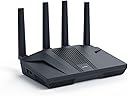
🚀 Dominate your digital domain with the Flint 2 — where speed meets security and control!
The GL.iNet GL-MT6000 Flint 2 is a cutting-edge Wi-Fi 6 gaming router featuring 8-stream technology delivering up to 6 Gbps wireless speeds, dual 2.5G multi-gig Ethernet ports for ultra-fast wired connections, and robust VPN support with WireGuard and OpenVPN. Pre-installed with OpenWrt firmware, it offers advanced customization, ad-blocking via AdGuard Home, and supports over 100 connected devices, making it the ultimate choice for professionals and gamers seeking high performance, security, and flexibility in 2024.


| ASIN | B0CP7S3117 |
| Antenna Location | Business, Gaming, Home |
| Antenna Type | Retractable |
| Best Sellers Rank | #174 in Computers & Accessories ( See Top 100 in Computers & Accessories ) #19 in Computer Routers |
| Brand | GL.iNet |
| Built-In Media | Ethernet Cable, GL-MT6000 router with 2-year warranty, Power Adapter (US Plug), User Manual |
| Color | Black |
| Compatible Devices | Gaming Console, Personal Computer |
| Connectivity Protocol | Wi-Fi 6, Ethernet, Multi-WAN |
| Connectivity Technology | Wi-Fi |
| Control Method | Touch |
| Coverage | Wide Coverage |
| Customer Reviews | 4.5 out of 5 stars 2,983 Reviews |
| Data Transfer Rate | 6000 megabits_per_second |
| Frequency | 5 GHz |
| Frequency Band Class | Dual-Band |
| Item Highlight | 8-stream Wi-Fi6 at 6 Gbps, dual 2.5G multi-gig ports, Up to 1148 Mbps and 4804 Mbps, pre-installed OpenWrt, OpenVPN WireGuard |
| Item Weight | 761 g |
| LAN Port Bandwidth | 2 x 2.5G Ports, 4 x 1G Ports |
| Manufacturer | GL.iNet |
| Maximum Upstream Data Transfer Rate | 2500 megabits_per_second |
| Mfr Part Number | GL-MT6000 |
| Model Name | Flint 2 |
| Model Number | GL-MT6000 |
| Number of Items | 1 |
| Number of Packs | 1 |
| Number of Ports | 6 |
| Operating System | Linux |
| Other Special Features of the Product | Access Point Mode, Guest Mode, Internet Security, QoS |
| RAM Memory Installed | 1 GB |
| Router Network Type | hybrid |
| Security Protocol | WPA3 |
| Special Feature | Access Point Mode, Guest Mode , Internet Security, QoS |
| Unit Count | 1 Count |
| Voltage | 5 volts |
| Warranty Description | 2 Years |
| Wi-Fi Generation | Wi-Fi 6 |
| Wireless Communication Standard | 802.11ac, 802.11ax, 802.11b, 802.11g, 802.11n |
| Wireless Compability | 802.11ac, 802.11ax, 802.11b, 802.11g, 802.11n |
S**B
Incredible Upgrade - Xfinity
UPDATE 2: This thing is incredible. I cannot believe the price point for this router and all of it's features. This is the Best networking purchase I have ever made, in over 25 years if IT work. I can pull 2.5gbps internet to my desktop, 1.5gbps over wifi, block ads, VPN home, it does band switching automatically, so you don't have to broadcast MyWifi24 and MyWifi5ghz, you just connect to it once and it'll switch automatically, runs OpenWRT under the covers. I recently configured the Wireguard server to check on my Cameras while I'm out. I used to run OpenVPN, but a while back they broke the SplitTunnel implementation, but I can happily report WireGuard works perfectly. I can even tunnel DNS home, so that Advertisements are blocked *even if* I'm using the non-tunnel side of the internet to read websites. Talk about awesome! Full ad-blocking without any extra servers or docker containers running. Truly remarkable for a 150 dollar device. UPDATE: Wew Lawd! The 2.5g ports do not disappoint!! See my new screenshot. Fully saturating my brand new desktop with this router. My son and I finally drilled a hole through the floor to run a CAT6 cable to my home office in the basement. Totally worth it. I was impressed with over 1gbps via WiFi due to my location in the basement with concrete walls, but wired is another level. I cannot recommend this router enough. Not sure if OpenWRT has SQM baked into it at this point, but I haven't even downloaded the package and you can see my results above. If that one packet didn't get lost my download Active would have been under 6ms. Totally NUTS. Equipment: - Xfinity Gigabit x2 service - Hitron CODA56 modem - Gl.iNet GL-MT6000 router - Intel desktop with 2.5g LAN ------------- What an upgrade! I recently decided to pick up a Hitron Cable Modem to take advantage of better download and upload speeds through Xfinity. However, my Archer C9, (which has been running solid for a decade), only had a 1gb ethernet port. So I needed something with a 2.5g port, but since I also have a relatively new desktop, I wanted to have at least 2x 2.5g ports. This was the only router in that category that wasn't 300 dollars or more. And I just have to say... WOW! What an upgrade! The attached screenshot is from my XPS Laptop...over *WiFi*. 1.6gbps down, 350mbps up. Just awesome. (You have to bump up the channel size to 160mhz to get over 1gbps via WiFi) It's improved my 2.4ghz reach across the house and into the yard as well. Literally everything in my home is faster now, and I haven't even tested the 2.5g Ethernet port yet. I have yet to enable SQM, but that is on the short-list of things to do. Overall, for $133 (with amazon discount), this has to be the absolute best pound-for-pound router you can buy in 2024.
A**R
Good and reliable open source router
This is a decent "home router" that comes with expandable "open source" firmware. This router has a number of features that my previous home router lacked. And this router also has better signal/range than other routers I've owned, and it also crashes less often than those other routers did. One router feature I really like is full support support for the semi-regulated DFS frequencies in the 5ghz WiFi band. While those frequencies are legal to use in the US, they do have extra regulations on them. And sadly most home routers don't implement those extra regulations, so you can't use the DFS frequencies with most home routers. But I found that configuring this router to use the DFS frequencies greatly increased my WiFi speeds (on some days more than doubling the speed gotten on the more traditional WiFi bands). And this router also has support for extra features that I don't personally use, but others might find handy. For example, this router has built-in support for VPNs (i.e. the router can setup a VPN into your network, or have your network use an external VPN). Also this router has an option to have the router itself do ad-blocking for all devices on your network. And because the firmware for this router is "open source" you can easily download/install other features you may want your router to do. So in my personal opinion this router really is the worth the retail price of around $160. Yes, this router is more costly than many home grade routers, but that higher price buys you a more reliable and feature rich router.
K**J
Great router
This GL.iNet Flint 2 is a massive upgrade for anyone looking to get the most out of a high-speed fiber connection. The dual 2.5G ports are the standout feature here, as they allow for true multi-gigabit speeds that most standard routers just can’t handle. I found the setup process to be incredibly straightforward through the web interface, and the WiFi 6 coverage is strong enough to reach every corner of my home without any dead zones. It handles gaming and 4K streaming simultaneously without any noticeable lag or stuttering. I especially appreciate the built-in VPN support and AdGuard Home integration, which provide an extra layer of privacy and security for all my connected devices right out of the box. It feels like a professional-grade piece of hardware that is still easy enough for a regular user to manage. The range on this router is impressive and significantly better than the standard equipment provided by my ISP. Even with dozens of smart home devices connected at once, the performance remains stable and snappy. The build quality feels solid, and the cooling vents do a great job of keeping the unit from getting too warm during heavy downloads. It is the perfect choice for a home office or a gaming setup where consistent speed is the top priority. Overall, it is a powerful and reliable router that offers a lot of advanced features without being overly complicated to use.
G**H
Excellent, powerful WiFi 6 router with open source firmware support
This router is amazing and very versatile. I love that it comes pre-installed with a version of OpenWrt because that opens a lot of possibilities you absolutely will not find in other consumer-grade routers. It generally just works right out of the box, but then you can customize it until your heart's content, even so far as to flash other versions of open source firmware (which is what I ultimately did since I was only using features from OpenWrt anyway). While it does not look like much (very boxy, plain), it has loads of good qualities. - The antennas do not rotate side-to-side, but they do rotate forward/backward to lay down flat on the top of the router for transport. - Has a 2 GHz CPU and 1 GB of RAM to handle all the packages, packets, and special firewall rules for your setup. - 2.5 Gbps WAN port for future needs. - This has four 1 Gbps ports and a 2.5 Gbps port that can be used for WAN failover or LAN, depending on settings (LAN by default). - The Wi-Fi range, even with 16 dBm transmit (Tx) power for 2.4GHz and 20 dBm for 5GHz, is more than adequate for my apartment. I lowered those values intentionally to test that. 2.4GHz can be set to 30 dBm, and 5GHz can be set to 24 dBm. - Connectivity has been excellent so far - for more than a week. - Supports WPA3-SAE for modern encrypted Wi-Fi connections. - It comes with a good 4-amp wall plug. - Construction is sturdy, not flimsy at all. - No overheating, despite my 8 VLANs and 6 simultaneous WiFi SSIDs. Granted, some of them are not heavily used. With the pre-installed OpenWrt (accessed through the Advanced Settings), it's possible to: - Setup multiple VLANs to isolate your networked devices - Install additional packages for more tailored setups - Run services like DDNS for Cloudflare (and others) - Completely lockdown your network through firewall traffic rules If you're looking for a powerful upgrade from an old Wi-Fi 5 device from 2013 (this was me), this is an excellent option, even without the newest Wi-Fi 6E and 7 features. I bought this during the 2026 Spring sale for a 15% discount, but I was going to buy it anyway at the full price at the time of writing because of the incredible versatility, powerful hardware, and peace of mind of modern security. Note: I ended up flashing OpenWrt 25.12.2 (latest at time of writing) onto the device because 1) I was only using features from OpenWrt anyway, and 2) the original firmware was limiting my ability to create and utilize the number of SSIDs I wanted for my setup.
S**Z
Maybe the best router - improved my local streaming
I originally bought this just to stream video games over my local network. The idea was to be able to play any of my Steam games on an ultra powerful PC in any room of the house. I started with powerline adapters, these things you plug into wall power outlets, and then created a sort of wired connection over your electricity wiring, which seemed to improve latency. I was surprised the dream was coming true when I used it but I wanted to optimize it so that it really felt reliable and snappy. I already had a relatively all-in-one modem-router-WiFi from Netgear AC1900, and never had a major problem with it. But as I started reading about how to improve the streaming, I found out about buffer bloat, and ways in which router software can manage their packets/data coming in/out. Which led me to OpenWRT software, which I couldn’t install on an all-in-one which led me to the Flint 1 and then the Flint 2 because it was more powerful for not much more cost. I still use the Netgear as a modem with the router off. This thing exceeded my expectations. First of all the software is a joy to use. I was so surprised how quickly you can navigate the interface and load pages, because I swear the Netgear felt like it took 10+ seconds to register clicks. Installing was easy. Installing an SQM plugin to manage buffer bloat and changing some settings like DNS and NAT was certainly not simple intellectually, but making the clicks on the UI absolutely was. People have complained about how up to date OpenWRT is, but it came with an update right away, and for the average user, I think LTS updates is more important than up to the minute updates. So my streaming setup is pretty amazing now. 1440p streaming with a moderately old gaming PC is working. Powerlines do seem to fluctuate based on time of day, but to my surprise WiFi 6 and the performance of the router actually make streaming over WiFi possible in some cases. Like if the host or client utilizes the whole powerline network and another utilizes WiFi 6 from not that far away, it’s totally basically as good. Streaming from my Meta Quest 3 to the TV is flawless, it even kind of worked when I streamed to chrome on Mac to airplay on the TV via like 4 wireless jump, I mean it was choppy but the fact that it just worked and disconnected was great. I bet this will also reduce the need for wired connections when streaming Steam or a virtual desktop to the desktop. Finally in my opinion this is the only router anyone should buy unless you’re a raspberry pi enthusiast, or you can find another router with something like OpenWRT preinstalled. I would’ve flashed firmware, but the fact that I got it ready to go on a consumer product is magical. Why every router doesn’t come with OpenWRT or an equivalent, is crazy. The software seems so far advanced than the crap in routers I’ve had from big companies in the past. The performance seems amazing. Has the latest features. Doesn’t break the bank. Easy to setup. Overall, prefect score from me, I can’t think of a con.
K**A
Great Wi-Fi router
This GL.iNet Flint 2 router has been a massive upgrade for our home network. Coverage reaches every corner of the house with strong, consistent speeds, and the Wi-Fi 6 performance handles multiple 4K streams, gaming, and work devices without dropping. The web UI is intuitive, OpenWRT flexibility is excellent, and setting up VLANs and guest networks took only a few minutes. Heat management is solid even under load, and the four antennas keep signal strength high. After weeks of heavy daily use it remains stable and fast. Outstanding value and performance.
P**T
Wow! Fantastic features-super fast VPN-easy VPN setup; 2 2.5G & 4 1G ports-fast CPU-a perfect choice
Wow! Fantastic features: super fast VPN (sped up my VPN 10 times faster than the router I replaced with this GLi router) with lots of VPN brands easy VPN setup; 2 2.5G & 4 1G ports; fast CPU - a perfect choice. Admin setup has great security, parental control, on/off wi-fi schedule or on full-time. Fast startup. Excellent price.
D**J
Versatile WiFi 6 router that is also an excellent AP-Bridge for 5G Home Internet
Since the Flint 3 (wifi 7) model has already been released, I picked this unit up on sale to help improve the overall security of a T-Mobile Home Internet connection I have as a redundant Internet service for our rural home. The various T-Mobile Home Internet gateways do a reasonable job of delivering fast internet over 5G connections in many communities but they lock down many of the settings in order to simplify their own technical support protocols. I wanted to add more security to this link and better visibility into the actual traffic on it. For that project, I had to deal with the T-Mobile Gateway enforcing that it had to be the DHCP server and would only use its own DNS servers (the latter can be avoided on PCs, tablets, phones and other clients that can set their own DNS). I purchased a firewall that could run in "inline" mode without serving as router or DHCP server and matched that up with this Flint 2 product that could run in AP-Bridge mode. It is a wifi 6 unit, has excellent range, bandwidth and works well in either auto-select channel mode or manual channel assignment.network. I know there are a lot of features available in full-router mode that are disabled when the unit runs as an AP-Bridge, but I didn't need the headache that would cause when both the T-Mobile Gateway and the Flint 2 were independently performing NAT (network address translation) on my network traffic. I also know there are less expensive AP-Bridge products out there, but I wanted something that had a strong track record in performance, durability and fairly open code (much of the Flint 2 code base is from a fork of OpenWrt). Setup was a little convoluted, as everything starts with the assumption the consumer is setting up a router, but as long as you set up the SSID and password of the wifi network you'll want the unit to respond as in AP-Bridge mode everything goes relatively straight forward (such settings cannot be changed once in AP-Bridge mode!). This is a very versatile device and can meet almost any home network need. Documentation is minimal, consistent with the trend in home consumer electronics, but there are vendor videos and numerous YouTube videos out there on this particular model.
T**A
La scelta obbligata per chi vuole il massimo dalla propria connessione
Il router arriva in un'elegante confezione in cartoncino blu che protegge una solida scatola interna in cartone nero. All'interno troviamo il router, l'alimentatore, una serie di adattatori per prese europee e inglesi (avvitabili direttamente sull'alimentatore), un cavo Ethernet e la manualistica. Il router è costruito con materiali di ottima qualità, interamente in plastica nera opaca. La scocca superiore, leggermente inclinata, presenta insieme alle fiancate numerose prese d'aria per consentire un'adeguata dissipazione del calore generato dalla potente componentistica interna. Sul lato destro è presente una porta USB-A 3.0 per il collegamento di memorie di massa come hard disk esterni, SSD o chiavette USB. Nella parte posteriore, oltre alle imponenti antenne Wi-Fi, sono presenti in totale sei porte Ethernet: due da 2.5 Gbps (configurabili come LAN o WAN) e quattro porte Gigabit classiche (LAN). Completano la dotazione il tasto di reset e l'ingresso di alimentazione DC da 12V. L'alimentatore fornisce in uscita 12V e 4A, ma il consumo medio alla presa si attesta sotto i 20W, un valore ottimo considerata la potenza del dispositivo. Sulla parte superiore della scocca è presente anche un indicatore LED di stato, che può essere personalizzato o spento via software. Il Flint 2 è un router Wi-Fi 6 (AX6000) che, da specifiche, può raggiungere velocità fino a 1148 Mbps sulla banda a 2,4 GHz e 4804 Mbps su quella a 5 GHz. È importante segnalare il pieno supporto ai canali a 160 MHz per massimizzare le prestazioni. A livello hardware, il dispositivo è equipaggiato con un potente processore Quad-Core Mediatek da 2 GHz, affiancato da 1 GB di RAM DDR4 e 8 GB di memoria eMMC per il sistema operativo e l'installazione di pacchetti aggiuntivi. A differenza dei firmware chiusi della maggior parte dei produttori concorrenti, questo router (come molti altri di GL.iNet) monta OpenWrt, un sistema operativo open source basato su Linux, appositamente progettato per dispositivi di rete. Essendo basato su Linux, l'utente ha un controllo granulare sulla rete, potendo configurare ogni minimo dettaglio, modificare impostazioni normalmente non disponibili e aggiungere nuove funzionalità installando pacchetti software. Alcuni esempi di pacchetti che ne espandono le funzionalità sono iPerf3 (per testare la velocità della rete locale), AdGuard Home (per bloccare pubblicità e tracker a livello di router per tutti i dispositivi) e, soprattutto, i pacchetti QoS/SQM per abilitare policy avanzate di gestione del traffico. Una funzionalità molto apprezzata, specialmente da chi gioca online, è la capacità di mitigare il bufferbloat tramite l'algoritmo SQM. Questo sistema gestisce in modo intelligente le code di dati per evitare che attività pesanti (come un download) aumentino la latenza delle applicazioni interattive (come i giochi online o le videochiamate), garantendo un ping basso e stabile anche quando la rete è sotto sforzo. Il software di sistema è molto ben fatto e offre due interfacce di gestione: - La prima è l'intuitivo pannello di controllo personalizzato da GL.iNet. - La seconda è LuCI, l'interfaccia web standard di OpenWrt, accessibile per gli utenti più esperti direttamente dal pannello principale. L'interfaccia personalizzata è semplice e ideale per utenti meno esperti. Consente di regolare rapidamente le impostazioni di base, monitorare il traffico e configurare facilmente il dispositivo in modalità router, access point o extender. Particolarmente interessante è il supporto nativo per client OpenVPN e WireGuard. È possibile configurare una VPN direttamente dal pannello web, facendo passare tutto il traffico della rete interna attraverso di essa. Le prestazioni sono eccellenti grazie all'hardware potente, raggiungendo fino a 190 Mbps con OpenVPN e 900 Mbps con WireGuard. Al momento in cui scrivo, il prezzo del router oscilla tra 120€ e 160€ a seconda delle offerte. A questo prezzo, specialmente quando scontato, questo router è a mio avviso ancora imbattibile. Offre prestazioni Wi-Fi 6 più che sufficienti per la stragrande maggioranza delle connessioni attuali, un hardware di fascia alta e una flessibilità software che è semplicemente su un altro livello rispetto alla concorrenza con firmware chiuso.
R**S
Seriously, hands down, best router ever. Block youtube, simple NAS, adblock etc.
This is the best router ever! It has tons of possible configurations. I bought it primary for blocking youtube on my "smart" TV and my kids phones. And it works. Under Parental control you can ad a profile and under that profile you ad the devices you want to be able to connect to internet. If they are not on a list they will be blocked. Even if they are connected to the network, and this is a must. Then you ad a a rule set under witch you can add all youtube sites to block. I asked an AI for that. There are a lot of sites you need to block. After this you can also ad time windows where these rules applies. Awesome! I also tried to add an M.2 SSD via the USB3 on the side. You set it up under Applications/network storage. My SSD is NTFS formatted but AI told me ext4 is best. Follow the guide and give the disk a UN och PW. Then I added a network drive in my computers file explorer pointing to the one configured in the router. Bam! 256GB on the network for moving files in the network (in Linux Mint, the manual says windows works to). AdGuard Home is a built in feature. It can also block sites and ads! Check out NetworkChuck on YT for more information. Awsome! No more ads. I also connected my old TP-Link P7 mesh network downstream the Flint 2 to extend the range. The rules set in the Flint 2 now also applies to the old P7 mesh network as they work as extenders from now on. AI helped me do this to. Now I have 4 access points for my devices with awesome range! I an go on and on. Best money ever spent on a router! Just buy!
H**G
Super router and quick deliverey
Good router, easy setup
C**M
OpenWrt ve WireGuard kullanıcıları için alabileceğiniz en iyi yönlendiricilerden biri
Uzun süredir farklı yönlendiriciler kullanan biri olarak rahatlıkla söyleyebilirim ki, bu cihaz şimdiye kadar kullandığım en başarılı modellerden biri oldu. Tüm ev ağımı bu yönlendirici üzerine taşıdım ve ilk günden beri son derece stabil çalışıyor. OpenWrt desteği gerçekten muazzam. Ağını özelleştirmeyi sevenler, VLAN, VPN, DNS, firewall gibi gelişmiş ayarlarla uğraşanlar için büyük bir özgürlük sunuyor. WireGuard kurulumu ise inanılmaz kolay. Hazır yapılandırma dosyalarını birkaç adımda içe aktararak dakikalar içinde güvenli VPN bağlantısını kullanmaya başlayabiliyorsunuz. Donanım tarafı da en az yazılımı kadar etkileyici. İşlemcisi oldukça güçlü ve yoğun ağ trafiğinde bile performansından hiçbir şey kaybetmiyor. Aynı anda çok sayıda cihaz bağlıyken bile bağlantıda yavaşlama veya kararsızlık yaşamadım. Kablosuz performansı beklentimin çok üzerinde çıktı. Çekim gücü son derece başarılı, kapsama alanı geniş ve bağlantı hızı oldukça yüksek. Wi-Fi 6 destekli cihazlarla birlikte farkı rahatlıkla hissedebiliyorsunuz. Mobil uygulaması da oldukça başarılı hazırlanmış. İlk kurulumdan günlük yönetime kadar her şey anlaşılır ve pratik. Teknik bilgi seviyesi daha düşük kullanıcılar bile rahatlıkla kullanabilir. Eğer OpenWrt, WireGuard veya genel olarak güçlü ve uzun yıllar kullanılabilecek bir yönlendirici arıyorsanız, bu cihazı gönül rahatlığıyla tavsiye ederim. Fiyatını sonuna kadar hak eden, performansı ve sunduğu özelliklerle beklentilerin üzerine çıkan gerçekten premium bir ürün.
F**Y
🌟🌟🌟🌟🌟 Absolutely Unmatched – Hidden Features That Make This a Dream!!!!
If I could give this 10 stars, I would. This isn't just a router — it's a full network control centre hiding in plain sight - even for me that knows next to nothing about networks. I bought the GL.iNet Flint 2 expecting decent Wi-Fi and a few nice extras, but this thing has completely changed how I run my home network. --> Here's what nobody is talking about in the reviews: 1. Drop-In Gateway Mode (The “Secret Weapon”) This feature lets you add the Flint to your existing network without replacing your old router — and still get full control over everything. This should be one the front of the box as it is mind blowing!! That means: - No weird setup clashes - No “double NAT” problems (where you have two routers trying to be the boss) - No IP conflicts - No headaches I was able to move all my smart home gear over to the Flint (like cameras, sensors, smart plugs, etc.) without touching my old PlusNet router settings. It just worked — like magic. I still do not have nay idea how they did this! 2. Built-in NAS (Network Attached Storage) I plugged in a USB solid-state drive (SSD), and within 30 seconds, I had a shared network folder for my whole house. No extra software. No technical setup. It's like having a mini file server built right into the router. The only thing it will not do is file sync between devices, but hey, bung a 1Tb USB3 SSD onto this and you have a discount network storage system, you cant have it all. 3. Tailscale, AdGuard, and VPNs – Built In!!! These just work, and using the Drop-In Gateway Mode, this all just happens behind the existing router. It is mind blowing, this all just works with the existing IPS provided router sitting there with no idea all this is going on! - Tailscale: Secure, encrypted connection to your home network from anywhere in the world. Works across phones, tablets, laptops, even while on 4G or public Wi-Fi. No port forwarding needed. ---> One note on this: You can't set Tailscale as an exit node in Drop-In Gateway Mode, which is a bit annoying. Suppose it just is not able to configure enough settings to run this way when it is not in main control? But...it works a dream as an exit node once it is the main router. That means any device with Tailscale can connect to, and use your home network securely from anywhere in the world, which is amazing! - AdGuard Home: Blocks ads, trackers, and malware at the network level. All devices benefit automatically — no need to install ad blockers on each one. - WireGuard & OpenVPN: These are VPN (Virtual Private Network) options that protect your traffic and can let you appear as if you're browsing from home when away. Great for remote working, bypassing restrictions, or accessing local devices securely. 4. Full OpenWRT Access for Advanced Users If you know what OpenWRT is (a Linux-based open-source router OS), then you already know why this is amazing. You can: - SSH into the router - Install custom packages (like fail2ban, iperf, etc.) - Tweak firewall rules - Monitor logs in real time It’s like having your own little Linux server at the heart of your network. This router should be called “The FlintForge” — it’s a network Swiss Army knife disguised as a consumer router. This is the first product I’ve bought in years that exceeded every expectation. I’ve already ordered another for a family member, and I’m not done yet. If you're even slightly technical — or just want more privacy, more speed, and total control — this is the best 100 odd quid you’ll ever spend.
Trustpilot
3 weeks ago
2 months ago