

Buy anything from 5,000+ international stores. One checkout price. No surprise fees. Join 2M+ shoppers on Desertcart.
Desertcart purchases this item on your behalf and handles shipping, customs, and support to Kyrgyzstan.
🚀 Upgrade Your Wired Devices to WiFi 6 Speed—Because Buffering is So Last Decade!
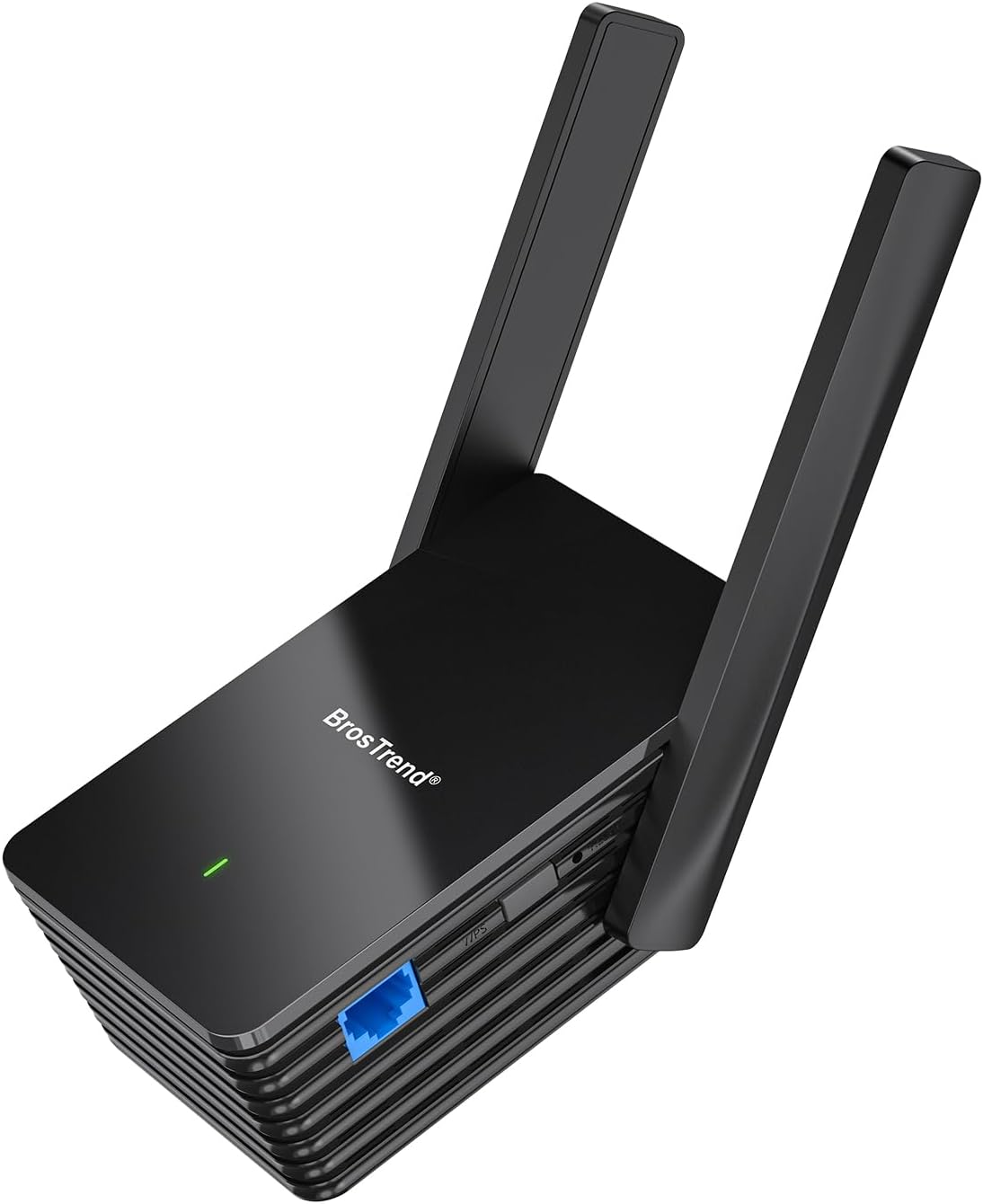
The BrosTrend AX1500 WiFi 6 Universal Adapter converts any wired device into a high-speed WiFi 6 client via a 1Gbps Gigabit Ethernet port. Supporting dual-band connectivity with a 5GHz link speed of 1201Mbps, it ensures faster, more reliable wireless bridging for PCs, printers, smart TVs, and gaming consoles. Featuring easy WPS setup and broad compatibility, it’s designed to bring next-gen wireless performance to legacy wired devices with minimal effort.





| ASIN | B0C4DKZVCM |
| Best Sellers Rank | #89 in USB Computer Network Adapters |
| Customer Reviews | 4.1 4.1 out of 5 stars (991) |
| Date First Available | May 5, 2023 |
| Item Weight | 8.1 ounces |
| Item model number | WiFi to Gigabit Ethernet Adapter |
| Manufacturer | BrosTrend Technology LLC |
| Product Dimensions | 3.5 x 2.6 x 8.4 inches |
J**B
Works well!
I got this to connect an older wireless printer to my WiFI as it is cannot see 2.4ghz. Setup was easy, but using the printer via Wi-Fi was not feasible. I did, however, use this connect to my backyard Ring camera and Echo Show 1 (which stills works perfectly). Both are located on the opposite side of of the house from the router. The signal is now strong per the Ring app!
M**.
Bumpy setup, but after settings took it's been reliable for a few months so far
I had to reset the device a few times to make the right settings stick... but after those little bugs got ironed out it's been pretty solid. I even run a VoIP phone over this bridge and haven't had any jittery connections or anything so far. I've been using it for about 4 or 5 months now in my office. The throughput maybe isn't as great as if I were connected directly to the office's AP, but it gets my wired devices online just fine. I would buy another one if I needed it, and would recommend to friends or family but I'd want to be there to help them get it set up. I've worked in IT for a couple decades, and can see how it might get confusing for someone who's not familiar with networking.
M**O
It just works
I've been using this device for just a short time, but more importantly it was easy to set up and start using. I used the local wifi built in to the adapter to configure it. One thing, after making all of the selections, when I clicked "Apply", nothing happened. Used the "back" control to start over and the second time it took. Plugged in a laptop into the ethernet port and it was configured within seconds. No noticeable degradation in performance either. I chose this as I needed a way to physically connect to my home network from my workbench, so instead of running cable through my attic and cutting holes in the sheetrock I chose this option. (Note: I rarely give a 5 star rating for anything, so judge accordingly.)
T**S
Fast, easy setup, and just works!
I do not ever take the time to review products but felt this ethernet extender deserved one. It is well designed, works very well at extending a fast signal and the wired ethernet port is a game changer. I was able to add a switch using the wired connection to connect multiple devices included a Cisco VPN router, printer, etc and the connection has not dropped once. Getting consistent 400MBPS download speed (same as internet connection) with it showing 80% wireless signal strength. Awesome product!
J**E
Don't waste your time or money.
I don’t like doing negative reviews, but Good Luck with this! I can’t explain the Great Reviews but this has been a real disappointment to me. I needed to connect a Snom PA1 to a customers PA System and the wiring was in a closet with no ethernet drop. This seemed to be the solution. I plugged it in at the Customer’s site and connected it to their WiFi by WPS. Moved it to the permanent location in the closet and it had a very strong signal. The Snom device is POE so I connected the BrosTrend to the LAN side of POE power supply and the POE side to the Snom. The Snom came up but could not get a DHCP address. I assigned it a static IP address, and I could then get to it via web browser for configuration but it never would show in the BrosTrend management interface as a client device and Angry IP Scanner Showed the IP address of the Snom device as having the same MAC Address and MAC Vender as the BrosTrend. Even though I could get to the management interface of the Snom, it wouldn’t register in the cloud management portal so this is 100% useless to me. BTW, this narrative is the extremely condensed version, I spent a lot of time and trips to the customer site to try to make this work Pros; Nice Form Factor Nice management interface Easily connected to WiFi Reasonably priced Seems to have a nice feature set Cons; Did not work as advertised.
M**R
Simple to configure and use
I am the last person you’d ever want to configure anything technology related. I ordered the BrosTrend AX1500 to connect a network printer to the WiFi in my home. In under five minutes, I was able to configure it, and everything was up and running perfectly. Highly recommended.
M**D
WiFi Extender that works!
Bought this to extend our WiFi to a Pole Barn about 300 ft from the main Router as I needed a cat 5 (6) connection to the computers in the polebarn. Worked as described and gives us a "stable" WiFi to Ethernet connection. All of the details on this item shows extending it within a home, but it also works great for an out building too.
T**L
Cannot disable WiFi Extender Function
This is a dual function device. Can be a Wifi extender to boost Wifi signal, or a WiFi to Ethernet adapter to connect wired devices to a WiFi network. I bought it JUST for the WiFi to Ethernet function, having checked carefully in the (sparse) online manual that you could choose the operating mode. Well, turns out you CANNOT disable the WiFi extender function, since they have changed the firmware (but NOT the documentation). So I'm left with a device INSISTS on grabbing Wifi channels that I dont need or want. Setup is a hassle too. The initial setup via wired ethernet works fine, but once the device has a WiFi connection then POW .. it reconfigures itself and you can only reconnect to the web interface by manually looking for the device in your routers device list and then using the IP address. Hardly user friendly. Oh, and a factory reset to by-pass that? ONLY VIA THE WEBUI .. so you are hosed.
J**E
Top ding. Niks op aan te merken
R**O
Estou a usar para criar uma pequena rede ethernet para ligar storage. Funciona muito bem!
M**T
I was skeptical at how well this would work. I put it on my security camera DVR which is in my garage and would mean drilling lots of holes to connect to my internet router by wire. This wireless adaptor worked seamlessly. Was simple to connect to my wireless router and I can access my live security camera feed without issue. Recommend this product
A**I
Excellent product and a very effective solution for a Wifi to LAN setup. The connection is stable and reliable, and it works perfectly with my camera system. Setup was straightforward and performance has been consistent so far. Very happy with this purchase.
J**M
Einfach zu installieren und läuft ohne Störungen.
Trustpilot
3 weeks ago
2 months ago