Desertcart purchases this item on your behalf and handles shipping, customs, and support to Kyrgyzstan.
๐ผ Elevate your storage gameโfast, silent, and effortlessly scalable.
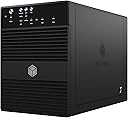
The ICY BOX IB-3640SU3 is a sleek external 4-bay JBOD enclosure supporting unlimited 3.5โ SATA HDDs with trayless, hot-swap design. Featuring USB 3.0 and eSATA interfaces, it delivers up to 5 Gbps transfer speeds while maintaining silent operation via a thermal-controlled fan. Compatible with Windows and Mac OS, it includes energy-saving sleep mode for efficient power management.


| Asin | B009DH5Q2S |
| Best Sellers Rank | 120,632 in Computers & Accessories (See Top 100 in Computers & Accessories) 521 in Enclosures |
| Brand Name | ICY BOX |
| Colour | Black |
| Compatible Devices | 3.5 inch SATA hard drives |
| Customer Reviews | 4.0 4.0 out of 5 stars (60) 4.0 out of 5 stars |
| Data Transfer Rate | 5 Gigabits Per Second |
| Enclosure Material | Plastic |
| Global Trade Identification Number | 04250078186328 |
| Hardware Interface | USB |
| Hardware Platform | Mac, Windows |
| Item Dimensions L X W X H | 21.5L x 12.6W x 16.6H centimetres |
| Item Weight | 1.9 Kilograms |
| Manufacturer | Icybox |
| Manufacturer Part Number | IB-3640SU3 |
| Model Number | IB-3640SU3 |
| Network Connectivity Technology | USB |
| Number Of Items | 1 |
| Supported Devices Quantity | 4 |
| The Standard Size Of The Hard Drive Or The Bay The Hard Drive Is Compatible With In Inches | 3.5 Inches |
| Upc | 880927338918 |
User
Basic but nice
I've chosen this box based on its price / performance. I wanted a storage box solution which adds drives as single drives. This box does just that: the JBOD implementation means that all drives are added seperately, so they show up as seperate disks. I am using the e-sata function.The performance is good. I am using FlexRaid with snapshot raid, which converts all disks into 1 virtual disk with one or more parity disks. This solution makes it possible to remove a single disk and keep its content on the disk. It's also possible to add disks dynamically (doesn't have to be the same size) to expand the storage pool.Since it's a single storage pool, the software determines on which disk the files are saved. This makes it hard to benchmark, as the files may be written / read from an internal drive. I did perform some basic tests before creating the drive pool. A single disk will write with ~70mb/s, which is about as fast as the disk will do. Read performance can go up to 80mb/s on a single disk, again this is the max for the drive. Dual writing operations to different disks will max at ~60mb/s per disk. This may be caused by the sata host controller, but I'm not complaining.The only downside to this box is that the fan is noisy. There also aren't any ventilation holes at the front to pull cold air from the front side of the box. I've made some holes in the front to improve the cooling, which seems to help a lot. The average temperature while reading data from disks dropped by 8 degrees C, simply by drilling some holes in the frontpanel.All in all, this is a very good box to increase your storage. I'm not aware of any other products with the same price / performance ratio.
User
Well built, usb3 detection issues.
Build quality is more than acceptable for the price tag (ยฃ100) Two points to note though:-The side mounted power adapter would have been better suited on the rear panel insteal but it's not a deal breaker.-Useless stock cooling system. Rear fan is directly mounted behind the PCB to draw hot air out. This isn't helped by a lack of external intake ventilation thus the fan is worthless and can not cool the system. This may be a deal breaker if you run 4 hdd with high uptime. As of yet though the poor cooling hasn't been an issue for 4 drives under infrequent load. You can either remove the front door as others have suggested or possibly look to mount a side fan at the front or cut your own front vent system on the sides and underbelly.The two issues i've had with this unit so far are:-No full manual in the package. I found a product review that went in depth on this unit that explained what the buttons do, i shall give a brief overview at the bottom for general help.-Usb 3.0 just wont detect the drives on windows 7 64bit using a lenovo w530 laptop. On the icy box forums it seems several people have had this issue as well. There appears to be some success in getting windows to detect the drives by plugging the connector into the system when the unit is powered on and attempts its handshake with the os. I haven't managed to get this to work but thankfully I run the system over esata anyway which does work well with port multiplying esata controllers.In short, the unit suffers some short sighted design flaws, may have connector issues in usb3 mode but overall works well for its price and on esata.Buttons:Power - press once to turn on. Hold to turn off.Interface - HOLD FOR THREE SECONDS to change output between usb and esata. It will power on at first in usb3.0 mode, without a usb cable connected the system will shut down after 5 seconds. <-- This is what the manual really needed to explain but doesn't, thus people believe the unit is defective.Sync - Hold for 3 seconds to turn Sync on. Sync, when on, will put the unit to sleep and wake it up with the computer it is connected to. An orange LED will be shown when Sync is turned on.Fan - press to cycle fan settings (automatic, 1/2/3) Automatic seems to work fine, 2 is loud enough but 3 is far too loud. As explained earlier though, the fan is almost worthless so i suggest buying an IR heat thermometer (<ยฃ10) to check internal temperatures during your first month of use.
User
Great Quality JBOD Case.
I had a QNAP TS410 NAS Unit but it was a few years old and the CPU and Transfers very slow (20MB/s over Gigabit), as I was only using it in JBOD Mode and for storing Movies I decided I may as well go for something cheap and chearful. No way was I springing for a Thunderbolt Enclosure for my Mac the Budget would not stretch to that.So for ยฃ88 what the heck lets give it a goArrived Quickly well packed and easy to set up, I had read online some reviews that with a Mac it goes to sleep too quickly and the disks spin down messing up backups, but this can be corrected by Pressing the Sync Button till the Sync Light Turns Blue (Not Off or Orange, just Blue). NOw thats done it works 100% with my Mac.Fitted with 4 x Seagate 4Tb Drives, getting a solid 120MB/s Transfer to the drives in the ICY Box which I am very happy with.At the moment I have the front door propped open to allow ventilation, but plan to drill a few holes in the front door and put a fine mesh behind them to help the ventilation, as the fan the back stands no chance with the front door closed, its just sucking a vaccum.Would I recommend this unit. YOU BET.Already thinking about another one to up the library from 16 to 32TB
User
Brilliant unit, especially for the money.
In giving this glowing review i am having to for the moment overlook the fact that some 3 days into service the power supply died on me. I was offered a replacement but it would have required me to return the whole unit. As i was most of the way through consolidating a 16TB archive i plumped to source a replacement instead for about ยฃ12 here on Amazon UK.So.. i didn't want any RAID bells and whistles or fancy LAN features. Not owning a mega tower pc i wanted a fast and friendly way to hook up the 4x4TB drives and this does that admirably. It's a very compact and stylish little unit, lots of cool blue leds.. nice finishes. I have it running over USB3 and speeds are as good as any of my other drives (max 100MB/s. As everyone has mentioned you have to initially format drives greater than 2TB with the GPT method and you're away. Once formatted your drives all appear as any others on the system. I've had the fan setting on auto for everyday use and it's pretty quiet, certainly a lot quieter than the pc. I've owned a number of Icy Box products over the years and this has not disappointed.
User
Disappointing Performance.
I have persevered with this enclosure at some length. Initially this worked fine, with a USB3 Card installed. However, within a short space of time backups failed with "Delayed Write Errors".Disabling caching on the hard drives did not improve this problem.The operating system was upgraded from Windows XP to Windows 7, on the grounds that this would provide a more stable operating platform.However, no improvement in the performance or reliability has been seen, with failures to locate the Destination Drive and open the Source File at various times.Trials were made with two different Backup Software programs with no difference in performance between them.Backups made reverting to a USB2 port again provided no improvementBackups made reverting to the original Iomega Single Enclosure USB drives resulted in consistent rock steady performance. .The original reason for changing to the ICY 4 Bay enclosure was to eliminate multiple USB connecting leads and power supply connections. I have been disappointed in this objective.Initial overheating of the drives during formating operations was cured by carefully drilling 5 x 8mm holes in the base of the unit at a position just behind the clamp plate for the drives. This provided an inlet for the cooling air flow - which was not provided by the designers of the unit. (This problem has previously been commented on by other reviewers).The unit run adequately cool following this modification but still gave an unreliable performance as detailed above.I suspect the problem to be within the firmware of the unit.By reason of the backups provided being unreliable I have now ceased using the ICY 4 Bay Enclosure and reverted back to the separate Iomega drives.I would expect a better performance for an enclosure (less drives) costing of the order of ยฃ100.In view of the above I cannot personally recommend the unit.jas
User
Needs better manuals and customer support
I'm a fan of Icy Box owning a number of their products which are well designed and built. I bought this to add extra space to my windows home server (home built) since my tower case has no more slots for HDDs. If you connect via USB it works straight out of the box. Unfortunately the instructions are sparse and the manual that is supposed to be on the the website doesn't exist (even in German). It does not auto detect the E SATA connection. You need to press and hold down the interface button until it switches accross from USB to E-SATA. Otherwise it does not detect an E-SATA cnnection itself and powers off. I had to work this one out by trial and error as tech support took two days to give me useless advice at the level of "try connnecting it to your computer".Whilst waiting for tech support to come back to me I requested a a replacement from Amazon as I thought the unit might be faulty. Amazingly the replacement came with a dead power supply. Shanpu power in china obviously don't do QA.Apart from all that its a nice piece of kit but as another reviewer pointed out the cooling arrangements could do with more thought.
User
Raidsonic 4 bay HDD
This is a good unit! The fan is noisy at higher speeds, but I find the first setting is perfectly adequate and is silent! I have 1 4tb drive in and it's connected via USB 3. I really pondered about which unit to buy because of the negative reviews. Eventually I took the plunge with this. I'm really glad I did, as it is a great little unit! The front and back are plastic but the case body is metal, so that's good as well. The drive fitted in really easily and I did not use the handles. If you're looking for an external drive unit then look no further than this!!
User
Very good but watch it
Ive had IcyDock and other 4 bay enclosures before so I'm not totally green however I nearly nearly sent this back because it turned on, then 15-20 secs later shut down, I only found the solution deep in a forum somewhere so make sure you do this trick first.Mine arrived set up for USB 3 and I run eSATA so when everything is plugged in it shut itself off, not reading eSATA, if you press and hold the usb3-eSATA button it will switch over to eSATA and bingo, the drive boots, the pc sees it and my drive is real again.Don't buy this if you edit video and need a raid set up, but if you edit loads of photos in Lightroom or have loads of music to listen to or movies to watch, this on usb3 or eSATA is fast enough, it's also simple, you put up to 4 drives in and it sees them and what's on them.Bit plasticky in places compared to other IcyDock 4 bay enclosures but this is almost half the price, looks good on your desk and is ideal if you want to future proof your storage solutions a bit.Leave the fan on auto it is quiet enough, on fan 3 it makes a racket but it won't go that high in reality. Mine has 4x2TB barracudas in it and never gets hot.
Trustpilot
1 week ago
1 day ago