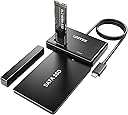
Desertcart purchases this item on your behalf and handles shipping, customs, and support to Kyrgyzstan.
🚀 Unlock lightning-fast, tool-free dual-drive power—because your data deserves the best!
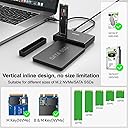
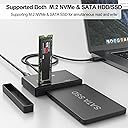
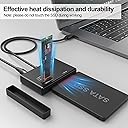
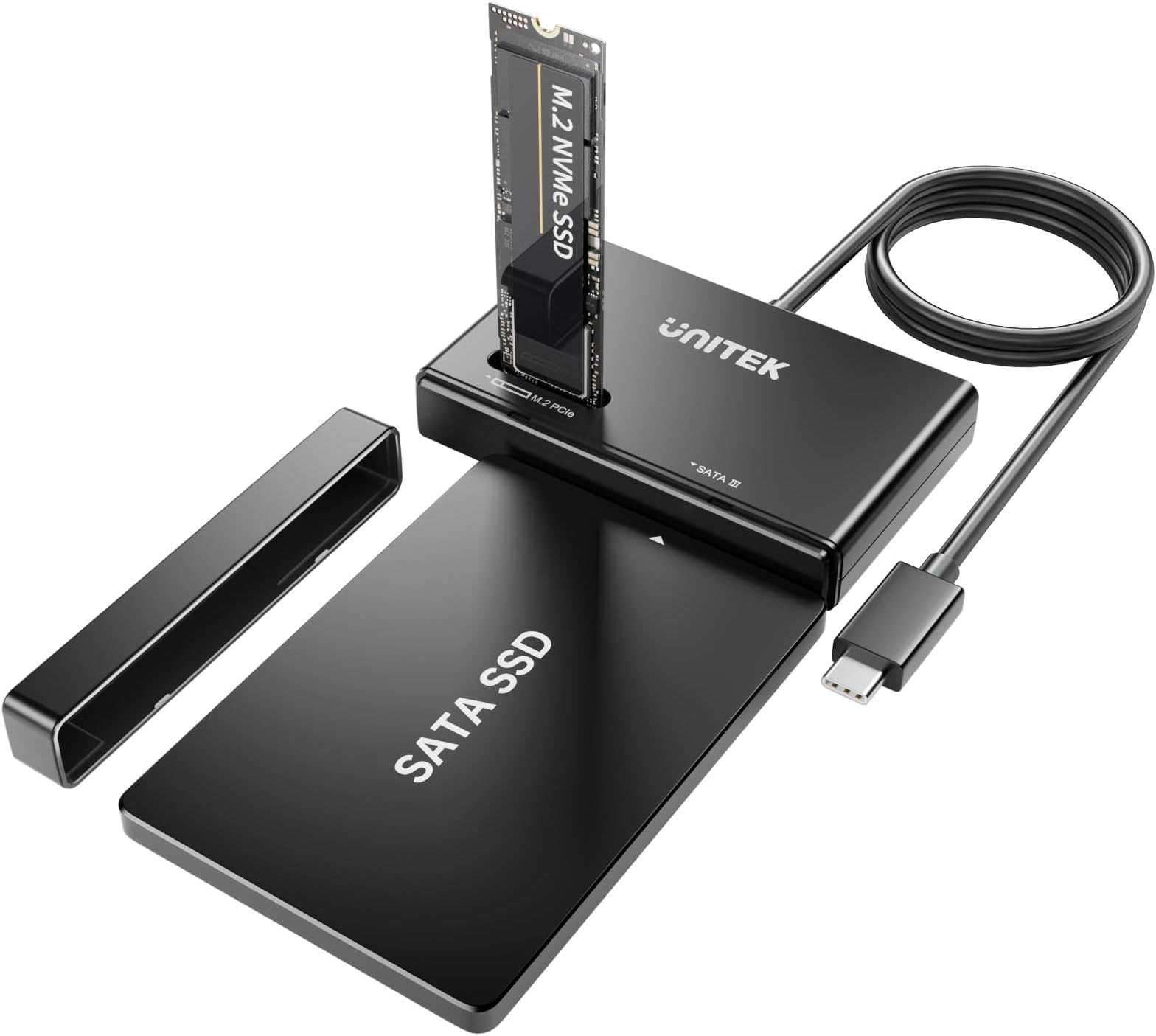
The Unitek Dual-Bay M.2 NVMe/SATA USB 3.2 Adapter delivers ultra-fast 10Gbps transfer speeds via USB 3.2 Gen 2 Type-C, supports all M.2 sizes from 2230 to 2280, and 2.5/3.5-inch SATA drives simultaneously. Its tool-free, driverless design enables quick, hassle-free installation, while smart power management and a robust JMS581D chipset ensure reliable, safe, and efficient data access for professionals and tech enthusiasts alike.


| ASIN | B0BXRKM58Z |
| Best Sellers Rank | #293 in Enclosures |
| Brand | Unitek |
| Built-In Media | cable |
| Color | S1232A |
| Compatible Devices | Desktop, Laptop, Tablet |
| Connectivity Technology | USB 3.2, USB Type A, USB Type C |
| Customer Reviews | 4.1 out of 5 stars 277 Reviews |
| Data Transfer Rate | 1.25 megabytes_per_second |
| Hard Disk Form Factor | 2.5 inches |
| Hardware Interface | Solid State Drive, Thunderbolt, USB, USB 3.0, USB 3.2 Gen 2, USB Type C |
| Hardware Platform | Windows |
| Item Weight | 0.28 kg |
| Manufacturer | Unitek |
| Memory Storage Capacity | 500 GB |
| Mfr Part Number | 0099 |
| Model Number | S1232A |
| Number of Items | 1 |
| Number of Packs | 1 |
| Supported Devices Quantity | 1 |
| Unit Count | 1 Count |
| Warranty Description | 1 year |
B**Y
This is a lifesaver
This came in very handy when I came across a laptop that no longer worked, but the person I was helping needed the data from this Dr. and so I was able to take it out of the laptop and put it into the adapter and read the data just fine. That one was about an inch 2 inch and a half long. It was one of the small ones, but it fit in the slot perfectly. My son had one from three or four years ago that he needed to read and so we hooked it up to this adapter and it read it just fine. You can hook up a.SATA drive. and use it along with it. you can connect either the 3.5 or 2.5 HD. I found that a user said they were able to use it up to 18 TB but personally, I haven’t tried anything larger than eight on this one. It does have an on off switch so if it’s not working, make sure you’ve turned it on. It’s a little switch.
S**R
Versatile!
Great adaptor! Handles almost anything
B**1
Look out for this product. The seller changed some information on their product page.
I bought this in hopes of hooking up multiple drives. I have too much data lying around that I needed to back up after having issues with my main desktop running Windows 10. After long deliberations of going back and forth of thinking about this, I finally pulled the trigger on buying this enclosure for my drives. When it got here I was ecstatic. I hooked it up, along with it's supplied 12v supplied adapter that plugs into the back. I inserted my Crucial NVME M.2 1TB on top of it (My main drive from my desktop), and my internal HDD 2TB seagate infront of the enclosure. Now, here's where thinks get weird, as a computer nerd I need work arounds with my software since I'm running MacOS. Now, yesterday 9/23/2024 (Last I checked) The seller listed 4 bullet points on their webpage. One of those bullet points was line 4 "The M.2 and SATA switch key allows you to switch back and forth between the two drives at will.". If you look at the screenshots, photos, and the video that I provided. You'll see where things get a little shady. Not only did the seller removed their listings with the 4 bullet points on their product page, if you go to their main website or type it into google, and scroll under all the way under till you'll see product and specifications, it isn't listed their as well the M.2 SATA switch on the enclosure. Now, as for the enclosure itself, I have provided my own software since apple products do not natively support NTFS formats. You have to either A format a drive to exfat so that both Windows and Mac will recognize it, and B insure that this enclosure it "Plug and Play" ready. As stated in their listing, where it says "【Support M.2 NVME and SATA SSDs to USB】This M.2 hard disk enclosure will meet your needs whether you are using M.2 or SATA hard drives. Plug-and-play, no driver required, supports hot-swapping, 30 minutes without reading or writing automatically into hibernation. Great for office workers/gaming movie lovers and users with multiple different hard drives.". I also provided the screenshots that showcases this as well. The software that I use to recognize NTFS format for HDD or SDD drives allows me utilize file swapping and exploring between different drives. So, the whole point of buying this enclosure was to take all of my important files off of my main drive, the NVME one, and swap them over to any of my internal/external HDDs. However, this wasn't the case, as when I plugged the enclosure into my satechi usb u adapter, along with the 12v cord plugged into the back of the enclosure, my NVME was recognized by my macbook as an SSD. I wasn't able to mount it to my Macbook using the software that I provided for myself because of an unknown error, that popped up which I showed in one of the screenshots. Now, this isn't necessarily the software's fault, it's more along the lines of switch and bait and in-compatibility with certain platforms like Macbook for instance. Now, I might be wrong with that last one, but even still the seller did remove the 4 bullet points about having a physical switch on the enclosure itself. I also written 2 emails, one yesterday which I still haven't heard anything back from, and one today. On their product support page where you type in your name, email, phone number, and other information there's nothing listed about "Help" or "Technical Support" at all on their official website. This happens when you click on your orders, and go to product support, it takes you straight to their contact us page. Now, as for talking about product support for mac, I can't really say much because I can't get any of my drives to mount on my macbook (I have the M1 macbook air, running the latest version of MacOS). I don't know if this is due to a faulty hardware problem, or if something entirely different. Anyways, I hope Amazon sees this and other people sees this because I think people should be wary of what they are buying on here, if Amazon is allowing sellers to freely change their product information on their webpage. Especially after purchasing it.
D**E
Worked Like a champ
I was able to reformat 5 M.2 drives and 2 SSD's that I had accumulated over recent years. I did need to use the windows disk management tool to remove old partitions and create a new volume, format, and assign a letter to them. This may be due to me having them in Linux systems before. Bottom line, it worked. Plug your drive into the device, turn the device on, plug it into your computer. If it shows up as drive Y or something odd, and "looks" okay, but you can't get to it, try using the disk tool.
D**.
Worth it. One of those obscure things you don't think you need until you need it
Was able to recover a HDD that i thought was toast and had about 500 pictures of good memories I had forgotten about. Super helpful ^_^
H**O
A Dual USB C Adapter for M.2 NVMe and SATA SSD Drives - Power Adapter Optional?
This is an adapter for both M.2 NVMe M type SSD drives and SATA3 SSD Drives. It comes with the main unit a protective cover for the SATA connector end, a power adapter (12V), and instructions. Before using this adapter, I went to the Unitek website and was not able to find any mention of this product, so not much help there. It has a feature that most adapters of this type do not have - a power switch, which is why I wanted to try this adapter. There is a slot for M type NVMe drives and a connector for SATA drives. The cable with a USB C connector is about 12 inches long. I really did not want an adapter with a power supply, but was able to connect a SATA SSD, attach the USB C cable to the computer, and turn on the adapter - the lights came on and it worked. I did not have a bare NVM3e drive to try, so I will have to do that at another time. The SATA drive worked without the power adapter, so I hope the NVMe drive will work without the power adapter as well. I would assume that you would really only need the power supply for use with a mechanical SATA drive that has a high power draw. Which is good because having to have the power supply to use the drive would be inconvenient. I did not run a speed test, but doing my normal file copy exercise, it seems to be pretty quick. The adapter has a plastic enclosure and seems well made. It is 3 1/4 in. x 2 in. x 1/2 in. in size.
S**Y
Works as advertised
Works pretty well. No issues here.
D**A
Its Just So SENSITIVE…
My primary gripe is an obvious design one; its as fragile as it looks. there is zero movement tolerance in the way the m2 gets mounted in the top of this thing. in other words, the slightest nudge results in at least a moment’s disconnect and therefore a corrupt or incomplete write/read. Naively, i thought something this exposed must have deeper channels or something to make it more robust that it appears….nope. Cant think of a use case wherein this thing could completely sealed off from the user. if thats you, go for it because otherwise its fine…. easy to set up, throughput is as fast as one might expect, no compatibility issues in win11 or linux, or ps5
S**F
Does what it says on the tin.
C**.
Gutes Gatchet
Funktioniert super. Sowohl SSD 2,5“ als auch Nvme lassen sich auslesen!
F**Z
Excelente adaptador muy resistente y práctico
Excelente producto de muy buena calidad y resistente
W**K
Works
Arrived earlier than expected and works like a charm. Very good.
P**.
Worth the price
Another excellent product, it does exactly what I expected
Trustpilot
5 days ago
2 days ago