We remain fully operational. Our teams are working around the clock to ensure your deliveries continue safely.

DOWNLOAD THE APP


Customer Services
Copyright © 2025 Desertcart Holdings Limited
DOWNLOAD THE APP
Buy anything from 5,000+ international stores. One checkout price. No surprise fees. Join 2M+ shoppers on Desertcart.
Desertcart purchases this item on your behalf and handles shipping, customs, and support to Kyrgyzstan.
🚀 Power through your day with speed, style, and seamless connectivity!
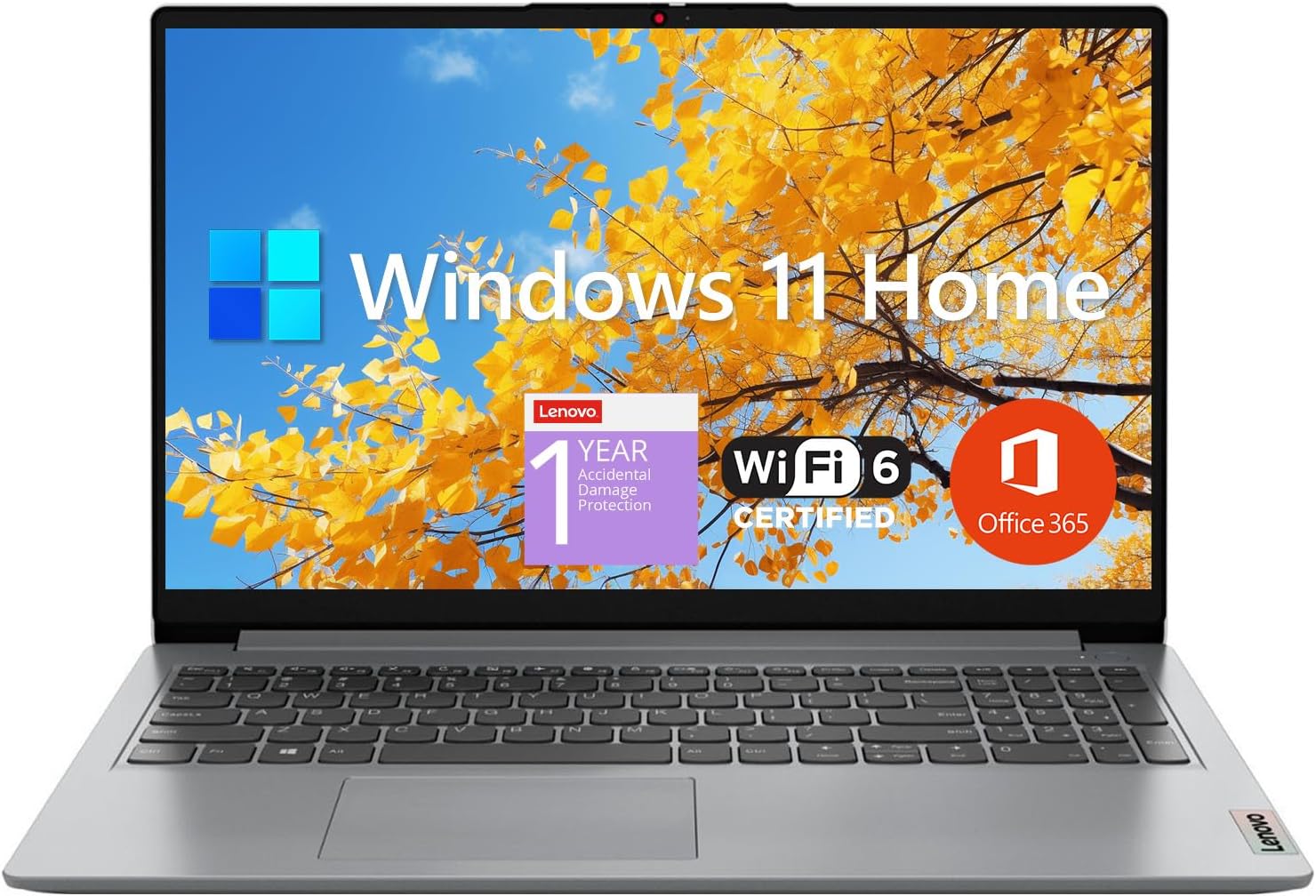
The Lenovo IdeaPad 1 Student Laptop combines a powerful Intel Dual Core processor with 12GB DDR4 RAM and a dual-storage setup (512GB SSD + 128GB eMMC) to deliver fast, reliable performance. Its 15.6" Full HD anti-glare display ensures clear visuals, while Wi-Fi 6 and multiple ports keep you connected effortlessly. Preloaded with Windows 11 Home and a 1-year Office 365 subscription, this lightweight, grey laptop is designed for students and professionals seeking dependable productivity on the go.


| ASIN | B0CF62H34N |
| Average Battery Life (in hours) | 9 Hours |
| Best Sellers Rank | #1,038 in Computers & Accessories ( See Top 100 in Computers & Accessories ) #113 in Traditional Laptop Computers |
| Brand | Lenovo |
| Card Description | Integrated |
| Chipset Brand | Intel |
| Color | Gray |
| Computer Memory Type | DDR4 SDRAM |
| Customer Reviews | 4.2 4.2 out of 5 stars (780) |
| Date First Available | August 9, 2023 |
| Graphics Coprocessor | Intel UHD Graphics |
| Hard Drive | 512 GB SSD |
| Hard Drive Interface | PCIE x 4 |
| Hardware Platform | PC |
| Item Dimensions LxWxH | 14.18 x 9.29 x 0.7 inches |
| Item Weight | 3.42 pounds |
| Item model number | IdeaPad 1 15IJL7 |
| Max Screen Resolution | 1920x1080 Pixels |
| Number of Processors | 2 |
| Number of USB 2.0 Ports | 1 |
| Number of USB 3.0 Ports | 2 |
| Operating System | Windows 11 Home |
| Optical Drive Type | No Optical Drive |
| Processor | 1.1 GHz celeron |
| Processor Brand | Intel |
| Product Dimensions | 14.18 x 9.29 x 0.7 inches |
| RAM | 12 GB DDR4 |
| Screen Resolution | 1920 x 1080 pixels |
| Series | IdeaPad 1 15IJL7 |
| Standing screen display size | 15.6 Inches |
| Voltage | 3.6 Volts |
| Wireless Type | 802.11ax, Bluetooth |
K**S
Affordable and dependable!
I’m a stay-at-home mom balancing remote work, household tasks, and the kids, and the Lenovo IdeaPad 1 has been a lifesaver! Why I love it: Lightweight & portable: Easy to move between rooms while the kids play. Bright 15.6” Full HD screen: Clear for Zoom calls, video tutorials, and daily tasks. Reliable everyday performance: Handles emails, spreadsheets, research, and video streaming without lag. Sturdy & affordable: Feels high-quality without breaking the bank. Convenient ports & storage: USB-A, HDMI, and microSD for extra files or family photos. Pro tips for moms: Keep brightness moderate to extend battery life. Use a microSD card to save work and homeschooling materials. Pair with an external mouse or keyboard for long typing sessions Perfect for: Work-from-home moms, household organization, homeschooling, streaming, and everyday productivity. Not for: Heavy gaming or advanced video/photo editing. Bottom line: This laptop is dependable, portable, and budget-friendly..ideal for moms managing work, family, and daily life. I couldn’t recommend it more!
E**N
Perfect Student Laptop – Great Quality and Parental Controls
This Lenovo student laptop has exceeded my expectations! The build quality is excellent—it feels sturdy, reliable, and perfect for everyday schoolwork, virtual classes, and even some light entertainment. The screen is clear, the keyboard is comfortable, and it runs smoothly without any lag. One of the best features for us as parents has been the easy-to-use parental controls. Setting up restrictions, screen time limits, and safe browsing was straightforward and gave us peace of mind right away. It’s reassuring to know we can support our child’s learning while also keeping their online experience safe and balanced. Overall, it’s a fantastic laptop for students—affordable, dependable, and designed with both kids and parents in mind. Highly recommend for any family looking for a solid educational device!
A**A
Amazing quality for the price
The computer is pretty great for the price, I got it for my sister since she is in college now and it does the work, battery life is amazing, the keyboard feels ok, not to hard but not soft at all, it does not have touch screen (which is why I bought it, I should’ve review before buying) but other than that is easy to setup and looks great, the Wifi connectivity was hard at first but after reviewing and trying several times we were able to set it up.
A**R
good for light duty.
For light work and online streaming it does the job. I paid about 300, it was worth it.
T**S
Slow Lagging Laptop
This laptop is extremely slow and hasn’t been functional since I took it out the box. Everything lags and freezes. Basically unusable for the amount of work I have to do. It’s been useless since I purchased it. Looking for a new laptop to buy, unfortunately I can’t return this one.
S**I
Good price for a perfect laptop
This is a very good laptop, i bought it for my son and he is very happy with it. The battery has a good longspan.
M**H
Run!
I love this! Very good especially for the price! Lots of storage and more UPDATE! The main board just went on me for really no reason. I bought this in February of 2024. Warren’s just ran out and it dies! Lenavo is not what it used to be sadly.
M**N
The Bad Reviews Are Accurate, But Here’s Why It’s Okay To Buy It Anyway
CONTEXT I read many of the reviews before deciding to make my purchase. It was in my hopes that the reviews complaining about the computer’s slowness, bad screen quality, Windows S mode, etc. were wrong. I was hoping maybe those people had just gotten defective laptops. Wishful thinking. I didn’t want to spend more than $300-$400 on a laptop and this one advertised that it could do the simple things I need it to do, so I took the risk. Here’s what I think: THE REVIEW The computer is slow. Its ram is not very high, so that makes sense. The screen quality is not good, either. And, yes, the computer *does* come in Windows S mode. These are my three biggest complaints, and here’s what I’ve done to remedy it: Windows S Mode - I saw another review on here that states that you can’t remove Windows S mode without contacting support. This isn’t true at all. I removed mine easily. You just need to make sure you have your windows login credentials on hand, make sure to pay attention to what you’re clicking & agreeing to (Windows will try to trick you into keeping S Mode enabled), but if you just follow the prompts, it’s super easy to remove it on your own. Just have patience and vigilance. Screen Quality - I’m not sure if this is the case for every version of this laptop, but mine came with completely messed up settings for color calibration. I noticed when I was using Google Sheets, and pastel green looked like dark blue. This is easy to solve! Look up a YouTube video for how to correct your color calibration for Windows 11. I promise you, it’s easy, and it only took me like 5 minutes. Is the screen quality itself great? No. Will it get the job done at least? Yes, and that’s all I need from it. Slowness - You get what you pay for. This computer suits my needs, as I am a part-time office administrator, and a fantasy novelist. The slowness is annoying, but all it requires is patience. Just. Wait. It’s slow to set-up initially, and loading pages in your browser takes more than a blink of an eye, but it DOES get there. If you can’t afford patience, then you should cop up the extra money for a faster computer - OR, buy more ram. This is definitely a laptop that has potential for tech gurus. Final Thoughts: This laptop sucks lol, but for the simple things I need it to do (google docs, google sheets, youtube, word press, data entry programs, so on), it can manage. I would not use it for gaming, programming, etc. We don’t *live* on our computers, people. If you don’t wanna cough up the money for a better computer, learn to be okay with what this one has to offer.
Trustpilot
2 weeks ago
3 weeks ago