Desertcart purchases this item on your behalf and handles shipping, customs, and support to Kyrgyzstan.
🎬 Elevate your space—because your home deserves a blockbuster experience!
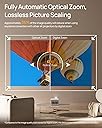
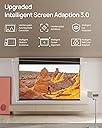
The XGIMI HORIZON Ultra is a sleek, portable 4K DLP projector featuring Dolby Vision HDR, 2300 ISO lumens brightness, and dual LED-laser light sources for exceptional image quality. It integrates powerful 2x12W Harman Kardon speakers and runs Android TV 11.0 for a smart, all-in-one home theater experience. With advanced auto keystone correction, autofocus, and eye protection, it supports up to a massive 200-inch display, perfect for immersive movie nights, gaming, and presentations.
| ASIN | B0CB36K662 |
| Additional Features | Auto Focus, Auto Obstacle Avoidance, Auto Screen Alignment, Built-In Speaker, Dolby Vision Intelligent Eye Protection DCI-P3 95.5% ISA 3.0 uninterrupted auto keystone |
| Antenna Location | Business, Education, Gaming, Home Cinema |
| Best Sellers Rank | #803 in Video Projectors |
| Brand | XGIMI |
| Brightness | 2300 lm |
| Built-In Media | Adaptor, Power Cord, Remote, User Manual, Warranty Card |
| Color | Black |
| Compatible Devices | Television, Gaming Console |
| Connectivity Technology | Bluetooth |
| Contrast Ratio | High |
| Controller Type | Button Control, Remote Control |
| Customer Reviews | 4.1 out of 5 stars 209 Reviews |
| Display Resolution Maximum | 3840 x 2160 pixels |
| Display Type | DLP |
| Display resolution | 3840 x 2160 |
| Form Factor | Desktop |
| Hardware Connectivity | Bluetooth 5, HDMI, Headphone, USB |
| Item Dimensions L x W x H | 10.4"L x 8.81"W x 6.69"H |
| Item Weight | 2.5 kg |
| Lamp Wattage | 12 watts |
| Light Source Operating Life | 30000 hours |
| Manufacturer | XGIMI |
| Maximum Image Size | 200 inches |
| Maximum Throw Distance | 16.66 feet |
| Mfr Part Number | XM13N |
| Minimum Image Size | 40 inches |
| Model Name | XM13N |
| Model Number | XM13N |
| Mounting Type | Ceiling Mount |
| Native Resolution | 3840 x 2160 |
| Number of Items | 1 |
| Picture Quality Enhancement Technology | Dolby Vision, HDR10, HLG |
| Projector Maximum White Brightness | 2300 ansi_lumens |
| Recommended Uses For Product | Business, Education, Gaming, Home Cinema |
| Software Update Supported to Date | unknown |
| Special Feature | Auto Focus, Auto Obstacle Avoidance, Auto Screen Alignment, Built-In Speaker, Dolby Vision Intelligent Eye Protection DCI-P3 95.5% ISA 3.0 uninterrupted auto keystone Special Feature Auto Focus, Auto Obstacle Avoidance, Auto Screen Alignment, Built-In Speaker, Dolby Vision Intelligent Eye Protection DCI-P3 95.5% ISA 3.0 uninterrupted auto keystone See more |
| UPC | 197644623655 |
| Video Encoding | HEVC (H.265) |
| Voltage | 240 volts_of_alternating_current |
| Wattage | 300 watts |
S**D
Expectations Well Exceeded
After a somewhat convoluted setup process, and getting used to some system-related integration quirks, I got this rather plain looking box up and running in my home theater, primarily powered by my Apple TV 4K... and was sufficiently blown away. A "DolbyVision" notification flashed on the screen, letting me know that the viewing mode would be modified, and after some time of viewing, I realized I was hopelessly addicted. I was literally not prepared for how good the image was going to look on my 100-inch screen. The last time I remembered seeing a projected image that clear was a special digital screening of "The Hobbit: Desolation of Smaug" at a movie theater. It was as if I was watching the output of a digitally shot video file directly from the server. I browsed through several other films in my Apple TV library, and I almost broke it with so much jumping around from movie to movie that they wouldn't start up anymore (I must have overloaded the streaming capabilities of my router). Fortunately a quick shut down and restart remedied the issue, and I proceeded with more caution going forward. I will mention (and your mileage may vary, depending on your home setup), that I ran into some glitches in the process of making my upgraded theater system run more smoothly. Since my media sources are channeled through my Onkyo receiver and out to the projector, I had to be mindful of the behavior of my HDMI data integration. When I start up my Apple TV 4K box, it automatically powers up both the receiver and the projector. After a brief appearance of the Google Play interface (the projector's native operating system). HDMI takes over, does a brief search, and switches to Apple TV, which becomes the primary media source. For awhile, my Sony Blu-Ray player also switched on automatically, and the HDMI in turn switched over to the Blu-Ray as media source, which was annoying until I discovered how to disable that function in the player's settings. Suffice to say, this has been a good education for me in HDMI dataflow! I can now watch Blu-Rays by switching it over manually, and they look almost as wonderful as the streamed DolbyVision output from my Apple TV 4K. One of the features that exceeded my expectations (aside from the astounding image quality) is the manual keystone adjustment. Since my setup dictates I keep my projector on a stand, one thing that was problematic with my previous projector was having to leave the stand in the middle of the floor at a fixed distance from the screen, and it was never 100% fit into the viewing area. With the XGIMI HORIZON Ultra's manual keystone capabilities, I can have the projector moved over against the wall, projecting from an angle, and can distort the image to fit perfectly on the screen by dragging the 4 corners of the projected image INDEPENDENTLY up, down, left, and right. You can also zoom in and out to refine the fit, after which the image auto-focuses itself using a projected pattern. No more tripping over the wide-legged projector stand, moving it back and forth into the room, and making endless adjustments that were never perfect. (I would install a ceiling mount, but I don't think my landlady would be thrilled about more holes in the ceiling and walls than I already have). A couple of minor complaints, nothing that would diminish my 5-star rating: I made a point of purchasing a projector that was 3D capable, and this one is, even though it's not overly emphasized in the product description. My complaint is the 3D mode has to be selected manually by opening a menu and choosing the proper method, which is kind of a hassle. I'm hoping a future firmware update from XGIMI will remedy that, since I can't imagine people having any use for multiple 3D modes other than one that utilizes active lenses. Also, you can only use lenses that were designed for this specific projector. I discovered other standard active lenses don't work... but when you get the right ones, it's worth the expense IMO. The other change I'd request would be the ability to deactivate the default Google Play/Android operating system that launches at startup, which (as an Apple user) I would never put to use. I also have Amazon Prime, which runs through my Apple TV 4K. How many operating systems can one need?? Aside from these trivial quibbles, I couldn't be happier with this addition to my home theater. I just wish I had more time to spend using it, more people around I could show it off to, and especially wish I didn't share a wall with a neighbor so I can crank up the volume on my Onkyo Dolby Atmos receiver without disrupting his life (he's a really nice guy, already tolerates me enough with my music practice). I honestly wasn't ready for how fantastic this projector would turn out to be, not to mention how smoothly it integrates with the rest of my setup.
B**Y
One word....Astonishing!
I don't write a lot of reviews, but I felt compelled to write one on this product. First off, I have never owned a projector. I've always had a flat panel tv. Some of my friends have projectors set up in their homes, and they swear by it, so I thought it was a cool idea to try one in mine. After researching different brands, I settled on this product because it was loaded with so many features like 4K, Dolby Vision, Android TV, Google Voice, built in Harmon Kardon speakers, high lumens, etc. But the biggest deciding factor is that it was so much cheaper than other brands with similar features. (almost half the price!) I also liked that it was smaller and more sleek looking than other large bulky units I saw, which allows me to take it outside or travel with it, if I wanted. When it arrived, I was pleasantly surprised at the packaging. It had a very premium, luxury feel to it. The projector feel and look was much more sleek than I expected. A lot of thought and care went into the customer experience. The setup was super easy and literally took less than 5 min. All I had to do was plug it in, connect to wifi, and that was it! I had all the streaming apps at my fingertips. Where I became astonished, was the quality of the picture. I was expecting there to be some loss of definition in the image, but I couldn't believe how unbelievably great the picture was. It was better than my flat panel tv! The definition is so good that I can actually see the individual hair follicles on the actors skin! Are you kidding me??? I'm astonished at how amazing this product is. I'm astonished at how big of a screen I have now with such high definition and picture quality. I'm astonished that I didn't make this switch sooner!
E**S
I didn't believe the hype. I do now. (With a caveat)
Note: This would be a solid 5 stars if not for ONE issue, which I hope is rectified by firmware-- or a replacement. TLDR: The Xgimi Horizon Ultra is... here comes that overused descriptor (I'm so sorry)... a GAME CHANGER. Regardless of if it works for your particular use case or not, I think you'll come away very impressed with what Xgimi has accomplished with this projector. While I've had several projectors over the past 16 or so years, from dedicated home theater models to a few of the now ubiquitous "lifestyle" projectors, my main viewing these days has been centered on 4K and an LG Oled flat panel, which I love. BUT... I've missed the big screen experience and the look of light beaming through the room, so I started looking. This would not be easy-- I have downsized tremendously, cannot black-out the room, and I have a WAF that is through the roof. Also, my audio is now all Sonos based instead of the traditional receiver and speaker set-up. So, my list of requirements was: Must be 4k (or whatever voodoo is done to "make" the image 4K), must have a fairly high lumen output to deal with ambient light, must have ARC/eARC (to connect to Sonos Beam without additional components), must be small and attractive. Nice to haves would be zoom and lens shift, as well as decent onboard audio and an internal streaming OS. Since 2023 qualifies as "what a time to be alive," there are a few small, lifestyle projectors (I hate that term) that do some of that, though fewer still can achieve most of it. The Xgimi Horizon Ultra clicked every single box except for lens shift. And AFAIK, none of the lifestyle projectors have true lens shift. I *think* the Xgimi is the only one that offers true optical zoom of any kind. I tried the Formovie X5, and it almost passed the test. Very bright, great sound. In the end, I had to return it. The image degradation when employing the required keystoning, while not horrible, was too noticeable to ignore (though I am working to have exact placement and not use keystoning at all. Still...) The Chinese OS was not great and there was no optical zoom. As for looks, it was... fine. I was very interested in the MGO N1 Ultra, but once I saw the propensity for the sparklies, it was a "no." Plus, the look of it wasn't really going to work for us. Enter the Xgimi. SOOO much hype and early buzz on this thing. It sounded too good to be true. As I was about to abandon my whole small scale home theater project, I figured, what the heck. I mean, it has an optical zoom, fer cryin' out loud! Suffice it to say, the reviews are factual. First off, it's beautiful and unassuming in a way I have never seen a projector pull off. Turn it on and it's super bright, has great color, and very good black levels. Is it as inky black as my Oled? No. Do I pay any attention to that when watching the projector? Also, no. The Xgimi has DolbyVision, which I tested with the latest Indiana Jones movie.; it made the movie LOOK great! However, it could not make the movie any good, so I only watched about 1/3 of it. The Harmon Kardon sound will make a lot of people happy-- clear, crisp, and plenty loud without distorting. I'll still hook up to my Sonos system, but it isn't bad as is. I've watched in ambient light and in darkness-- it does very well with the former and it excels at the latter. I'll be getting an alr screen shortly and will report back how much difference that makes. Also, I could detect no degradation of the image after keystoning, which blew my mind. It has AndroidTV 11 (no Netflix without a workaround at present-- that may be a dealbreaker for some) and is *mostly" snappy. And there's the issue that costs a star: at times, it goes full Mitch McConnell and just freezes until the 3 or 4 clicks you've made all kick-in in rapid succession, making it seem possessed. Related to this is the fact that I have experienced some pauses and stutters on almost all the content I've streamed via the onboard Android system. Everything from Plex and Apple TV to Amazon and Tablo. Oddly, Youtube has not exhibited this. Using the projector with a Firestick doesn't have these issues, so it's something in the projector itself. I'm going to contact Xgimi and see what's what. I'll report back once I hear something. I really want to give this 5 stars-- and I REALLY want to keep it, so... fingers crossed!
F**N
Awesome Little 4K Projector
So far so good using with a standard projector floor rising screen with a 1.1 gain. For what its used for its perfectly fine and well suited in a small living room. I use a Roku Streaming Stick plug into it and have external speakers plugged in via the 3.5mm jack. Picture is clear no issues watching DolbyVision or any HD movies etc. Its used casually not a everyday thing. But when used its been performing well. We enjoy it alot for when guests come over or just a movie night to kick back and relax. Using the Roku stick 4K with Dolby Vision we watch pretty much ALL Streaming services with no issues. Hope this gives us continued joy over many years.
A**N
***UPDATE*** Great Idea but poor execution. Edit: New Problems discovered, doesn't work.
***Origional Review:*** I REALLY wanted to like this product. They took a success in the Horizon Pro and added Dolby Vision, Dual Light and the promise of much higher light output. I will say that the packaging was outstanding and the presentation was top notch but you buy a projector for the video quality and this has one major flaw. The projector forces you into Dolby Vision (a majority of quality streaming content is now Dolby Vision) and unfortunately the MEMC is disabled while utilizing Dolby Vision. I confirmed this with XGIMI as well to make sure I wasn't missing something. One of the major reasons for using XGIMI projectors is the smooth video output and that is just not possible with this projector. The auto keystone also didn't work as well as the Horizon Pro. All and all it is a quality made product but it is not able to perform at its most basic task. I also did a side by side comparrison with the Horizon Pro and for a significantly lower cost, the brightness and picture quality almost seemed identical (minus the lack of MEMC of course) The colors actually popped a bit more with the Pro, so I would suggest going that route even without the MEMC issue. I would avoid this product and go with the Horizon Pro until XGIMI can figure out something with the MEMC. ***In the image, Horizon Pro up top and Horizon Ultra below using very simliar settings*** ****UPDATE**** Xgimi has been great to work with and asked that I re-test the projector after they updated the firmware to enable their MEMC with Dolby Vision. I can report that they did add another option to enable to the custom setting to enable MEMC while viewing Dolby Vision content. It would have been nice for this to work with the DV Bright or Standard settings but this work around at least solves the basic problem. With the new testing of this device, additional problems were discovered and verified by Xgimi. There are major compatibility issues with major Apps like Disney+ and Prime that cause a buffering or "glitching" of the video that almost seems like there is a processing issue with the video. The brief hangups or pauses are extremely distracting. There is also audio sync issues that cause the dialog to not match the video. You would expect this with an external audio source and most AV receivers allow you to adjust this. There is no such adjustment with this for the Ultra and really there shouldn't be a sync issue for an all in one solution. The last issue discovered was the poor internet/wi-fi connectivity. When comparing the Ultra to the Pro and both models sitting side by side connected to the same network, the Ultra was a bar or two weaker in signal strength compared to the Horizon Pro. I'm not sure if that had any thing to do with the video and audio issues, but Xgimi was able to replicate the issue and assured me they were working to resolve the compatibility issues. As mentioned before, they have been very responsive and have shown a great interest in improving their new product but as it stands now, the Ultra just isn't a great option and not worth the expensive price tag. I will udpate again should this product change my mind.
G**G
The most Gorgeous 4K Projector BY FAR!
I'm kinda blown away by this AMAZING projector. Not a fan of Android TV, but it's so much better than the other Android TV devices I used to try. The set-up of a projector could be such a pain, but with this one, you can literally just push a button and get it started. I only have this one day, and it has worked so well that I don't bother to adjust it anymore. The image quality is much much better than I thought, I knew those DLP projectors and worried about the contrast ratio. But I'm gonna say, you won't disappointed in REAL LIFE!!!! it's so Bright and Vivid image quality than anything i have ever seen, and use it with my APPLE TV just to bring the experience to NEXT LEVEL! Impressive speakers too, TV, and projectors's speakers are not usable, but this one can easily fill my entire room without any other devices. It's just a blessed!!! Another cool thing is the optical zoom!! It is more useful than I would expected, so easy to set up a perfect image now. I'm not a fan of digital zoom, it cuts the image quality so much, and I do think it's fair to require an optical zoom in nearly 2K devices, so nice work XGIMI!!!
A**R
Mindblowing. Impressive. No brainer.
First projector I own (also first review I've ever written, but this product deserves it). I recently finished building my workshop/office (quonset) and have a big nice end wall (24ft wide, 14 high) with drywall painted in matte ultra white. Building doesn't have any exterior light, so I thought it would be the perfect environment for a projector with a 200inch screen size capability. I did my homework learning about the different technologies available, the important features to look for, etc. Decided to go with this brand and model. It comes very well packaged. Set up is ridiculously quick. First time I turned it on, I was confused. My mind couldn't understand what I was seeing. Played a 4k video and was mesmerized. Then comes my wife. I play Barbie trailer (very colorful). Same effect. Her brain couldn't process it. She as well was astonished by what she was looking at. The quality of the image, the colors, the detail. It is incredible what human kind has achieved in terms of technology. This projector is a clear example. BUY IT. You won't regret it at all. The problem I have now is that my kids are hooked to watching their movies and cartoons and play videogames on it. They refuse to watch anything on OLED tv now... In regards to screen, I project directly on a superflat white drywall, no screen. It works perfect. It even has a feature that analyzes the color of your wall and adapts the color of the image it emits. Haven't tried that feature though. PROs Quality /price is unbeatable. Vivid colors Refresh rate for videogames Dolby Vision Intuitive UI Auto focus and keystone CONS If you are a pro in projectors, maybe you'll see contrast on dark colors could be better although I'm perfectly ok with it. Sometimes UI gets lazy and lags. Autokeystone can be tricky. Sometimes doesn't do it right. Move the projector a bit and let it try again. You need a proper dark room to truly appreciate its performance. Integrated speaker is quite good, but nothing out of the ordinary, regardless of what other reviews say. BTW, image posted it's not very good but you can appreciate some details. Capturing a decent pic with an iphone of a projected image is almost impossible.
A**N
Amazing projector, difficult integration
This is the projector to get if you want/need a long throw projector that supports Dolby Vision. The picture is incredible and you can really dial it in manually or automatically for the lighting and screen type you have. It’s 5 stars if you won’t use a receiver, a universal remote, or any advanced home automation. If not overly technical, ignore the rest of this review :) I knocked off 2 stars because it took me a tremendous amount of time to get this integrated in my theater. Here’s a list of the challenges I needed to overcome: 1) The device powers on by listening for a BLE advertising broadcast that is sent when you press power on the remote. Reverse engineering this and getting a Pi to send it was no cakewalk. But it works. As a side note I needed to move my automation server from Mac to Pi/Linux because Apple doesn’t let you change the manufacturer bit on BLE broadcasts from their hardware. 2) CEC seemingly must be disabled with a hardware adaptor and not just in settings. There appears to be non-standard polling issues that cause the receiver to lose state resulting in the projector’s hdmi input spinner randomly until everything in the chain resyncs. This happens even with CEC disabled. But throwing an adaptor on stopped this. And like many devices, it doesn’t play nice with AppleTV’s CEC bugs. 3) If you don’t plan on using the built in googletv, there is no way to set it to default to last input or a specify a default. So you must either use a smart remote that supports macros or have a server that supports GoogleTV integration. I use openHAB. Then you program something like home, up x 3, right x 4, select x 2 to navigate to the input menu and select an hdmi input. If it weren’t for the picture quality or lack of other options I would have returned this after a few hours of tinkering. If you don’t have complex needs or like a challenging tech project you should buy this. Otherwise keep waiting or bite the bullet and redo your wiring for a short throw.
Y**D
Great projector
Great quality product, one of the best projectors I have used till now.
E**.
Precio Calidad.
Acaba de llegar el proyector, la verdad me sorprendió todo, desde la caja, el empaque y la calidad de los materiales. Al conectarlo la verdad me lleve una grata sorpresa. Creo que el Android TV que viene incorporado en el proyector no le ayuda mucho y no le podrías sacar todo el jugo que tiene, yo lo conecte a mi AVR Onkyo y a una smart box 4k HDR y saque lo mejor del proyector, junto al audio de mi sistema de sonido Onkyo fue de lo mejor. Creo que sí solo quieres ponerlo como una TV normal sin un sistema de audio o un AVR no le veo caso, creo que una pantalla te dará más por tu dinero, pero si ya tienes todo el sistema y quieres tener un cine en casa, es un exelente producto.
P**A
The best you can get regarding the price
The best you can get regarding the price, It's a beast you can have for your intertainement
A**R
todo muy bien
todo como lo describen
A**R
Projecteur
Très bon projecteur plus que mes attende
Trustpilot
1 month ago
1 week ago