Desertcart purchases this item on your behalf and handles shipping, customs, and support to Kyrgyzstan.
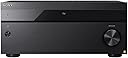
🎬 Elevate your home theater to legendary status with Sony’s STR-AZ3000ES — where power meets precision.
The Sony STR-AZ3000ES is a premium 9.2 channel A/V receiver delivering 120 watts per channel with advanced 8K HDMI 2.1 connectivity. It supports Dolby Atmos and DTS:X for immersive object-based audio, enhanced by Sony’s 360 Spatial Sound Mapping and Digital Cinema Auto Calibration IX. Designed for seamless integration, it features multi-platform streaming, smart assistant compatibility, and flexible IP control, making it the ultimate centerpiece for a cutting-edge home theater setup.


| ASIN | B0C5S37CVW |
| Audio Encoding | Dolby Atmos |
| Audio Output Mode | Surround |
| Audio Output Type | Speakers |
| Best Sellers Rank | #85,994 in Electronics ( See Top 100 in Electronics ) #341 in Audio/Video Receivers & Amplifiers |
| Brand | Sony |
| Built-In Media | AC power cord, Batteries for remote, Calibration mic stand, Calibration microphone, FM wire antenna, Remote, Sony Receiver |
| Color | Black |
| Compatible Devices | Amplifier |
| Connectivity Technology | Bluetooth |
| Connector Type | HDMI |
| Control Method | Remote |
| Controller Type | Google Assistant |
| Customer Reviews | 4.0 out of 5 stars 18 Reviews |
| Format | WAV |
| Item Weight | 32.8 pounds |
| Manufacturer | Sony |
| Mfr Part Number | STR-AZ3000ES |
| Model Number | STR-AZ3000ES |
| Number of Channels | 9 |
| Number of Items | 1 |
| Other Special Features of the Product | 360 Reality Audio |
| Output Power | 120 watts |
| Output Wattage | 120 watts |
| Special Feature | 360 Reality Audio |
| Supported Internet Services | Spotify |
| Surround Sound Channel Configuration | 9.2 Channel |
| Total HDMI Ports | 8 |
| Total Number of HDMI Ports | 8 |
| UPC | 027242924055 |
| Video Encoding | Dolby Vision, HDR10, Hybrid Log Gamma |
| Warranty Description | 1 year |
| Wireless Technology | Bluetooth, Wi-Fi |
J**.
Fantastic AV Receiver! A Few Set Up Tips.
I replaced my Pioneer SC-LX901 with this because I needed eARC support for my new TV. I did a lot of research before I pulled the trigger on this receiver. There is something magical about Sony’s 360 Spatial Sound Mapping. No other receiver can touch this tech. A good tip though, let the auto set up calibrate the speaker distances and leave it. Except for speaker size, of course, if you have a powered sub, set them to small. This will also set the speaker heights and distances from the screen. I had imaging issues at first with SSM turned on. You have to go back and, with a tape or laser measure, manually set distance from screen, listening position, screen and speaker heights, and speaker distances from the screen. That fixed everything and it sounds amazing! I’m running a 5.1.2 set up with front Dolby enabled speakers and it sounds like a full 7.1.4 system. Can’t recommend highly enough!
R**.
EXCELLENT SOUND & VIDEO QUALITY
EXCELLENT SOUND QUALITY CRYSTAL CLEAR AWESOME SET UP AWESOME DUAL SUBWOOFERS IM SET UP TO 7.2 NOW THAT INCLUDES A PAIR OF UPFIRING SPEAKERS. IF YOUR LOOKING TO UPGRADE TO HIGHER END AVR THIS IS JUST FANTASTIC. THE FIRST MOVIE I WATCHED WAS TOP GUN MAVERICK OMG I DUCTED BECAUSE THE SOUND IS SO REAL!!!! THE VIDEO OUTPUT IS AMAZING LIKE BEING IN THE THEATER (I HAVE A SMART 4K SONY BRAVIA THAT HELPS )
T**T
Great Receiver, Love Sony.
love this things. big, powerful..
M**N
Great surround wit 360, but there's a hiss and pops
The 360 surround is great and the phantom speaker placement works great for small rooms. The problem is the 360, phantom speakers and built-in sound profiles (engineer, Flat) makes a weird hissing and with each setting it compounds the hissing the reciever puts out. When it's hissing and you turn up the audio the reciever will make pops with the volume steps, reset and then I have to wait for a reboot. There's little glitches when you use Bluetooth transmitter with any headphones, like the sound mode bass management (lack of bass or is out of phase) will mess up and the audio isn't mixed right until you turn 360 on and off. I have to make sure the Bluetooth is always set to reciever for the sounds to work right. Also, if you have mute on after disconnecting a bluetooth headphone the osd will still show mute even if you change the volume and you hear audio. There hasn't been any software update since it release. Navigating the OSD is quite slow also and I recommend using the web interface by using the recievers local IP. Some audio settings don't take right away, until I change some settings like the tone so I can hear the difference of my speaker distance settings, because the subwoofer distance never sets the right and I have to use test Tones to set the subwoofer distance. The dual sub out is not a true dual sub out, they are shared. For such a pricey reciever and being the es line I would expect more. I'm really regretting not getting the rz50. I love my Sony earphones and headphones along with their TVs but their recievers are lacking. My older Denon, Onkyo had extremely clean audio and you can turn them up all the way.
R**N
Works perfectly
Delivered in good time, in great condition.
B**F
Great receiver... lacks app remote control
Great receiver, sounds good, great 4K video. I'd give it a better rating except for the fact there's no model app to allow you to control the receiver from your mobile device. Last I checked it's 2024 and every other receiver I've ever owned lets me control the settings and volume from my iphone in the last 10+ years. Come on Sony, step up your game! Very disappointing.
7**A
Amazing Receiver
I love it. It takes time to learn all of the features and how to switch inputs but before you know it it is very easy. Beautifully designed with all of the features that you could ever need. I did have a problem with it automatically turning back on after about ten minutes. With the Very professional advice and help from SONY we figured out my tv was sending a signal to turn it on. SONY's customer support w this was absolutely Amazing!!
T**.
A decent upgrade to old reciever with a small set of issues.
As my Sony DA4ES was 23 years old it was time to upgrade as component video wasn’t solidly supported in TV sets anymore in 2024. It’s all HDMI, that standard won out. This was the ideal choice for me from a connectivity perspective. In the 20+ years of using the DA4ES this AZ3000ES replaces I never once used the pre amp outputs of the 4ES. The built in power amp stage has always been sufficient for my 6.1 setup and so getting this with only amplified speaker outputs for running it as a 5.1.2 is just the right fit. It gives me the option of adding front heights in the cieling (if Atmos becomes more available in normal BD or FullHD streaming) and having a 5.1.4 system. But as is it solves my key problem - switching between 6 HDMI input sources, without the complex cabling and remote control macros that an external HDMI and optical audio extractor requires. So much easier and more reliable to control with a programmable remote control. One annoyance , that is just a change of how to use it I suppose, is the way it displays the audio mode. I’ve gotten used to the blue LED that lights up in the DA4ES when a multichannel decoding is detected and enabled. The AZ3000 does it by illuminating specific tiny lettering in the front display , which is useless when sitting 8 feet away from it. So there isn’t a quick and easy way to spot if its matrix decoding a stereos signal (aka Dolby ProLogic ) or getting discrete 5+ channel decoding of Dolby Digital /Dts/Atmos/etc. The way it’s done now is you can enable some on screen display of the audio decoding in effect and see it on the screen. Just not as instantly visible as a distinct colored LED would be. Because the lighting of the matrixed vs discreet deciding text all looks alike from the couch as a light blue blur in the front panel display a 1/2 inch left or right of each other. It’s a gripe at a high level I know. The one annoying flaw, which may be fixable in a future firmware update is the 360 Surround Sound mapping software mode which creates virtual speakers out of the setup of physical speakers you have. When enabled , that mode does soils much more room filling and enveloping , I like the general sound stage it produces. So it can make my 5.1.2 setup sound like a 7.1.2, however the software signal processing has an issue with producing a hiss from channels without a string discreet signal in the decoded content. So for me the hiss that comes out of the rear surround speaker left that is just 2 feet from my head is distracting when no audio is playing - such as in menus and silent scenes. Turn off the 360SS mode and the surrounds go silent immediately. With 360SS on , the hiss is there. After about 10 seconds of waiting the receiver does mute the surround speaker , but that just shouldn’t need to happen. If there is silence to a channel , that speaker should be silent and it hissing.
Trustpilot
3 weeks ago
5 days ago