Buy anything from 5,000+ international stores. One checkout price. No surprise fees. Join 2M+ shoppers on Desertcart.
Desertcart purchases this item on your behalf and handles shipping, customs, and support to Kyrgyzstan.
🚀 Elevate your small office game with speed, security, and seamless wireless power!
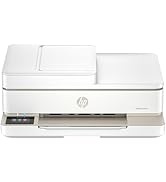
The HP Color LaserJet Pro MFP 4301fdw is a versatile all-in-one color laser printer tailored for small teams up to 10 users. It delivers professional-quality prints at up to 35 pages per minute, supports automatic duplex printing and scanning, and offers multiple connectivity options including Wi-Fi, Ethernet, and Bluetooth. Enhanced with HP Wolf Pro Security, it safeguards your data while enabling mobile printing from virtually any device. Compact yet powerful, it’s designed to streamline office workflows with fast, reliable performance.


| ASIN | B0BVWSGP4F |
| Additional Printer Functions | All In One, Copy, Scan |
| B&W Pages per Minute | 35.0 |
| Best Sellers Rank | #3,733 in Office Products ( See Top 100 in Office Products ) #9 in Laser Computer Printers |
| Brand | HP |
| Built-In Media | Printer, toner cartridges (black and introductory cyan, magenta, yellow), docs (reference guide, setup card), power cord |
| Color | white |
| Color Depth | 30 |
| Color Pages per Minute | 33.0 |
| Compatible Devices | Laptops, PC, Smartphones |
| Connectivity Technology | Ethernet, USB |
| Control Method | App |
| Controller Type | Android |
| Customer Reviews | 3.6 out of 5 stars 611 Reviews |
| Display Type | LED |
| Dual-sided printing | Yes |
| Duplex | Automatic |
| Hardware Interface | Ethernet |
| Ink Color | White |
| Item Dimensions D x W x H | 16.6"D x 23.5"W x 15.1"H |
| Item Type Name | Color Laser Printer |
| Item Weight | 45 Pounds |
| Manufacturer | HP |
| Maximum Copy Resolution Black and White | 600 x 600 |
| Maximum Copy Resolution Color | 600 x 600 |
| Maximum Copy Speed Black and White | 35 ppm |
| Maximum Media Size | 8.5 x 14 inch |
| Maximum Print Resolution Black and White | 607 x 600 |
| Maximum Sheet Capacity | 300 |
| Maximum print Resolution Color | 607 x 600 Dots Per Inch |
| Model Name | HP Color LaserJet Pro MFP 4301fdw |
| Model Number | 4301fdw |
| Model Series | Color LaserJet Pro MFP |
| Number of Ethernet Ports | 1 |
| Number of Trays | 2 |
| Other Special Features of the Product | All in One |
| Paper Size | 6 x 5 to 8.5 x 14 |
| Power Consumption | 585 Watts |
| Print media | Envelopes, Glossy photo paper, Paper (plain) |
| Printer Connectivity Type | Ethernet, USB |
| Printer Output Type | Color |
| Printer Type | Laser |
| Printing Technology | Laser |
| Processor Count | 1 |
| Resolution | 600 x 600 |
| Scanner Type | Sheetfed |
| Series Number | 4300 |
| Special Feature | All in One |
| Specific Uses For Product | Small office, Team environments |
| Total Usb Ports | 1 |
| UPC | 196068323134 |
| Unit Count | 1.0 Count |
| Warranty Description | One Year Limited Hard |
| Warranty Type | limited warranty |
| Wattage | 585 watts |
S**B
Crashed my older printer using cheap refills
Seems to be GREAT for my home use......very quiet and super duper fast printing. Works better than my printer at work and I'm sure the office pays $$$ for it and it's always needing service. Wifi,setup was pretty much just plug and play since I previously had an older HP printer. It's hard wired and blutooth connected ....works flawlessly .
J**B
Updated Review: Printer Absolute Garbage
Final updated Review (10-1-24). The printer has once again given us the "paper jam" error code when there is in fact no paper jam. After a little over a year of barely using the printer, It is going in the garbage. We are not wasting anymore time on this printer and we are just going to replace it. Another updated Review. I will keep coming back to update this review each time I have an issue with the printer. I have had this printer for slightly over a year and I 100% have buyers remorse. There is a known issue with an electrical part and the only way to fix it is to have HP send you a refurb or have a tech come out and replace it with a refurb part. The tech that replaced the broken part used an old and dirty replacement part that now leaves all of my printing pages with giant streaks that we cannot figure out how to get rid of. In addition, today it has started making this god awful screeching noise when it prints. I purchased this printer when it was still at full price it has been the worse purchase of my life. Updated Review: DO NOT BUY THIS PRINTER. This printer is absolute garbage. In the 40 years I have lived on this Earth, this purchase has been one of my biggest regrets. And that's saying something because I've made a lot of stupid financial mistakes in my life. I have had the printer for less then a year and now it is unusable. I had a paper jam in the printer so I cleared everything. The printer is stuck thinking it has a paper jam when there is not. An HP tech came out to inspect and the tech informed me there is a part that is known to fail in these printers and the only solution is to replace it with a refurb. I got the refurb in and I made two copies on it. By the 3rd copy the paper jammed and guess what....it no longer works. I will have to start the entire warranty claim all over again and wait to get another tech out to have it swapped with another refurb. At this point we are just SOL in getting any sort of refund for the printer or the toner we just purchased. I repeat. DO NOT BUY THIS PRINTER. Old Review: The printer itself is a vast improvement from my old printer in terms of quality and performance. It runs smooth, quiet, and its pretty damn fast. The software however makes me want to launch this thing into the sun. It more or less does what it wants regardless of what settings you have in place. Does it print double sided? Absolutely. Does it print double sided when you ask it to? Who knows, maybe it will, maybe it won't. Does it scan front and back? You bet it does! However it will only scan front and back in document mode and it cuts off half the page. And I know what you are thinking "oh that's an easy fix, just change the settings!" Guess again because changing the settings don't matter. If you have the patience of a saint, this printer will do the job. If you aren't tech savvy or if you have the little to no patience, you might want to try another model. Or get someone in IT to set it up for you....maybe a priest. TLDR: Do not buy this printer. Has known issues that are reoccurring. Buy something else.
J**S
Great multi function printer!!
AWESOME printer. Easy to setup, very stable, and very nice easy to understand and use user interface on both website and printer LCD.
M**R
It actually works tirelessly without hassles!
Works out of the box as described. Updates over wifi by itself. Much better than the top of the line Epson ink tank worthless piece of junk it replaced. I can finally print from my laptop or phone without hassle!
D**.
**Printer nightmare**
I bought two identical printers of this model for two different locations. I had the same horrible experience with each of them. Initially, everything went fine. Setup was easy and for the first 10 print jobs or so, they both worked great. Then suddenly, out of the blue, they started printing out every other page. I called tech support to troubleshoot. After about 2 hours on the phone (30 minutes waiting on hold + 90+ minutes of letting the tech take over control of my laptop for remote troubleshooting), they got them working again. But then inexplicably, about 10-20 print jobs later, they started to malfunction again – either by only printing every other page or not printing anything at all. Once again, I called tech support line and went through the same laborious process of waiting on hold, and then waiting 90+ minutes for the tech to troubleshoot the problem. Once again, the tech got the printer working again. But then, the exam exact same thing happened – after another 10-20 jobs, the printer suddenly stopped printing. I went through this cycle 3 times for one printer, and 4 times for the other one, racking up more than 10 hours on the phone on hold or speaking with tech support.. Finally, I asked tech support to escalate my case so that a tech could come to my house and fix the problems in person. The request was approved, so they sent out a guy who called himself the "printer whispered” to come to my house. As soon as this guy walked into my office and saw the printers, he start to chuckle and rolled his eyes. He said that particular model is a lemon and he gets more complaints about it than any other model. He said he would try to fix the problem, but honestly, in my shoes, he would just buy a new printer from another company. He said unlike the older HP printers, which were excellent, the new ones are "garbage" (his word) that use substandard parts and have endless software problems. I asked if HP would at least refund my money since this model was known to be a lemon. He said no, in his experience they never did that, they would just keeping on sending me back to tech support until my one-year warranty ran out. ***Again, just to be clear, the guy saying all of this was the technician HP sent out to fix their own printer.*** He said that even if he got it working again, these problems would probably keep cropping up. After an hour or so, he did get the printer working again. But then sure enough, about five weeks later, it stopped printing in the middle of a job. I reached out to the "printer whisperer" again but he refused to come back out. So finally - after having wasted about $1400 on two printers (one of which was still under warranty) and a spare set of cartridges, and 10+ hours of my time – recycled these worthless pieces of junk and bought a Canon. I have certainly had my share of frustrating experiences with shoddy consumer products sold by unethical companies. But given how much money AND TIME I wasted on these pieces of garbage, I think this one takes the cake. I will never buy another HP printer again as long as I live.
A**O
The product is great, the setup, not so much
Setup was unexpectedly almost nightmarish because logging in, activating all the different capabilities of the printer was way too complicated. This was unexpected because I still own an HP M477fdw printer and that was plug-and-play easy
A**.
Excellent printer, expensive replacement cartridges -- Duplex printing setup can be a challenge.
Purchased new 4301 FDW in Aug 2024 for $505 including tax. Well packaged, easy to setup with one irritating exception. Unclear whether a Windows 10 or HP software issue, but Duplex printing did not work until I changed (after a couple hours of searching online for solution) Duplex setting in Universal Printer properties. See pic courtesy of J. Fling. My third HP color laser over the last 20 years, expensive up front but thus far proved their worth over time. Print quality, duplex printing, copying, scanning all work as advertised. Of course, the cost of toner is what keeps HP stockholders happy and execs making millions. The color starter cartridges lasted about 1,000 pages (2 reams). I used third party toner the last few years on my last HP printer, but given the HUGE price increase to over $750 in just over a year, I opted to pay more than my first used car for genuine HP high capacity cartridges (used Amazon's offer of zero interest over 12 months to spread out the cost). My printing needs are less than in years past, so maybe the color will last a couple of years? Had first paper jam a few days ago on a label inserted into the manual feed -- as always its easy when you know how to fix ... 20 min video to locate a button that lowers paper feeder under manual tray (after removing the lower paper tray). Well, I did not plan to write a novel. Excellent printer, yet at $750 plus similar amounts for replacement cartridges it's def an investment!
J**D
Simple setup. Fast output. Crisp and vibrant images.
I am extremely happy with the HP Color Laserjet Pro MFP 4301fdw. I had a previous generation of HP page array inkjet printer, which I'd used for about seven years. Unfortunately, it failed, so I needed a quick replacement. I have an earlier generation of LaserJet in another home, and it has served me really well. For that reason, I was inclined towards HP. After researching the manufacturers and checking the costs of supplies, I became interested in this HP model. The reviews and unboxing/start-up videos on YouTube encouraged me to look further. Unboxing was straightforward, although it helps to have a second person to help. My only struggle was entering a wifi password; this was simply because I have a very long password. Once I got that entered correctly, which took a few attempts, the firmware automatically upgraded, the printer calibrated, and it was ready to use. My Mac immediately recognized the Printer, and I had my first output within a few seconds of sending a document to print. It is the fastest LaserJet I've used so far. The printed text is crisp and very clear. It is easy to read. Color images also look great. All things considered, the out-of-the-box experience was excellent, and it feels like this is going to be a great workhorse in my office setup. I will update this if my experiences change over time. At $579, it was not cheap. However, initial experiences suggest it was worth the splurge.
H**H
Reservations about ability to print photos. Quality good, available sizes limited?
So far I am satisfied with the printer although I haven’t used it much. Extremely easy to set up and connect to. The scan feature and printing work really well. App is very user friendly. Only thing zi have reservations about is its ability to print photos on photo paper other than 4x6. I have tried 5x7 without success. Perhaps because the photo paper used does not work with this printer. It did work on my previous HP254. The quality of the photo printed on 4x6 was good.
T**E
Imprimante laser hp
Très déçu du service offert . Acheté cette imprimante le 24 octobre 2023. J’ai imprimé des documents de formations après l’avoir reçu l’impression était très bien . En décembre j’ai voulu réimprimer des documents et c’est la que le problème a débuter . L’imprimante imprimait recto verso mais à l’envers et j’avais aussi de la difficulté à imprimé de couleur car ça sortait noir au lieu des couleurs . Après avoir fais plusieurs essaye , quelque heures d’acharnement pour trouver de solution gaspiller beaucoup de feuille et encre je mets ça de côté jusque en Javier 2024. J’ai réessayé et c’était en janvier et toujours impossible d’imprimer . Je contact alors hp par chat vers la mi janvier et il me font faire plusieurs essais, j’ai du recommencer à quelques reprises car je me faisais déconnecter de l’agent donc je devais recommencé à chaque fois finalement après plus de 3 heures et mon problème toujours pas résolu je mets ça de côté . Le 19 janvier je m’y remets car je dois régler cette situation je fini par rejoindre quelqu’un par téléphone qui me fait faire encore certaines étapes sans succès pour me faire dire que il vont m’échanger mon imprimante . J’étais très contente de la réponse …mais lorsque je reçois l’imprimante le 24 janvier à ma grande surprise ça dis sur la boîte que c’est une imprimante refurbished lorsque je la sort de la boîte elle a des grafigne mais j’essaie tout de même de l’installer sans succès .. je communique encore une fois avec hp car je devais avoir un étiquette de retour pour l’imprimante original pour la retourner que je n’avais pas .. je fais part à l’agent de hp du fait que j’ai aucun étiquette de retour , que l’imprimante et usage et à des grafigne et que ont ne m’a ma dit que je recevrais une refurbished, ça réponse fut je transmets vos informations à un department et vont vous envoyé un étiquette et aussi pour la situation avec l’imprimante… 2 jours plus tard pas de nouvelle donc je re communique avec eux car j’ai un court délai pour retourner l’imprimante la personne me dis encore que il vont m’envoyer l’étiquette par courriel et vont même me rappeler pour s’assurer que j’ai bien reçu le courriel d’ici quelques minutes . Toujours rien reçu après 5 jours . De ma part je ne suis vraiment pas enchanté avec Le service de HP , la communication et très difficile pour rejoindre quelqu’un par téléphone et le service technique ou les personnes que j’ai rejoins n’était vraiment pas compétent. Pour le prix de cette imprimante et le coût des cartouches d’encre il serait important d’avoir un service à la clientèle qui es en mesure de nous répondre et aider . Aussi si vous acheté cette imprimante ne pas acheté les cartouches d’encre sur Amazon car l’imprimante ne les reconnais pas vous devez acheter celle de hp ( les originales )
D**S
Beautiful Print Job Every Time
It’s quiet and quick and does a professional job every time
G**N
ONE OF THE BEST MFP OUT THERE
So far I will give it a 5 star. I took it out of the box following the easy instructions and had it set up very quickly. It was detected on my home network with my laptop and it was quick to setup and print. I had to wait for the printer hardware update but after that it worked beautifully. I printed out some items that I needed and was impressed with how little time it took. This printer is an all in one with copy, fax, scan, and print and will work with a small office or even home - I use mine as a home printer for our needs. I have yet to test the copy and fax but I'm sure they're just as amazing as the printing. I will update my rating as I go on.
J**N
Locked cartridges to HP only via firmware update
Printer was fine (some scan quality issues intermittently) but HP cartridges are 4x the price of 3rd party options which worked well. HP recently did an automatic firmware update locking out 3rd party cartridges so now we're just going paperless and getting rid of their printer.
Trustpilot
2 days ago
2 months ago