Buy anything from 5,000+ international stores. One checkout price. No surprise fees. Join 2M+ shoppers on Desertcart.
Desertcart purchases this item on your behalf and handles shipping, customs, and support to Kyrgyzstan.
โจ๏ธ Upgrade your ThinkPad game with precision & durability!
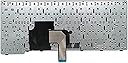
The Wefly Laptop Keyboard is a high-quality, US-layout replacement keyboard compatible with over 15 Lenovo ThinkPad T4xx and L4xx series models. Crafted from durable ABS material, it supports over 1 million keystrokes and comes with all necessary mounting hardware for easy installation. Backed by a 3-month warranty, this keyboard offers a reliable, cost-effective solution to restore your laptopโs typing experience.

| ASIN | B0BYZQ76QL |
| Batteries Required | No |
| Best Sellers Rank | #68,128 in Electronics ( See Top 100 in Electronics ) #70 in Replacement Keyboards for Laptops |
| Brand | Wefly |
| Compatible Devices | Laptop, Laptop Keyboard Compatible for Lenovo Thinkpad E431 T431 T431S T440 T440P T440E T440S L440 T450 E440 T450S T460 T460P L450 T440E Series (Without Pointer) |
| Country of Origin | China |
| Customer Reviews | 4.0 4.0 out of 5 stars (30) |
| Date First Available | 20 March 2023 |
| Generic Name | Laptop Keyboard Compatible for Lenovo Thinkpad E431 T431 T431S T440 T440P T440E T440S L440 T450 E440 T450S T460 T460P L450 T440E Series (Without Pointer) |
| Hand Orientation | Ambidextrous |
| Hardware Platform | Laptop |
| Importer | WeFly whatsapp our customer care 9920840288 for Purchase information. |
| Item Dimensions LxWxH | 10 x 5 x 5 Centimeters |
| Item Weight | 100 g |
| Item model number | T440E T440S keyboard |
| Manufacturer | Wefly |
| Material | acrylonitrile butadiene styrene |
| Model | T440E T440S keyboard |
| Model Name | Laptop Keyboard Compatible for Lenovo Thinkpad E431 T431 T431S T440 T440P T440E T440S L440 T450 E440 T450S T460 T460P L450 T440E Series (Without Pointer) |
| Mounting Hardware | 1Laptop Keyboard |
| Net Quantity | 1.00 Count |
| Number of items | 1 |
| Packer | WeFly whatsapp our customer care 9920840288 for Purchase information. |
| Product Dimensions | 10 x 5 x 5 cm; 100 g |
A**H
The quality of the laptop Keyboard for lenovo thinkPad T450 was very good
The most import thing was the quality of the laptop keyboard for lenovo thinkPad T450 was very good. The keyboard of my laptop was broken, and it exactly fit in the space. The frame movement required to fit the 6 screws was very good (all 6 screws were there with circlip). I am happy with se sell and will shop again with this seller
A**N
Few cm bigger
For perfect finish go for original, fitting not perfect as just 2 or 3 cm biger, but works absolutely fine.. go for it if you want affordable
B**A
Awesome keyboard
Quality best, value for money,good performance
S**H
Love this keyboard, Neatly made
Prefectly fitted to my lenovo L450 Keyboard. I followed a DIY guide using videos from social media and it worked perfectly. I replaced the old pointer with a new one on the keyboard, and itโs functioning great now. Thankyou
A**V
Value for money
Ekdam better product Hai Best packaging and Best performance and looking like original..., Without hesitation buy karna chahiye๐ Thanks Amazon ๐
J**R
Good product and service is good by Amazon
M**N
Average quality, few mm off for Thinkpad T450s
Average quality, need careful hands to fit this onto your laptop Thinkpad T450s. There is no pointer, the fitting is few mm off had to force it in the keyboard space. over all an average keyboard in this price range. NOTE: there are no lights, if you are going for keyboard lights THIS IS NOT WHAT YOU LOOKING FOR
T**A
Not completely compatible with lenovo T460 Direct. But do the below steps
Keys are working fine, but they look flimsy and wobbly. But due to just one connector (original keyboard has two connector), right click on touchpad is not working just after installation. Also small red pointer on keypad is not available like the original keyboard. So in order to make right click working, just uninstall Synaptics Pointing Device from Device Manager > Mice and other pointing devices. And then restart the laptop. Now even right click starts working fine.
Trustpilot
2 weeks ago
1 month ago