We remain fully operational. Our teams are working around the clock to ensure your deliveries continue safely.

DOWNLOAD THE APP


Copyright © 2025 Desertcart Holdings Limited
DOWNLOAD THE APP
Buy anything from 5,000+ international stores. One checkout price. No surprise fees. Join 2M+ shoppers on Desertcart.
Desertcart purchases this item on your behalf and handles shipping, customs, and support to Kyrgyzstan.
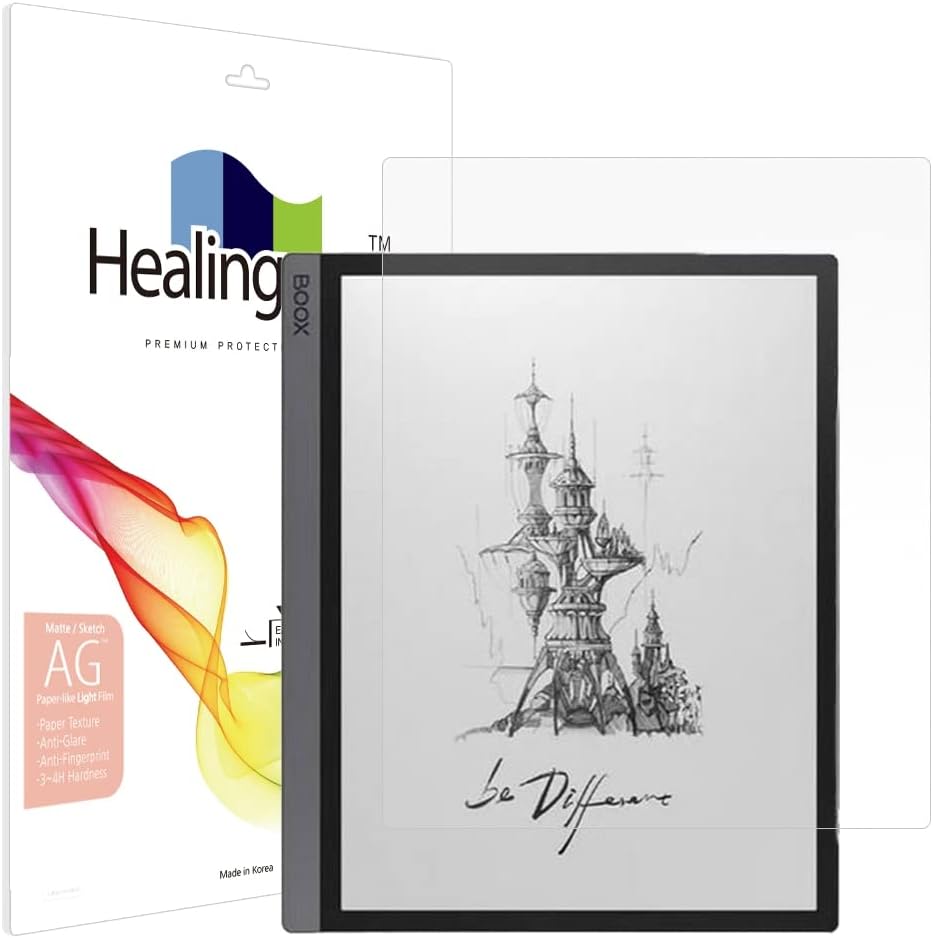
🖋️ Elevate your digital note-taking with the ultimate paper-like shield!
The Healing Shield Screen Protector for Onyx Boox Tab Ultra series offers a premium matte, anti-glare surface with a paper texture that enhances pen and stylus input accuracy. It features UV protection to reduce eye strain, a scratch-resistant coating to maintain screen clarity, and anti-fingerprint and anti-dust properties for a clean, professional look. Designed for a near-perfect fit, it delivers flawless touch sensitivity while eliminating glare and reflections, making it the must-have accessory for serious digital note-takers and creatives.
| ASIN | B0BWWPDSZR |
| Best Sellers Rank | #2,048 in Tablet Screen Protectors |
| Brand | Healing Shield |
| Brand Name | Healing Shield |
| Clarity | 0.99 |
| Color | Transparent |
| Compatible Devices | ONYX Boox Tab Ultra / C |
| Compatible Phone Models | Onyx Boox Tab Ultra / Tab Ultra C / Tab Ultra C Pro |
| Compatible Tablet Computer Models | BOOX Tab Ultra C Pro |
| Customer Reviews | 4.1 out of 5 stars 157 Reviews |
| Finish Type | Matte |
| Included Components | Screen protector |
| Item Dimensions L x W | 1"L x 1"W |
| Item Hardness | 3H |
| Manufacturer | pontree |
| Material | Polyethylene Terephthalate |
| Model Name | tab |
| Model Number | ONYX BOOX Tab Ultra |
| Number of Items | 1 |
| Part Number | Tab Ultra |
| Product Dimensions | 1"L x 1"W |
| Screen Size | 10.1 Inches |
| Screen Surface Description | Matte |
| Special Features | Anti Glare Paper Texture |
| UPC | 769675208547 |
S**R
Good feel, great coverage, seems like a good value for price
This is a near-net fit screen protector on the Onyx Boox Tab Ultra C. There's less than .5mm surrounding it if it's perfectly centered. I see this as a good thing, but other reviewers have complained that it makes it too hard to install. It's actually not a bad install if you use a couple of pieces of masking tape to anchor one of the long sides in place. The writing texture feels good, maybe slightly too rough, but leagues better than the stock glass. Here's the installation procedure that I used for a great install: 1. Thoroughly clean the screen and work area with a lint-free cloth. Use a little rubbing alcohol as the final cleaning pass and let it dry. 2. Place the screen protector over the screen, without taking any of the protective sheets off! Very important that you're able to move it around. 3. Get the protector centered and aligned as you like it. 4. Use 2 or 3 pieces of masking tape to secure the screen protector along one long edge. 5. Carefully lift the screen protector from the other long edge and remove the stick-um cover (labeled '1'). 6. Working from the taped down side, slowly lower the protector down and smooth out the bubbles using the included squeegee. 7. Remove the top protective cover (labeled '2') and enjoy.
H**S
Great paper like feel, super hard application
I don't mean to gloat, but when it comes to applying screen protectors I am definitely top 5% in the world. Don't ask me how I know this, I just do. This screen protector is absolutely fantastic on my tablet. It really gives my onyx tab ultra a paper like feel not only with writing but even with tactile feedback. I actually even like how the display looks with the protector on. The only reason I give it 4 out of 5 is that you literally need a PHD in screen protector application to get it right on this one. The directions are not easy to understand, I would recommend the company make a video of any tips or tricks like dbrand does for their products. Also when you apply it bubbles galore. I still got it bubble free on my second try but was definitely sweating. Only had one in the box so no do overs. I also went ahead and purchased titanium nibs for my pen as i can tell that the stock plastic nib will be eaten up very quickly. Overall would buy again. Please make video and offer any tips to make it easier. Other option is for the price please provide at least 2 protectors so if you screw one up beyond salvage, you at least have another try. Would be happy to upgrade the product to 5 stars then.
G**I
As promised - great feel
PRO: the protector firs perfectly. It provides additional friction that improves the writing feel. And it does reduce the glare of the screen even though the Boox does not have much. CON: you need patience to place it without creating bubbles. And the instructions are not English (but it is the same process as any other screen protector)
J**N
Screen protectors are hard to apply cleanly
These screen protectors are all extremely difficult to put on without getting any dust or bubbles under them. I've found that applying them in the bathroom in the steam after taking a shower seems to work best. Then you can use scotch tape to lift the corners and dab any hair and dust out from under them, and work out the bubbles moving the protective film around over it. Also if it is really bad you can wash it off with hot water and some slight rubbing on the sticky side, then try reapplying it. Being slightly wet also seems to help work out the bubbles. I also have a head magnifier that really helps see the dust. You're really trying to keep the hair, skin flakes, and finger oils off the sticky side. Otherwise, this screen protector with a titanium nib feels get writing with.
C**C
Hard to put on and had defects in the adhesive
This product was super hard to put on. As I was placing it I noticed that there were little bumps in the adhesive and used the little dust remover sticker (because I I though I had gotten something on the screen) I was able to remove some of the little bumps, HOWEVER as I smoothed it out it there where other spots and it was like you were pushing gummy adhesive around on the screen. Not quite sure how to word that any better. I made sure that the screen was clean I did everything in the steps this product took me forever to put on. Personally I do like the feel of it on my Boox tablet, it has a paper feel & it fit my Boox Ultra perfectly. I don't know if it was just my luck to get a defective screen protector.... I will be returning it as I don't want to risk my screen with the adhesive defects (see pictures). It was kinda difficult to remove and it left adhesive residue (in spots) on my screen.
L**R
BOOX Tablet Tab Ultra C Pro - Paper Feel Screen Cover
Purchased this to protect the BOOX Tablet Tab Ultra C Pro. Works very well and feels just like paper as I take notes. Even more so than the screen as best I can tell. Covers the entire screen and is not too difficult to put on. Be sure to clean the screen very well before putting this one. If the placement is off a bit, lift up (very) gently and reseat. Have not had this long enough to know if it wears out with use as I write on the tablet with the e-pen.
K**R
Rough texture
Feels like writing on paper with pencil. It's a little too tough for me. I was going to switch to titanium nibs for a pen feel and because it wears nibs fast but I noticed it was wearing my eraser. After I removed it someone suggested putting felt or stick on Velcro to protect the eraser. I would definitely recommend the metal nibs and something to protect your eraser, then this would be great
B**N
Gave my Tab Ultra C the writing feel I wanted
While I thought the Boox Tab Ultra C surface had an acceptable writing surface, it was not quite what I was used to coming from the Remarkable world. In one of the Reddit groups I belong to it was suggested to add a screen protector to change the writing experience. After some research I came upon this screen protector and decided to give it a try. The protector did not have real clear instructions on the best way to install it, however a YouTube search on how other protectors were applied to the device filled in any gaps not covered by the included instructions. With the obtained knowledge, the installation of the screen protector was fairly easy. I did end up with a microscopic piece of lint under the screen protector off to the side however it is on the edge and does not impact anything so left it as is. I tried several types of nibs on the device with the new screen protector installed including the default Boox nib, hard felt, plastic, ceramic and finally settled on a metal nib as it felt the best to me and seemed to have the best performance. The feeling with the Boox nib was very similar to what the Remarkable writing experience was however because this screen protector is a bit rougher I worried about going through nibs too quickly which is why I ventured into testing ceramic and metal nibs. The metal nib feels to me like a ballpoint pen on paper. As far as touch sensitivity or if the protector impacts viewing the screen etc. I do not sense any functionality loss with the protector on. The screen colors and backlight brightness remain good. The screen protector does help with some of the glare seen on the default protector. The best advice I can give regarding if this screen protector is right for you is it will depend on the experience you are seeking. The Boox Ultra Tab C has a very good writing experience out of the box so may not need this. If you are seeking something with a more tactile feel then you may want to give this protector a try. I am quite pleased with my experience and it fulfilled what I was looking for.
Trustpilot
1 month ago
2 weeks ago