🎥 Capture Every Victory in Stunning 4K – Stream Like a Pro, Anywhere!
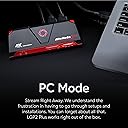
The AVerMedia GC513 Live Gamer Portable 2 Plus is a compact, lightweight capture card designed for professional-grade streaming and recording. It supports 4K60 zero-lag pass-through for ultra-smooth gameplay, while recording or streaming at 1080p60. With PC-Free recording to microSD and plug-and-play UVC compatibility, it offers unmatched flexibility for gamers and content creators on Windows and Mac. Integrated party chat and live commentary features make it ideal for interactive streams, compatible with major streaming software and next-gen consoles like PS5 and Switch.


| ASIN | B075TY4933 |
| AV Output | HDMI |
| Antenna Location | Gaming |
| Best Sellers Rank | 119,015 in Computers & Accessories ( See Top 100 in Computers & Accessories ) 129 in External TV Tuners & Video Capture Cards |
| Box Contents | 1 X PRODUCT |
| Brand Name | AVerMedia |
| Compatible Devices | Gaming Console |
| Customer Reviews | 4.3 4.3 out of 5 stars (767) |
| EU Spare Part Availability Duration | 2 Years |
| Global Trade Identification Number | 04710710678623 |
| Hardware Interface | USB |
| Item Dimensions | 14.7 x 5.7 x 4.7 centimetres |
| Item Type Name | Capture Card |
| Item Weight | 0.19 Kilograms |
| Manufacturer | AverMedia |
| Manufacturer Part Number | GC513 |
| Minimum System Requirements | Windows 10 |
| Model Name | Live Gamer Portable 2 Plus |
| Model Number | 61GC5130A0AH |
| Operating System | Windows |
| Other Special Features of the Product | Portable |
| Platform | Windows |
| Product Warranty | 2 years |
| Tuner Type | HDMI |
| Video Capture Resolution | 1080p |
M**.
Works well PC free
I decided to get this as I don't own a laptop/PC and wanted to record PC free and this came highly recommended. I use this to record Nintendo Switch and eventually Playstation games. The unit itself feels solid and well made. It was packaged well, came with short HDMI cable, USB cable to power the unit and a male to male 3.5mm cable. I have added a 512GB SD card to capture the footage. I have only tested on the Nintendo Switch so far and it works as per the instructions. Although you can do PC free recording you do however need a PC/laptop initially to update the firmware. Took about 10-15mins once I figured out what I was doing. Unit itself is smallish and can be left beside the TV with your other peripherals. Mine is powered by the TV USB port so every time my TV is on the unit is powered on indicated by the red RGB light. This can be annoying for some so I would suggest as alternative power method e.g Playstation USB port. You do want to keep it in sight so when it is being used you can keep an eye on the RGB light to ensure recording is taking place. Simple process, just press the RGB switch down until red light is pulsing indicating it is recording. Extra info. My set-up is currently linked to the Nintendo Switch. I have a 3.5mm mic plugged into the unit with an extra long cable to place near me while I sit on the sofa and play. The HDMI from the Switch to the TV has been unplugged from the TV and into this unit due to how my set-up has been wired.
N**D
Little tough to set up, but great service and neat little product once going.
My only negative would be a lack of instructions, but support via Facebook have been really communicative in helping me get the product to work. The product does work with a Mac but do ensure you have an i5 processor and better or it just won't work properly - it needs the specs it specifies. Once working the product is great, the picture is really clear and setting it up and taking it down again is a really easy process. Plus, having the ability to record party chat through the device is a really great USP.
T**T
Decent Alternative to Elgato
good product and the 4k passthrough works as intended. A few issues to mention 1) issue with the second port on the device for headphones, this device seems to have a noise interference issue, it can be corrected if you plug in a pair of earphones and use the volume up and down to mute it. 2) Doesn't allow passthrough for 120 hertz on PS5 so if you wish to record or stream it won't, I do believe it's mentioned but it would be a nice feature. 3) Devices own app for pc is buggy and often crashes, it also can be fiddly to get around and find inner settings, plus it seems to have an audio problem as it seems to use the mic for both mic and game sounds which are weird and make audio very bassy. 4) the app for moving webcam etc is delayed and often is very fiddly to get in the right place as there is no snap feature so lining things up can be a task in itself. Obs, it is fine and works fine except the bassy sounds again as it uses mic audios and not like the Elgato.
W**S
Bought for PC Free mode. Does what it's supposed to.
Only got this for the ability to record on Micro SD without a PC, and it does that without any problems. This device worked flawlessly with a 7x1 HDMI hub I also found here on Amazon, so I was able to connect multiple devices (ps4, xbox one, ps3, 360, switch, snes classic, megadrive classic) to the hub and run it through the Avermedia Portable via passthrough. Just press the button on the device and it will record whatever I'm playing. Files are saved as .MOV files.. 60fps and are of high quality. I'm sure some hardcore enthusiasts would see problems with this setup but for me, it works. I dont want to be tethered to a PC. So, for a hassle free way to record anything on your screen (and remember, you are not limited to games) then this does the job.
K**Y
Great works on Mac But...
Great product. More useful features than the competitors. Works on my Mac no issues.. just download the relevant software.. Update..it stopped outputing to hdmi after 2.5 months ..returned knocking stars off... great while it worked..
D**N
Brilliant piece of kit
Works really well to record from my Xbox direct onto a micro sd. My computer is too far away from my console so this seemed the perfect solution, and I was not wrong. Picture quality is just like what I am seeing on my own screen and it works with one simple push of a button. Only downsides are that the HDMI cable that comes with it is very short, and that plugging a headset into the card seems to add a slight buzz.
Z**N
4K passthrough is just so you can see it in 4K the recordings will be 1080P
It did it's job for the time and took the workload off for streams It still works but i'm probably gonna be using my 40 series for vids in future due to higher resolution recording and AV1 Encoding but this is great for recording my PS4 it allowed a 4k passthrough to upscale my old 480p nintendo wii on old gamecube games like metroid prime making it at least a little clearer, if you can't afford an extortionate elgato this is the next best thing to get your streaming or youtube career going! 10/10 capture card for it's pricing!
A**R
Amazing! Works with Apple M1 Macs
Flawless to a point! Works with M1 Macs Despite Disclaimer (mine is 16gb variant) might be slower with 8gb variant, weird audio hissing issue was discovered after 1 day was solved by replacing the usb cable they give you with a premium one in my case a spare one i had sitting around from Rhino Cables (used to use for cctv cameras) as long as u replace the usb cable with a better one annoying hissing sound goes away! Amazing capture card just bare in mind how to fix the hissing issue 🙌
C**N
Non ho testato tutte e tre le modalità che il prodotto offre, in quanto l'ho comprato per la possibilità di registrare gameplay senza l'uso del PC, quindi il mio giudizio si concentra su questa modalità (la pc-free, appunto). Voglio partire dall'unico vero "difetto", che in realtà è una mancanza di dettaglio più che un vero difetto. Manca una vera guida che spiega come usare le modalità, poiché la quick-guide cartacea è più una lista di ciò che è contenuto nella confezione e non una guida all'utilizzo. Detto questo, l'suo pc-free è davvero semplice: il cavo micro usb-usb è per l'alimentazione (e lo potete collegare alla tv come fonte di batteria), il cavo hdmi (davvero corto) unisce l'avermedia alla console (quindi un'estremità va nella porta hdmi della console e l'altra estremità nella porta hdmi IN dell'Avermedia), usate poi il cavo hdmi originario della console come collegamento tra l'avermedia (porta hdmi OUT) e il tv/monitor. Per poter registrare i gameplay è necessario dotarsi di una scheda memoria micro SD, che va inserita in un'apposita fessura nel retro dell'Avermedia. Non abbiate paura di inserirla a fondo, per estrarla infatti basterà una normale pressione come in un pulsante a scatto. Al centro dell'Avermedia è posizionato un tasto triangolare, che funge da pulsante di accensione e interruzione della registrazione. I colori del led del tasto triangolare indicano lo stato dell'avermedia: rosso fisso (registrazione non disponibile perché manca la scheda micro-sd), blu fisso (scheda sd presente, avermedia pronta alla registrazione ma che appunto non sta ancora registrando), rosso lampeggiante (registrazione in corso; come detto, per interrompere la registrazione basta premere sul tasto triangolare, che tornerà in luce blu fissa, mentre un nuovo click sul tasto farà ripartire la registrazione con luce rossa lampeggiante). In conclusione un ottimo prodotto, ma appunto avrei gradito una vera quick-guide all'interno della confezione. In ogni caso è un prodotto stra-consigliato per chi necessita di registrare i propri gameplay senza l'uso di un pc.
R**.
Melhor placa que existe
H**Y
Straight out of the box and streaming right away with my PS5 and Switch, and the stream quality is in 1080p at 60 fps with my NVIDIA GeForce RTX 2080 SUPER. This capture card works perfectly and is very affordable.
S**Y
It works and do the job great. I like it because it has also a mode to capture a stream to file as a stand-alone unit without a PC. The mode that capture a stream direct to a PC are heavy and the PC must be very very fast, it could be hard to do that, and the PC vill be expensive. I recommend to read information on the web, youtube about how to use this product and information about the HDMI interface before you use the product. There is a lot to undestand. It works for me and I have not upgrade the firmware yet because it do the job and I only use the stand-alone mode. I am happy with it. Use the microSD card SanDisc Extreme max 128GB, 4K, speeds up to 160MB/s read, 90 MB/s write.
F**R
Excelente y muy rápido. Cumple con lo que promete, lo único malo es el software gratis que manejan , aunque tengas muy buena maquina con ram y gráficos buenos produce lags en 4k , por lo que deberás buscar otras opciones.
Trustpilot
2 weeks ago
4 days ago