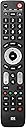
🎬 One remote to rule them all — simplify your media life in style!
The One For All Evolve 4 Universal Remote (URC7145) consolidates control of up to 4 devices including TV, set-top box, Blu-ray, and audio systems. Featuring optimized smart TV keys, ultra wide infrared angle for flexible use, and smart activity modes for seamless multi-device management, it supports all brands and offers a learning function for personalized setup. With a 10-meter range and easy 3-step setup, it’s the ultimate all-in-one remote for a clutter-free entertainment experience.


| ASIN | B01NA9M3V4 |
| Battery Types | Alkaline |
| Best Sellers Rank | 5,982 in Home Cinema, TV & Video Accessories |
| Brand | One For All |
| Brand Name | One For All |
| Button Quantity | 49 |
| Colour | Black |
| Compatible Devices | Set Top Box |
| Compatible devices | Set Top Box |
| Connectivity technology | Infrared |
| Controller Type | Button Control |
| Customer Reviews | 4.3 out of 5 stars 1,047 Reviews |
| External Testing Certification | CE |
| Global Trade Identification Number | 08716184065477 |
| Item Weight | 300 Grams |
| Manufacturer | One For All |
| Max number of supported devices | 4 |
| Maximum Number of Supported Devices | 4 |
| Maximum Range | 10 Metres |
| Model Name | URC7145 |
| Model Number | URC7145 |
| Network Connectivity Technology | Infrared |
| Number of Batteries | 2 AAA batteries required. |
| Product Features | IR, Universal |
| Product Warranty | 2 Years |
| Special feature | IR , Universal |
A**R
Excellent product
Excellent value and easy to set up.
P**H
A great programmable remote for 4 devices, just follow the instructions ;)
I'm really impressed with this remote. I'm using it to control; Samsung 7 series led TV (9yrs old) Samsung blu ray player TiVo virgin media V6 box Orbitsound T12 soundbar The Samsung devices were recognised straight away using the generic Samsung code. Virgin media V6 was a bit more tricky. It did set itself up using the standard virgin media code, but a couple of the buttons were missing (menu & my shows) I had to custom map these to buttons on the remote. Note: this took me a while to work out, but if you've paired your V6 remote with the TiVo it uses Bluetooth and not infrared. I wasn't able to disconnect my V6 remote and had to dig out my old virgin media remote. I used the old remote to record those two buttons to the new oneforall remote. My soundbar isn't a common brand and wasn't listed, however I was able to record the buttons over to the oneforall remote. Note: I got really frustrated recorded the buttons manually and was ready to send it back, I was convinced it wasn't working. Turns out if you follow the instructions exactly it works! 😂 I was missing the last step where you hold the magic key down again to store the instructions. Once I understood the process, it's simple to follow. The remote signal seems very strong and commands are understood by my devices from a greater distance than with my previous remotes. Other features are the 'watch tv' or 'watch movie's mode. These allow you to link 2/3 remote modes together. It sensibly maps which keys you'd want for each device. Eg: select 'watch tv' button and hold power down for 2 seconds: TV, soundbar and virgin box all power on! Really impressed for £20!!
D**.
Simple setup and works well !
Remote control received quickly, I have a Manhattan TV Freesat Box which I considered to be quite an obscure brand, (IMO) however, connecting up this remote was total simplicity, it took about 30 seconds, input the required code, press the "magic" button as instructed and full operation. The remote works very well, far superior to the remote that Manhattan TV supply, which was utterly useless. Only 1 point to note, do not expect refinement, the buttons are a bit clunky and not the quietest, however it does the job well. Overall price was realistic. Would I buy again if required, well, that`s a yes from me.
J**Y
saved me from buying an HDMI ARC soundbar
Even though my TV has HDMI ARC output that would allow volume control through the TV's remote, my Edifier speaker set has only optical input with its own remote control. Instead of juggling two separate remotes which was annoying I had three options: - buy a decent soundbar with HDMI ARC, these are quite expensive as the lower-end ones sport tiny speakers with sound quality nowhere near as substantial as a dedicated speaker set's (like my Edifiers) that cost the same amount of money - use an HDMI ARC converter, however these either won't allow the use of the TV remote to change volume making them worthless, or use RCA connection that severely degrades sound quality - try a programmable smart remote (by far the cheapest solution if it works) And it does work. I have a TCL branded TV, and instead of getting the remote to recognise the TV and set itself up automatically I decided to map every single button using its learning feature. This is very simple to do and I managed to map all the buttons to my liking in mere minutes. When mapping the volume rocker, I grabbed the Edifier remote and used that instead of the TV's remote so now volume up/down only affects the speaker set, whereas all other buttons are picked up by the TV. The remote's IR blaster has a wide angle so it actually works a lot better than the remote I had for my speakers which had an annoyingly narrow angle. The user guide is in plain English, simple to work with and all the functions are listed e.g. default button layout, automatic TV recognition, learning mode, macros to combine multiple buttons or devices etc.
H**9
Very Responsive
I bought this my the remote that came with my TV was unresponsive. This allows you to use 4 devices although I have only used with TV). I was sceptical but it's actually great wish I'd have bought ages ago rather than having to stand about 50cm away from TV using old remote. So much more responsive. Definitely recommend.
M**R
Almost impossible to set up.
Had one of these for 4 years, was ok, then it stopped working. Bought another one, but it's almost impossible to set up, in the setup if you don't press the next key within a couple of seconds that part of the setup stops and up have to start all over again. I tried for hours to get a macro to work and it just didn't work, I tried factory resets twice and it still would not work. Returning and going to try a Sofabaton.
C**R
Perfect universal remote for multiple devices
Easy set-up, supports pretty much every manufacturer with an easy to follow guide. Remote and buttons feels pretty premium considering the price
S**T
Good - but noisy buttons
Fairly easy setup and works with my TV, soundbar and BT Youview box. Seems robust enough to outlast any standard OEM remote. The buttons are noisy when pressed though, otherwise would have given 5*
Trustpilot
1 month ago
3 days ago