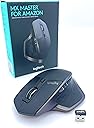


🚀 Elevate your workflow—master every device, every surface, every task.
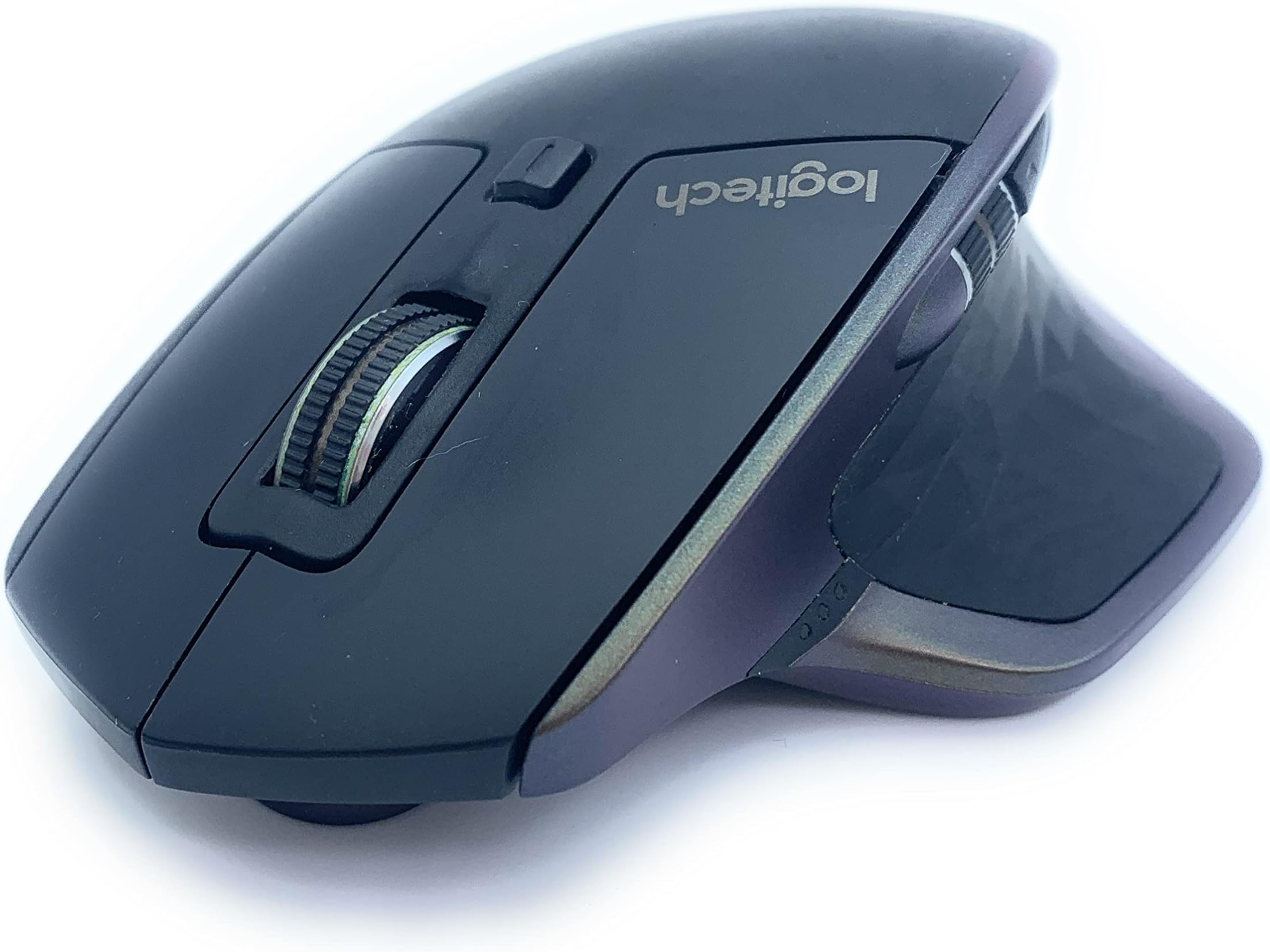
The Logitech MX Master is a premium wireless mouse designed for professionals who demand seamless multi-device control, exceptional precision on any surface, and industry-leading battery life. Compatible with Windows and Mac, it features adaptive scrolling, Darkfield tracking, and customizable controls, making it the ultimate productivity tool for the modern multitasker.

| ASIN | B0761YL588 |
| Are Batteries Included | Yes |
| Average Battery Life (in hours) | 40 days |
| Batteries | 1 C batteries required. (included) |
| Battery description | Lithium Polymer (LiPo) |
| Best Sellers Rank | 134,951 in Computers & Accessories ( See Top 100 in Computers & Accessories ) 2,633 in Mice |
| Brand | Logitech |
| Colour | Black |
| Customer Reviews | 4.7 4.7 out of 5 stars (18,441) |
| Date First Available | 15 Oct. 2017 |
| Form Factor | Right |
| Guaranteed software updates until | unknown |
| Hardware Platform | Nintendo Switch |
| Item Weight | 145 g |
| Item model number | 910-005313 |
| Lithium Battery Packaging | Batteries contained in equipment |
| Lithium Battery Voltage | 5 Volts |
| Lithium Battery Weight | 13 Grams |
| Manufacturer | Logitech |
| Number Of Lithium Ion Cells | 1 |
| Number of Lithium Metal Cells | 5 |
| Operating System | Windows, MacOS |
| Power Source | Battery Powered |
| Product Dimensions | 12.6 x 8.57 x 4.84 cm; 145 g |
| Series | MX Master |
| Supported Software | Mac OS X 10.9 Mavericks |
| Wattage | 3600 |
C**S
An absolute delight to use
I love the Logitech MX Master mouse. It's just such a comfortable mouse to use. For many years I have used a Logitech wireless mouse, from the early noughties with an MX900. I had a VX Nano from 2007 for many years until it finally gave up on me. I swapped it for an MX Anywhere but that developed a fault just outside of warranty and having spent a lot of money on it I was put off from Logitech for a while. I went through a succession of Tecknet mice that were a direct copy of the VX Nano. They were great, and much cheaper than Logitech's original, but they also rarely lasted longer than a year. My wife uses a 10-year old Logitech MX Revolution mouse, which she adores but I have never felt quite comfortable with, but when I saw a Black Friday deal for the MX Master I looked a little closer at Logitech once again. And, I'm glad that I did. Although I've always preferred smaller mice, the MX Master feels great. It's a bigger mouse than I'm used to but it feel really comfortable to use for long periods of time. The bottons are in the right place for my fingers and thumbs, although the forward/back buttons by my thumb just need an extra moment's thought to make sure you're pressing the right one. Battery life has been excellent so far and I have had no issues with connecting it to multiple sources. Which leads me to its real party trick. I work from home on my company laptop, and have my own personal laptop next to it. I also have an iPad Air Gen 3. This one Logitech mouse has the ability to control all three of those devices with nothing more than a press of a button underneath. As it connects by Bluetooth to both laptops and tablet their is no issue with having to swap dongles around. It works very nicely...although my only criticism is that you have to turn over the mouse to press the button. It takes the flashyness away some what not being able to glide effortlessly from one device to another. The button being placed on top would have remedied that. Overall though, it's been a fantastic mouse to use. It's on offer enough to be able to pick up a good deal on it. There are also newer versions of it, but from what I can gather you're just paying for very minor improvements that the vast majority wouldn't notice.
N**C
Great mouse - good feel
I love this mouse. I needed to replace my ageing Microsoft ergonomic mouse that I'd had for about 15 years. I was worried this wouldn't be quite as comfortable, especially without the benefit of seeing/holding it before purchase. But, I was really pleasantly surprised by how great and comfortable it feels. The fact that it's rechargeable is a great benefit, but could be a downside - I imagine it won't last me as long as the last one... but I love all the controls, and especially that it works with up to three machines, including both Mac and PC. I use this on both my work PC and my personal MacBook - one press of the button, and I'm switched over to the other machine. Awesome. I have charged it once since I got it - it was already half charged when it arrived. I can't remember exactly how long it took to fully charge, but it's certainly never inconvenienced me work-wise. It claims it can run for an hour on just 3 minutes of charge. So if you're desperate to get it charged up, you can get going again by the time you've made a cup of tea! It has a handy battery light indicator which lights up when you use it for the first time in a while (not sure how long the 'while' is), so you can keep an eye on it. Easy USB charging - I reckon if you just charge it off your computer USB once a month or two, you'd never have to worry about battery power. Has a really nice weight to it - not light, but not overly heavy either. Ultra-fast scrolling is also pretty cool - and very useful to engage that manually for a Mac.
C**Y
Durable, reliable wireless mouse with decent battery- great value for money
I purchased a MX master 2s but the product review is bringing me to this page for the original mx master Bought September 2021, still going strong as of 01-09-2024 I was sick of buying gaming mice which never seemed to last beyond a year, decided to roll with one of these as a replacement to see if they would last longer, (they do!) I've bought a second one as back-up, and will probably buy another 1 or 2 more to shelve I like it so much Pros - cheap, cheerful, durable, easy to disassemble, 2 torx screws visible on the underside of the mouse, 4 more philips screws are hidden under the teflon feet, these feet can be re-used if they are pried up Decent amount of rebindable buttons, I like the side mouse buttons, and the veritical scroll wheel toggle, I did not use the horizontal scroll wheel much nor the thumb button on the rubber grip, , this thumb button defaults to windows virtual desktops but that can also be bound to something else in the logitech options+ app so it's nice to have Cons - it's definitely not as "precise" as some of the gaming mice I have used but it is not advertised for gaming, (corsair m65 line), it can still be used for all types of gaming, this would only be a problem if you're into the competitive scene in fps, For casual play and other genres it's absolutely fine, not to paint this as a huge issue mind you I play fps all the time on it but I'm a casual player Tip: the mx master 2s regularly goes on sale for 39-45 pounds, keep an eye out for a sale, I see it being listed for 60+ at current ~Craig
R**N
very well made, whilst expensive its tough plastic with super-strong rubber and metal trim with quite a hefty weight, it just feels high quality and it tracks super well, connects quickly and easily, and it's customizable too. SUPER impressed. FAST delivery too.
L**A
Pensaba que seria un modelo bueno para uso profesional. Ha superado mis expectativas. Me dedico a la arquitectura y necesito bastante precisión y ergonomía. Este ratón es de una gama alta y muy avanzado. 🟢 Tiene muchos botones. Tiene dos laterales y una rueda para el pulgar, los dos del dedo índice de toda la vida, la rueda y uno para cambiar tipo pulsador. 🟢 Es Bluetooth y Unify. Puedes conectarlo de forma inalámbrica, bien con el USB Unify, o si no quieres tener ocupado el USB, lo puedes conectar por bluetooth, que es de agradecer en estos tiempos. 🟢 Es muy cómodo. La forma que tiene es para manos grandes. El dedo pulgar queda apoyado sobre la parte lateral que lo recoge y hace de apoyo para que no este mas bajo que el resto de la mano. Es muy cómodo para manos grandes 🟢 Los botones hacen ruido al hacer clic. En ese sentido no es muy silent. El raton al moverse no hace nada de ruido. La rueda si que es super silent, no hace nada de nada de ruido, nunca he tenido una rueda tan fina y tan silenciosa. 🟢 Funciona sobra cualquier superficie, así que si te pones en la cama o en cualquier otro lado, tranquilo que no necesitas alfombrilla ni nada. Va perfecto en ese sentido. 🔴 La pila se la consume bastante rápido, en 3 semanas como mucho si usas el bluetooth.
J**.
Ich habe mir die Logitech MX Master vor ca. einem halben Jahr gekauft, da mich meine vorherige Maus (eine einfache Wireless Maus von Microsoft) mehr oder weniger in den Wahnsinn getrieben hat. Abbrüche in der Funkverbindung, ruckelnde und unpräzise Bewegungen des Mauszeigers und eine nach mehrjährigem Gebrauch unansehnliche Optik waren irgendwann zu viel des Guten. Es musste eine neue Maus her und ich war bereit dafür etwas mehr Geld als üblich in die Hand zu nehmen. FUNKTIONEN Die Logitech MX Master ist eine kabellose Maus, die sich sowohl per Bluetooth als auch mit dem mitgelieferten USB Receiver mit PC und Mac verbinden lässt. Im Bluetooth Modus können 3 Geräte gleichzeitig verbunden werden, zwischen denen man mit dem Modusschalter auf der Unterseite einfach hin und her wechseln kann. Aufgeladen wird der integrierte und nicht wechselbare Akku über das mitgelieferte USB-Kabel. Die Maus besitzt zwei Räder (vertikal und horizontal), die zwei primären "Rechts- und Links-Tasten", einen kleinen Modusschalter hinter dem vertikalen Mausrad sowie einen weiteren in der Handballenauflage und zwei Tasten für "vor" und "zurück". ERSTER EINDRUCK Das erste Mal "in die Hand nehmen" sprach schon für sich: gute Verarbeitungsqualität, wertig anfühlende Tasten und Räder sowie eine insgesamt sehr ansprechende Optik vermitteln direkt den Eindruck, dass man für sein Geld entsprechende Qualität erhält. Die Bluetooth Verbindung zu meinem Windows Ultrabook gestaltete sich sehr einfach und ohne Besonderheiten (alternativ liegt auch noch ein USB Receiver zur Funkverbindung von Maus und Tastatur bei). Nach der Installation der zugehörigen Software "Logitech Options" (s. Foto) kann man auch schon loslegen und die Maus so konfigurieren, wie es einem gefällt. Jede Taste und beide Räder lassen sich individuell belegen und anpassen. Die Software ist selbsterklärend aufgebaut und ermöglicht einem zahlreiche Optionen. LANGZEITEINDRUCK An meinem positiven ersten Eindruck hat sich auch nach einem halben Jahr Nutzung wenig geändert. Die Maus funktioniert immer noch einwandfrei und verbindet sich stets zuverlässig und ohne Aussetzer. Der Komfort ist, gerade für Menschen mit größeren Händen, für mich bis jetzt unübertroffen. Die Größe und Form der Maus lassen ein ermüdungsfreies, angenehmes Arbeiten auch über längere Zeiträume zu. Bei meiner Nutzung hält der integrierte Akku stets >1 Monat, was ein sehr guter Wert ist. Wichtig zu Wissen ist, dass die Maus auch während des Ladevorgangs problemlos genutzt werden kann! ***bei eventuell auftretenden Problemen in zukunft mit der MX Master werde ich meine Rezension aktualisieren***
S**O
Il mouse Logitech Mx Master è uno di quei pochi prodotti di cui si fà difficoltà a trovare dei difetti, bisogna pensarci un pò su, ovviamente non rappresenta la perfezione ma ci si avvicina davvero molto. Nasce come mouse professionale senza fili, andiamo a vedere nel dettaglio tutte le caratteristiche, i pregi e i difetti. 🅳🅾🆃🅰🆉🅸🅾🅽🅴 Un aspetto che molti non considerano quando c’è da recensire in modo dettagliato un prodotto è il packaging e la dotazione, che lo vogliate o no è la prima cosa che vedete quando dovete comprare un prodotto. La scatola di questo mouse è in realtà piuttosto minimale, all’interno troviamo: - Il Logitech Mx Master (menomale aggiungerei) - Un cavo micro-usb per la ricarica lungo 1,5 metri - L’adattatore bluetooth usb, il classico, piccolo ma funzionale 🅴🆁🅶🅾🅽🅾🅼🅸🅰 🅴 🅳🅴🆂🅸🅶🅽 Probabilmente è questo il mouse più comodo che proverete in vita vostra, il motivo è semplice, la sua forma è stata studiata per molto tempo. Logitech ha prodotto diversi prototipi modellati e modificati prendendo come punto di riferimento le forme della mano, le curve che assume combaciano esattamente con il palmo, per questo anche dopo ore e ore di utilizzo non sentirete il benchè minimo dolore o fastidio al polso. La sensazione che si prova al tatto è piacevole e delicata, grazie alla forma che accompagna il movimento della mano, potrete percepire maggiormente la qualità dei materiali con cui è costruito. La struttura è in plastica solida, la parte superiore e dove si appoggia il pollice (che è cliccabile) è trattata con una texture poligonale e coperta da un rivestimento gommato. Principalmente i difetti di questo mouse sono due: 1. La rotella per lo scorrimento verticale delle pagine è stata implementata con un meccanismo che, alla pressione di un tasto posto poco sotto, la rende libera di girare fino a che non viene fermata. Nella modalità di scroll normale risulta un pò troppo libera di scorrere, infatti se la si fa girare con un movimento più veloce entrerà accidentalmente nella modalità di scorrimento infinito. 2. Nella parte laterale, posti sopra il pannello per appoggiare il pollice possiamo trovare due pulsanti che sono usati generalmente per andare avanti o indietro tra le pagine del browser. Il problema è che stati messi in una posizione difficile da cliccare, infatti dovremo fare un movimento con il pollice poco naturale e talvolta scomodo. 🅻🅴 🅵🆄🅽🆉🅸🅾🅽🅰🅻🅸🆃🅰' Le funzionalità sono davvero tante per essere un mouse, tutti i tasti sono completamente personalizzabili tramite il software Logitech Options che si scaricherà automaticamente al primo collegamento con il pc. IL SOFTWARE Il programma che possiamo utilizzare con questo mouse è uno dei più completi mai creati. Ogni singolo tasto può essere associato ad una specifica funzione, i comandi disponibili sono ben 70, dall’apertura di una cartella all’arresto del sistema. Grazie alla personalizzazione potremo navigare in modo più rapido e comodo tra windows o internet, questa funzione può essere sfruttata al massimo in ambiti profesionali come Design, grafica o programmazione. Potremo poi aggiungere nuovi dispositivi con la modalità che vedremo tra poco e controllare il livello della batteria. TECNOLOGIA EASY-SWITCH Il Logitech Mx Master permette di associare contemporaneamente fino a 3 dispositivi, per fare un esempio potremo collegarlo ad un computer fisso, un portatile e un tablet e passare da un device all’altro semplicemente schiacciando l’apposito pulsante. Per sapere quale dispositivo stiamo utilizzando possiamo fare riferimento ai numeri posti sopra che lampeggiano quando avviene la ricerca e rimangono statici quando il collegamento è stato effettuato. Non preoccupatevi, i led dei numeri non rimarranno accesi per tutto il tempo; Per non consumare batteria Logitech ha pensato di introdurre un sensore che attiva l’illuminazione appena solleviamo il mouse. Questi sono i dettagli che fanno la differenza! SENSORE LASER DARKFIELD Se con il mouse che utilizzavate prima non riuscivate ad ottenere una buona precisione e usabilità in assenza di un tappetino, con l’Mx Master non dovrete preoccuparvi. Grazie al suo sensore Darkfield riuscirete ad usarlo al massimo delle sue potenzialità, che vi troviate sopra un scivoloso piano in vetro o sulla coperta del letto otterrete la stessa precisione di quando lo utilizzate su di un tappetino. 🅰🆄🆃🅾🅽🅾🅼🅸🅰 🅳🅴🅻🅻🅰 🅱🅰🆃🆃🅴🆁🅸🅰 Ho sentito molte persone affermare che i mouse wireless sono inferiori a quelli cablati perchè sono scomodi da caricare ogni volta, questa è l’eccezione che confuta la regola. Logitech dichiara un’autonomia di 40 giorni con un utilizzo di 6 ore al giorno, già questi sono ottimi risultati. Personalmente sono riuscito ad andare avanti per ben 2 mesi con una sola ricarica usandolo dalle 4 alle 6 ore al giorno, il che è davvero pazzesco. CONSIDERAZIONI FINALI Come avrete già potuto intuire, abbiamo a che fare con un mouse di altissimo livello. Tuttavia, a meno che non siate davvero appassionati di tecnologia, non consiglio l’acquisto di questo mouse per un utilizzo occasionale e superficiale. Il prezzo a cui si può trovare qui su Amazon, al momento è di 69€ per la versione nuova e 44€ circa per l’usato, certamente non costa poco, ma per tutte le funzioni che offre e la qualità generale del prodotto la spesa è giustificata.
D**N
Apple maakt mooie MacBooks en Desktops, maar wat ze niet kunnen maken zijn muizen. Slechte ergonomie, verbinding problemen; ik heb er meerdere versleten en altijd was er wel wat aan de hand. De Logitech muis voldoet zeer goed. Precieze tracking, goede verbinding zolderhapering en horizontaal scrollen met de duim! Top, had ik veel eerder moeten doen.
Trustpilot
1 day ago
1 week ago