


⚡ Power your home with mesh Wi-Fi that breaks barriers and keeps you connected everywhere.
The TP-Link Deco PX50 is a cutting-edge Wi-Fi 6 mesh system that leverages G.hn powerline technology to deliver ultra-fast 3.0 Gbps speeds across up to 6,500 sq.ft. Its unique hybrid backhaul combines powerline and wireless signals to overcome thick walls and floors, ensuring seamless connectivity throughout your home. With AI-driven mesh, easy app setup, voice assistant compatibility, and robust HomeShield security, it’s engineered for modern homes craving reliable, high-performance Wi-Fi without dead zones.
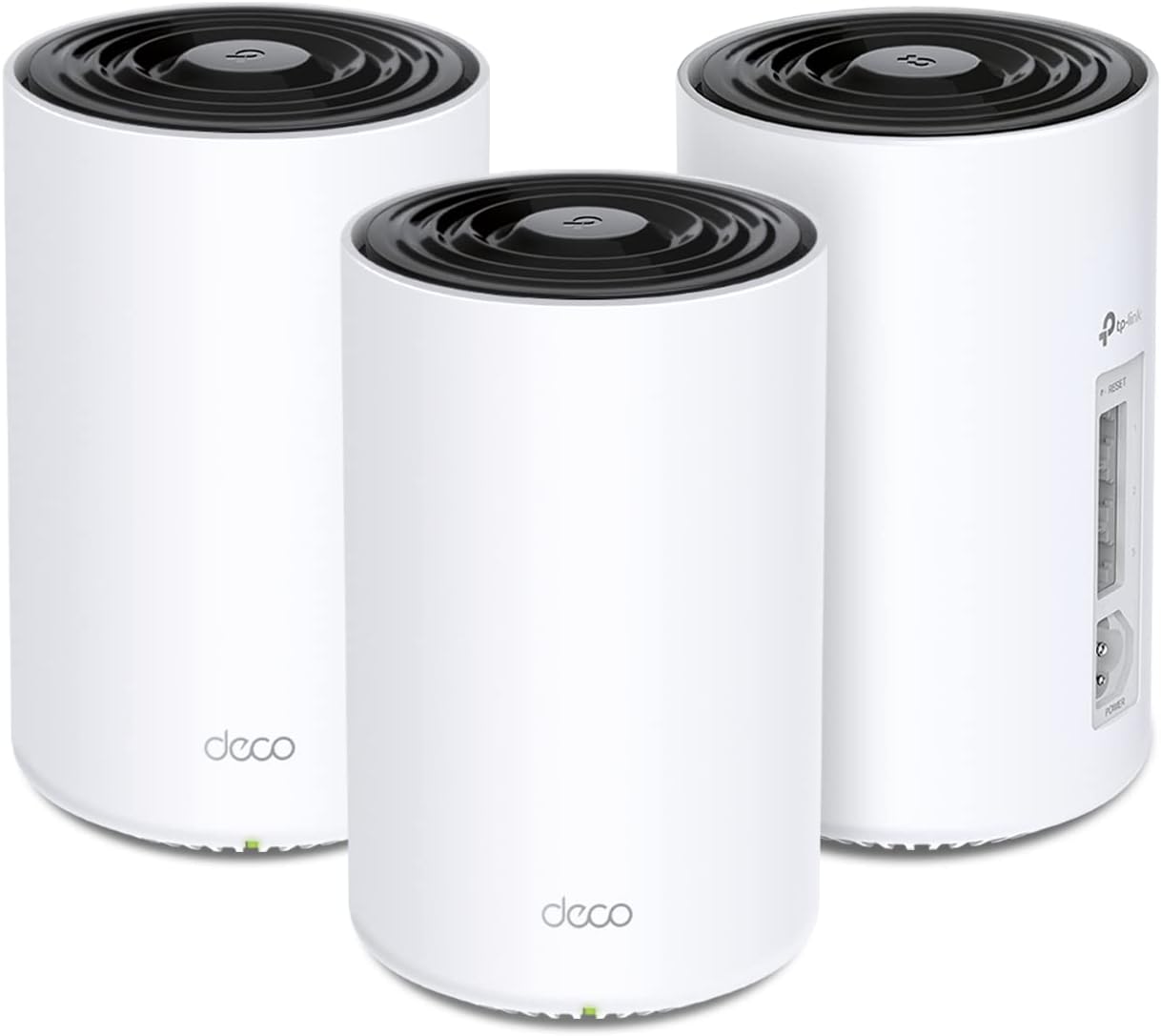







| ASIN | B0BS9KL1HZ |
| Antenna Location | Business, Home |
| Best Sellers Rank | #24,463 in Computers & Accessories ( See Top 100 in Computers & Accessories ) #361 in Whole Home & Mesh Wi-Fi Systems |
| Brand | TP-Link |
| Built-In Media | 1× RJ45 Ethernet Cable, 3× Deco PX50 Units, 3× Power Cords, Quick Installation Guide |
| Color | Black and White |
| Compatible Devices | Personal Computer |
| Connectivity Protocol | Wi-Fi, Ethernet, Powerline |
| Connectivity Range | 6500 Square Feet |
| Connectivity Technology | Ethernet, Powerline, Wi-Fi |
| Control Method | App |
| Controller Type | App Control |
| Coverage | Whole Home, up to 6,500 sq.ft. |
| Customer Reviews | 4.2 out of 5 stars 349 Reviews |
| Data Transfer Rate | 1 Gigabits Per Second |
| Frequency | 5 |
| Frequency Band Class | Dual-Band |
| Is Modem Compatible | Yes |
| Item Dimensions L x W x H | 4.1"L x 4.1"W x 6.7"H |
| Item Type Name | Mesh WiFi |
| Item Weight | 3.38 Kilograms |
| LAN Port Bandwidth | 10/100/1000 Mbps |
| Manufacturer | TP-Link |
| Maximum Upstream Data Transfer Rate | 1000 Megabits Per Second |
| Mfr Part Number | Deco PX50(3-pack) |
| Model Name | Deco PX50(3-pack) |
| Model Number | Deco PX50(3-pack) |
| Number of Ports | 3 |
| Operating System | ZyNOS |
| Other Special Features of the Product | Access Point Mode, QoS |
| Security Protocol | WPA, WPA2, WPA3 |
| Smart Home Compatibility | Smart Home Compatible |
| Special Feature | Access Point Mode, QoS |
| UPC | 840030707902 |
| Warranty Description | 2 year manufacturer |
| Wi-Fi Generation | Wi-Fi 6 |
| Wireless Communication Standard | 802.11ax |
| Wireless Compability | 802.11ax |
K**C
Great Wireless Mesh system for larger homes
I have struggled to get the Linksys Velop system to work for home for years. Read the reviews on TP-Link and was very intrigued by its claims about being ideal for larger homes and homes with thick walls. Ordered the system and installed which was super easy and intuitive. At first the deco’s consistently disconnected and provided very spotty coverage. Reached out to the customer service group and they immediately connected me to the tech team, what that never happens. The tech team reviewed my issues and within 24 hours provided me with a download for my deco’s. Bam!!!!!! The issue was resolved. Great connectivity, no dropping of service and steady internet service across all my deco’s. The system is working amazing!!!!! This resolved all of my issues and blows Linksys Velop out of the water. If you are looking for a wireless mesh system and you are not ordering this one, you are crazy! If you like consistently messing with your system then buy something else, this system is for people who enjoy buying something and it works beyond your expectations and makes you happy!
D**I
So far so good. Took minutes to set up, works great!
Got this when I learned that the reason my brand-new wifi 6 router wasn't getting around my not-that-big house is because my house is 133 years old and the walls are made of plaster and lath and thick wood beams. I have Spectrum service, and the service person just happened to be a sheetrock guy before going to work for Spectrum. He knew what my problem was right away and suggested this exact product, because it gets signal through your walls and floors. It took literal minutes to set this up. Even someone who isn't tech savvy could do this - as long as you can plug something into a socket and match the ends of an ethernet cable to what are typically very clearly marked, you can set this up. The app lets you monitor everything from your phone, even who's logged into the network. The ONLY problem I have is that I cannot seem find these units for sale individually, and I need ONE more upstairs. You can connect ANY Deco units to each other, which is nice, but given where I need to place it and the issues my old house presents, I really need another one of these. Going to call the company later to inquire about that but otherwise, this is perfectly suitable for my needs and would be perfectly suitable for any average internet user with thick or plaster-and-lath walls in their home.
B**L
solves Wi-Fi issues.
This is a review for the PX50. It is tough using the reviews as a guide to make purchasing decisions. You see 10k reviews here but very few are for the PX50. My house has brick walls and lots of duct work in the ceilings. My earlier attempt at a Mesh system was not a good experience. Devices would disconnect and I would move a point to a new location. Nothing solved connection drops. The PX50 uses copper wiring in the home as one of the paths to connect points along with the Wi-Fi. I have a camera in a detached garage and this Mesh connects with full signal. Set up was a breeze. I got up early one morning and poured my usual cup of coffee and settled in expecting to spend some time getting set. I had the 3 point system up and running before I could finish my coffee. I used the same SSID and password from my earlier Mesh, that way all my (17) devices would connect. The App is OK and does all I need. I don't mind spending money on something if it works and the PX50 shines. I'm done looking.
S**N
Degradation over time & sending voice is choppy on Google Meet calls
I can get speeds as advertised over fiber connection for a while. I have noticed that if I am utilizing the bandwidth for a longer amount of time (over 10 min) when downloading a collection of large 3D print files the connection begins to choke and slow down. The only way to really fix it is to reboot the router. Also, I work from home and when I use google Meet for video calls people often complain my voice sounds robotic. I have tried to set my computer as a priority device using the configuration app but it does not seem to help. Instead I have resolved to attach the old Google 5 Mesh router to the main base ethernet and switch wifi when I'm on a call which gives crystal clear voice connections. If this could be resolved I would give this device 5 starts. Until then it remains something to consider when purchasing this device if that is something that matters to t you.
A**Q
Fantastic performance and the net al around the house. Furthur, the its application is so cool and easy to follow. Weldone tp link
A**S
Cumple con lo que dice pero si se cae la velocidad como un 30%. Pero cumple con el Roaming y no pierdes conectividad
O**R
I received the product in a sealed box, but it was clearly used because all three were already pired with a different network (it took me an hour to realize that because theigjts were always blinking red) I had to rest them and even then they didn't work. And the box was missing a couple of items. I already have the same product and wanted to add more, so I do know how to use the product. The buyer clearly sold me a used broken product and resealed it. Horrible experience! And the
R**E
Vivo en Mérida, donde las paredes son de cemento. No pudo atravesar mis paredes y no proporcionó una mejor cobertura wifi. Devuelto
M**I
Very powerful, gives the exact internet speed and more if connected via Ethernet. I have also integrated my old deco routers as expanders with this one with no effort (just reset old routers) and use the app. The deco app is amazing and easy to use.
Trustpilot
1 month ago
1 month ago