Buy anything from 5,000+ international stores. One checkout price. No surprise fees. Join 2M+ shoppers on Desertcart.
Desertcart purchases this item on your behalf and handles shipping, customs, and support to Kyrgyzstan.
๐ Triple your screens, triple your productivity!
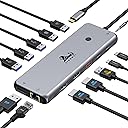
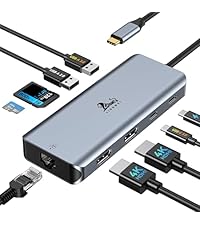
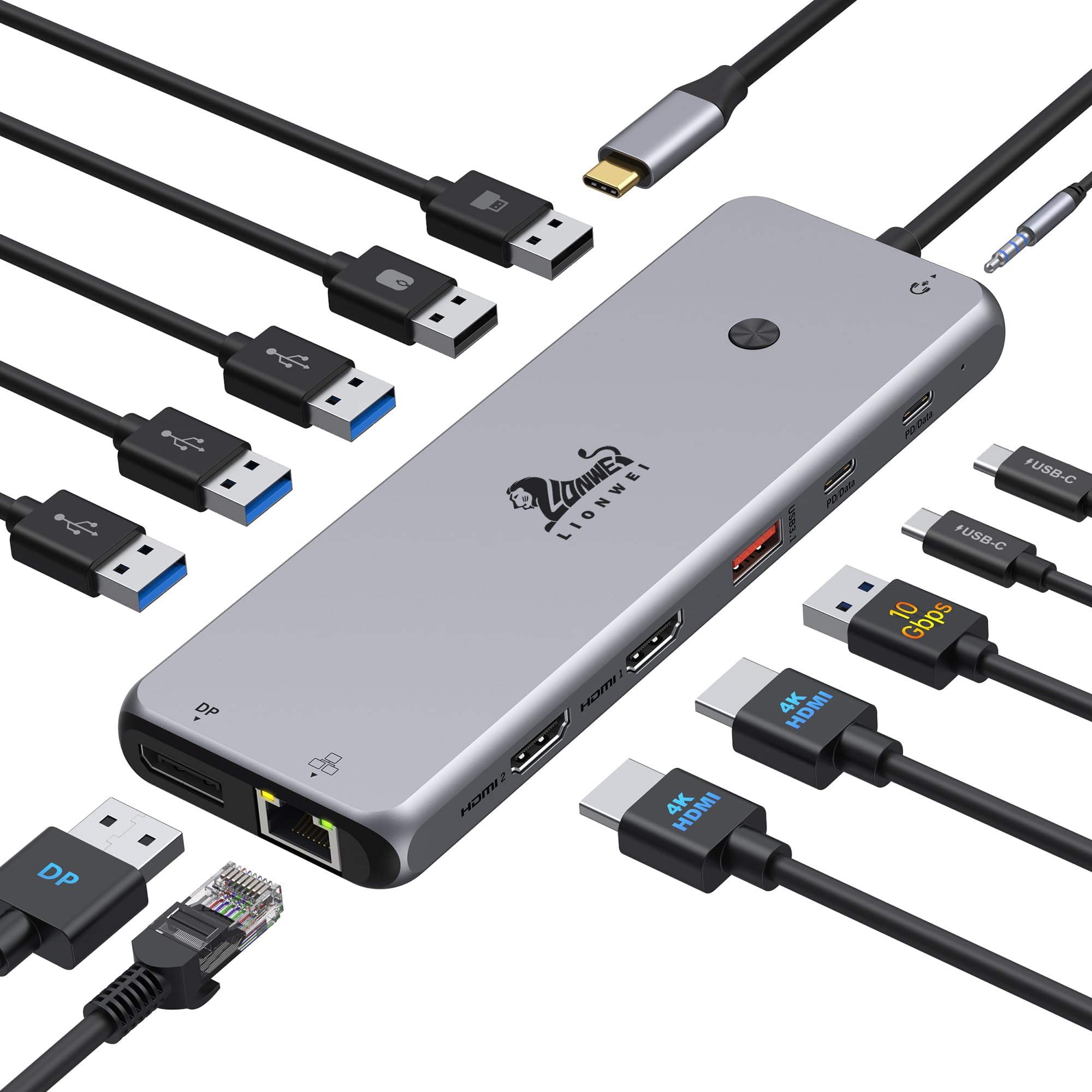
The LIONWEI 13-in-1 USB C Docking Station is a powerhouse hub designed for professionals craving seamless multitasking. It supports dual 4K@60Hz HDMI and DisplayPort outputs, 100W power delivery charging, and ultra-fast 10Gbps data transfer across 8 USB ports. With gigabit Ethernet and audio/mic jacks, itโs a versatile, plug-and-play solution compatible with Mac, Windows, and Linux, backed by an 18-month warranty.


| ASIN | B0BNTHWWMY |
| Additional Features | Fast Charging, Fast Data Transfer, Heat Resistant, Plug and Play, Portable, Lightweight |
| Best Sellers Rank | #8 in Laptop Docking Stations #30 in USB Hubs |
| Brand | LIONWEI |
| Color | Black |
| Compatible Devices | Dell/HP/Lenovo/Samsung, Laptops, MacBook Pro/Air, Mouse/Keyboards, Smartphones |
| Customer Reviews | 4.3 out of 5 stars 13,215 Reviews |
| Data Transfer Rate | 10 Gigabits Per Second |
| Enclosure Material | Plastic |
| Hardware Interface | 3.5mm Audio, DisplayPort, Ethernet, HDMI, USB 3.0, USB 3.0 Type C, USB 3.1 Type A |
| Item Weight | 140 Grams |
| Manufacturer | LIONWEI |
| Mfr Part Number | 1 |
| Minimum Required Operating System Version | Mac OS X 10.7 Lion, Windows 10 |
| Model Number | 1 |
| Number of Ports | 13 |
| Operating System | Mac, Windows |
| Special Feature | Fast Charging, Fast Data Transfer, Heat Resistant, Plug and Play, Portable, Lightweight |
| Total USB Ports | 8 |
| Total Usb Ports | 8 |
| Unit Count | 1.0 Count |
| Warranty Description | At LIONWEI, We offer 18 Months technical support for this USB C Dock. |
C**S
Great port expansion for my home office setup
I recently picked up this LIONWEI 13-in-1 Docking Station to help consolidate my desk setup, and it has been a solid addition. Iโve been using it with my [Insert your laptop, e.g., MacBook Pro / Dell XPS] to connect multiple peripherals and monitors, and overall, it works exactly as advertised. Port Variety: The selection of ports is excellent. Having 2 HDMI and a DisplayPort made it very easy to connect my external monitors, and the additional USB-C and USB-A ports mean I donโt have to constantly swap cables for my mouse, keyboard, and external drives. Performance: Iโve found the Ethernet connection to be stable and fast, which is a big upgrade over relying solely on Wi-Fi. The power delivery feature keeps my laptop charged while I work, which is one less cable I have to worry about plugging in directly. Compatibility Note: Itโs worth noting that this is a great solution for expanding ports, but if youโre a Mac user, keep in mind that [Mac OS typically only supports extending one monitor / specific display configurations]. Itโs been perfect for my needs, but it's something to double-check before you buy if you plan on running a triple-monitor setup on a Mac. Build & Heat: It feels well-made and doesnโt get excessively hot even after a full day of use. Bottom Line: This dock is a great, cost-effective way to clean up a cluttered desk. Itโs highly functional, easy to set up (plug and play), and offers more than enough ports for a standard home office. Highly recommended if you're looking to turn your laptop into a full workstation.
L**A
Reliable and versatile docking station for everyday productivity
This docking station has been a great addition to my setup. It offers a wide variety of ports, making it easy to connect multiple devices at once without needing extra adapters. I especially appreciate the dual monitor support, which helps improve productivity when working with multiple screens. The connection is stable, and the overall performance has been consistent during daily use. It also works well with both my MacBook and Windows laptop, which is very convenient. The build feels solid, and the cable length is practical for desk setups. Overall, itโs a reliable and functional dock that covers all the essential needs for work or home use.
R**Y
Yes! Works from a USB Lithium Power Bank Passing Power To The Host Computer!
12 March 2025 (Just got it today) Review for ASIN B0BNTHWWMY Described as: USB C Hub USB C Docking Station Dual Monitor 13 in 1 Triple Display Multiport Adapter with 2 HDMI+DP+8 USB C/A Ports+Ethernet+Audio, USB C Dongle for MacBook/Dell/HP/Lenovo ThinkPad/Surface It does that which I truly needed. It will pass power from a USB Lithium Power Bank through itself to the host computer. That means it will work in a power outage or it will work when I have to go to an office or to court where no AC outlet is available. Not all of these USB-C Docking Stations will do that. I have a recently purchased Orico that will not do that so I have to return the Orico now that I have this Lionwei. This one is a Lionwei brand: Not known to me but I'll be keeping my eye on the brand from this point onward. It's a solid feeling item made of metal. I guess aluminum? I don't know. I'm not going to be using multiple monitors. Today, my first day of ownership, I only had time to test the things I need most: (1) USB Lithium Power Bank providing power to the host through this docking station. That works great. My little HP notebook requires 45W ( 3 amps at 15 V). My RoMoss 65W power bank does that for sure and obviously there's an additional 20W overhead to also power the Lionwei docking station. Works great. My old trusty HP Elite X2 1012 G1 Notebook is charged while using it when connected to the power bank through this Lionwei dock. (2) RJ45 Gigabit LAN - worked fine. (3) Several USB drives. 1-USB3 Sandisk flash; 1-USB 10Gbps M.2 enclosure; 1 WD MyPassport 2TB Hard Drive and all worked as expected and all at the same time. (4) Just for a test, I connected a HDMI 1080p TV. It worked fine. And all of the above were attached and running while the HP notebook was being powered and charged by the RoMoss 40,000mah 65W power bank through this Lionwei USB dock. That should give me about 60 minutes from the power bank before the notebook battery begins to drain and then I should have another 60 minutes from the internal battery. Excellent for my needs. I try to avoid giving 5 stars because people tend to consider that a 5 star rating is the beginning of an untruthful review that was bought and paid for. So, 4 stars is as good as it gets most of the time from me and this is 4 stars for sure. And...yes, I bought it with my own money. I just wanted to put up a review immediately because I have spent well over 12 hours over many days trying to find a docking station that advertises it will work from a lithium power bank. None of them seem to want to advertise that they will work from a lithiuim power bank. Why? I don't know. But, this Lionwei does it and does it well. Now, when the tornado rips my house to shreds, I can still hotspot my phone to my notebook and power them from a lithium backup...if....I can find those devices in the rubble. Or, I can take them to a remote location away from AC mains and still get work done as long as I have a cell signal. I've also got a 30,000mah RoMoss power bank to power my phone. The RJ45 LAN is mostly for connection to my Synology NAS. The NAS is connected to a Cyberpower UPS that will power the NAS for about 18 hours. So, if the power is out, I can still get needed files from my home NAS. Good luck to all. If anything goes wrong, I'll come back to update. 01 April 2025 Update Nothing new to report. Still works as expected. Nice product.
B**E
Great price and functionality!
This docking station works great when I work from home on occasion. My job requires the use of two screens plus my laptop and itโs super easy to get each program pulled up on the screen I need it to be. Itโs super slim, connects without any issues, and was 1/5 the price of the Dell docking station that my employer suggested, way more affordable! I only use it on occasion, but so far itโs held up great!
B**H
Excellent option. Does what I want. Handles multiple monitors with no drops.
M**W
Definite Must Have
I love it! It does sometimes make me shut everything down and power back on but I should be doing that anyways. What will happen is one or more of my 3 external screens will not connect. Like I said, easy enough to power off then on to fix it. No need to unplug cords. Worth it! Super light weight, I have a laptop, 3 external monitors, an external light, an external web camera, and still have extra USB plugs available.
M**.
It does the trick
It does the trick, but it's nothing to write home about. It's a fair price for what it is. Pretty light, but durable. Never have had any connection issues and versatile enough with all the different ports.
R**Y
The card reader stopped working. Customer Service was excellent. See several updates below.
See Updates below. At first, this solved my problem of not having enough USB ports on my laptop. I have two external hard drives, a printer, mouse, and keyboard, plus I plug in chargers and other devices part of the time. I have a Go Pro camera, and always take the SD card out and plug it in to the computer to download video. It is many times faster than plugging the camera in. This is where the Hub failed me..... It has an SD card reader, and a micro SD card reader, which I really liked..... Until they both quit working. The USB ports still work, but if I plug a card in the card reader, the little light in the Hub comes on, but it does not show up on the computer. I am hoping I can get this issue resolved with the seller. Updates later. Update: I just noticed that on the product page description in now says "Please note: this USB Hub does not support Video output. I don't think that was on there when I bought it, but I could be mistaken. Funny thing is, it DID work to transfer video from the card to the computer files when I first got it. Then it stopped doing it after about 4 months of use. I just tried a card with non-video files, and it still does not work. I am trying to get in touch with the seller to see if this can be resolved. Update 5-23-22: The company responded via email. They said it should work with video files. After several back-and-forth emails asking me to try re-formatting my SD card, etc, they finally agreed to send me a replacement. It arrived in a few days. The replacement fails to show an SD card in either slot, just like the old one after it failed. This one did not work right out of the box. Obviously this is an issue with this USB Hub. I am changing my rating to one star. Update May 31st, 2022: After getting frustrated with the replacement not responding, I left this thing alone for a while. Marstech Customer Service did not give up, and contacted me later, still offering to help. I tried it again, and the SD slot started working. The Micro SD slot still was not working, but then started working after a few more tries. Kinda funky, but at this point, the replacement is working okay. I am changing my rating to 4 due to the good customer service, and the fact that it is now working. I hope it does not have a relapse! Update June 7, 2022: Relapse! The card reader portion stopped working. I tried their suggestion of uninstalling and re-installing the device in Device Manager, but could not get it to come back. However, after informing Marstech, they refunded the purchase price without being asked. I feel the company responded promptly and well each time, and did everything they could to make it right with me. 5 stars for Customer Service!
T**M
Great integrated and low profile Macbook Pro 16 USB C hub with necessary functions and good quality
TL;DR Great USB C hub for Macbook Pro 16. It has all the necessary adaptors and it has a good low profile shape which can be integrated smoothly with the MBP 16. (See uploaded video) I will highly recommend this hub. Pros: 1. I purchased this usb c hub to convert the my MBP16 usb c to USB-A and sd card reader. And it works great, every usb converting function is working as expected. In the meantime, the hub won't get extremely hot (my previous adaptor does). It will keep in a warm temperature which is acceptable. 2. I occasionally use its HDMI adaptor to connect my MBP to a 1080P monitor, and the monitor can work smoothly in 60HZ. 3. I really like its low profile design and it can be connected/integrated with my MBP smoothly. The hub is tightly connected with my mac and they are almost in the same level, I can put my mac on the desk and do not need to worry if the hub has bump or create uneven point. Cons: 1. The hub's power light won't turn off, even I shutoff my laptop. It maybe because I have my mac's power cable always connected, but I think it makes more sensor to shutdown the hub if the laptop is in sleep mode or shutdown. 2. It lacks DP adaptor. I think this "Con" belongs to Apple. I cannot find a usb c to hdmi adaptor that support 4k 60Hz output. So to use mac with 4K 60Hz monitor, it needs to be "usbc to usbc" or "usbc to dp". In general, I think a DP adaptor is more preferable than a HDMI for a Mac.
V**E
Doesn't fit if you have a protective case on your Macbook
So far this product has been really good for all the uses I needed out of it. The build quality is really great, all the ports work really well and are sturdy. There is no part of the product that is creaking or a loose piece of plastic. It fits really well if there is no protective case on your Macbook, which I didn't mind removing but some people might. The best feature about this product is the Hdmi port. The resolution on that port which the monitor receives is really good in quality. This is definitely a good buy. The only thing that is left to be spoken for is the life of this product. So far it has been really good.
M**F
Covers the head phone jack
When updated from my 2014 MacBook, I ended up with four thunderbolt micro usb-c ports and no USB ports at all. This gadget is a must and not realising I already had a smaller version and thought I had lost it have ended up with two but I use both with one each side of my MacBook, unfortunately the one on the right covers my headphone socket but not really a big problem (nobody's fault) but in the daytime I use all the sockets to drive my extra monitors each side of my computer giving three screens to use for my music pro midi software - brilliant product
V**D
Best one i've tried
i love the fact that you can charge your mac at the same time, this is a must have feature for every hub adapter. it's sturdy as well
E**N
Flawed Design
The hub can't be inserted when the laptop is on charge. I work as a designer so my laptop is always on charge which means I can't connect my drives. Waste of money and wish I could get a refund
Trustpilot
1 month ago
2 months ago