We remain fully operational. Our teams are working around the clock to ensure your deliveries continue safely.

DOWNLOAD THE APP


Customer Services
Copyright © 2025 Desertcart Holdings Limited
DOWNLOAD THE APP
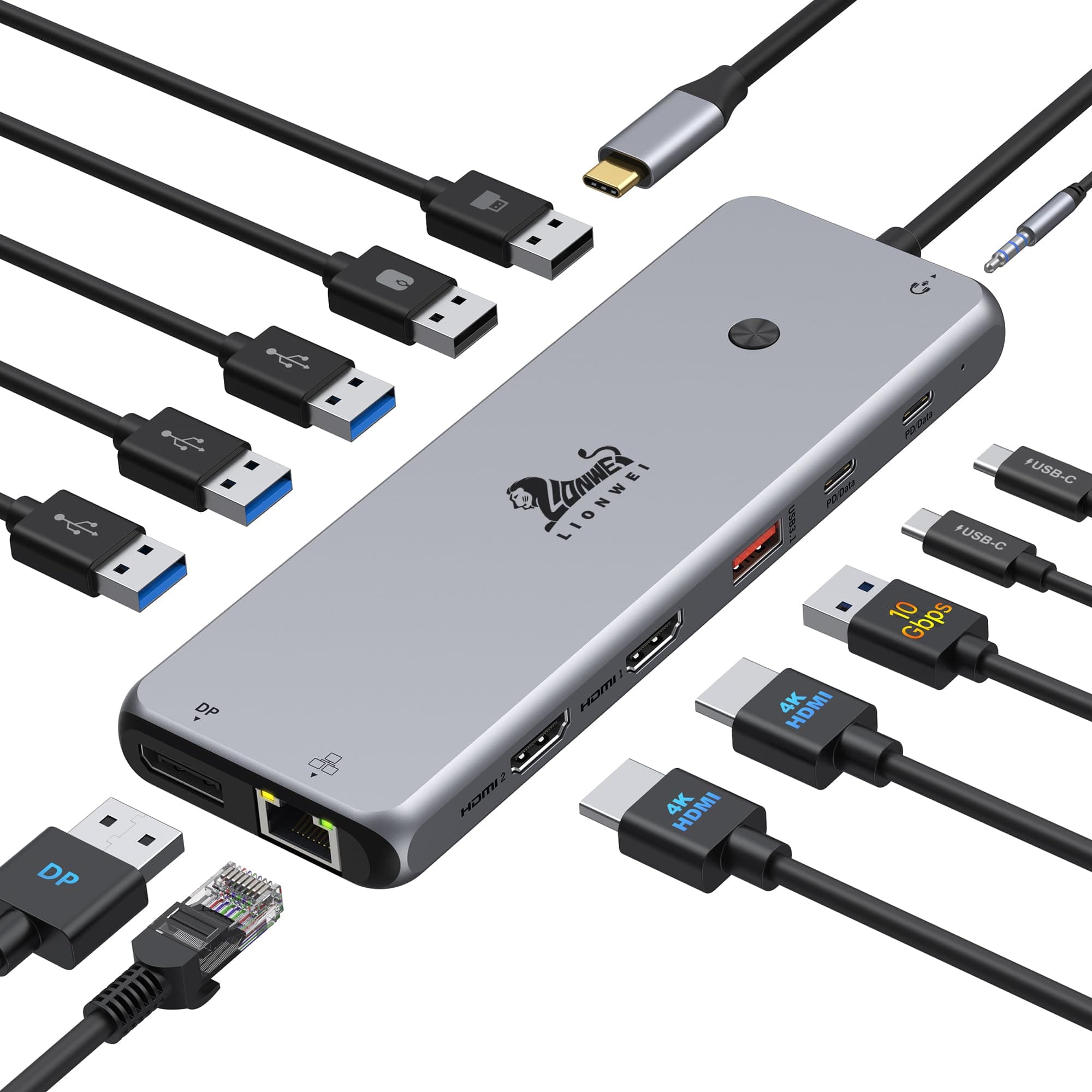



🚀 Triple your screens, double your power, all in one sleek dock!
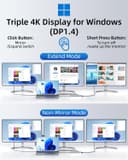
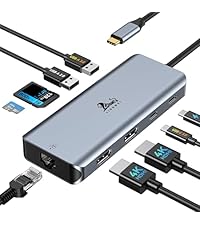
The LIONWEI 13 in 1 USB-C Docking Station transforms a single USB-C or Thunderbolt port into a powerhouse hub featuring dual 4K HDMI, DisplayPort, 8 USB ports, Gigabit Ethernet, and 3.5mm audio. Designed for professionals craving seamless multi-monitor setups and fast data transfer, it supports 100W power delivery to keep your laptop charged while handling up to three displays at 4K@60Hz. Compatible with major laptop brands and backed by an 18-month warranty, this docking station is the ultimate productivity booster for the modern workspace.



| ASIN | B0BNTHWWMY |
| Best Sellers Rank | #117,860 in Computers ( See Top 100 in Computers ) #663 in Laptop Docking Stations |
| Item model number | 1 |
| Manufacturer | LIONWEI |
| Product Dimensions | 33.02 x 1.27 x 12.7 cm; 140 g |
B**M
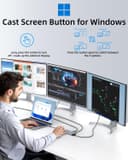
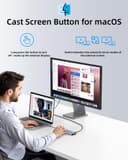
I try not to give 5 stars in my reviews because I know sometimes it seems too good to be true, but some products deserve it. If I can't come up with something wrong to deduct a start, then I have to give it its due. This is definitely a 5star product, and I will outline my reasons for it. 1. When I was looking for a hub most of the time you end up in one of two brackets either it's on the cheaper side but you cannot charge your laptop with it, and it doesn't have a whole lot of ports, or it falls on the expensive side like more than $100. On top of that almost all the other hubs have a bunch of things that I don't need, like an SCID port. This one is surprisingly affordable, especially for what it offers. 2. For this hub, it's almost like the manufacturer had contacted me and asked me what I wanted in the hub. Then after I told them, they manufactured exactly that. Because it has two HDMI (which is surprisingly not common) and then on top of that, a DP port. I actually have the capacity to connect three monitors if I wanted just by using converters. Currently my extra monitors are HDMI because that's the tech that I have (in addition to my MS Surface). One of the HDMIs could also use a DP cable anyways. But if I added an extra monitor, I could have 3. With my laptop, I would practically look like “the Source” in the Matrix movie with all those monitors connected. So my point just being that if you need versatility, this offers that. You can hook up 3 total monitors and be great to go. 3. On top of that it has tons of USB-A ports. I have a lot of products that use that, including my headphones, my external hard drive, and my camera. But that is not all: it has those two USB C ports in the back. Therefore, this hub is going to work for me for a long time because there's just so much I can do with it. 4. When I first got it, I could not get it to charge. I'm putting this in here because I saw some reviews where they mentioned that they were having an issue getting it to charge. I will say that it's very important that you have the correct cable. That was what I learned when I got this product. So if you're having that issue, the way to troubleshoot it is to plug your laptop in with your USB C cord with your brick into the wall and make sure that your machine charges without the hub at all. That will help you determine what the problem is, and that's what helped me determine what the problem was. It wasn't that i had a cheap USB-C cord, but I was using that USB-C cord for a piece of tech that apparently wouldn't charge my laptop. It would power my backup battery when I needed to charge that. Make sure the cord you are using truly is 100 Watt PD charging. Or of course, I'm sure you can use a 240 Watt if that's what you happen to have. I went the extra step of getting a confirmed USB-IF Certified cable. It's not that much more to do it, and a good cable is worth it. Ever since then I've been golden. I will say, naturally, if I have my machine powering my drive + other stuff, the 100W may increase the charge of my device, but it maintains it. Like 28% might stay there. I think that’s common sense, but just in case someone is having that issue. If I’m just using the monitors though, it charges my laptop to 100%. 5. The other feature that I absolutely adore is there is a button on top where I can switch displays instead of having to go through the menu. I definitely use this more frequently than the average user because sometimes all I need are a couple of screens up, or maybe just one, and I don’t like to have monitors running for no reason. It can just lead to screen burn, etc. I may not necessarily need to have all of my screens running. So i can push on that button (I put a picture of what pops up), and it gives me the display options just on that first one touch. I'm still learning but there is a difference between a brief touch and holding it in, and there is a difference to be had. So what I'm talking about is the brief touch you have your menu options and then you can choose from there. It's so convenient and a wonderful time saver for somebody like me who sometimes I only want my big secondary screen, and sometimes I want to light it up with all the monitors I have because I need them for the project you're working on. Good reviews help us all make good purchasing decisions, so I hope this helps anyone else in knowing what they are getting.
T**.
All functionality seems to work fine under Linux. The Ethernet device uses the r8153_ecm driver. The audio jack is wired for TRRS, mic+stereo. A USB audio device is added to/removed from the bus when a plug is inserted into/removed from the 3.5mm jack. The monitor mode button simply sends Win+P as keyboard presses to the host computer. Able to drive 4k@60 over HDMI without issue. I am not using this for multi-monitor setups. If a PD source is added or removed, the dock and all of its peripherals continue to work without any issues or interruptions. If a PD source is attached, it does provide pass-through charging to the host machine. With an appropriate 100W adapter, and a host machine that can support 100W in, I'm able to exceed 70W through the dock (though I have not, even with the host system under load and with low battery, been able to reach or exceed 80W).
A**A
Cord length is durable, easy to use, enough usb ports and compatibility with things
H**Y
I am so frustrated with this item. This is the third one we have purchased, and all of them have the same issue. The set up we are using it for is for my kids laptop, stationary on a desk, with two screens, the mouse/ keyboard and a speaker system. Anytime something is plugged in, like a USB or their memory hubs, or a cell phone, both of the screens go blank, as if the docking station was disconnected from the laptop, mouse and keyboard don't work, and the whole thing takes several minutes to self re-boot. My biggest annoyance, is that if you are trying to transfer cell phone or tablet pictures, this rebooting thing happens randomly during the download, and given todays annoying multi-verification, you need to re-enter your passwords and restart the whole dl process over and over; causing something that should only take maybe 15 minutes to turn into several HOURS. Because it does this, many of the photos also become corrupt and files don't open properly, but you wont know that till later and by then you may have deleted the photos from their original source to try and save it space. I know it reboots itself because my speakers will be turned off and so will things like the mouse. Most of the ports are empty, so it shouldn't be overloaded, and the docking station hasn't been moved from the desk. The docking station will also re-boot randomly throughout the day. Don't fall for the the lie that there are 13 useable hubs, I cant get it to use more than the 4 (2 screens, mouse, speakers). You can imagine the frustration. I would be peeved if this re-booting happened during remote learning, or a job, or gaming. I have tried different laptops and the results have been the same. Remedy this re-booting problem and it would be a solid product, but since the docking station has such a major flaw, this thing is basically junk.
J**R
This USB Docking Station works as advertised. Installation was easy after awhile. Please read the part of the page that indicates which type of C connectors that it works with. I missed that part of the page. I worked for several hours with a non compatible laptop. Once I found out which connecter was required and I found a laptop with that connection it works great. I do have three monitors going. Plus multiple USB , 1/8" audio and charging.
Trustpilot
1 month ago
2 weeks ago