

Desertcart purchases this item on your behalf and handles shipping, customs, and support to Kyrgyzstan.
🚀 Elevate your PC’s performance with WD Blue 3D NAND — speed, reliability, and endurance in one sleek package!
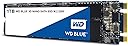
The WD Blue 3D NAND Internal SSD M.2 SATA 1TB combines cutting-edge 3D NAND technology with a shock-resistant design to deliver high-speed, reliable storage. With read speeds up to 560MB/s, 25% lower power consumption, and a robust 1.75 million hours MTTF, it’s engineered for demanding applications like gaming, HD media, and creative software. The included WD SSD Dashboard software ensures you stay informed about your drive’s health and performance, making it an ideal upgrade for professionals seeking both speed and durability.
| ASIN | B073SB2MXT |
| Best Sellers Rank | 54,903 in Computers & Accessories ( See Top 100 in Computers & Accessories ) 273 in Internal Solid State Drives |
| Box Contents | cloning software |
| Brand | Western Digital |
| Brand Name | Western Digital |
| Cache Memory Installed Size | 1 |
| Color | Blue - High Performance |
| Compatible Devices | Desktop |
| Connectivity technology | SATA |
| Customer Package Type | Frustration-Free Packaging |
| Customer Reviews | 4.7 out of 5 stars 21,676 Reviews |
| Data Transfer Rate | 750 Megabits Per Second |
| Digital Storage Capacity | 1 TB |
| Digital storage capacity | 1 TB |
| EU Spare Part Availability Duration | 5 Years |
| Enclosure Material | plastic and metal |
| Form Factor | M.2 2280 |
| Global Trade Identification Number | 00718037856322, 10718037856329 |
| Hard Disk Average Latency | 0.1 Milliseconds |
| Hard Disk Description | Solid State Drive |
| Hard Disk Form Factor | 2.5 Inches |
| Hard Disk Interface | Serial ATA |
| Hard Disk Rotational Speed | 1 |
| Hard disk form factor | 2.5 Inches |
| Hard disk interface | Serial ATA |
| Hard-Drive Size | 1000 GB |
| Hardware Connectivity | SATA 6.0 Gb/s |
| Hardware Platform | PC |
| Installation Type | Internal Hard Drive |
| Item Dimensions L x W x Thickness | 32L x 26.2W x 5.6Th centimetres |
| Item Type Name | Blue 3D NAND SATA SSD, 1TB |
| Item Weight | 0.71 Ounces |
| Manufacturer | Western Digital |
| Manufacturer Part Number | WDS100T2B0B |
| Media Speed | 530MB/s |
| Model Name | WDS100T2B0B WD BLUE 3D NAND SATA SSD |
| Model Number | WDS100T2B0B |
| Network Connectivity Technology | SATA |
| Number of Items | 1 |
| Product Features | Shock Resistant |
| Product Warranty | 3 year limited warranty |
| Read Speed | 560 Megabytes Per Second |
| Special feature | Shock Resistant |
| Specific Uses For Product | Multimedia, Gaming, Personal |
| UPC | 718037856322 |
| Unit Count | 1.0 count |
R**E
Upgrading a system disk was very easy with a bit of know-how
I have a HP Envy X360 15XXXX which came with a 128 M.2 SATA SSD (C:) with the system drive on and a standard 1TB 2.5" SATA drive (D:). I initially configured it so that the bulk of installed app files went to D: drive with only the essential ones going to C: drive. However, two and a half years on and C: was quite full. I decided to go for I purchased the 500GB M.2 version of this drive, along with a Sabrant M.2 SSD 2.5inch SATA III Aluminium enclosure adapter (EC-M25A). I already had a WAV Link dual bay SATA III disk cloner which will also act an external drive bay. I downloaded a free version of AOMEI Backupper for copying. For managing the disk, I used two built in utilities - Windows Powershell - needed to remove partitions. Windows Disk Management (Found under computer management in Control Panel). This is used firstly to mount the new disk and give it a drive letter. I suspect some who reported the disk DOA failed to do this. Also for managing the partition sizes. I proceeded as follows: 1. Having created recovery disks, the recovery partition was obsolete as it is a one-time deal creating the media. I used HP recovery manager to delete the partition - except it doesn't, it just deletes the data. 2. I used Powershell to delete the partition and there are instructions here if you don't know how to do it https://www.windowscentral.com/how-delete-drive-partition-windows-10 3. I inserted the new drive into the Sabrant adaptor, placed it in a bay of the WAV Link SATA bays and connected it to the USB 3 port. (There us a USB-C version of the adaptor to connect directly to a USB C port if you don't have a dive bay) 4. The drive is not detected in Windows until it has been mounted, so I opened Disk Management > Storage and found the unmounted drive. I right clicked and used the wizard to do a basic mount and assign it F: Drive. 5. I opened AOMEI Backupper and selected the clone option from the left-hand side. I selected the Disk Clone option from the bottom row. 6. On the next screen, I selected Disk 0 - the one with Windows on - as the source disk. 7. On the next screen, I selected Disk 2 - the new disk and the destination. Hit OK and it took less than 10 minutes to clone. 8. I then opened Disk Management and found the cloned volume at 118GB with around 350 GB of unallocated disk. 9. I right clicked on the cloned windows partition and selected 'Extend Volume' and allocated the maximum available space and the new window volume increased to 465GB. I removed it from the adaptor. 10. I turned of the Laptop, removed the rear cover and disconnected the battery by removing all the screws and lifting out. 11. I then located the current disk, removed the screw and replaced it with the cloned disk. 12. I reconnected the battery, replaced the cover and booted up the machine. There was a pause and a message as the BIOS had detected the hardware change. It then rebooted through to windows and everything looked hunky-dory. 13. The I ran all major applications and everything was sweet. It was as if I had done nothing, except the was an appreciable increase in speed, especially on boot up. and Windows hello was working great every time - it had started to hang and drop to PIN access. The disk has been sweet since Monday (now Thursday) and I am considering up grading the D: to an SSD as well. So far - very happy. I am of course keeping the Old disk safe . . . . just in case!
C**Y
Good quality and value for money
Tested it on user benchmark and it came out almost exactly average for the model (52nd percentile), which speaks to the consistency of build quality. Would obviously be nice to win the numbers lottery and get one with above average performance, but as long as it performs as advertised I've no complaints. If you're on HDD (or a regular SSD) and are hesitant about upgrading to m.2, I'd absolutely recommend going for it. I have a 3.5" and 2.5" HDD for mass storage and had a cheap 2.5 SSD for Windows. The latter was noticeably faster than the former(s), but this blows them all out the water. At a minimum it's four times faster than the HDDs for read and write. This isn't the fastest m.2 you can buy, but it's the best value fast one I've seen in the UK and I wouldn't hesitate to recommend it in a pinch. I ummed and arred for a couple of months about buying it wondering if I'd rather spend the money on another component; buying this was absolutely the right call. Every time I load something off the HDDs I notice the lag now, and every time Windows decides to update itself without asking first, I notice how much quicker it is than it used to be. Wouldn't ever want to build a PC without one again.
C**R
WD Blue 500Gb M.2 quick review.
Bought this SSD (500Gb M.2 Blue) to upgrade a new laptop I had bought, a HP Gaming 15 which only came with a 1tb mechanical drive and was sluggish in Windows, but otherwise the specs were great for a low end gaming laptop. (I5 8300h, 16gb Ram, GTX1050Ti £600 US to UK import). Installation was a breeze, and after booting to the drive and installing the OS the machines responsiveness has increased exponentially. The machine went from 1m15s boot time to around 8s. Windows and apps now open instantly where as from the 1tb mechanical drive it could sometimes take 3-5 seconds to open certain windows or apps. This drive series (Blue) is a great mid range, mid price product designed more towards faster random read/write performance than the WD Green series which is more designed towards power saving and efficiency. Both have similar large file transfer speeds but the Blue edition have much quicker random read/write speeds which is more beneficial in an OS environment. If you need balls to the wall performance then the Black series is the one to go for, albeit with an increased price tag. These current series of blue M.2 drives have also just been replaced with newer quicker line of products carrying the same product names, but again at an increased cost. For price / performance these Blue series drives hit the sweet spot especially for boot drives where you'll be storing your operating system.
E**W
Excellent SSD for the price
I picked one of these up to use in a Mini ITX build that has limited space for 2.5" or 3.5" drives. I wanted something large capacity that I could use in the M.2 slot to take full advantage of it. SPEED / GENERAL Nothing too technical here as the super specific details don't matter that much to me generally - its very fast, just like any standard SSD. Not NVME speeds however at a certain point you get diminishing returns on speed (is 8 seconds to boot to Windows instead of 10 seconds really worth spending twice the cash?) and I'd much rather have a 1TB thats still pretty fast than a 500GB for the same price. Windows boots quickly, games load quickly, Adobe software loads quickly - nothing more I could want. I have a 2019 MacBook Pro that are well known for having super fast SSDs however in all honesty I've hardly noticed any difference when booting Adobe on both the machines. OVERALL For the £115 this cost me it is an excellent drive and I'd buy one again any day of the week. 5/5.
T**L
Not bad
I went with the most seemingly reasonable m.2 card at the time, now I know more about them an nvme card would have been a better choice. It worked with the Asus bios format, I couldn't figure out how to install Windows 10 until I used the secure erase bios method, from then on it was a simple & quick install. Temps are in the low 30's regardless of use. It's now half the price I paid for it so quite a bargain if you don't mind a few more seconds at boot. There is slow access times when searching drives & folders in explorer but this could be a windows 10 issue. EDIT: this was a Windows 19 issue! Had it installed since March 2018 & drive shows as good in crystal-disk-info. 01/12/2021 still in use & no change in performance. Info: Room temp: 15.7°c Drive temp: 28°c Power on hours: 13859 Power on count: 186 Drive health: Good
J**D
Excellent 1TB M.2 SATA drive but make sure it's compatible with your computer!
There's not much I can say about this drive really, it's the cheapest 1TB M.2 drive I found, M.2 drives are easy to install and it's very quick in real-world conditions. Just make sure your motherboard can accept M.2 SATA drives! There are currently two types of M.2 drives available, SATA and PCI-Express. Some motherboards may only accept one kind and will not recognise the other. My Asus Z370-F motherboard for example has two M.2 drive sockets on it. However, whereas it can accept PCI-E M.2 drives in either socket, only one of the sockets is compatible with SATA M.2 drives. Moral of the story? Check your motherboard specification first before ordering. The bit I've pasted in below is what Asus recommend you check before buying an M.2 drive. M.2 SSD Buyers Checklist: Whether your motherboard/notebook supports M.2 SATA or M.2 PCI-Express (hint: check the specs page!) The type of keying (B/M/B+M) supported by the motherboard/notebook socketIf it is PCI Express, whether it supports 2x or 4x PCI-Express. The maximum length of SSD drive supported (2232 to 22110) (hint: it should say on the PCB)
N**S
Western Digital WDS500G2B0B WD Blue 3D NAND Internal SSD M.2 SATA
THis drive was purchased to use in a FIDECO enclosure which I have reviewed separately. It will be used with a Google Pixel Book as external storage. When I had assembled the drive into the enclosure I plugged it into my desktop PC which is running Windows 10 Pro latest version. The drive was recognised, so I set the partition as active and told it to format the drive. This failed as incomplete format. I tried 3 times without success. I thought the drive might have been faulty, so plugged it into the Pixelbook , and it was recognised, and formatted, but in FAT32 which I did not want. Windows would still not recognize the drive !! I then installed on the PC , AOMEI Partition Manager. This worked. So I deleted the the FAT32 partition and replaced it with a NTFS one. It now works at last. I think it might have worked if it was installed on the motherboard, but I had problems as an external drive. Moved some 80,000 + JPEG and RAW files onto it. it took 30 minutes to move 380 mb of files , which is not to bad. It did get a bit warm though. The Crystal Mark scores are Random Read 348.3 and Write 449.6 quite respectable speeds for an external drive. The scores would have been faster if it was mounted internally . A USB C thumb drive , a Philips 132 gb gave a score of 101.1 and 63.22. So it was a fairly cost effective way of using one of these M.2 SATA drives as a small form factor external drive. It works very well with the Pixel Book. And with any other computer with a USB C port.
M**I
good quality
Its over a year since I bought it and its still working
F**L
Muy encantado
Con la velocidad de este M.2 y de esta capacidad, está muy razonable para esta gama. Es lo que buscaba, buena velocidad y gran capacidad y precio, estoy muy contento con este ssd M.2, le instalé el sistema operativo y programas, La lectura/escritura es excelente.
E**.
Fiyat Performans Ürünü
Almayı düşünen varsa daha yorumun devamını okumadan ödemeyi gerçekleştirebilir. + Amazon paketlemesi ve kargolaması gayet başarılı. + WD SSD programını indirip kullanım detaylarını izleyebilirsiniz. + Samsung ile arasında büyük bir fark yoktu. İnce detaylar vardı. İkisi de pişman etmez büyük ihtimalle. Aldığım tarihte bu üründe kampanya vardı o yüzden tercih ettim. + M2 Modeldir. + NVME modeli değildir. Kesinlikle böyle bir beklentiniz olmasın. + Özellikle eski masaüstü ve laptoplarda kesinlikle farkını hissedersiniz. Açılış süresini çok fazla etkiliyor. + Yeni donanım kuranlar bunun üzerine depolama yapabilir, sisteminiz destekliyorsa NVME alın kesinlikle çok daha iyi olacaktır. + Eski donanımlar NVME desteklemediği için şansınız bu o yüzden gönül rahatlığıyla tercih edilir. + 2.5 HDD boyutunda olan SSD almak yerine anakart üzerinde M2 soketiniz varsa bunu alın. En azından CD-ROM sökmek ile uğraşmazsınız.
A**8
Super Fast
I have watch a lot of DIYs on building your own pc because I have always wanted to build one on my own. Though I was kind or reluctant because I might damage the expensive parts I manage to assemble it without any hiccups. Now although I'm no expert I can tell you that booting Windows from this SSD is fast. 25 seconds fast from pressing the ON button to Windows screen. Now I say its fast because my old pc (2010) Intel 2600K took a century to boot windows. I understand that 25 seconds might not be fast for pc enthusiast but it works for me. So if you don't mind the 25 seconds waiting time I recommend buying this M.2 SSD.
R**O
Good product works well - this is 2TB SSD !!
This being a SATA (vs NVME) SSD is targeted more for a storage HDD rather than boot drive. Fantastic price bought during year-end promotion. Getting about 160MB as reported by Windows 10 File Explorer when copying a directory of 1TB from HDD, connected by putting it in a Oricco M2. SATA to USB 3.0 box. Something to note, at first I used a very durable Baseus braided cable which was normally used for charging. It worked but realised later the very slow speed I was getting was due to the cable. Switch to the very short cable which came with the Oricco box and it flies. Not all cables are the same - I learned something about the Baseus cable that I liked so much.
A**R
Mejoró el desempeño de la lap a un costo razonable
Lo usé para sustituir un SSD de 256 GB de una lap fabricada en el 2017. El programa de diagnóstico del fabricante me reportaba que el SSD original estaba ya defectuoso, aunque en realidad nunca me falló más que para leer un sector específico. De cualquier manera, aprovechando el cambio quise aumentarle la capacitad de almacenamiento del equipo a 500 GB, pero sin gastar demasiado. Aparte que los SSD SATA III ya son escasos. Y ahora tras el cambio del disco el mismo programa de diagnóstico no me detecta ya ningún defecto, tampoco hubieron problemas de compatibilidad. La caja del SSD WD dice que puede leer hasta una velocidad de 560 Mb/s y escribir hasta 530 Mb/s: en la realidad, en mi lap lo máximo que pude obtener fueron velocidades de transferencia 493 y 413 Mb/s respectivamente. Aunque si comparo con el desempeño de la anterior memoria de marca Micron contra este WD, en teoría el desempeño es 43% mejor. Creo que producto es bueno; funcionó mejor de lo que esperaba inicialmente de hecho; mi única queja sería que el proceso de envío fue algo tortuoso, debido en parte al proveedor y en parte a la paquetería. Yo creo que nunca vuelvo a comprar algo que no sea enviado por Amazon. De eso ya hablaré luego en la evaluación del proveedor "Paguito".
Trustpilot
3 weeks ago
1 week ago