

Buy anything from 5,000+ international stores. One checkout price. No surprise fees. Join 2M+ shoppers on Desertcart.
Desertcart purchases this item on your behalf and handles shipping, customs, and support to Kyrgyzstan.
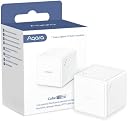
🎯 The smart cube that puts your entire home at your fingertips—control, connect, conquer.
The Aqara Cube T1 Pro is a compact, 6-sided smart controller requiring the Aqara Zigbee 3.0 Hub. It offers stable Zigbee 3.0 connectivity and supports major ecosystems like Apple HomeKit, Alexa, and IFTTT. With distinct physical indicators on each side, it enables intuitive scene control and diverse actions such as shaking or flipping. Its ultra-low power design delivers up to 2 years of battery life, and OTA updates ensure ongoing feature enhancements, including upcoming Matter support.


| ASIN | B0BHWS3VTZ |
| Best Sellers Rank | #79,821 in Tools & Home Improvement ( See Top 100 in Tools & Home Improvement ) #100 in Home Automation Hubs & Controllers |
| Brand | Aqara |
| Brand Name | Aqara |
| Color | White |
| Customer Reviews | 3.9 out of 5 stars 681 Reviews |
| Display Type | Physical indicators |
| Global Trade Identification Number | 06970504217614 |
| Included Components | [Cube, Ejector Tool, User Manual] |
| Item Type Name | Aqara Cube T1 Pro |
| Item Weight | 2.47 Ounces |
| Manufacturer | Aqara |
| Material | Plastic |
| Material Type | Plastic |
| Model | AQ-T1P-PRO |
| Operating Temperature | 15 Degrees Celsius |
| Part Number | CTP-R01 |
| Smart Home Compatibility | Smart Home Compatible |
| Unit Count | 1.0 Count |
I**?
Small yet powerful
Great gadget. Using it with Alexa to fire off routines. Easy to setup. App is easy to use. Not all of the functionality is available unless you are deep into the Aqara ecosystem. I am not so I can only use half of the functionality. Requires a Aqara hub. Reasonably priced for all of the things it can do.
M**L
Fun Toy, Possibly Useful, Sensitivity Questionable
I ordered the cube to have on my desk to control stuff in my room like lights and media. It paired easily with HomeAssistant andnI downloaded the rvaidya 69 action blueprint for ZHA. At first I could only get it to recognize shake and rotation actions and it wasn't reliably detecting anything but shakes. I had to quickly press the link button 5 times to get it to change modes and then it was able to detect flips and other actions. The responsiveness is hit or miss. For flips to be recognized they almost need to be rolled on a hard surface and not raised in your hand and manipulated then placed down. I can sometimes get the latter to work but only if I'm quick about finding the side I want. I have also found with my setup that rotations only seem to trigger after it's been flipped and you leave it on the hard surface. If I pick it up to do a knock or a shake or something and place it back down, the automations don't recognize the rotations anymore until I flip it again. I suspect this may be more a software issue than a hardware issue but I'm not sure. Another thing I noticed with the blueprint I'm using is that knocks on face 6 and face 3 are swapped so if you want a knock with face 3 active you have to set the automation on face 6 and vice versa. I haven't fully mapped automations to every face / action yet but so far that's the only error I've found. Again this is likely software not the hardware. I do find that sometimes you have to repeat actions a couple times to get them to be recognized. Not sure if this is a learning curve thing where I just have to get used to it more or if it's a sensitivity issue or a combination of both. It's definitely a fun little gadget to play around with. It may or may not be practical and definitely isn't guest friendly and takes a bit of training to teach someone what everything does. I'm going to get some 1" (25mm) stickers to print on that will fit on the faces so I can have a better visual on which side controls what.
P**E
You WILL love the cube! Resistance is futile!
This is AWESOME, with Home Assistant it has over 52 commands. I set up the "shake" feature to turn on all lights in the house. So if I wake up in the night for a noise, I only have to grab the cube and shake it to light up the whole house and yard. No voice command or trying to remember anything. The wife and I have one on each night stand and one in my office. The spin to dim feature is great too. You will love this thing.
S**N
Really fun and multi-functional, but it may not last too long
I really got this cube just as a toy to play around with. I am using Home Assistant using ZHA and a SkyConnect for the zigbee connection and it worked great for a while, picking up the shake, rotate (per size), and tap. The only thing I had a problem with is that the tap required quite a bit of force to register, which made it not so fun. No one wants to slam the product down on a face (twice) to initiate a command and it is really hard to make it happen in your hand/lap. But I mostly only use it for a shake to turn on a porch light. I purchased the Cube T1 Pro 8 months ago but the last few months it has lost connection to my zigbee stick and I constantly have to pull the battery to reset it (which is no small feat, the cover is not easy to pop off... which is normally a good thing). The "Link" button will work no problem (event appears in HA), but any shake/tap/rotate/motion to initiate a trigger will do nothing until I pull the battery to reset it. I am not sure if it is just a defect in this device itself or if it is an overall issue of longevity with the device but this is my experience. My kid absolutely loves using it and I wish it would work all the time instead of needing me to fix it every few days.
T**D
Works with Home Assistant and Zigbee2MQTT
This is a fun toy. You need Zigbee2MQTT for this to work with Home Assistant. Zigbee inclusion with Zigbee Home Automation (ZHA) does not expose the entities you need to get this to work. I figured all that out after I bought the cube and it sat around for a while till I had time to figure Z2M out. Once it is included, actions can be triggered by different movements of the cube. I have it toggling the kitchen lights if I shake the cube. The time, temperature and weather are announced if I change the sides. The Family Room lights' brightness is adjusted as the cube is rotated left or right. For me, remembering what each action/movement does is the biggest challenge. :=} Is it practical? Probably not, but it is fun if you like this kind of stuff. I have no regrets about getting the cube.
T**M
Great in the Aqara Home app. Not good in Apple Home.
This Cube T1 Pro gets two ratings. It gets five stars if you only plan to use it within the Aqara ecosystem. It gets two stars if you plan to use it in Apple Home. At its best, you can change settings and activate automations just by flipping it over or spinning it. Which side is facing up doesn't matter. It's the movement that triggers the automation. This ability makes the Cube a fun way to control a smart home. The only problem is that this way of controlling your smart home is only available within the Aqara ecosystem. Not Apple Home. Like dice, the cube has dots on each side. Within Apple Home those dots matter. Which side is "up" matters. Imagine four dots are facing up and you need to manipulate the cube so that six dots are facing up. Which direction do you flip the cube? There is no answer. It just depends on how the cube is sitting on the table. So users are forced to pick up the cube and turn it, looking for the side with the correct number of dots. This process is slow and it doesn't get faster over time because the sides are always in a different orientation. If you're not following, let me give you a real world use case. I have a lamp on my nightstand that is connected to a Lutron dimmer. I wanted to set up an automation so that if I rotated the Cube 90°, the lamp came on at 10%. If I rotated it farther, it came on at 40%. You get the idea. I can't do this in the Aqara app because the automation involves the Lutron dimmer. I have to use Apple Home. In Apple Home, the only option is to tie an action to a specific side of the cube. But it's dark when I'm trying to trigger my automation and there is no way to tell by feel which side is which. Even if it was midday, I'm still left counting dots and searching for the correct side of the cube. The whole system is no bueno. Bottom line: The bottom line here is that the Cube T1 Pro is a fun controller only if the devices you want to control or the automations you want to trigger are 100% Aqara. The moment you need to trigger automations involving other smart home devices, the Cube is essentially crippled. Since my use case is the latter, the Cube gets two stars. But if your use case is Aqara-only, go for it.
C**N
There is a reason why Amazon says "Frequently returned item"
Mine is going back for a refund. About one in twenty actions seem to get noticed. If I want to set it to "side two" I have to turn it so "2" is up then drop the cude and tap it, turn it over, and tap again and MAYBE something will happen. I'm 3 feet from the Zigbee hub and I have a dozen other Zigbee devices that work just fine. I doubt the cube is actually broken or that it failed to pair as it does seem to work, sometimes for several minutes. Then it seems to go to sleep and might take 20+ minutes to an hour to wake up. EDIT: I bought another one of these to see if the cube or its software has improved. No! Same result. The Aqara Cube is such a great idea but Aqara dropped the ball on execution. Not even close to reliable. Sometimes if I open it up and press the link button it gets noticed and works one or two times. It is like "rolling the dice". Just a matter of luck if it works. Too bad the cube is such a nice idea and well made and even looks nice but the internal firmware is extremely poor.
R**N
Impressive and Fun but Requires Some Effort to Set Up
I love this product! I have been using this for last four months. While I couldn’t use its full functionality since I connected it through HomeAssistant and I had to purchase the Aqara hub separately, this little gadget is so impressive that I still had to give it 5 stars. Every time guests see it for the first time, they are just so amazed. However, if you’re new to home automation, it might not be the easiest to set up. It took me some time to figure things out and I am new to HomeAssistant. Speed to turn on and off: 4/5 Battery Life: 5/5 Accuracy: 3/5 Ease of Installation: 2/5 Once everything is set up, the combination of its price, functionality, and the “wow” factor it brings to guests makes it a solid 5/5. Highly recommend it for smart home enthusiasts!
M**A
Onbeschadigd
Goed
M**K
Kullandığım en iyi kumanda
Hue Dimmer Switch gibi birkaç farklı kumanda kullandım ve en eğlencelisi, en işlevsel olanı bu. Aqara uygulaması ve Aqara Hub M1S ile kullanıyorum. Cihazı elimde tuttuğumda Aqara Camera E1 gizlilik moduna girmesi için otomasyon kurdum. Aynı zamanda sağa sola döndürme otomasyonu kurup Aqara Roller Shade’e bağlı perdemi açıp kapatıyorum. 1, 2, 3, 4, 5, 6 numaralı yüzlerini de HomeKit üzerinden ışıkları ve sahneleri ayarlaması için kullanıyorum. Aşırı bariz bir gecikme hissetmedim.
A**Y
Cool way to control smart lights
very cool item for the aqara ecosystem Easily impress your friends when dimming the lights with spinning the cube on the desk and more :) supports all the old cube methods (switchable in the aqara app) and adds new methods special to the T1 pro model do note - this requires one of the aqara\xiaomi zigbee hubs to work!
H**A
Un cube magique pour piloter votre maison connectée
Acheté en octobre 2024 pour 27,99€, l'Aqara Contrôleur Cube T1 Pro s'est rapidement imposé comme le petit génie de ma maison connectée. Attention, ce n'est pas un simple gadget, ni un jouet, mais un véritable assistant domotique déguisé en cube ! L'installation est un jeu d'enfant : il faut ouvrir la face 6 du cube avec une languette métallique fournie pour appuyer sur le bouton d'appairage. Une fois cette mission accomplie, le cube s’est facilement connecté à mon setup Home Assistant via une passerelle Zigbee 3 Sonoff. La réactivité est globalement bonne, avec un léger décalage d'une à deux secondes selon les actions. Le secouage est plus rapide que le double tape, par exemple. Difficile de dire si c'est dû au cube, à la passerelle ou aux automatisations, mais ça reste tout à fait acceptable pour un usage quotidien. Le cube offre une panoplie d'actions digne d'un tour de magie : changement de face, soulèvement simple ou double, rotation, secouage... C'est comme avoir une télécommande universelle, mais en plus fun ! 😄 Grâce à un blueprint créé par la communauté Home Assistant, paramétrer ces actions est un vrai jeu d'enfant. Pour le moment, je l'utilise principalement comme télécommande de lumière, mais les possibilités sont infinies. C'est l'outil parfait pour ceux qui préfèrent les gestes aux commandes vocales. Imaginez : un simple geste pour créer une ambiance cinéma dans votre salon, en baissant toutes les lumières et en réglant la couleur. Magique, non ? Côté design, c'est sobre et élégant. Il trône fièrement sur ma table de salon ou dans mon plateau de bras de canapé, servant presque d'objet déco. Attention toutefois si vous avez une table en verre : utilisez un dessous de verre pour protéger votre surface (le cube, lui, est assez robuste). L'autonomie de la batterie semble bonne jusqu'à présent, aucun souci à signaler de ce côté-là. En conclusion, l'Aqara Contrôleur Cube T1 Pro est bien plus qu'un simple gadget. C'est une baguette magique pour votre maison connectée, offrant une façon ludique et intuitive de contrôler votre environnement. Certes, il y a un léger délai dans certaines actions, mais la polyvalence et la facilité d'utilisation compensent largement ce petit défaut. Si vous cherchez à ajouter une touche de magie à votre domotique, ce cube est fait pour vous. Il transformera vos gestes en véritables tours de passe-passe domotiques !
A**O
prodotto domotico: un dado che fa accadere le cose
prodotto interessante, per il quale occorre un po di conoscenza del settore, lampadine o interruttori smart. Per utilizzarlo occorre una hub ZigBee (non funziona con wifi altrimenti la batteria durerebbe una settimana) o un hub domestico. Io l'ho utilizzato con home assistent e integrazione ZHA. (dopo un cambio di protocollo premendo 5 volte il tasto di reset). si possono associare eventi di accensione e spengimento a per ogni tipo si movimento del cubo (spingi, sposta, scuoti, ruota, posizioni numeriche da 1 a 6. Buon divertimento.
Trustpilot
3 weeks ago
3 weeks ago