


Desertcart purchases this item on your behalf and handles shipping, customs, and support to Kyrgyzstan.
🖨️ Print More, Stress Less — The EcoTank Powerhouse for the Modern Office
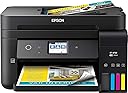
The Epson Workforce ET-4750 EcoTank is a compact, wireless all-in-one inkjet printer designed for professionals who demand high-volume, cost-efficient printing. Featuring supersized refillable ink tanks that yield up to 11,200 pages, it eliminates cartridge hassles and slashes ink costs by up to 80%. With fast automatic duplex printing, a 250-sheet tray, and versatile connectivity options including Wi-Fi and Ethernet, it’s built to keep your office productive and connected. The 2.4" color touchscreen simplifies operation, while scanning, copying, and faxing capabilities round out this reliable, eco-friendly multifunction device.


| ASIN | B074V4QLXF |
| Additional Printer Functions | Scan |
| B&W Pages per Minute | 11 pages_per_minute |
| Best Sellers Rank | #325,437 in Office Products ( See Top 100 in Office Products ) #221 in Ink Tank Printers |
| Brand | Epson |
| Built-In Media | 2x bottles 502 Black (127 mL), 2x bottles each 502 Cyan, Magenta, Yellow (70 mL), CD-ROM for product setup, Power Cord, WorkForce ET-4750 EcoTank all-in-one, manual |
| Color | 4-ink |
| Color Depth | 48 bpp |
| Color Pages per Minute | 5.5 pages_per_minute |
| Compatible Devices | Laptops, PC |
| Connectivity Technology | Hi-Speed USB 2.0, Wi-Fi (802.11n only), Wi-Fi direct, Ethernet |
| Control Method | Voice |
| Controller Type | Amazon Alexa, Vera |
| Customer Reviews | 3.9 out of 5 stars 709 Reviews |
| Display Type | LCD or LED |
| Duplex | Automatic |
| Global Trade Identification Number | 00010343936287 |
| Hardware Interface | Ethernet |
| Ink Color | Cyan, Magenta, Yellow, Black |
| Item Dimensions D x W x H | 16.4"D x 19.8"W x 10"H |
| Item Type Name | Epson WorkForce ET-4750 EcoTank Wireless Color All-in-One Supertank Printer with Scanner, Copier, Fax and Ethernet |
| Item Weight | 15 pounds |
| Manufacturer | Epson |
| Maximum Copies Per Run | 99 |
| Maximum Copy Resolution Black and White | 2400 dpi |
| Maximum Copy Resolution Color | 2400x2400 dpi |
| Maximum Copy Speed Black and White | 11 pages_per_minute |
| Maximum Media Size | 8.5 x 14 inch |
| Maximum Print Resolution Black and White | 1200 dpi |
| Maximum Sheet Capacity | 250 |
| Maximum print Resolution Color | 2400 dpi |
| Model Name | ET-4750 |
| Model Number | C11CG19201 |
| Model Series | WorkForce |
| Number of Trays | 1 |
| Other Special Features of the Product | Ethernet,Wireless |
| Output sheet capacity | 250 |
| Paper Size | 3.5" x 5", 4" x 6", 5" x 7", 8" x 10", 8.5" x 11", 8.5" x 14", A4, A6, half letter, executive, user definable (3.5" x 5" – 8.5" x 47") |
| Power Consumption | 12 watts |
| Print media | Paper (plain) |
| Printer Connectivity Type | Hi-Speed USB 2.0, Wi-Fi (802.11n only), Wi-Fi direct, Ethernet |
| Printer Output Type | Color |
| Printer Type | Inkjet |
| Printing Technology | Inkjet |
| Resolution | 9600 |
| Scanner Type | Sheetfed |
| Special Feature | Ethernet,Wireless |
| Specific Uses For Product | Office |
| Total USB 2.0 Ports | 1 |
| Total Usb Ports | 1 |
| UPC | 010343936287 |
| Unit Count | 1 Count |
| Warranty Description | 2-year limited warranty in the U.S. and Canada, (2nd year requires product registration) |
| Warranty Type | limited warranty |
| Wattage | 12 watts |
W**3
Impressive Inkjet Printer For Small Footprint, Economical Printing and Medium Duty Office Use
We have owned and constantly use two other Epson Inkjet printers (4640 and 4530). We print an above average number of pages for a typical residential user and opted to try the ecotank series from Epson as we have had almost flawless performance from our 4530 (more than 5 years) and when our 4640 malfunctioned, although it was beyond the warranty period, Epson made it right and replaced the printer with no cost to us (shipping included). While they clearly had some sort of issue with the unit they replaced, we have never experienced that level of customer service on a product that exceeded even the extended warranty period from any tech company. Ever. No hassles and outstanding support from Epson has made us very loyal customers. When we began experiencing color issues with the replacement Epson (which in fairness has abnormally high use for a unit that is not advertised suitable heavy use), we decided to give the ecotank Epson printers a try. The 4750 was easy to set up (we're still using Windows 7 pro) and the wireless connection has worked perfectly during the two months we've used it (constantly) in our office environment. We print more than a thousand pages a month -- sometimes many more -- as part of our 501c3 charity's work providing education and job training materials to incarcerated women in Alabama. We are (so far) impressed with the overall print quality of both text and graphics. And are very impressed that we have not had any paper jams (despite our frequently changing paper stock). Although the print (black and white text) quality is not to the level of a laser printer (costing $5-6,000 or more), it is more than acceptable for our needs. While we were initially concerned about the printer's ability to print on card stock, we are happy with how easily it handles the 60-65lb card stock that we need for report covers. We are not asking it to attempt 80lb or higher thickness papers as that may be a bridge too far, but it pulls the lighter weight card stock with no problem and we leave it on the standard paper setting. Odd sized paper: We are very impressed with the printer's ability to print on regular envelopes (we use the kind with a removable strip and pre-pasted adhesive flap). In the past, we have NOT been pleased with other printer's ability to manage this style of envelope (either because the heat from laser printers seals the flaps during the printing process, or due to constant paper jams due to the envelope's thickness causing and/or mis-aligned printing). In addition to envelopes, we've found that it also handles printing on our firm's card stock thank-you note cards (5.5" x 4.25"). Most, if not all of our other printers (including our expensive color laser printer) balk at printing on such small sized card stock. Printing Speed: While this printer's output speed (especially relevant for duplexing or double-sided printing) is average, we are impressed enough with the overall reliability and economical ink/tank aspects that we are ordering a second unit and for our use -- the lower number of pages-per-minute is a fair trade off for printing reliability and not needing constantly to remove paper jams. We do not use the scanner function as we have (and can highly recommend) a Fujitsu Scansnap. It's faster and more reliable and can scan both sides of a page at once. And in terms of multi-function devices generally, we prefer to have a stand-alone device for services we depend on as in the event the printer goes down -- we don't also also lose the ability to scan. Use for Photocopying: We need the lift-the-lid photocopy feature as we occasionally need to copy something from a book or odd sized paper original. The scanner/photocopy function is one area where we do see reduced quality -- as the color rendition from originals to printed copies is obviously reduced. Again, for our purposes the photocopy output is acceptable, but if it's important to you that photocopies be indistinguishable from the original documents -- you might look for something else. While we maintain a favorable impression of both of our prior Epson Inkjet printers -- this one -- although it's a significantly smaller physical footprint -- it's been very reliable and overall easy to use. Other reviewers complain about the small size of the print-options window screen. And while we can see their point (I have large hands), it's not been an issue for us, However, if it were to become a problem, an easy fix is to keep an inexpensive, small stylus next to the printer to make it easier to more precisely communicate settings and print adjustments. Cons: Our only complaint about the 4750 is that the physical adjustment in the paper tray to increase or decrease the feed slot in order to accommodate different sized paper in the paper tray can stick and be difficult or impossible to adjust with one hand. It's a minor issue, but we're careful with it as we can see that it is not the thickest plastic and might break if forced. Print Quality: While not as crisp as a laser printer -- we are happy to compromise a few levels of print quality for the cost savings in ink. Especially for a color unit, the cost of OEM replacement ink cartridges has been killing us for our laser printers and -- until we discovered compatible ink cartridges -- with our two previous Epson ink jets. Ink Level Viewing: While the Epson 4750 constantly prompts users to check ink levels, it's very easy to do without an onscreen prompt and we love the fact that ink levels are constantly displayed on the front of the unit and we can see how much ink remains in each tank. With our previous color printers -- we had to accept on faith that a cartridge was, in fact, empty -- and there wasn't an easy way to determine that the printer wasn't properly recognizing remaining cartridge ink. Paper Stock: We use a range of paper stock (from 20lb up to 24 and 25lb standard for printing materials and correspondence) and have found that the 4750 has no problem printing on our preferred brand of 60-65lb card stock and has had no difficulty in printing tons of Avery labels (we primarily use the 5160 address labels). We frequently change paper from one weight to another and have had no issues or jams. Note that while our expectations for the printer's ability to print on plastic laser-style labels are low, it may be possible to print on Redi-tag laser tabs -- just make sure to either wait for the printing to dry completely -- or cover the plastic tab with clear tape to prevent smearing.
S**D
Don't understand the negative reviews -- love it
So we were looking to replace our HP printer which had been reliable for a long time but ate expensive ink cartridges for breakfast and suddenly became very unpredictable. A knowledgeable salesperson at a big box store strongly recommended the ET-4750 which seemed to be perfect for what we wanted. Then I read the negative reviews on Amazon and really hesitated. Finally I just decided to try it and I'm so glad that I did. Of course some people are just going to get a lemon model that breaks immediately and they will be understandably upset. But maybe some of the negativity comes from expecting a more robust, professional grade machine. I will acknowledge for instance that the document feeder seems a little flimsy. But here's the thing -- so far it's worked great and we love it. We've never had an auto document feeder on our home all-in-one before. Being able to put a five page medical document that I need to scan and email to an insurance company in the feeder and have it flawlessly produce a five page scan rather than laboriously opening the machine and putting down one page at a time, hitting scan, doing it again, etc, is wonderful. It's only been a little over a month. I did have some difficulties connecting the wireless (tip: Make sure that your computer is on the same wireless network that the printer gets on; often, routers have dual bands and if the computer is on one band and the printer is on the other they cannot talk to each other. You may have to "un-check" the "connect automatically" box on your computer's wireless system for one of your wireless bands). I had a problem printing photos briefly, but the Epson tech person over their online "chat" assistance line helped me figure out the problem (I was pinching down the paper guides too tight so the paper wasn't feeding smoothly). The printer ink loaded simply and with no mess whatsoever and we are loving the idea that it may be a year before we need more ink (and it came with a second set of ink bottles). I love that the paper tray takes a half ream of paper (our HP took at most 100 pages and I'm not sure it even took that many) and that the paper tray loads from the front. I'm still learning how to print from my phone and my ipad. I've succeeded once and failed another time, but I think that is just about my learning curve. My single complaint compared to our old HP is that there is no separate paper tray for photo paper. If you want to print pictures you have to remove the regular printer paper and put in the glossy photo paper, then take it out again when you are done. A tiny hassle, but I did like that our HP had two trays. OK, so that's pretty much it. Who knows -- it could break tomorrow. I'll try to remember to update in a few months. But so far this all-in-one is printing, scanning and copying beautifully. I don't find it excessively noisy (some people complained about that) and to us it seems very fast. Again, it may be what your expectations are. But for us, for a home all-in-one with ink tanks rather than cartridges, this has been great. Addition: January 2020 — Still love it. Going strong. Have not had to purchase any new ink. Auto-feeder works great.
L**E
WHAT HAPPENED EPSON? I'm embarassed for them that they sell this! ET-4750
Updated 8/21/18: In desperation, I drove 30 miles to Costco and found the HP Officejet 8715 on sale for $109 and normally $169. I have found similar for $153 Wal-Mart.com, $126 Amazon (8715), $100 Amazon (8710) $119 Best Buy (8710). Guess which photo of the brochures I printed belong to the HP. Yep, the darker, vivid brochure that printed on BOTH sides (and on the “better” NOT “best” setting that I was able to select on the HP and not the Epson ). The HP does has a large footprint and is heavy but I’m ok with that. The HP also comes with a phone cable for faxing and USB cable to conect to your computer - THE EPSON DOES NOT for $400. Now I’m really angry at Epson. Oh, and fax works and has very simple setup , with diagrams, on how to connect fax. The HP also has decent yields for cartridges (2,000 952XL Black $43 Amazon) and I believe Costco will fill them on the cheap, so there ya go! Original: Read ALL of the negative reviews on this item because they are correct. I've been an Epson fan for years and even used their printers for photographs that I'd sell. I had to move away to HP a few years back due to ink cost and reliability issues with a number of dead Epson machines. HP really ticked me off with the death of a recent (very well performing) entry level printer with a known hardware problem so I figured I'd give Epson a go with the tank system after shopping around for a husband-annoying three days. I used Epson papers (ha ha ha!). I attempted to adjust the settings (no lie, you can adjust the PAPER but you CAN'T adjust the quality settings - WTH?!?). I had a go at it on several different computers, devices, phones. Someone PLEASE tell me why it wants to constantly update the software? Why it is sucking up several sheets of paper? Why do I have to push several buttons on the printer itself after selecting a different paper on the computer print job? Why does the fax machine not cooperate with my phone? Why, why, WHY does it print photos (not just good or OK but BAD) so poorly given Epson's history on professional development papers, inks and printers?!? What an incredible step back. Astonishingly slow. Try less-than-one-brochure-a-minute-until-it-refused-to-print-on-the-back-page slow. This has got to be - hands down- the worst paper tray design I have ever encountered and I'm no spring chicken. In fact, in a former life, I SET UP network printers and software for a very large accounting office. This printer will take you BACK to the good ol days of the late 90's because you certainly aren't getting ahead or office work done with this gem. The printer is flimsy. I guarantee there will be unavoidable destruction if/when young hands touch the output tray, document feeder and paper cassette. Curiously enough, no where on the box or during registration does it mention WARRANTY. I could barely get the stupid (oh, yes, it is stupid) machine to print the return label. It is very obvious someone else has taken over the reigns at their company and another party is manufacturing this line of printers. I refuse to be stuck with a piece of poorly engineered, 90's level non-printing piece-o-junk just to save money on ink. No thank you.
R**Y
A great printer with an even better ink solution. I have not been let down with this epson!
We use the heck out of this printer in my office. Easy to use, load ink and prints surprisingly well. Ink does last longer then I expected, and the cost of the ink is quite a bit lower than any other printer I have ever owned or used in the office. The software is user friendly and offer simplicity that is hard to find on some manufacturers printers. The wifi printing is perfect. Load the program in any computer including laptops and away you go. Scanning, coping, faxing, printing...all easy and anybody in the office can print away. We have had no issues wit this unit. The normal ink jet printer woes...head cleaning, alignment, etc are greatly reduced with this machine. I do not know why, but it is and we are very happy with that. They made the black ink reservoir larger then the color. How smart is that? More for you money here. True, it is not the fastest printer in the world, but it is fast. Faster would be laser printing. And laser printer prices. I cannot say enough about this little printer. Just make sure the reservoirs do not run dry and that about all you have to worry about. The software reminds you to check regularly. We printed over two reams of paper through this machine in one morning with out any trouble. I was kinda blown away with this epson. I keep waiting for the catch. The other shoe to drop, but as it stands now. Great purchase. I only recomend this epson for ink jet printing. To this point I have not been disappointed. Way to go epson!
N**N
Received broken printer, but Epson shipped new one and I had it the next day!
Got off to a rough start with this printer. I had installed the ink, set up the cables, downloaded drivers and installation software. I tried to use the automatic document feeder for a multi page scan, and it gave me "paper jam" message. I opened up the ADF and found one of the feed wheels was hanging loose. I put it back in place, but ADF continued to jam, or take 3 pages at once, etc. I called the Epson 800 number and talked with a service rep. She had me try copying multi page documents using ADF, but it still jammed or took in multiple sheets at once. After about 45 minutes of screwing around with troubleshooting, I finally said that the ADF is broken. She talked with a manager, and told me they agreed I had a hardware failure. They said they would ship a new printer and I should receive it in 2-7 business days. They put a $320 charge on my credit card until the faulty printer is returned. I was surprised to receive my new printer the very next day (Epson distribution center happens to be about 45 minutes from our home). I set up the new printer, and the ADF works just fine! Kudos to Epson for quick response. they ask that you pack the faulty printer in the box the new one came in, and they provide the return shipping label for FEDEX (you have to either call FEDEX to pick it up, or use their website to schedule the pickup). Here are some installation tips: - if you have existing printer, you may want to keep the USB cord, as this printer does not come with one. - follow the install directions. I know the part about tipping the ink bottle over as you install it onto the ink tank sounds dicey, but the bottle has a small valve that opens when it comes in contact with the ink tank opening. Update, July 28, 2019: Ok, this machine really is efficient in using ink. I am still on my initial fill of ink, black at 50% and other 3 colors have 75% of original filling. I am a huge fan! Update, October 30, 2019: Black ink is at 40-45%, other colors in 60-70% range, and machine has printed 3118 copies. This is incredible. I am still on the initial fill of ink, and have second set of ink bottles that came with machine. Woohoo! Update, November 2, 2021: Printer has made over 9100 copies, and is still using the ink that came with the machine over 3 years ago (two sets of bottles). The ink tanks are full, and I still have some C, M, Y ink left in the original bottles. I ordered a new set of Epson 502 Ink bottles, and it was only $49. Really a big fan of this technology and this machine. Sadly the price has gone up significantly from when I bought my machine, up about 52%, what the heck?
W**D
SIx years later and still running strong
Most people write a review right after they pull a shiny new product out of the box, hook it up, and then take it for a test spin. Nearly six years and thousands of pages later, this printer is still running strong. I have had very few if any problems with this printer - paper jams have been incredibly few and far between. I've been able to print without any problems from both Linux and Windows, as well as copying directly. Keep the print heads clean and aligned, and the quality of print is excellent for a printer with these specs. The scanner has been used for hundreds of pages with great results. I am just now starting to get a warning about the maintenance box getting full (where the ink sludge is deposited after maintenance & cleaning), and I'm going to try to do something about it and keep the printer running if it's reasonably cost-effective to do so. I have looked into new printers, and I haven't found a better cost per page to date for an inkjet printer. If reluctantly I have to replace my ET-4750, I will be getting an ET-4850 if it's anything like its predecessor.
L**D
A Good Printer that *Almost* Lives Up to Its Hype
What we LOVE about our ET-4750 EcoTank printer: FREEDOM AT LAST from the inkjet cartridge highway robbery pricing of other print jet manufacturers. I had a very capable small office printer that was great in every respect - other than paying approx $ 120 for a complete set of ink cartridges. I chose the 4750 in large part in rebellion to what I think are outrageous ink prices. The 4750's paper tray is about average for a small or home office. Print speed is not the fastest available, but adequate. Scanning and auto document feed were other features on our 'must-haves' list, and the 4750 handles these well. What we'd really like to see improved on the 4750, and why we gave 3, vs 4 or 5 stars: Two-sided printing works well so far, but only if one is using letter-sized paper. Don't expect this printer to handle card stock or envelopes effortlessly. It doesn't. These continually get hung up in the turn-over drum inside the machine, causing a print error virtually all the time in our experience. (Our former, highway robber printer, handled these flawlessly) Another minor gripe is that the 4750's default print quality seems to fall between draft and standard quality. We find bumping the print settings up to "high quality" gives us best results for presentations. That of course means more head passes and slower print speeds, but the results look great.
A**Z
Great Value
Amazing product, real saving for every page printed, Great Packing fast shipping, is a little heavy but works fantastic. great print quality, a little noise but not too rush. Authentic Item
P**A
Fantastic all-rounder for printing/ scanning
This printer is more compact than I expected which is a bonus - quiet operation - a little slow but I don't mind as the results are terrific. I did not intend this to be a photo printer, but it also does an excellent job at printing photos - another bonus. Adding the ink was painless and clean. The main reason for buying this was for the running costs - and I can already see that this is a champion in that regard with very affordable ink replacements available. Highly recommended as a great all-rounder for printing/ scanning. No idea about faxing - an option I will never use and ended up getting this model as it was the only one in stock
B**T
Very satisfied
I've had this printer for a few weeks now, and overall I am very, very happy. Super easy to set up and connect via home wi-fi. No wires required other than the power cord, so it can go anywhere in the house. Also very easy to connect to cell-phones, to print documents and printers. Each printer gets its own email address, so you can email it and it will print the message automatically. The sheet-feeder for the scanner/copier works well: it's not fast like an office copier, but just fine for my home office work. The printer works as a stand-alone copier, without the computer, via the touchscreen, so that's great too. The fax function just needs a phone connection and it took maybe a minute to set up. Ink was super easy to fill. The bottles are molded so you can't put the wrong bottle in the wrong tank, and they are basically spill-proof. The tanks stop filling automatically, all you have to do is take the bottle off and put it away. Couldn't be easier. My printer came with a second complete set of ink bottles...not sure if that was accidental or on purpose, but we've got a lot of ink, now. I previously had a wireless Canon Pixma scanner/copier. I reviewed my orders on Amazon and found that in 2018 I spent as much on ink for the Canon as I spent on this whole printer. So, a 1 year payback makes a lot of sense. Plus it really is easy to use: no fuss, no frustration, it just works. I have some minor quibbles with Epson: the scanner application is OK, but it took some figuring out how to do multiple sheets. It should be as simple as loading the sheets in the sheet feeder, but there is also a box to click in the app each time you want multiple sheet scans. The box is titled "Add or edit pages after scanning" and it wasn't totally clear that this check-box was required for multi-sheet scans. Maybe I'm missing an easier way, but if either way the multi-sheet scan should have been simpler. Second, the scanner app has 9 selections for resolution, the highest of which will take forever to scan...maybe a "recommended" highlight for which resolution to use would save the user some experimentation. At the highest settings, the scanner takes a loooong time. Finally, when trying to scan directly from the touch-screen (not the computer app) and you choose scan to computer, the printer requires some additional software called "Epson Event Manager" which, after a complete install on my computer, I think should have been automatic. I still haven't solved this one, mostly because I scan from the app and haven't really needed to. But, like I said, these quibbles are very minor compared to the positives of the product. I think it's just great so far, and no one should be put off by my small complaints. Buy this machine! You'll love it.
K**S
Worth the Extra Cost
I absolutely love this printer. I have had it for three years now with no trouble all. No issues with network connection, and works well printing fro my PC, Android and Iphone. It came with two sets of ink bottles for refill and they last a long time. Way better the machines with ink cartridges.
Y**A
Brilliant performer
Filling the Ink tanks is soo easy, love that you can see exactly how much ink is left, and without opening sections to see the ink levels. Printing is precise and commands are swift in performing tasks of print/copier I also can connect to the printer using my second computer in another room of the house, connection is instant with no lag times Color printing is reasonably quick for a printer this size Black n White is very fast, print is clear and precise, would recommend this product with out question
M**T
Great saving on ink cartridges
I was really hyped up when I purchased this printer because of all the great reviews. It has been amazing as far as saving money on Printer cartridges. The quality of the print is fantastic and it has been a great Printer. However, the scanning function when trying to scan multiple pages through the feeder stopped working very early after purchasing. I don’t use this feature often as I only usually scan two or three pages but it is frustrating that the paper feeder doesn’t work after such little use. I do miss being able to manually feed Paper through the back of the printer if I had card stock as sometimes the Printer struggles with thicker pieces of paper. For just standard printing or photo printing it’s great but I will definitely upgrade next time for the additional features.
Trustpilot
1 week ago
1 month ago