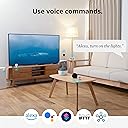

🏠 Your smart home’s mini mastermind—control everything, miss nothing!
The SwitchBot Hub Mini is a compact, USB-powered universal IR remote hub that connects your infrared devices and SwitchBot ecosystem to 2.4GHz Wi-Fi. Supporting up to 18 devices, it enables seamless voice control via Alexa, Google Assistant, Siri, and IFTTT, while offering smart learning to replicate any remote in seconds. Perfect for remote management, energy saving, and integrating your smart home effortlessly.


| ASIN | B0BFWH2WD8 |
| Battery Types | Lithium-Ion Polymer |
| Best Sellers Rank | 21,183 in DIY & Tools ( See Top 100 in DIY & Tools ) 11 in Home Automation Hubs & Controllers |
| Brand Name | SwitchBot |
| Button Quantity | 3 |
| Colour | Black |
| Compatible Devices | [Most] Infrared Remote Controlled Devices |
| Controller Type | Infrared, Wi-Fi |
| Country of Origin | China |
| Customer Reviews | 4.3 4.3 out of 5 stars (54,975) |
| Item Weight | 36 Grams |
| Manufacturer | Wonderlabs |
| Manufacturer Part Number | W0202200 |
| Maximum Number of Supported Devices | 18 |
| Maximum Range | 124 Feet |
| Model Name | Hub Mini |
| Model Number | W0202200 |
| Network Connectivity Technology | Infrared |
| Product Features | Portable |
| Product Warranty | 2 |
| UPC | 850043739326 |
T**D
Great if you have adopted the Switchbot Eco System
I recently purchased the Switchbot Curtain Rod 2 and installed this is my bedroom. They work fantastically, but it was a little frustrating having to open the app every time i wanted to open/close the curtains. The app is very well designed but it just felt like a faff to keep going into my phone every time. As a result i decided to order the swithbot button which works great. On further research i came across the hub mini which allows your switchbot devices to connect with Alexa/Google Home. Having a ton of alexas in our home i thought i would order and give it a try. The hub mini is a very small and compact device. Installation was super easy, connect to a USB power source (cable but no plug included - however i just plugged the included USB lead into a wall socket with USB power points). Connecting the hub to the app was again very simple - the app walks you through this. Within a couple of minutes i had linked the hub to the relevant switchbot Alexa skill and voila - my curtains were now Alexa controlled! Once connected to your wifi network you can also remotely control devices away from your home environment, such as opening your curtains from work or even abroad! Fantastic for security. What i was not aware of is that the hub mini also has an infrared sender, so you can set this little guy up to control your other smart devices - this includes your TV, Projectors, Sky etc. Programming the device to control my Optoma projector was a piece of cake - the app again walks you through this and inputing the manufacturer and model number of your smart device finds the relevant IR codes. You then walk through a test screen to ensure the buttons are all doing what they are suppost to do. If any of the buttons don't work properly or your device is not known then the app allows you to send your own IR codes directly by pointing your remote at the hub and pressing the relevant button. It auto learns this code and programmes the remote in the switchbot app. Overall if you have switchbot devices then the hub mini is a must! It's good value and has a ton of extra features that i didn't even know it had. I hope that you found my review helpful.
I**K
Capable little device!
High-quality device from a reputable German company! I had several SwitchBot temperature/humidity sensors for 1.5 years - used them in a couple of greenhouses for a while but this winter I put 3 of them into my beehives to monitor the health of the colonies during cold weather. To collect data 24x7, even when you are far away from the sensors, you will need this nifty mini-hub. It performed very well - no faults and reliable connection to the sensors in the garden at range 25-30 meters. I you want details about how to create custom daily graphs as well as Email alerts with a hub mini - go to GitHub and search for "hivemonitor" then select the repository called "drmuttik/hivemonitor". See an example graph. I very much recommend this capable little device!
D**K
Great device but weak documentation! Work with Alexa/Siri/IFTTT
Easy to set up and I was able to use thew iPhone app to learn and then turn on/off a IR unit, I am only able to do this using their “Switchbot” app. However, following the instructions on their website [How to use the "Shortcuts" app to control SwitchBot devices?] I was not able to control the device using Siri shorts or IFTTT. I contacted support and have waited 7 days with no response except an automated reply. I received a reply from SwitchBot customer service and have not been able to get the device integrated into Alexa and Siri. This is an excellent device that is perhaps let down by lack of clear documentation. I revise my score to 4.5/5. Here is my summary of the steps you may need to take. For my IR device (electronic candles!) I wanted to turn on/off with Siri Shortcuts (or Alexa). First I learnt the remote control for ON/OFF: In home, at the top left, “+”, select “IR Appliance”, “Others”. Then select the hub listed, “Add”, and start learning from the remote. Point your remote at the hub, push the remote button and release, you can then test/or save with a name (e.g. ON). When the buttons on your remote have been learnt, select the tick at the top right. Set a nickname, e.g. “Candles”. We next create a “Scene” which uses the buttons you have just learnt, this allows us to create a shortcut for Alexa or Siri. Click the “Scene” at the bottom, click +, add condition, as “manual execution”. Add an action – choose one of the buttons, then select “cloud Service”, you can now choose Google/Amazon/IFTT or Siri! And you are done!
A**A
Amazing box! I wished I knew about this technology and bought this sooner!
Quick and easy to set up and worked perfectly! I can now control my mum’s TV from anywhere in the world just using my iPhone. Highly recommend this if you are a remote carer or have a loved one or kids at home to look after when you’re out. But you will need a wifi camera, so you can see the TV otherwise you won’t know what buttons to press on the app/remote control! ❤️
H**N
Highly recommend the Switchbot Hub Mini
We have had the Switchbot Hub Mini for a little while now and haven’t had any problems in the time we’ve had it. It integrates well with Alexa meaning we can use Alexa to control other Switchbot devices for example ask the temperature of different rooms in our house or she can control the ir controls (for example turning the tv on/off, usually part of a routine we have set or turning on the tv from another room giving the tv a chance to turn on etc). When we are not home we can check in on the app and see the temperature of different rooms in our house (the hub means you can see these things on the app when you’re not home) giving peace of mind when we are away and our house rabbit is being looked after that the room isn’t too hot/cold). It is easy to set up and add into the Switchbot app and also easy to set up ir controls for different products. Also handy that to power the Switchbot hub is a usb connection meaning it can be plugged into other devices that are always on to power it or into a usb adapter plug (which most people have now days). All in all I would definitely recommend buying one of these if you are thinking about buying any other Switchbot products or even just looking for an ir remote.
P**S
Funciona excelente te con Alexa controlando el York, aún en los ajustes secundarios.
A**S
The device was advertised as supporting 8 matter devices (still not a lot), but in fact it only supports 4. Switchbot has since then changed the description to mention the 4 device limit. I've returned the Hub Mini Matter and Switchbot has generously send me a free Hub 2 Matter, which supports 8 matter devices.
C**N
Le hub est facilement configurable. Pour les thermomètres, il faut stocker les données dans le Cloud pour pouvoir y accèder depuis l'extérieur. Cela fonctionne très bien. Le plus de ce mini hub est qu'il est capable de dupliquer les télécommandes infra rouge de vos appareils. J'ai fait le test sur un lampadaire qui fonctionne avec une ampoule infrarouge et avec la télévision. Cela fonctionne correctement une fois les touches apprises. Vous pouvez donc contrôler d'autres appareils avec ce hub. Investissement qui vaut le coup !
プ**ー
前々から声で家電を操作と言うのがどう言う物か興味があり購入してみました。 まず購入前に確認したのが何を操作出来るかですが、自分の環境ではシーリングライト、テレビ、エアコン程度でした。 正直購入を迷っていたのは操作出来る家電の少なさだったのですが結果として自分にとっては買って正解だったと感じていて、特にライトの操作でリモコンを必要としないのがここまで便利だと思っていませんでした。 エアコンも使う事は使うのですが今年は暑い日が続いてあまりエアコンを切る事が無かったので温度の変更等には使いました。 テレビも正直あまりつけないので恩恵は少なかったです。 ただしこれは自分の場合ですのでエアコンを頻繁にオンオフしたり温度設定を変える人またテレビを沢山見る人には便利だと思います。 声での操作ですがエコーが近くにあればアレクサを操作できますし、エコーが近くに無くてもスマホのアプリからも操作出来ますので不便は無いです。 設置自体は難しくないですが最初はライトのオンオフに若干苦労しましたが基本的にはマニュアル通りにやれば一通り出来ると思います。 今はスマートカーテンを購入しようか思案中です。 ちなみに自分はセールの際に4000円弱で購入しましたがアマゾンの製品ですのでセールはあると思います、その為待てるならセールを待ってからの購入でもいいかも知れません。 総合的にはお勧め出来る製品だと思います。
F**S
Mijn bedoeling was, om mijn Samsung tv en topbox( Kpn tv ontvanger) met mijn Google Nest(Google Home), aan en uit te zetten en het liefst beide, met 1 spraakcommando. Dit is gelukt na wat puzzelen. Mijn tv heeft een aparte knop voor aanzetten en aparte knop voor uit zetten. Uitvoering: 1. Aanmaken aparte afstandbediening voor tv aan te zetten. Genoemd Tv-aan en belangrijk dat de aanknop op de virtuele afstandbediening wordt ingeleerd met de aanknop van je fysieke afstandbediening. Eventueel kan je andere knoppen ook inleren naar wens. 2. Aanmaken aparte afstandbediening voor tv uit te zetten. Genoemd Tv-uit en belangrijk dat de uitknop op de virtuele afstandbediening wordt ingeleerd met de uitknop van je fysieke afstandbediening. Eventueel kan je andere knoppen ook inleren naar wens. 3. Aanmaken aparte afstandbediening voor Topbox aan te zetten. Genoemd Topbox en belangrijk dat de aanknop op de virtuele afstandbediening wordt ingeleerd met de aanknop van je fysieke afstandbediening. Eventueel kan je andere knoppen ook inleren naar wens. Opm.: aan en uit knop is dezelfde knop op de fysieke afstandbediening. 4. In Google Home een Service toevoegen, waarbij je jouw "SmartBot" account en ww moet ingeven. Hierna zie je de virtuele afstandbedieningen bij de Google Home apparaten staan. 5. In Google Home automatiseringen toevoegen. "Televisie aan" met als starter: Hey Google televisie aan Acties: Tv-aan Topbox Beide op "aanzetten" 6. In Google Home automatiseringen toevoegen. "Televisie uit" met als starter: Hey Google televisie uit Acties: Tv-uit Topbox Beide op "uitzetten". That's all.
Trustpilot
2 months ago
3 weeks ago