Buy anything from 5,000+ international stores. One checkout price. No surprise fees. Join 2M+ shoppers on Desertcart.
Desertcart purchases this item on your behalf and handles shipping, customs, and support to Kyrgyzstan.
❄️ Stay cool, stay ahead — the ultimate silent powerhouse for your CPU!
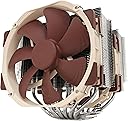
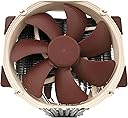
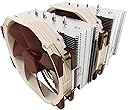
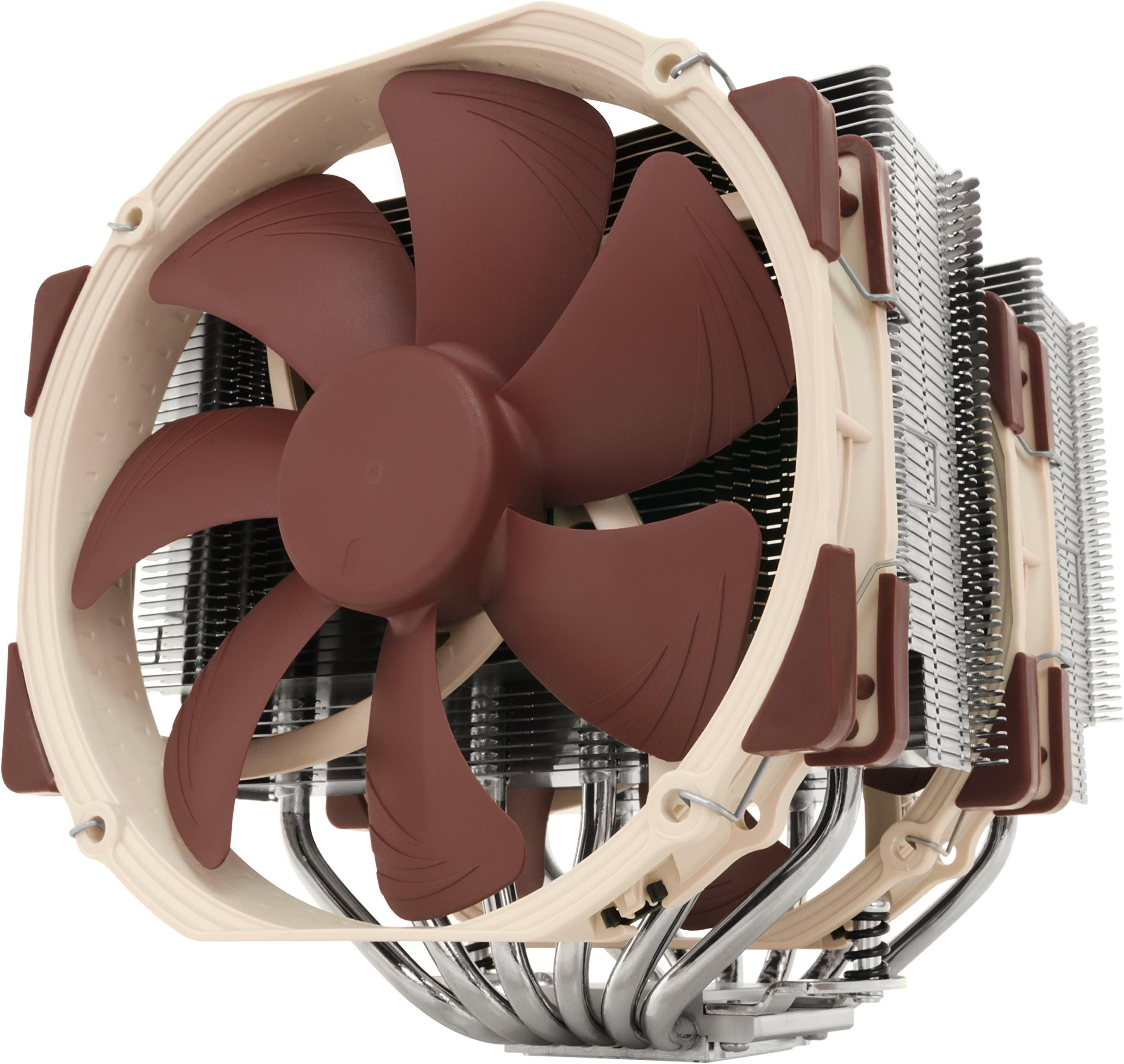
The Noctua NH-D15 is a premium dual-tower air CPU cooler featuring 6 heatpipes and two ultra-quiet 140mm NF-A15 PWM fans. Designed for high-performance overclocking and near-silent operation, it includes the SecuFirm2 mounting system and NT-H1 thermal paste for easy installation on a wide range of Intel and AMD sockets. With over 250 awards and a 6-year warranty, it delivers exceptional cooling efficiency rivaling AIO liquid coolers, making it a top choice for discerning professionals and enthusiasts.


| ASIN | B00L7UZMAK |
| Air Flow Capacity | 140.2 Cubic Metres Per Hour |
| Best Sellers Rank | 14,623 in Computers & Accessories ( See Top 100 in Computers & Accessories ) 227 in Fans & Cooling |
| Brand | Noctua |
| Compatible Devices | Desktop |
| Cooling Method | Air |
| Cooling method | Air |
| Country Of Origin | Taiwan |
| Customer Reviews | 4.8 out of 5 stars 11,276 Reviews |
| EU Spare Part Availability Duration | 6 Years |
| Global Trade Identification Number | 00807320186861, 00842431012456, 04716123315360 |
| Included Components | NH-D15 |
| Item Dimensions L x W x H | 15L x 16.1W x 16.5H centimetres |
| Item Weight | 1.3 Kilograms |
| Manufacturer | Noctua |
| Manufacturer Part Number | NH-D15 |
| Material | Copper (base and heat-pipes), aluminium (cooling fins), soldered joints & nickel plating |
| Max Rotational Speed | 1500 RPM |
| Model Number | NH-D15 |
| Noise Level | 24.6 Decibels |
| Number of Items | 1 |
| Power Connector Type | 4-Pin |
| Power connector type | 4-Pin |
| Product Warranty | 6 year manufacturer’s warranty |
| Product dimensions | 15L x 16.1W x 16.5H centimetres |
| UPC | 807320186861 803983039766 842431012456 |
| Unit Count | 1.0 count |
| Voltage | 12 Volts |
| Wattage | 1.56 watts |
C**N
AIO levels of cooling in an air cooler
I begun having issues with my 240mm AIO, temperatures would reach 70°c at idle and would hit 100°c and throttle on any load. Obviously something was wrong and needed to get a replacement. I had seen many reviews of the Noctua NH-D15 online and was sceptical. How can a air cooler come close to the performance of my once beloved AIO? What tipped the balance for me was a change in requirements. My system runs 24/7 almost, and having a pump fail again during the night isn't really an option. Also, the NH-D15 is significantly cheaper than any quality 240mm which made me want to try. That plus Amazon's incredible returns policy meant is was pretty much risk free. The box arrived, it's rather large and heavy for its size. The packaging is mostly cardboard and minimal non recyclables, which is nice to see. Unpackaging the cleverly arranged box is almost a pleasurable puzzle. Installation instructions are simple, to the point and accurate. Just what you want. Out of the box I had Intel and AMD install options which is great. No AM4 support out of the box but you can order the bracket from Noctua free of charge if you require it. Installation goes fairly simple. I installed mine on an ASUS X-99 A 2 (socket 2011-3). Two brackets around the CPU slot, screw in. Add the included Noctua thermal paste. Then screw the cooler to these mounts with the included long reach phillips head screwdriver - a fantastic touch for simplifying the install process. Slight issue getting the second screw in to attach the cooler which took a few moments to sort out - turns out I wasn't pushing down hard enough. Clip on both fans using the metal wire brackets, plug shorter than case fan cables in to your motherboard, you can use the included Y-cable if you don't have the slots for 2 individual cables, you can also install the adaptors to quieten the fans - i personally set a fan curve in my computers BIOS, but it's up to you. You may also have conflict issues with your graphics card and RAM but you can rotate the cooler and move the fans if you do struggle to fit the cooler around your RAM. This cooler is VERY large and to get it in I did have to remove my graphics card to make the install a little easier. And that was it for install. Fairly straight forward, a lot quicker than an AIO. Into the first boot, MSI Afterburner reports a significant drop from the AIO temps to 32°c, some of the lowest temperatures I've ever seen on my system, even during winter. Loading up some benchmarks and stress tests to warm up the cooler proved un-eventful. With temperatures on a 4.2ghz overclock on an Intel 5820K only reaching 59°c. Pushing the overclock further to 4.6ghz (the highest my system has ever gone) got the temperatures to creep just north of 70°c. Doing this whilst remaining whisper quiet at full RPM - I couldn't notice any additional noise over my case fans. Negatives of the cooler: Aesthetics, Noctua does love it's beige and brown fans, it's symbolic to the company and is an instantly recognisable. You can replace the fans with the chromax series, these are all black fans with multiple colour rubber edges to stop vibrations at a cost. Pushing the cooler into quality AIO price territory. You can also get covers for the fin stacks if you'd prefer these to be a certain colour. However, for me that's not really an issue. Size of the cooler. It fits in my system, just. Some may have issues with RAM and graphics cards. Graphics cards can always be moved to another lower slot. RAM however, if you have particularly large RAM modules could be an issue. You can rotate the cooler and move the fans to accommodate the RAM but it is something to be aware of before buying. Overall though, this is a fantastic cooler cannot rate it highly enough. It's exceeded my already high expectations and lived up fully to it's reviews.
M**N
Worth the money
I am running an i7 9700k at 4.9 GHz on an MSI Z390 Gaming Plus board (in a standard ATX case), so obviously need a decent cooler. I had previously been able to get 4.5 GHz using a cheaper Arctic cooler, which ran well, but the system was at it's limit. So, my observations: - Not the easiest in the world to fit, but ok. Fitting instructions come in paper form, and are easy enough to follow. It has to be said, I do have some spatial awareness issues, so I'm not the best at this type of thing, but I got it done (maybe in half an hour after having a good read at the instructions and separating out the different fittings to avoid confusion). It's a big beast, and it gets bigger if you add the second fan (which I was not able to at the time of fitting). The second fan might have fitted, but it would have meant crushing the cabling up into a corner, something I wasn't comfortable with. I might be able to sort this out with cable ties at a later time. Do what I didn't, and take out the GPU before fitting! My case also had 2 silly fans built into the case wall, and I had to remove these to get the case closed again. Also, I observed that for my own board, the second fan would only fit onto one side of the radiator nearest the front), as on the other side, the board heatsink impeded this. RAM clearance was not an issue for me. I have one block of regular RAM, and the radiator overhangs it. If you think you will be pushed for space in a standard case, you are quite right! - Performance: Well, first class. My system will now run Handbrake at 4.9 GHz, reaching a maximum of 64C after a while. Previously at 4.5 GHz with the Arctic cooler (a good cooler in it's own right), it was hitting 90-100C immediately. Basically, at 4.9GHz, I'm hitting other issues with the overclock, but heat is not one of them. Bear in mind, this is without the second fan fitted. - Noise: There isn't any, fairly much. Under full load it sounds the same as it does with no load. It's as quiet as a machine at idle. I'm quite amazed by that, since the other cooler I used (like I said, pretty good) was working like crazy at 90C, and was a bit noisy. I have no experience with liquid cooling (nor do I want any), but I gather that this cooler might be as quiet. I wanted a cooler I could throw pretty much anything at, and I appear to have it. It's not cheap, but if you can afford it, and need it, go for it. It has a 6 year warranty as well, so all in I'm pretty pleased. It's probably easier to fit for someone with more experience than me, so I wouldn't let that put you off. Just read the instructions! Comes with thermal paste (which I didn't use as I have some already), a low noise adapter (I have no idea why and I didn't use) and a Y splitter cable to allow 2 fans to be linked to one CPU fan port on the board. Additional information 25 Mar 2023. Been using for 2 years now, does exactly what I need, and has never missed a beat. My clock speed has been increased to 5Ghz recently, temperatures are still in the 70s, maximum. As for my statement regards the noise of the cooler under load, it sounds more like a sales pitch than I'd want. On reflection, there is a bit more noise when running the system under full load, although it is not offensive, and I'm quite noise sensitive. This is possibly a moot point as my GPU is reasonably noisier than this cooler when the system is working hard. And it obviously depends on fan settings in the BIOS. I can never see the noise of the cooler becoming an issue, as it's rare that the CPU is working alone, the TV sound is off etc. In the real world it solved two problems for me: noise and heat. I simply don't have to think about them. I am so pleased I am in the process of getting another for a new PC build, there is no choice for me, this is it.
A**M
Excellant bit of kit
My AIO died suddenly, no warning dead. After 2 years I should have expected it. Luckily I had an old Evo 212 in my spares box which got me up and running. I searched through Amazon and on-line to find an alternative to liquid cooling. I was never really comfortable having liquid in an electrical environment. Eventually I came across the Noctua NH-D15. Every review both on Amazon and on the web, Highly recommended it. Basically it's one of the best. Probably the best out there. OK it's big and you need a good sized case to fit it in. My Corsair 540 case had plenty of room. After reading the difficulties others had fitting it. I was pleasantly surprised how easy it was to install. I have low profile hyper x memory cards so the adjustment to clear them was minimal. High profile cards would profit changing the 140mm fan in the front to a 120mm fan. Air flow in my case is good. So it is fed from the front of the case by 2 140mm and out the back by another 140mm fan. Coupled by 2 overhead 140mm fans which remove any hot air pockets. I have to say the temps inside the case have reduced incredibly well. The CPU and Core temps are better than what I was achieving with an AIO which I had to have running at full belt when heavy gaming. With the Noctua NH-D15 I'm running cool and quiet and not going over 40 degrees. That was the big eye opener. Not to mention the reduced amount of power I am using when gaming. Which in the present environment of energy hikes from greedy companies is a good thing. My power consumption has been reduced by half. Which for parents out there, is a good thing. Keeping the kids happy and saving money on energy. The Noctua NH- D15 is a good all rounder. Giving excellent cooling, far superior to many AIO's out there. With energy saving to boot and half the price of AIO's. Air cooling is getting better and better which is a good thing for those like me on a budget and to be honest there isn't any sudden breakdowns apart from a fan failing. Which can be easily and cheaply rectified. All in all the Noctua NH-D15. Is an excellent product. From the moment you turn it on it is giving you the best cooling and energy savings out there.
C**S
A powerhouse that rivals AIO liquid cooling
I bought this after attempts to replace my aging Corsair AIO fell through. Having previously bought a selection of Noctua case fans, I took the plunge back to trying fan coolers. I did not expect this beast to be the size it was, but after following the instructions and mounting it...what's that...silence. Not only silence, but also temperatures that rivals my old AIO liquid cooler. It is massive, it is quite heavy, but the mounting bracket it came with for AM5 was large and sturdy, and once firmly in place, it felt solid. With a drop of Artic MX-6, this had very decent idle temperatures, and using my Asus motherboards standard fan-sweep auto-set-up the fans run steady and quiet, if not un-noticeable . Manually setting speed for testing only really kicked in the fan sound at 80%, its very reasonable for a fan only cooler. Have tried it in two different cases, the Fractal Design R5 and the Pop XL Silent, and fits with space to spare in both. Now the downsides, which can be important, but easily avoidable. The size, that is it, only the size its its downfall. If you have a small case, this will not fit, no way, Its wide, its long, its deep. In my server, ASUS H170-PRO with socket LGA1151, I could not fit my test graphics card as well as the cooler (without fans installed), as the cooler extended up to the top PCIE slot. Its width as well blocked use of the second fan to the front of the case also due to the furthest left RAM sockets being used. The secondary fan can be installed on either left or right section of the cooler, however it depends on clearance also to any heatsinks near the I/O area of the board, and any external case fans. If you are getting this, I would highly recommend to look at your clearances on not only your case, but also your motherboard, for your PCIE 4.0 slot, and your RAM slot location. This shouldn't be as much of a problem on Full ATX boards than MATX, but still worth heading to the manufactures website to read on specs.
S**K
This is the best cooler in the world...probably.
This is the best cooler in the world...probably. I installed this on an FX8350 in a HAF X case, with chromax covers. I added an extra and unnecessary fan (all the fans in this HAF are also Noctua) on the rear because I had one laying around, it doesn't make any difference to the temperature reduction but does help to vent heat more directly out of the case. With the Chromax covers the fans are definitely even quieter and don’t ramp up any higher than 700rpm under Prime 95 which I ran for half an hour after applying the thermal compound. CPU temps are at a steady 26c idle and haven't gone above 50c yet gaming and I’m pretty sure they never will. This NH-D15 is a quality product and everything about it, even the box it comes in, says,”You’ll never top me!” and I have to admit that even after looking at the Be Quiet Dark Rocks, the Cooler Masters and Zalmans (which I love) and the fierce rivalry they offered, the choice, for me, had to be Noctua. Noctua because they offer so much more in the quality department, they’re beautifully made and of very high quality materials. I owned a Dunhill lighter many years ago, one with the thumb bar on the side and just picking it up informed me that I was holding an item of superior construction. Its a bit like that with the Noctua NH-D15, you pick it up and you just know that you’ve made a great purchase. Other owners out there will know what I’m talking about but even if you are a newcomer to after-market coolers my advice is to always do your research and double check everything you investigate. I don’t work for Noctua, they’re just another company but this cooler is something I will always recommend to anyone who’s looking for the best. Others will disagree and that’s fine and other coolers are good, great in fact but in my mind I’ve made the best choice...for me. Installation is ridiculously easy. The kit comes with mounting brackets for both Intel and AMD, screws, low noise adapters, Noctua’s own thermal compound, a fan splitter and yes, a screwdriver! I’m sure I’ve missed a few things out but essentially, everything you need to get it on the CPU and plug the fans into the board are included. I would recommend getting the Chromax covers for this cooler, they complete the look even if they are a little costly. Hey, the NH-D15 ain't cheap but you’ll only ever have to buy one. If you’re using this cooler on a new build, great because you need to get to the back of the board unless you already have a case with a cut-out for access. With the bracket installed, the cooler is then mounted using just two spring mounted screws which can’t be over-tightened. It’s designed for higher ram clearance but you should check this in any event. Once installed the fans come with clips which take seconds to mount them. Noctua's your uncle, you’re done! I have only one word of caution and its not about the cooler itself but you should know that this is a Brobdingnagian thing, very tall so, as I said before, check that your case will accommodate it. Apart from that, welcome to air cooling the way it should be done. If Noctua made beer, it would also be the best in the world...probably.
B**.
It's huge, but works well!
It's huge! Works well with good instructions on fitting, but take your time and get it right. Seems well made and designed and it is keeping my CPU within temperature range when gaming.
A**G
Good bit of kit, nicely packed but very large!
Good / great bits Thermals are good using a 5800x and not too loud, I've still to adjust fan speeds etc but having a d-14 and several noctua fans installed on previous builds I know the noise level will be very low once the curves are set. Packaging / product guides are fantastic, well packed, organised and easy to follow instructions and fairly intuitive. The warning. This is a huge piece of kit, I have a large case with 200mm fans installed and the top of cooler still touches the side panel. Using a mATX motherboard or the top slot of an ATX board for a graphic card could lead to the cooler touching the card. In my example it did and blocked the pass through fan from spinning on the card, a bit of manipulation has given me a 1-2mm gap allowing the fan to spin but it is very tight, I'll be getting an ATX motherboard or a pcie extension to remove the problem.
A**N
Great and massive heatsink
You are gonna need a big case for this one! In my case I was using a Fractal Design Define R5 Black ATX Midtower Silent PC Computer Case and fits just perfect. Now, that said, have in mind that this is an air cooling system, therefore it has to have a certain size to dissipate as much heat as it can. And it does so, and in a really silent way. The big heat-sinks alongside the two 140 mm fans works perfectly. Installation is really easy. It comes with everything necessary to use it with Intel or AMD so whatever your choice is you have everything you need. It comes with the multi socket mounting tool (so don't need to bother buying additional hardware) and also thermal paste. Now installation as I said is really easy but you wanna make sure about a couple of things: - Your RAM should be low profile. Otherwise make sure you have enough room in your case as the fan that goes just on top of the RAM can be placed more high to leave space for the RAM. - If you are thinking of doing 2 way SLI you might wanna double check whether it will fit or not. In my personal case this cooling system is blocking one of the PCI express slots, so make sure you take the dimension of this into consideration. That said this a really good quality heatsink, very silent, gets the job done and quite important, it comes with 6 year warranty. All of it at a really good price!
F**N
Good product
Haven't done tempersture tests yet, so this is a review just of visual checks and assembly experience. Solid piece of engineering. Well-designed with loads of fins, included 2 fans that can be fixed in whatever direction you want (depending on your case airflow direction). Came with all accessories, incl long screwdrivers, to be able to uuse for AMD and Intel mobos (last 3 generstions or so as of 2024). Peach-brown fans are Noctua trademarks, but ugly. Came with paste, just enough for 1 application. Overall, pricey, but great quality and well thought-out design.
H**A
Le roi des refroidisseurs, mais attention à sa taille ! ❄️👑
Acheté en août 2024 pour 109,90 €, le Noctua NH-D15 s'est rapidement imposé comme le refroidisseur idéal pour mon PC gamer milieu de gamme, équipé d'un AMD Ryzen 7 7700X et d'une GIGABYTE Radeon RX 7800 XT sur une carte mère MSI Pro B650-S WiFi. Et je dois dire que je suis impressionnée ! Tout d'abord, parlons des performances. Bien que je n'aie pas de point de comparaison directe, mon processeur tourne à environ 70° en session de jeu avec un seul ventilateur de monté (2 possibles), ce qui est très satisfaisant. On peut dire que ce refroidisseur fait son travail avec brio ! Côté bruit, c'est le silence absolu. En fonctionnement normal, le NH-D15 est presque inaudible, et même sous charge, les ventilateurs de ma carte mère sont légèrement plus bruyants. Pour les amateurs de silence, c'est un véritable atout. L'installation a été un jeu d'enfant. Tout le nécessaire était fourni : pâte thermique, outils et adaptateurs. Je n'ai rencontré aucun souci lors du montage, si ce n’est que de me rendre compte que je ne pourrais pas ajouter le second ventilateur faute de place dans mon boitier. Je l'ai donc monté avec un seul ventilateur, car le second touchait ma barrette de RAM. Cela n'a pas posé de problème, car même avec un seul ventilateur, les performances sont déjà excellentes. Donc un conseil pour ceux qui envisagent d'acheter ce refroidisseur : faites bien attention à ses dimensions. Il est massif, et il est essentiel de vérifier que le NH-D15 s'adapte à votre boîtier, tant en profondeur qu'en largeur, surtout si vous prévoyez d'utiliser un second ventilateur avec une config plus gourmande en rafraichissement. En termes de design, le NH-D15 est magnifique. Les lamelles du radiateur sont fines et nombreuses, assurant une excellente dissipation de la chaleur dans le boîtier. J'aurais souhaité une autre couleur pour les ventilateurs pour s'accorder avec mes composants noirs, mais cela ne gâche en rien l'esthétique générale. Les tiges de métal qui ressortent du radiateur sont plutôt élégantes et détournent le regard. Quant au rapport qualité-prix, il est indéniable. Les performances obtenues avec un seul ventilateur, couplées à la réputation de Noctua sur les sites spécialisés, justifient amplement l'investissement. En conclusion, le Noctua NH-D15 est sans conteste le roi des refroidisseurs d'air. Il offre des performances exceptionnelles, un fonctionnement silencieux, et un design soigné. Si vous cherchez à garder votre processeur au frais tout en gardant votre PC silencieux, ne cherchez pas plus loin ! 😄❄️
F**4
Il refroidit super bien mais il est enorme lol
Il est franchement nickel, et facile a monter, le seul truc c’est qu’on doit surélever le 2eme ventilateur a cause des barrettes de mémoire, du coup j’ai mis que le ventilateur du milieu et meme avec un seul ventilateur mon processeur ne chauffe vraiment pas
寺**井
大きいけど良く冷えます
TDP105WのCPUに3年間使用したが、故障無く良く冷やしてくれた。CPUに負荷をかけるとうるさくなるけど、耐久性や冷却性はとても良いです。 但し大きいのでゆとりのあるケースでしか使用できません。
S**E
Impressionante
Utilizzo impianti a liquido custom da anni. Quando è morta la mia ultima pompa ho montato in emergenza il dissipatore stock del mio i7 920: temperature assurde e rumore inaccettabile, come atteso. Considerando le recensioni entusiastiche di questo Noctua NH-D15, secondo le quali sembrava paragonabile per temperature e rumore alle controparti a liquido, ho deciso di provare. Prima di ordinare mi sono informato con il supporto cliente Noctua sul kit NM-I3, necessario per l'installazione su una scheda madre vecchia come la mia (2009); mi hanno garantito che avrebbero inviato gratuitamente a casa il kit con la semplice prova di acquisto. Ho quindi ordinato, e inviato la schermata di riepilogo e una foto della mia scheda madre tramite apposita form del sito Noctua. Ricevuta la confezione del dissipatore, subito salta all'occhio la qualità dell'insieme. Il packaging è perfetto, pulito, compatto. Istruzioni chiare, componenti di qualità. Anche il kit aggiuntivo gratuito, che si aggiunge a quelli già compresi nel package principale, ripropone i medesimi canoni di qualità e chiarezza. Ho smontato la mia scheda madre per montare la base di aggancio (questa scocciatura è d'obbligo per qualsiasi sistema di raffreddamento decente, quindi poco da dire). Il montaggio è rapido e semplice, e in un batter d'occhio avevo reinserito la scheda madre nel case e agganciato anche il dissipatore. Prima di acquistare avevo chiaramente preso qualche misura per essere certo ci fosse spazio. Fortunatamente il mio Thermaltake Armor ne aveva a sufficienza nonostante l'età. Primo avvio, ingresso nel bios. Configuro tutto secondo default per una prima prova. Qualche minuto di utilizzo ed è chiaro che sarebbe stato sprecato senza un minimo di overclock... Secondo accesso al bios, overclock da 2.66 a 4.00 Ghz, avvio di windows... Tutto silenzioso, tutto fresco. Massima temperatura sotto carico 75 gradi, che nel mio studio corrisponde alla temperatura che avevo con il dissipatore stock senza overclock e rumore d'inferno. In breve, è come se non ci fosse, l'unico rumore significativo rimasto è quello della scheda video quando avvio un gioco. Ho immediatamente ordinato uno Xeon x5680 per dare in pasto a questo D15 qualcosa di adeguato. Non avrei mai immaginato di vedere (e non sentire...) questi risultati da un raffreddamento ad aria. Appendice sul supporto: il supporto clienti Noctua, contattato tra l'altro prima del vero acquisto, è assolutamente all'altezza dei prodotti: rispondono subito e in modo cordiale, e gestiscono ogni cliente (o possibile cliente) in modo personale e diretto. Si vede che puntano a risolvere problemi e dissipare dubbi, e soprattutto è evidente la volontà di creare un rapporto di fiducia con l'utente. La sensazione è che ci saranno sempre per qualsiasi necessità, anche negli anni successivi all'acquisto. Significativo che vengano forniti kit per adattare qualsiasi dissipatore a nuove e vecchie piattaforme. Enorme plauso a Noctua!
Trustpilot
2 weeks ago
3 weeks ago