We remain fully operational. Our teams are working around the clock to ensure your deliveries continue safely.

DOWNLOAD THE APP


Customer Services
Copyright © 2025 Desertcart Holdings Limited
DOWNLOAD THE APP
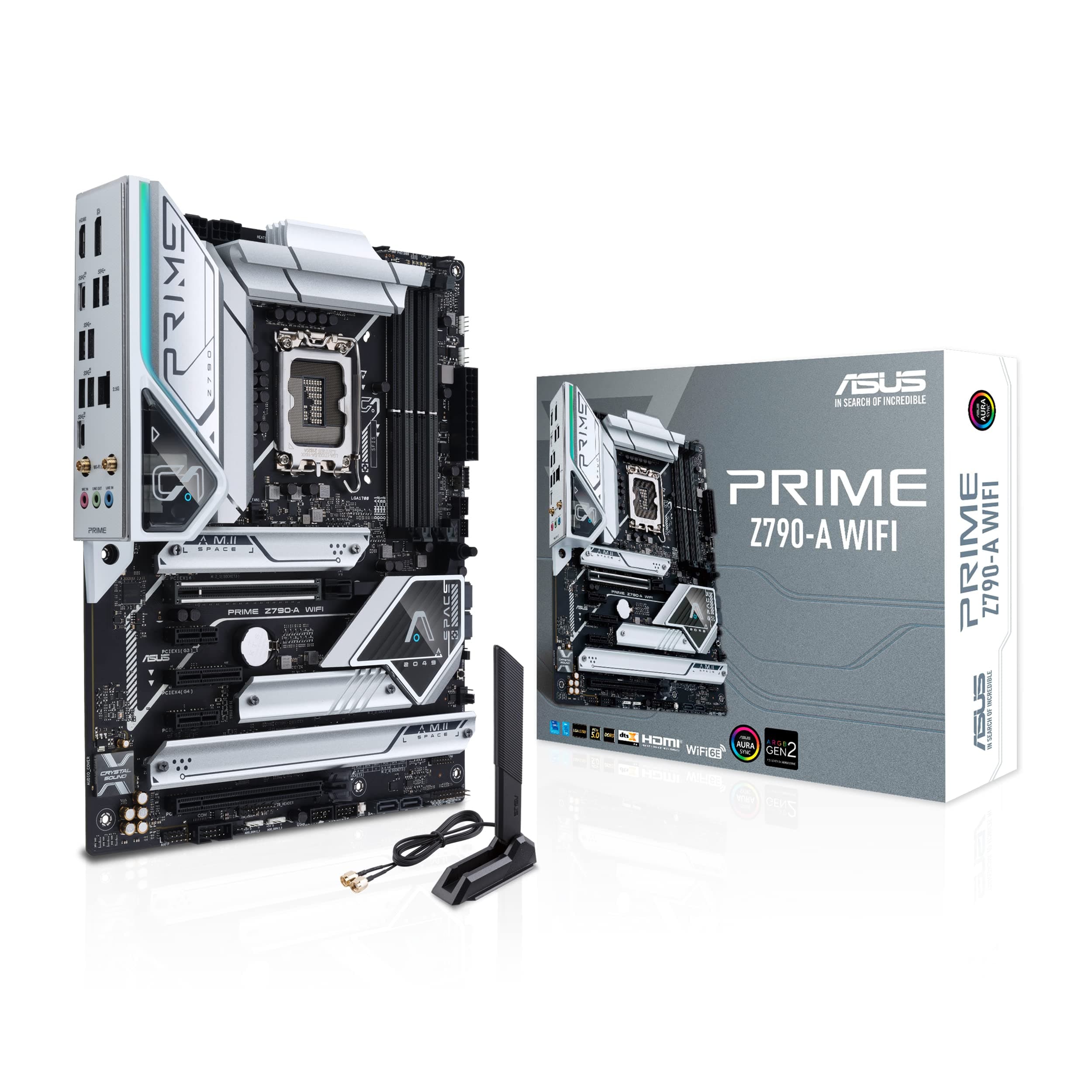
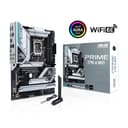
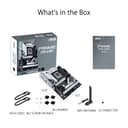
⚡ Build Bold. Connect Fast. Stay Cool. Dominate Always.
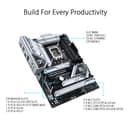
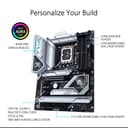
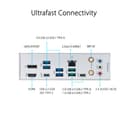
The ASUS Prime Z790-A WiFi 6E motherboard is a premium ATX board designed for Intel 12th, 13th, and 14th Gen processors. It features a robust 16+1 DrMOS power design, supports next-gen PCIe 5.0 and DDR5 memory, and offers advanced cooling solutions. With WiFi 6E, 2.5 Gb LAN, Thunderbolt 4, and multiple M.2 slots, it delivers exceptional connectivity and storage options. Its intuitive BIOS and AI-driven tuning tools make it ideal for professionals and enthusiasts seeking a stable, high-performance, and future-proof PC build.





| ASIN | B0BG6NVPVG |
| Best Sellers Rank | #68 in Computer Motherboards |
| Brand | ASUS |
| CPU Model | Core i7 |
| Chipset Type | Intel Z790 |
| Compatible Devices | Personal Computer |
| Compatible Processors | Intel |
| Customer Reviews | 4.3 4.3 out of 5 stars (504) |
| Graphics Card Interface | PCI Express |
| Item Dimensions L x W x H | 9.6"L x 2"W x 12"H |
| Item Type Name | Gaming Desktop Motherboard |
| Item Weight | 3.68 Pounds |
| Main Power Connector Type | 24-Pin |
| Manufacturer | ASUS |
| Memory Clock Speed | 7000 MHz |
| Memory Slots Available | 1 |
| Memory Storage Capacity | 128 GB |
| Model Name | PRIME Z790-A WIFI |
| Model Number | PRIME Z790-A WIFI |
| Number of Ethernet Ports | 1 |
| Number of Ports | 8 |
| Platform | PlayStation 5 |
| Processor Socket | LGA 1700 |
| RAM Memory Technology | DDR5 |
| Ram Memory Maximum Size | 128 GB |
| S/PDIF Connector Type | Optical |
| System Bus Standard Supported | Serial ATA/600 |
| Total Number of HDMI Ports | 1 |
| Total PCIe Ports | 5 |
| Total SATA Ports | 4 |
| Total Usb Ports | 8 |
| UPC | 195553939324 |
| USB 2.0 | 11 |
| Warranty Description | 3 year |
S**.
An In-Depth Review: The ASUS Prime Z790-A WiFi 6E LGA 1700 ATX Motherboard
After a less-than-ideal experience with the Ryzen 7900x3D CPU and Gigabyte motherboard, I made the strategic decision to change course and try the ASUS Prime Z790-A WiFi 6E LGA 1700 ATX Motherboard, coupled with the Intel i7 14700k CPU. This combo has proven to be nothing short of a revelation, setting a new standard in performance, stability, and ease-of-use. The need for a dependable system prompted the switch from Ryzen to Intel, and the Intel i7 14700k CPU, in conjunction with the ASUS Prime Z790-A motherboard, has exceeded all expectations. The stability and performance offered by this combination are unparalleled, a stark contrast to the issues I faced with the previous setup. The ASUS Prime Z790-A motherboard stands out with its advanced design and rich feature set, which includes support for the latest Intel 14th, 13th, and 12th generation CPUs, robust power delivery via 16+1 DrMOS power stages, and DDR5 and PCIe 5.0 compatibility. The motherboard's forward-thinking design ensures preparedness for future upgrades, offering a level of flexibility that was absent in the Gigabyte motherboard. When it comes to overclocking, the ASUS Prime Z790-A motherboard shines with its stability, allowing me to push the Intel CPU to its limits without any system instability or overheating. This has been a breath of fresh air, especially compared to the Gigabyte board that struggled to maintain stability during overclocking. A significant advantage of the ASUS Prime Z790-A motherboard is its user-friendly setup process. It features clear boot indications and debugging lights, which make troubleshooting straightforward, ensuring any potential issues can be quickly identified and resolved. This is a considerable improvement over the Gigabyte board, which lacked these useful features. The ASUS motherboard comes with a detailed, comprehensive manual that makes the installation process a breeze. The clarity of instructions and the overall user-friendliness of the BIOS setup was a refreshing change from the unclear and ambiguous instructions that accompanied the Gigabyte motherboard. Connectivity is another area where the ASUS Prime Z790-A excels. With built-in WiFi 6E, a 2.5 Gb LAN port, and multiple USB 3.2 Gen 2 ports including a front panel Type-C, it caters to all connectivity requirements. The inclusion of Thunderbolt 4/USB4 and DP ports further adds to its versatility, ensuring a broad range of devices can be connected with ease. The motherboard also supports future-ready technologies like DDR5 and PCIe 5.0, and features four M.2 slots for storage expansion. This allows for a clean, clutter-free build, a significant upgrade from the SATA-dependent Gigabyte board. In conclusion, the ASUS Prime Z790-A WiFi 6E LGA 1700 ATX Motherboard, when paired with the Intel i7 14700k CPU, offers a transformative upgrade to any PC build. This combination outshines the Ryzen 7900x3D CPU and Gigabyte motherboard in terms of performance, stability, ease of setup, and user-friendly features. If you're seeking an unrivalled computing experience, this CPU and motherboard combo comes highly recommended.
B**S
Great quality
I recently installed the ASUS Prime Z790-A WiFi 6E LGA 1700 motherboard and it’s been excellent—easy to set up, packed with features, and rock-solid in performance. The built-in WiFi 6E is fast and reliable, the BIOS is straightforward to navigate, and the overall design feels premium with plenty of connectivity for future upgrades. It’s a dependable choice that makes building and daily use smooth and hassle-free
L**R
Worth the money and works well
Built my first pc with this beast of a mother board ive had no issues its great
D**.
Motherboard has DIMM/RAM issues
I bought this Asus board to replace my Asus TUF board from 2017. I had no issues so upgrading to another ASUS board was a no brainer. I mean, they seemed to have a great reputation and I had a good experience last go around. But Man, this thing had issues. My intention was to upgrade my MB, CPU (i7 13700K), RAM (DDR5), m.2, and AIO cooler together. Everything installed easily, however, upon boot I received several RAM errors. After troubleshooting for an hour I played around with the RAM slots and found that only B2 was working. While having 1 stick in B2 the PC booted up and I installed Windows and my other programs and games. I immediately noticed a big issue when I went from a game to another monitor. A 20-30 second cursor freeze, then it would work again. I thought it was my RAM sticks so I bought 2 more 16GB corsair and tried them in the slots. The RAM worked but I still had the freezing issues so I reinstalled Windows. Same problem, then suddenly upon a bootup I had stopmemory errors once again and found the RAM in A2 was no longer working again. Swapping RAM, it seemed like one of my new sticks was faulty. I replaced a 3rd time. I was able to, again, get the 32GB of RAM to register, but I still hand the 30 second lockups when switching screens, closing games, restarting the PC, and coming out of sleep mode. I have a feeling the DIMM slots (or at least A2) are faulty. It's just my guess after hours and hours of troubleshooting. It's frustrating to upgrade to an i7 13th gen CPU and have your mouse cursor freeze for 30 seconds in various situations. Other troubleshooting methods I used; updated the BiOS and drivers, played around with XMP and set RAM to correct and default speeds, reseated the CPU, replaced thermal paste, messed around/adjusted the AIO and screws, ran CCleaner and Bitdefender, checked connections to the MB, ran diagnostic testing. Frustratingly, nothing improved the issues. I searched REDDIT and reviews on Amazon only to find that others had RAM issues with this board as well. After 3+ weeks and hours upon hours of working on fixes and reinstalling Windows twice, I replaced the motherboard with a Z790 from a different manufacturer (MSI MPG Z790 EDGE). Since that time I have had no issues. My computer is running like butter, as intended when I decided to upgrade the majority of my components. I also notice a slight difference in gaming as well with my 3080. Most importantly, my PC boots up in 30 seconds, comes out of sleep immediately, does not lag or freeze when switching between monitors during gaming. It's perfect. I'm so happy I decided to bite the bullet and take out all the PC components and replace the board again before my return window ended. It was my last option, other than living with it. I wish I would have went with my current MB now to save me from all the time and trouble I had with this ASUS board. As Jaytwocents said in a recent YouTube video: "I'm sorry ASUS, but you're fired!" In that video he reveals quality control issues from this brand who sponsored him. So that right there should tell you something. ASUS needs to get their stuff together!
S**O
reliable and fast
It works flawlessly with 12-th gen. Intel. It's been a year, and I had no issues.
O**M
Il marchio è una garanzia. Processore I9-14900KF, Tutto funziona alla perfezione. I quattro slot per SSD M2 sono una cosa ottima. Consigliata.
M**U
M.2 slots are PCIE G4. Forget about a G5 NVNE SSD.
L**L
Ce produit et mal détaillé, mal expliqué Surtout de mettre les mots juste pour cette article bien dessus pour se tarif
S**N
تجنن خياليه اويلي بس
C**N
*Un mes trabajando y sin problema hasta ahora.
Trustpilot
3 weeks ago
2 months ago