Buy anything from 5,000+ international stores. One checkout price. No surprise fees. Join 2M+ shoppers on Desertcart.
Desertcart purchases this item on your behalf and handles shipping, customs, and support to Kyrgyzstan.
🚀 Elevate your Wi-Fi game—because buffering is so last decade!
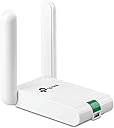
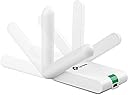
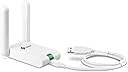
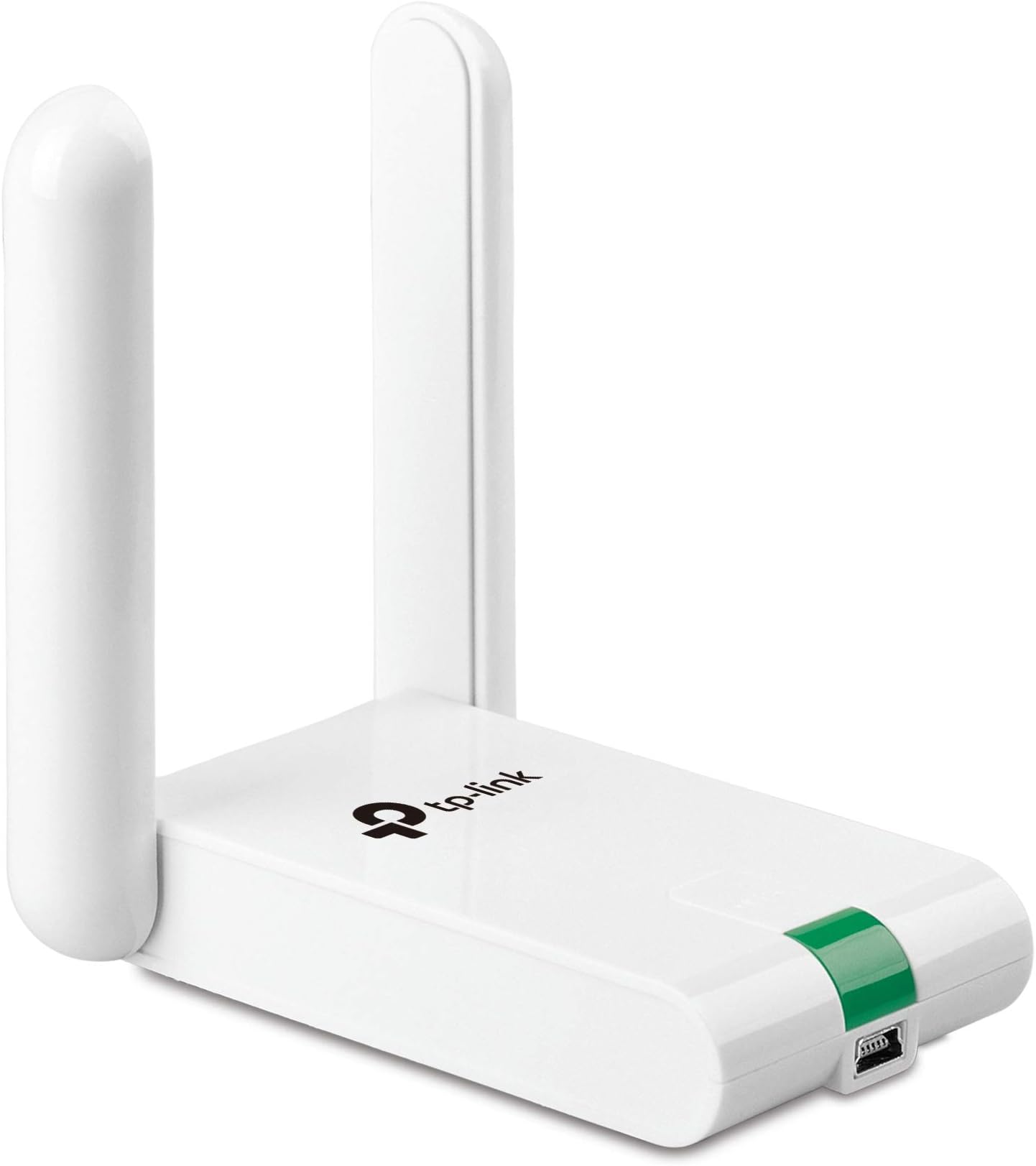
The TP-Link TL-WN822N is a compact USB wireless adapter delivering up to 300Mbps speed with dual high-gain external antennas for superior coverage. Its 1.5m USB cable offers flexible placement, while one-touch security ensures quick, safe connections. Compatible with major operating systems, it transforms any PC or laptop into a high-performance wireless powerhouse.


| ASIN | B00416Q5KI |
| Best Sellers Rank | 51,120 in Computers & Accessories ( See Top 100 in Computers & Accessories ) 407 in USB Computer Network Adapters |
| Box Contents | USB |
| Brand Name | TP-Link |
| Color | White |
| Compatible Devices | Laptop, desktop, smartphone, tablet |
| Compatible Operating System Family | Windows |
| Customer Reviews | 4.3 4.3 out of 5 stars (11,256) |
| Data Link Protocol | USB |
| Data Transfer Rate | 300 Megabits Per Second |
| External Testing Certification | CE, FCC, RoHS |
| Hardware Interface | USB |
| Item Dimensions L x W x H | 9L x 6.8W x 1.8H centimetres |
| Item Part Number | TL-WN822N |
| Item Type Name | TP-LINK 300MBps WIR.USB ADAPTER |
| Item Weight | 50 Grams |
| Manufacturer | TP-Link |
| Manufacturer Part Number | TL-WN822N |
| Minimum Required Operating System Version | Windows 8.1 |
| Model Number | TL-WN822N |
| UPC | 777004581483 777304566319 141086617123 777004581063 132018353783 351895906701 851905159856 777005000006 736159053450 112840003162 749276119879 809385674109 160921437061 731215277030 807320172031 191120005515 767531561188 565264157452 806293535102 163120466931 012300426794 845973050542 745449833986 320127553099 102931029461 719040108071 777104569275 809186279268 |
| Unit Count | 1.0 count |
J**Y
Speeds are comparable to ethernet!
This little white box is a god send! First off I can make my PC in my room wireless, and since my router's on the other side of the house, I can't exactly wire an ethernet cable around the house. I get full 5 bars when connected, although oddly enough, when I'm not connected and it shows the list of networks, it usually marks it as 3 bars. Before I got the PC I was using it on my laptop, the onboard WiFi with my laptop was lucky to get 3 bars, usually 2 which resulted in slow internet speeds. I got full 5 bars too! My average ping times (done by running ping www.google.com in command prompt) usually gets me about 39-50ms. Not bad considering I'd be lucky to get 80 on my laptop. There is the odd glitch where it does not connect and can't find my home router, but will find other peoples. Usually a reboot fixes this. Also it sometimes fails to connect to the internet but stays fully connected to the router, the old yellow triangle on signal bars problem. A router reboot fixes this, I suspect that's Sky's problem, not the adapters though as my phone loses internet as well. People say there are problems on Win 7 64. Can't say I've noticed any on my Win 7 Ultimate 64 bit laptop. I do have the V3 version. Works fine in Windows 7 Home Premium 32, 7 Ultimate 64, 8.1 32 bit and 8.1 64 bit doesn't need any drivers installing, Windows just recognises it as a WiFi card. Does not work in Windows XP (I assume you need the drivers and utility, I only plugged it in in an old laptop to see if anything happened, couldn't be bothered to put the drivers/utility on a memory stick) All in all, solid buy! Can't really go wrong with it at all, still holding up strong and I've had it about 6 months.
M**E
Great bit of kit, very easy to install.
4 out of 5 stars for installation because Win10 crashed 1st time round and needed a reboot, otherwise completely painless installation. I bought this exernal adapter because my laptop built-in adapter sometimes drops connection when I'm at the other end of the house from the router. The TP link work brilliantly! Really stable connection, can't fault it. Installation was very simple, but in the light of other reviews saying it doesn't work, you need to make sure: a) You are installing the CORRECT driver. Do not allow windows to automatically install a driver (I have auto-installation of drivers turned off in my windows settings anyway). b) Run the driver installer first, then plug in the adapter when the box appears saying "searching for adapter". That's it. It should then work just fine.
J**K
WN822N 2.4Ghz Wi-Fi Adapter | Windows 10 | w/ Manual Driver Installation Guide
I bought this Wi-Fi adapter as I updated to Windows 10 and my previous Wi-Fi adapter ( TP-LINK TL-WDN3200 N600 Wireless Dual Band USB Adapter ) was struggling. According to TP-LINK, the TL-WN822N Wi-Fi adapter works instantly with Windows 10 - drivers are installed automatically (http://www.tp-link.com/en/article-15587.html). However, I had to install the drivers manually (you'll need a USB stick and an internet connection). See the bottom of my review for instructions. Unfortunately, our BT HomeHub 5 Router only kicks out 60Mbps at max, and my bedroom receives 30Mbps, so I can't test the 300MBps claim of this Wi-Fi adapter. However, the connection does seem stable. This adapter looks pretty neat, it's got connection stability, speed, and I'm happy with it. There is a blinking light, but covering it with some Blue Tack fixed that. It seems like a safe bet, as there's so many positive reviews for it. You needn't worry about drivers - but make sure you have this review handy to guide you, in case automatic installation fails. Would I recommend this product myself? Yup - it works pretty well! However, you should check if a 5Ghz connection would be better for you. It has less distance, and both your router and Wi-Fi adapter need to support it, but it'll give a cleaner, less congested signal than a 2.4Ghz one - which could be very helpful in a crowded apartment block. Guide: - Download the newest Windows 8.1 compatible driver from http://www.tp-link.com/en/download/TL-WN822N.html#Driver - Open the .zip file, and copy the Windows 8.1 drivers (unsure about 32/64 bit? See next point!) to a USB stick. + To find out which version of Windows you have (on the Windows 10 PC!), hold the "Windows Key" and press "R", type "dxdiag", press enter, and see what the popped-up window says about your Operating System. - Copy the three files to your USB stick, into an empty folder. - Go to your Windows 10 PC, and plug in the TL-WN822N Wi-Fi adapter. If nothing happens, follow the next steps. - Hold the "Windows" key and press "X". Select "Device Manager". - You should see something like "Realtek xxx Wireless LAN xxx Network Adapter". Right click it, and select "Update Driver Software". Choose the second option, "Browse my computer for driver software". Click "Browse", and then find your USB drive. Choose the folder that the files are in, then press "OK". - Your drivers should update successfully. Maybe give your computer a restart. If you found me review/guide helpful, please give me a "Yes!" - and if I didn't help you make a decision or fix your Wi-Fi adapter, give me a "No!". Hopefully you'll enjoy a fast, stable connection soon!
M**D
A really excellent wireless adapter for a desktop
I bought this to get a desktop computer onto the network without the need for finding an ethernet cable wired solution since the computer is nowhere near a router socket. The adapter arrived quickly after ordering, and from opening the box to the system with wireless working (on Windows 7) took only a couple of minutes. The wifi signal was fairly strong at the location of the computer, and the computer now has a rock solid network connection, which comes up efficiently when the computer is booted up. It was providing a download speed around 75mbps which is faster than my external broadband provides so is getting files as fast as it is possible on my internet connection capability. This is an excellent product which I would recommend without any reservation. The only watchpoint is that the supplied CD to install the drivers is a mini diameter CD, and a computer with a vertical optical drive may not read the CD easily - on mine I had to use an external usb CD drive (normal horizontal) to install the drivers - once installed it was fine though. I guess it would be possible to copy the CD contents to a normal sized one (using a different computer) and then use the larger CD if the only available CD/DVD drive on the computer to be installed was a vertical one. Overall - a superb product.
L**N
Ich habe vor meiner Bestellung die Rezessionen durchgelesen und dabei festgestellt, dass sehr viele Kunden das neue Modell und den neuen Chipsatz bemängeln. Da es aber auch sehr viele positive Rezessionen hatte, habe ich mir ihn einfach mal bestellt. Als 1. habe ich einen vergleich zwischen LAN und dem Adapter gemacht. Ich konnte nur ganz minimale Unterschiede feststellen, die sich aber noch im Rahmen der Toleranz bewegen. Als nächstes habe ich einen kleinen Belastungstest gestartet und ein Spiel bei Steam gedownloaded. Ich konnte keine Abbrüche feststellen und auch die Geschwindigkeit war identisch mit der LAN Verbindung. Das beste kommt aber zum Schluss: Die Installation Die Installation ist unter Windows 10 unkompliziert und einfach. Einfach das Gerät anstecken, Windows installiert dann kurz die Treiber und schon kann man sich mit dem WLAN verbinden. Da gibt es echt ein großes Lob an TP-Link für diese einfache Installation innerhalb von Sekunden! Wenn man jetzt noch einen Kritikpunkt nennen müsste, würde ich folgendes bemängeln: Ich finde der Mini USB Anschluss ist auf der falschen Seite. Er ist vorne am Gerät, es wäre aber besser, wenn er hinten ist, denn da Stört das Kabel nicht so sehr. Mein 1. Test fällt somit sehr positiv aus und ich kann den Artikel nur jedem empfehlen, der einen WLAN Adapter sucht.
A**O
El tiempo de recepción menor al estimado,así que perfecto por me urgía bastante. Embalado y estado del pedido perfecto también. Muy pequeño cabe el la palma de la mano, el cable parece resistente. La instalación es muy sencilla. incluye un mini CD con los drivers y en menos de 2 minutos está funcionando. Lo he instalado y probado en un portátil HP en otro Samsung y en un ordenador sobremesa en el que finalmente se ha quedado fijo. En todos los casos ha sido instalado en Windows 7. Lo quería por que el router me quedaba bastante lejos como para tirar un cable hasta el pc de sobremesa, ya que esté está algo escondido. Desde el primer momento el funcionamiento y el rendimiento perfecto. En los test de velocidad, hechos un sábado por la mañana, obtenía el 100% del servicio que me ofrece ONO: 50 mbps. Realicé una descarga importante de más de 40 gigas en descarga directa de un juego cuando lo instalé hará ya un mes y he de decir que es muy estable y no se me ha colgado en ningún momento. Y he llegado a alcanzar tasas de descarga de mas de 6MB/s lo que me parece increíble con más dispositivos conectados al wifi de casa (2 iphone y 2 ipad obviamente no funcionando a pleno rendimiento a la vez ). El ping también es aceptable, mejor desde luego que el de la tarjeta de mi portátil HP. El resumen muy recomendable. Calidad/precio inmejorable. Estoy por pedir otro para las zonas de la casa con menos cobertura.
R**J
This product is very good and working fine. Speed is very fast. Wifi range is good
D**F
This thing is amazing! I honestly hadn't expected much, but was VERY pleasantly surprised. We have a wifi network in our house. It works well, except for my wife's computer which is only about 60 feet from our router, but with three walls between the router and her computer. It would hang up when loading websites, and sometimes would never load the page at all. I blamed the problem on the computer or browser; probably the computer, as I was not having a problem with mine, nor did she if she moved it much closer to the router. This antenna arrived about a week ago, so we've had plenty of time to test it. Installation was simple. Plug the unit in, run the enclosed CD, click on to the network, enter the pass code, and that was it. My wife's computer problems are gone! All websites snap right up. Not one problem with any of them. We have a custom program on her computer that we use to run our business. Running it on my computer from hers, over the network was always slower than running it on her computer. That was to be expected. Now it runs about 50% faster across the network. I installed this antenna on my computer (Windows 8.1) just to see what would happen. Amazingly, it sped page loads up dramatically, even though I'm within about 30 feet of the router (albeit the signal still has to go through two walls), and did not have nearly as many problems as she did. I have just ordered a second one to go on my computer for that reason, and because I expect our in-house program will run even faster across the network using one on each computer. I will update this review after I find out. Given the results with this antenna on our two computers, I enthusiastically recommend it so anyone who suspects a internet connection problem, even if it's only a small one. I simply cannot believe the results, especially at this price. Amazing! 01/15/15: I received my second antenna about a week ago. As expected (hopes for!), it did speed interaction across the network between our computers. No more hung pages on the internet. I can't wait to see how it works in hotels when we travel.
R**N
Description is pretty accurate. It has been working fine for years, the range however isn't that good.
Trustpilot
2 months ago
1 week ago