




dreame L10s Ultra
Product ID: 472935170
Details
- BrandDREAME
- ColorWhite
- Model NameL10s Ultra
- Special FeatureCordless
- Surface RecommendationHard Floor
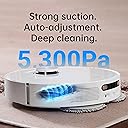
💨5300Pa ultra-strong suction
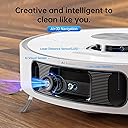
🤖AI-powered smart navigation
🧼Auto mop cleaning & drying
Buy anything from 5,000+ international stores. One checkout price. No surprise fees. Join 2M+ shoppers on Desertcart.
Desertcart purchases this item on your behalf and handles shipping, customs, and support to Kyrgyzstan.
✨ Elevate your clean game — the future of spotless floors is here! 🏡
The dreame L10s Ultra is a premium robot vacuum and mop combo featuring a self-emptying and self-refilling base that supports up to 60 days of hands-off cleaning. Equipped with advanced AI navigation using RGB camera and 3D structured light, it intelligently maps and adapts to your home layout. Its powerful 5300Pa suction and automatic carpet detection ensure deep cleaning on all surfaces, while dual rotary mops scrub and self-clean with hot air drying to keep floors pristine and fresh. Compatible with Alexa and controlled via a feature-rich app, it offers customizable cleaning schedules, multi-floor mapping, and virtual no-go zones, making it the ultimate smart cleaning companion for busy professionals.





| ASIN | B0B7J95MHN |
| Batteries are Included | Yes |
| Battery Life | 210 minutes |
| Battery Type | Lithium Ion |
| Best Sellers Rank | #32,616 in Home & Kitchen ( See Top 100 in Home & Kitchen ) #35 in Robotic Vacuums |
| Brand | DREAME |
| Brand Name | DREAME |
| Capacity | 2.64 Quarts |
| Color | White |
| Compatible Devices | Amazon Echo |
| Control Method | App |
| Controller Type | App Control |
| Customer Reviews | 4.0 out of 5 stars 1,265 Reviews |
| Filter Type | Foam |
| Form Factor | Robotic |
| Included Components | Base Station x1; Robot ×1 |
| Indoor Outdoor Usage | Indoor |
| Item Dimensions L x W x H | 15.69"L x 25.2"W x 25.2"H |
| Item Type Name | household-robotic-vacuums |
| Item Weight | 6.6 Pounds |
| Manufacturer | dreametech |
| Model Name | L10s Ultra |
| Model Number | L10s Ultra |
| Noise Level | 20 Decibels |
| Number of Items | 1 |
| Number of Power Levels | 1 |
| Number of Wheels | 2 |
| Other Special Features of the Product | Cordless |
| Portable | No |
| Power Source | Battery Powered |
| Product Dimensions | 15.69"L x 25.2"W x 25.2"H |
| Recommended Uses For Product | Regular cleaning of homes, including carpets and hard floors, and specifically for use by pet owners at any time of the day. |
| Special Feature | Cordless |
| Style Name | L10s Ultra |
| Surface Recommendation | Hard Floor, Tile, Marble, Stone, Carpet, Wood |
| UPC | 744759266378 |
| Voltage | 120 Volts |
L**N
First one didn’t work, but the feee replacement is ✨AWESOME✨
[the first portion of this review is my new edited opinion. I’m leaving my original post below just to show the difference of how vastly my opinion changed.] ——-NEW OPINION—— This thing is truly awesome and its cherry on top of a fantastic product is the customer service team who made things right! I REALLY research my products, especially ones that cost this much. I researched for a week, narrowing items down to comparing the newer Roombas, the Omni Ultra, Roborock, and Dreametech. I watched every review video on YouTube when I noticed there weren’t thousands of Amazon reviews like I typically look for. I didn’t know what a pascal unit of measurement was before…and now, I could tell you every feature. After arduous research, I chose the Dreametech L10S Ultra over Roborock’s S7 Max V Ultra. Then it delivered after Black Friday and the water component didn’t work [detailed in old post below]. From the moment of realizing it didn’t work, customer service was on top of it—emailing responses so quickly, sometimes within the hour to make it right. I even purchased my second option in the meantime—the Roborock S7 MAX V Ultra—and used that before my Dreametechrepalcmeent showed up a week later. RR was definitely great, but upon receiving the replacement Dreametech, this thing kicks Roborock’s BUTT. The Roborock literally wouldn’t go over my medium pile carpet, and this thing does. Not to mention getting stuck in my carpet three times daily, to a point where I though I might have to cut my carpet to get Roborock out. This has never happened with Dreametech and I’ve used it longer. I’ll just break it down in a pros and cons list below PROS: * Aesthetic is on-point. Matches my decor and it has a clean, approachable appearance. * The mapping is quick and gets smarter and faster each time it cleans. It avoids cords amazingly!! One of the mops almost tangled but it literally did a wheely and avoided it—so impressive. * Customer service has obviously been exemplary. * The mopping feature is as terrific as I expected—it actually cleans. Like CLEANS the floor like I would. And if you actually mop really the first time, then set this, it’ll maintain that level of clean and potentially put your mop out of a job. * The vacuum is strong—gets all the loose cat litter, able to get onto my medium-pile rug, and it really gets things clean, as evidenced when I checked the bag. Like, I walk through my house and the carpets and hardwood FEEL clean, and I can clearly see vacuum lines. * The app is user-friendly for the most part. * It’s customizable clean—you can sweep, mop, sweep and mop, or sweep THEN mop. And you can also have 4 different edits for vacuum settings, including quiet. And 4 different mopping settings * The remote control feature is nice to have * The heating function works well! * I love that it automatically dispenses floor cleaner to the appropriate amount only when pulling water from the reservoir. And it’s evidenced how great it mops when I poor my nasty mop water out. And I walk around and my floors are noticeably clean. CON (opportunities for improvement with simple firmware updates) * I wish I could rename rooms with my own names instead of the pre-set list. I don’t have a “study” but I do have “litter box area”. * The camera sometimes identifies my carpet as a barrier. Although it does eventually get on it and gets it clean. * Some parts of the app don’t make sense and so I don’t use them, for example: 3-D map, or “add this device to your Home Screen” * It doesn’t guide or prompt you to set up the vacuum with Alexa or Siri, and so I haven’t taken the time to figure that out yet. Although I know it’s compatible. * Update the app to easily use voice and video through the vacuum * Quality control, although I had a wonderful experience with my replacement, I shouldn’t have had to do that in the first place with such an expensive item. Even considering all of this—I would 100% buy it again and have even recommended it to my mom who is in the market for a new vacuum. ———————-OLD OPINION———————— I’m so disappointed. Like SO disappointed. I did a weeks worth of research to land on this product feeling like it was a solid choice, only to be let down by the functionality. 1. The water doesn’t come out from the base. I even tried the straw trick to suck through the get water flow to the bottom. But the fact is that I shouldn’t have to literally suck this thing off in order to get it to work. This is a $1000 vacuum, and that’s the Black Friday sale price! I really really just want the base replaced and I’d be happy with everything. 2. The vacuum on this is top tier (although it struggled to get onto my medium pile carpet. It eventually gets there, but not always.) It’s sleek, beautiful, matches my aesthetic, and provides fantastic vacuuming, navigation, and mapping. But no matter what I did with the water tanks, resetting the system—nothing made a difference. By the way, if you’d like instructions for how to do a system repair go to Settings—> more setting—> and then tap the firmware 10 times and it’ll pop up a blue box that asks if you want to repair the system. I did that option 5 times to no avail. But it might work for you?
C**S
Really good for light cleaning and mopping but the app needs a lot of help!
I got this knowing that it wouldn't do a deep clean and would miss edges and some areas and so far this has been true. What I wanted it to do, and it does is daily light cleaning and intermittent mopping which it does well. What it definetely needs is a better app and what it dearly needs is an explanation of the icons on the app and how to set up a daily/weekly program etc. What saved my bacon is a kind reviewer who set out in detail of how to set up and program the map and the schedule. If I could send this person a dozen roses I would do so! I have copied and pasted her (assuming it's a her) notes on this below as I can't find the original posting now. The L10s is a revelation. Set it up, and turn it on - one hiccup with the app saying it would tell me when it had connected to wifi which it didn't, but it did connect, and a second where when playing with the app I think I emptied the water tank so the first run it didn't mop correctly, but otherwise super easy. Then it says it wants to map the house - we have a big, open floor plan house with rugs, chairs, etc etc - and within 10 minutes it was done - amazing. App showed everything. Only downside is our glass sliding doors confused it - it built an entire room that was outside on the patio that I had to fix later on with virtual walls. I then edited the map and that wasn't super easy but it worked. Gave me some obscure errors when I split up the open floor plan into kitchen/entry/etc, but eventually it worked. Drew in some no-go areas around cords/couches it could stuck under, and that was easy. It got stuck on some light bathmat type rugs when I ran it for the first time, so I went back in and "no-go'ed" those as well and after that all was good. The app seems designed around a "set up and run jobs in real time" flow which I found odd - I'm used to setting up a scheduled task and having it go. That was harder to set up than it needed to be - first have to set up shortcuts, shortcuts have a weird "task" substructure that took a little time to figure out, then have to go into a submenu under the "three dots" and find "scheduled cleaning" - it all worked but the work flow was not at all obvious. And there is zero documentation on the app in the otherwise good manual. App is super capable and there isn't one thing I needed to do that it can't do, but did take some spelunking around. Then I set it to clean, and wow again! Goes out, cleans where I told it, respects the no-go zones, doesn't get stuck, doesn't miss spots, goes around chair legs, drives home when needs to charge/clean/refill, and empties itself. Much much quieter than my old iRobot so that I can even run it at night without waking everyone up. Floor mopping is ok - our floors were dirty (hate mopping which is why I didn't do it often and bought the robot!), but after a few passes and jobs it looks way better. I’ve spent a lot of time with this thing trying to figure out the app and settings. This is a great vacuum, but I think the app needs to be reorganized to be more intuitive and user-friendly. There definitely should be a setup Wizard to guide cleaning scheduling and creating Shortcuts. Shortcuts let you design quick cleaning modes that can also be used to schedule cleanings. You can select room order, type of cleaning for each room, how many days a week to do the cleaning. You set up Tasks in the short cut to achieve this. It was a little confusing. The Shortcuts are a separate thing to use for creating cleaning tasks. You don’t need to create them when scheduling and setting up cleaning, but they are a nice feature that makes it easier once you set it up. VacuumThenDeepMopByRm - 1 Day / Week. The tasks in this one tells the robot to vacuum once, then mop each non-carpeted room 3x at the dampest, deep clean setting. The robot returns to base to self clean mop pads each time it finishes vacuuming and mopping a room. 4.) PMVacuum - 5 Days / Week. I have it light vacuum the high traffic areas only in the evening. 5.) PMVacuumThenLightMop - 2 Days / Week. I have it touch-up mop on a medium setting 1 or 2 passes depending on the area. STEP 4: Schedule Cleanup On the Main Page, Choose “Go to the device —>” button, then the upper right three dots menu, then “Scheduled Cleanup”. Press the blue Plus icon in the lower right corner. Set the start time, how often to repeat, and the Mode. You have three options on how to instruct cleaning; Global Cleaning, Shortcuts that have been setup, and New Setup. Global Cleaning is the default. I didn’t cover how to do this specifically, because it’s in the main menu and seemed self-explanatory to me. Shortcuts will have the Shortcuts created in Step 3. New Setup option lets you customize what rooms you want to clean and how you want them cleaned with all settings for vacuum and mopping options. You can use this to create multiple times and days to clean any combination of rooms and cleaning settings by room you want. NOTES: 1.) I have a pet, but I chose No Pets under the AI Recognition menu, because I want the robot to clean as thoroughly as possible, and my dog will most likely not have an accident in the house. This is found under the three dots icon in the upper right corner. Press icon > AI Recognition under the Function Settings section of that menu. 2.) If you create tasks then modify the map (combine areas, separate areas) the tasks will disappear. It warns you about this. You just have to recreate tasks, so get your map the way you want it first. 3.) When I turned off the No Pets, it got stuck wedging itself under a bench, in the same place twice. It corrected this in later runs.
D**A
Was Great Until It Stopped Working
Loved this robot vac for the first 4 months, but then the vacuum stopped working (no suction motor sound) and the robot would leave curled piles of debris over all the rugs. Thoroughly cleaned unit, replaced air filter with brand new one, but nothing worked. Contacted the company and went through their many steps of troubleshooting, and eventually they agreed there was an issue and requested me to send it to their service center in Plano, Texas, using UPS. I sent it off and UPS indicated it was delivered on 5/16. For over 3 weeks every few days I was in communication with Dreame through email asking them why their repair status website was not showing receipt of the unit for repair when UPS showed it as being delivered. On June 7th I got an email from Dreame indicating they had found the unit and would complete the repair in 5 - 7 working days. After waiting 8 business days with no additional repair status update on their website nor through email, I again emailed them to ask why there had been no status update. They replied back informing me that “Due to the relocation of the repair center, the repair has been temporarily suspended. It is anticipated that the repair will commence in about two weeks.” I replied letting them know that this was unacceptable as they had my unit for well over a month and I had been without the use of it for 2 months, and that I was requesting a full refund. The rep then replied how sorry they are and that he would send my request to the relevant department. That was 3 days ago and no reply from them so far. This whole inability to repair mess is really a shame as I loved the robot vac when it worked. I’m guessing they have become overwhelmed with the number of repairs and have fallen far behind, but they should not make their customers suffer for their lack of ability to repair their units. That’s how a new company tanks its reputation. Dreame should either send out a new unit or refund the purchase price if they are unable to repair warrantable items in a timely manner. They owe it to the customers who took a chance on them. One last thing,,,When I went to add a comment regarding their most recent notification of temporarily suspending the repair to my review of the L10s Ultra Robot Vacuum on Dreame’s website today, I was not able to locate it, nor many of the other 1 star reviews I had previously liked. The review count at the top of the page shows 62 reviews, but in the review section towards the bottom of the page, they indicate only 16. Perhaps their ratings system is as broken as their repair system. Perhaps. ***UPDATE*** Received an email yesterday from Dreame saying that since it has been over 30 days since I purchased the unit, they will not provide a refund. This is not a company that cares about serving their customers. I regret giving them my business, but have certainly learned my lesson. ***UPDATE 2*** The day after this review I posted on Amazon went up, a new Dream Customer Support Representative named Andy emailed me to say “I am sorry for the inconvenience of your unpleasant experience on Amazon” and included a link to my review directly below. He went on to say he was sorry for the delay in repairing my vacuum and had spoken to a manager who,had agreed with his proposal that they send me a replacement unit instead of repairing mine. He then asked if that was okay for me. I replied asking if this would be a new unit because I did not want a refurbished nor a used unit sent, to which he replied: “We will check all our devices undergo a thorough inspection before shipment to ensure they meet our quality standards. Please rest assured that I will send you a new product.” I also asked for confirmation that this replacement would have the full new product warranty included, to which he replied “If the machine has a non-human performance failure during use the replacement will have a year warranty, hope you can understand.” I took that to mean that it would have the full new product warranty. I received the replacement unit yesterday. When I came to unbox it this morning, after opening the outer shipping box, I noticed that the inner product box appears to have been previously opened and taped over as there is white paper showing where the black paper was removed as it would have stuck to the tape used to seal the box. There was also a piece of cardboard or dried plant matter stuck under the tape on one side. At that point I decided to not open the inner product box. Please see attached pictures which clearly show the box as having previously been opened and taped over again. So my major disappointment with this company continues. I have emailed Andy explaining what I found when attempting to open the obviously not new unit I was sent; and have asked for them to send out a truly new replacement and arrange to pick up the used one they tried to pawn off on me. ***UPDATE 3*** After going back and forth with the Dreame CSR through email regarding the new robot vacuum they sent appearing to have been opened, they kept insisting that it was a new unit and requested that I open it and if I had any reservations still that it was used they would then accept a return. So I opened the box and inspected the contents and it did indeed appear to be unused as I could find no signs of that it had previously been in operation. The first few weeks of usage were rough as the unit constantly got stuck somewhere the previous unit had not and it failed to complete a scheduled cleaning. So I again contacted Dreame through email and informed them of the situation. They asked me to check a few things, reset the unit, and perform a sensor cleaning. After performing these steps the unit was finally able to complete a scheduled cleaning and has been working as expected up until 2 nights ago when it again got stuck somewhere it hadn’t before. I’ve again cleaned the sensors and will see if it is again able to complete the cleaning scheduled for tonight.
A**R
Miracle robot, LOVE IT!! I'm so happy, come along is you feel this robot is for you. la la la la
Update 11/2024 (purchased ~17 Nov 23’) - Bottom line, after all this time, STILL LOVE IT!! Side brush just failed so I'm going to order a couple. Robot has cleaned flawlessly, wow! Sucked in the tie from my robe, ha, ha. Notified me and "BAM!!" back to cleaning. I get notification after notification "The cleaning task is complete." I'm blown away with the reliability and cleaning consistency. Today, I finally replaced my mop pads! Hit reset on the accessory and its keeping track! One cool thing, I changed my network and had an issue with my phone, so I deleted the app and reloaded! I thought, crap, gotta have the robot relearn everything, setup new fences ... after network setup, the robot reloaded my app with ALL the historical data and BAM!!! Back in business. Even remembered how long each accessory had been used. Now that's a SPICY MEATBALL!! Update 7/2024 - Still love it! No issues to date. Things it got stuck on, dryer pad got bundled up and jammed a wheel, sucked in a shirt I forgot to pickup, got stuck on a toilet rug once, but not often. Tells me what its doing and as long as I keep its water filled and dirty water empty, nothing much to do but have a clean home. One cool feature, as it cleans a throw rug, one of its wheels actually lifts up the side entering the rug, it also kind of rotates as it enters the rug so its not head on. The assumption is it gets a better opportunity to get on top of the rug without sucking the edge in. It will also turn off suction for a moment as it tries different orientations to get on top of the rug. Very good software! STILL AMAZING!! Update 4/2024 - Again, still amazing!!! I have been through one map pad cycle, just replaced them today. The only issue I have had was my roller somehow got damaged. I think it sucked in the edge of a plastic mat and chewed up one edge of the roller. But here is the good news, I emailed support, got a FAST response and in the end, they sent me a new roller, for free! I continue to LOVE this robot! It has completed 61 cleaning cycles for a total area cleaning of 3412 m^2 at 4850 min ... SUCCESSFULLY!! WOWZERS!!! It has tracked water and waste water usage accurately, tells me when to clean the sensors and the bottom mop cleaning pan, and bottom line, the dang robot just WORKS! Go figure :) And floor and carpet cleaning continues to be fantastic! I continue to be VERY impressed. Update 12/2023 - still awesome!! I have the Dreametech L10s Ultra Robot Vacuum and Mop Combo. Been using it nearly every day for 13 days, without getting stuck or an error. Wow! I have a small single-story home, the map says it cleans about 73m^2 of floor and two bedrooms with carpet. Also, have some rugs in the bathrooms over tile. I would start with the bad .... but no negatives yet! WHAT!! Yep, can't believe it. The L10 is so cool, it mops and vacuums at the same time. Love the spinny dual mop pads. Before it starts cleaning, it gets the pads wet, then mops/vacs my floors and lifts the mop pads up (like magic) on the rugs. It seems to run out of juice just before finishing the whole space. Then the bot goes back, empties itself, cleans the mop pads, dries them, and charges. When charged, it completes the job. Then empties itself, cleans the mop pads, dries them, and charges, again. AMAZING! I wanted to give the bot a workout so I have it mop/vac every weekday. I have to add more water and dump the dirt once about every 4-5 days. Next week I'll reduce the cleaning to 3 days per week. The app was perfect and the instructions were clear, had Zero issues connecting the bot to the app and network. Messages are great, tell you when to dump the water/or add a slightly weird message "Self-cleaning is complete. Pour out the wastewater in time." It also told me when to clean the removable map pan of dirt after about 10 days of use (give or take). Great! I love that the bot does NOT run into the walls and my furniture like my Romba did (I called it "bam bam"). This bot has the Lidar, Lasers (I think), and a front camera, no bam-bam! I let it clean my kids' room with all his crap laying all over the floor, this robot navigated and cleaned what open areas it could, nothing got sucked in and the bot didn't get stuck!! Magic I tell you!! Remote control, so how cool is this!!! I had a spill in my kitchen so did I grab a mop, NOOOO! I pulled out my phone and had fun driving my robot to the spill and let it mop it up. Up and back, left and right, all clean!! Then push the home button and it goes back, cleans itself, and all that! Lastly, if you have grandkids, you gonna LOVE LOVE LOVE the front camera! You can talk through the robot as well. When they come over I chase them around the room making scary noises, ha, ha. Now they have PTSD, but I had a blast, and it even lets you take snapshots! AHHHHH faces mostly, lol. So bottom line, great storage for water and dirty water, a cool extra that adds cleaning solution to the mop pads, vacuums and mops or just vacuums on carpets, doesn't bump into things and tear up your walls and furniture, a great app with fence and area clean (and other cool functions) schedules .... it just freakin WORKS!!! Its 17 Nov 2023, if you don't see an update to this review, assume it's still working fantastically!! Cheers! Its Aug 2025 and I have owned my robot for nearly 2 years now. I had a wierd issue, I started to get side-brush-errors. The robot would go near a chair leg near a rug edge and the side brush would be held from turning and the robot would just sit there rather than backing out. Dream had me ship the whole dang robot and stand back for repair (free shipping). Packing was a pain since I didn't keep the original box (lesson learned, KEEP THE BOX). After a week they shipped my robot back, with a new side-brush. I asked them (before I sent the robot) should the side-brush turn when on a rug ... they said NO! Which is my understanding why I sent the robot back. When I recieved my robat back from Dreame (in my own dang packing materials!! What the heck), I setup everything. Sure enough the side brush was still turning on the rug. I asked them and they said "the side brush IS supposed to turn all the time. My next question was, why the heck did I send the robat back in the first place!!! No answer to that question!! They must have replaced the side brush motor since I'm no longer getting the errors. But who knows. Bottom line, robot is back and running like a champ and I still love it ... even after the confusion. One note, after using the robot for 2-years I noticed that my LVP flooring in the kitchen is still covered in affects from cooking (grease, spills) and has a dirt film accross. So the robot isn't really good enough mopping to eliminate this natural affect from a well used kitchen. Not a big deal but of note for your consideration.
C**R
So Far A Keeper, Challenging Setup
So far I think I will keep it. My pros outweigh my cons, and some of my cons are to do with learning curve and setup, not actual vacuum capabilities. I have my complaints to share though. My pros and cons are below my review, and even further down are some tips and tricks I want to share to get around confusing feature setups. MY REVIEW: If you can accept this vacuum will ultimately make your life easier, and do everything pretty well to very well, then it’s for you. If you want a machine that really vacuums up pet hair from a carpet, you’re going to want to keep looking. It does an okay job, but not a great job on carpet. This will help me have to deep clean every 3 months instead of every month. I have a Husky. I’ve spent a lot of time with this thing trying to figure out the app and settings. This is a great vacuum, but I think the app needs to be reorganized to be more intuitive and user-friendly. There definitely should be a setup Wizard to guide cleaning scheduling and creating Shortcuts. Shortcuts let you design quick cleaning modes that can also be used to schedule cleanings. You can select room order, type of cleaning for each room, how many days a week to do the cleaning. You set up Tasks in the short cut to achieve this. It was a little confusing. The Shortcuts are a separate thing to use for creating cleaning tasks. You don’t need to create them when scheduling and setting up cleaning, but they are a nice feature that makes it easier once you set it up. Overall now that I’m done being frustrated and we get along, I’m happy with my little robot. ******************** PROS AND CONS ******************** Pros - Mopping is great on deep mopping setting, maximum dampness, and maximum passes (3x) for an area. I have it clean the mop pads before going to the next set area. - Vacuuming Non-Carpet great. Even using standard settings and passing over an area 2-3x. No vacuum will get it right with just one pass. - Auto-mopping cleaning and Auto-empty vacuum fantastic - Map Layout editing tools are pretty easy to use. You can pinch the map to zoom in or out. - The guides and obstacle navigation worked perfectly as far as I could tell. - Being able to start and stop the vacuum remotely, see its progress, turn on the camera and guide it are really cool features. I even used the microphone to talk to my dog. It scared him a little at first, but when he calmed I was able to get him to sit and lie down. Could be a good thing for separation anxiety (for the pet owner more than the pet!) - There are multiple ways to setup cleaning - Directly scheduling cleaning is easy to setup - Creating tasks to schedule cleaning was not great. - Customer Service was great both times I called. - It’s the only vacuum at this price point I saw with good ratings that have the rotating mop pads, auto empty and clean, and vacuum. I’m a big fan of Eufy, but I’m not a fan of having to empty the dust bin every time. If I forget to empty, it stops the vacuum. Not good if I’m not home. Cons - Battery can’t get through a deep clean of my apartment. It has less than 500 sq. ft. of cleaning area, and it has to dock and recharge. - Recharge is triggers at 15%. I wish this was editable setting. I don’t see why a battery couldn’t get down to say 5% before recharging. It would probably be enough to let it complete a complete run-through for me. My place is not huge, it can make it to the base probably on 1-2% battery. - Quick Mapping not a time saver. It missed the carpeted room completely. I guided it to that area and it continued. This caused the map to be uneditable for splitting or combining an area. I set it to vacuum only and let it do a pass cleaning, and that corrected the map inaccuracies. It may be easier to just let it clean first and skip the Quick Mapping. - Bad on Carpets. It doesn’t clean well on medium pile carpet. I let the vacuum clean three times, morning, night, and the next morning. All were set to highest suction and highest (3x) passes. I then took a Dyson stick vacuum to the carpet and it extracted a lot more dust and dog hair than a reasonable person would expect from this vacuum. - Map hard to read. When you zoom in on the map, the names and numbers stay small. It would be nice if these enlarged with the zoom in, or have the info in an editable menu below the map when you select an area. - Power went out and vacuum went offline. I couldn’t access wifi in the app to reset it. I had to call CS and find out I needed to delete the robot from the app and go through the wifi setup process again. Thankfully this worked without losing the mapping and programming. This could be easily fixed with a link to the wifi settings from the robot is offline message ******************** TIPS AND TRICKS FOR SETUP PROCESS ******************** I have a large one bedroom, single floor apartment, so it’s a lot more vacuum and mop than I need, but that’s my layout. There seem to be two main ways to do the setup, but both start the same. STEP 1: Quick Mapping or Run the first cleaning (you MUST do this first) Quick Mapping - I initially scrapped the quick map it made, because it didn’t identify rooms, and I didn’t help it get past the confusion. The vacuum winked at the kitchen, felt the carpet to the bedroom and said, “yep those are rooms!”, and skipped them. I think the metal floor finish confused it. Instead, I let it run it’s first cleaning, and it mapped from that. I still had to follow it around and give it a boost into the kitchen and bedroom. Either way, same experience. You may have to help it get over its fear. STEP 2: Edit Map On the lower left corner of the map page, there is a layers icon named Map. Click on this to set up No-Go Zones / Virtual Walls, Editing the Areas the robot mapped, and Carpet Settings. Do Area Editing first, I wish I had. If there’s an area you want to split, select it, then move the line to where you want to split it into two. Select two areas next to each other to merge them, then click Merge. Always select the area first, then the task you want to do (Rename, Split, Merge, change Floor material) STEP 3: Set Up Shortcuts (potentially skippable step) This allows you quick buttons for customized cleaning. They can also be used to set-up Scheduled Cleanup. If you want to just program set cleaning times or use the global cleaning setup, skip to Step 4. Located on the MAIN PAGE when you open the app, not under the Device page as you might think. It’s in a menu on the middle right side of the phone frame, and the icon is a piece of paper with a lightning bolt. It’s stacked under the camera icon on the same little menu. Do this after you have your map setup the way you want it, but BEFORE scheduling any cleaning. Shortcuts allow you to create tasks and order them how you want them completed for that shortcut. So, if you want the tell the robot to vacuum, then mop, or only vacuum at a certain time, this is how you’ll do it. You will set-up a Shortcut for each group of tasks you want completed at a certain time and day(s). My Five Shortcuts are: 1.) AMVacuum - 7 Days / Week. I have the tasks to vacuum all rooms in the morning, setting the bedroom to be vacuumed thoroughly. 2. & 3.) (task to vacuum, task to mop) VacuumThenDeepMopByRm - 1 Day / Week. The tasks in this one tells the robot to vacuum once, then mop each non-carpeted room 3x at the dampest, deep clean setting. The robot returns to base to self clean mop pads each time it finishes vacuuming and mopping a room. 4.) PMVacuum - 5 Days / Week. I have it light vacuum the high traffic areas only in the evening. 5.) PMVacuumThenLightMop - 2 Days / Week. I have it touch-up mop on a medium setting 1 or 2 passes depending on the area. STEP 4: Schedule Cleanup On the Main Page, Choose “Go to the device —>” button, then the upper right three dots menu, then “Scheduled Cleanup”. Press the blue Plus icon in the lower right corner. Set the start time, how often to repeat, and the Mode. You have three options on how to instruct cleaning; Global Cleaning, Shortcuts that have been setup, and New Setup. Global Cleaning is the default. I didn’t cover how to do this specifically, because it’s in the main menu and seemed self-explanatory to me. Shortcuts will have the Shortcuts created in Step 3. New Setup option lets you customize what rooms you want to clean and how you want them cleaned with all settings for vacuum and mopping options. You can use this to create multiple times and days to clean any combination of rooms and cleaning settings by room you want. NOTES: 1.) I have a pet, but I chose No Pets under the AI Recognition menu, because I want the robot to clean as thoroughly as possible, and my dog will most likely not have an accident in the house. This is found under the three dots icon in the upper right corner. Press icon > AI Recognition under the Function Settings section of that menu. 2.) If you create tasks then modify the map (combine areas, separate areas) the tasks will disappear. It warns you about this. You just have to recreate tasks, so get your map the way you want it first. 3.) When I turned off the No Pets, it got stuck wedging itself under a bench, in the same place twice. It corrected this in later runs.
C**E
This thing is amazing!
Update at the bottom... OK, so only one day in with my new floor cleaning robot, but wow am I impressed with this thing! Read a bazillion reviews before choosing the L10s, so had set my expectations for it doing ok but getting stuck, for the app to be hard to use, and for the cleaning being meh... Exceeding all of those expectations so far. We had an iRobot 900 series before (vacuum only) so that was my comparison bar. It was ok but bumped into things constantly, didn't ever finish a job without issue, had to have the bin emptyed constantly, and was really noisy. The L10s is a revelation. Set it up, and turn it on - one hiccup with the app saying it would tell me when it had connected to wifi which it didn't, but it did connect, and a second where when playing with the app I think I emptied the water tank so the first run it didn't mop correctly, but otherwise super easy. Then it says it wants to map the house - we have a big, open floor plan house with rugs, chairs, etc etc - and within 10 minutes it was done - amazing. App showed everything. Only downside is our glass sliding doors confused it - it built an entire room that was outside on the patio that I had to fix later on with virtual walls. I then edited the map and that wasn't super easy but it worked. Gave me some obscure errors when I split up the open floor plan into kitchen/entry/etc, but eventually it worked. Drew in some no-go areas around cords/couches it could stuck under, and that was easy. It got stuck on some light bathmat type rugs when I ran it for the first time, so I went back in and "no-go'ed" those as well and after that all was good. The app seems designed around a "set up and run jobs in real time" flow which I found odd - I'm used to setting up a scheduled task and having it go. That was harder to set up than it needed to be - first have to set up shortcuts, shortcuts have a weird "task" substructure that took a little time to figure out, then have to go into a submenu under the "three dots" and find "scheduled cleaning" - it all worked but the work flow was not at all obvious. And there is zero documentation on the app in the otherwise good manual. App is super capable and there isn't one thing I needed to do that it can't do, but did take some spelunking around. Then I set it to clean, and wow again! Goes out, cleans where I told it, respects the no-go zones, doesn't get stuck, doesn't miss spots, goes around chair legs, drives home when needs to charge/clean/refill, and empties itself. Much much quieter than my old iRobot so that I can even run it at night without waking everyone up. Floor mopping is ok - our floors were dirty (hate mopping which is why I didn't do it often and bought the robot!), but after a few passes and jobs it looks way better. We'll see how it goes, but so far first impressions are fabulous. Two Month Update: - still love Kevin which is what we named him. - Floors are so much cleaner than before, and he continues to work tirelessly without much issue. - A couple of problems. - He has gotten stuck a few times, usually between the legs of our dining room chairs. - He is really bad with cords - if you have a cord that isn't in a no-go/exclusion zone, he swallows those up and gets stuck. So you have to use the "no go" zone feature on the map to keep him out of danger. - this is the biggest issue - he has a *tiny* little draw tube between the dirty water tank and the pad rinsing area. And even with the plastic screen to keep out debris, it doesn't always work and it doesn't take much to clog the intake tube. and when that happens, you come downstairs to a puddle of water on your floor. happened twice so far and I've had to jam a pipe cleaner into it to clear out the clog. Poor design.
L**N
Great at cleaning and customizable cleaning settings
Amazing! This does a great job cleaning. I have a 3 year old and 2 dogs (one of which is a husky mix) and I rely on this for my routine cleaning and will only hand vacuum/ mop any major messes that occur (like juice or chunks of food on the floor). This is also great at mapping your house and cleaning exactly where you want it to. The ability to schedule jobs and customize what you want it to do (including suction power and amount of water) is also amazing! The water reservoir holds plenty so I am able to mop my entire house which is over 2000 square feet. It occasionally gets stuck but 90% of the time this happens on a cord I forget to pick up. Overall I am super impressed by this, especially for the price!
S**N
Best robot Vac I've ever used
This is my 3rd robot vacuum, our 900 series irobot had an incident with some pet spit up and the end result was the wifi no longer worked. we used it that way for quite awhile manually sending it out to clean before deciding to get a newer model. We chose the Roomba I7 with the intention of getting a mop to clean behind it. Right after we got it Irobot came out with the j7 and I wish we had sent the i7 back but I digress. The i7 has been very fussy, navigation problems, not wanting to empty the bin... mostly not parking itself correctly and not charging. We moved to a new house and shortly after that got this for the main floor after going through several reviews. I LOVE this thing. I change the water twice a week and other than that I almost don't know it's there. Pros: Quiet - It does the whole downstairs every night while we're in bed. If I happen to wake up while it's working I can just barely hear it. It cleans the kitchen every evening after dinner and in the next room I also barely hear it. It does get louder on carpet but that's to be expected Good navigation - it has no trouble navigating the space and finding it's way into the kitchen (which the i7 struggled with). It's easy to send out to clean up a mess real quick: Just tap go to device, tap zone on the next page, then move the little blue square over where you need it to clean on the map. It goes and cleans that area and goes to the base. Spot cleaning was hit and miss with the irobots unless i saved a clean zone and sometimes even if I had one saved. My floors are clean ALL the time Cons: The app is a bit tedious to navigate and figure out and Dreame doesn't give you much direction for that When i schedule the robot to vacuum only it seems to mop also unless I have my main setting on vaccum only. That's pretty much it. I may get another for upstairs but I'm not in a big hurry because the i7 seems to be happier up there for some unknown reason. The only thing I would need it up there for is mopping so we'll see. I may just take this one up there now and then and have it mop and spot mop myself in between.
C**.
Excelente relación, calidad y precio
Estoy realmente satisfecha y asombrada con esta barredora, era marca Irobot y me decidí cambiar y probar, me sorprende lo bien que trabaja además de que esta hermosa. La cámara permite que no choque para nada con los muebles, mesitas o maletas. Que barra, trapee, cuente con autovaciado y limpieza de motas trapeadoras, realmente te facilita la vida 😍
M**O
Excelente
El robot aspira, barre y trapea al mismo tiempo, en mi casa hay cerámicas y porcelanas, ambos los deja impecables de limpios y brillantes, sin manchas o huellas de ruedas. Se puede "mapear" la casa por nombre de habitación y planta alta, baja etc. Compré un robot y al ver su eficiencia Compré otro para tener uno en planta baja y otro en planta alta ya que tenía que subirlo y bajarlo. Se puede controlar a distancia y supervisar por el mapa o encender la cámara. Lo recomiendo ampliamente.
G**A
Es buena y sin contratiempos,
Ya llevo más de 6 meses con el robot y la verdad si limpía bien, solo que si se tarda su tiempo y se enreda bastante con cables y agujetas si no tienes cuidado de quitarlas del piso. También considera que si es pesado limpiar la base, donde se enjuagan los pads; están hasta el piso y tienes que estar sentado en el piso, limpiar casi cada semana pues si no se mancha la maquina por ser blanca. De ahí en más, sin quejas; siempre útil, siempre facilitandome la limpieza del depa. Yo le daba un 9 de 10.
S**.
La mejor compra del buen fin.
La recomiendo 100%, tenemos 2 perros y sueltan pelo, pero con la aspiradora ya no es problema. Trapea lo suficiente, no hace mucho ruido, es muy autónoma, aspira bastante bien. Es hipnotizante verla trabajar.
J**E
Poco durables, servicio, pésimo por parte de la marca Dreame
De verdad, escojan cualquier otra marca, pero mucho menos esta que dejó de funcionar, transcurridos apenas se hizo siete meses de uso, el equipo de atención a clientes de la marca, Dreame es pésimo, aléjense de esta marca y eviten pasar un mal momento y tirar su dinero en un producto que cuesta mucho y no lo vale en lo más mínimo. Siendo objetivos, la aspiradora dejó de hacer succión y se le queda todo adentro de el robot, he enviado evidencia de esto, y la verdad ya me tiene cansado el proceso de esta marca, escojan una de renombre, igual les va a costar lo mismo.
Trustpilot
4 days ago
2 weeks ago