We remain fully operational. Our teams are working around the clock to ensure your deliveries continue safely.

DOWNLOAD THE APP


Customer Services
Copyright © 2025 Desertcart Holdings Limited
DOWNLOAD THE APP

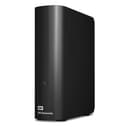
💼 Elevate your workspace with storage that works as hard as you do.
The WD Elements 20TB External Hard Drive delivers massive, reliable desktop storage with ultra-fast USB 3.0 connectivity. Designed for professionals needing effortless plug-and-play expansion, it supports Windows 10+ out of the box and offers shock-resistant durability. Perfect for offloading large media libraries and boosting PC performance, this sleek black drive combines high capacity with robust build quality to keep your digital assets safe and accessible.


| ASIN | B09TYZCN61 |
| Best Sellers Rank | 650 in Computers & Accessories ( See Top 100 in Computers & Accessories ) 11 in External Hard Drives 41 in Components & Replacement Parts |
| Box Contents | WD Elements 20TB Desktop External Hard Drive - USB 3.0 |
| Brand | WD |
| Brand Name | WD |
| Cache Memory Installed Size | 20 |
| Color | Black |
| Compatible Devices | Desktop |
| Connectivity technology | USB |
| Country of Origin | Thailand |
| Customer Package Type | FFP |
| Customer Reviews | 4.5 out of 5 stars 19,450 Reviews |
| Data Transfer Rate | 5000 Megabytes Per Second |
| Digital Storage Capacity | 20 TB |
| Digital storage capacity | 20 TB |
| Enclosure Material | Canvas |
| Form Factor | 3.5-inch |
| Global Trade Identification Number | 00718037894539 |
| Hard Disk Description | Mechanical Hard Disk |
| Hard Disk Form Factor | 3.5 Inches |
| Hard Disk Interface | USB 3.0 |
| Hard disk form factor | 3.5 Inches |
| Hard disk interface | USB 3.0 |
| Hard-Drive Size | 2E+1 TB |
| Hardware Connectivity | USB 3.0 |
| Installation Type | External Hard Drive |
| Item Dimensions L x W x Thickness | 34.3L x 12.2W x 41.9Th centimetres |
| Item Type Name | root->-home->-catalog->-PC-components->-disque-major |
| Item Weight | 0.3 Kilograms |
| Manufacturer | Western Digital |
| Media Speed | [EST] 300 MB/s |
| Model Name | WD Elements Desktop |
| Model Number | WDBWLG0200HBK-EESN |
| Network Connectivity Technology | USB |
| Number of Items | 1 |
| Product Features | Shock Resistant |
| Product Warranty | 2 year manufacturer |
| Special feature | Shock Resistant |
| Specific Uses For Product | Videos |
| UPC | 718037894539 |
| Unit Count | 1.0 Count |
S**S
Big & Fast
It was less than 2 years ago that I purchased an 8Tb Seagate Backup hub Plus external drive - what I thought then was a "big" drive, but found I had filled that up all too soon. I use this drive to backup my NAS, which stores all my media, so as this slowly grew in size, I needed to get myself a higher capacity drive. Enter the Western Digital 14Tb Elements drive, which at £249 at the time of writing, represents pretty decent value considering I paid £179 for the aforementioned 8Tb Seagate model a couple of years back. Strangely, if I want to buy the equivalent drive as a bare unit i.e not housed in an external enclosure with all the additional electronics that entails, it would actually cost me over £300! Why a less expensive to produce version should cost more than one in an enclosure is beyond me. The WD unit is rather like a heavy book, in that one edge is curved, rather reminding me of the spine of a hard back. On this surface you will find the single power/activity LED, which is quite small. The drive has small rubber feet such that it stands in a vertical orientation - like a book in a book case. This is perhaps the best orientation for air flow given the vented top and rear edges. I personally don't really like drives standing up like this, it's too vulnerable to being knocked if its stood on a busy desk. Lying flat is OK, but I think my unit ran a little hotter like that. I don't know why WD do not provide an optional to fit stand with wider feet to provide better stability. Such a simple plastic stand would cost next to nothing to produce and would give customers the option to have a more secure base. That minor gripe aside, the drive itself is impressive in its performance. Unlike the Seagate which was an SMR type drive and thus termed an "archive" drive that suffered from slow write performance at just 38.7 Mb/sec sequential writes according to my Crystal Disk Mark test, the WD Elements 14Tb drive tested at an impressive 214Mb/sec read and write sequential transfer rate. For reference, the Seagate tested at around 118Mb/sec sequential read as I recall. As with these large capacity drives, the head seek action is quite heavy, far heavier than my internal 2Tb drives and will feel like the drive is suffering from a fit of the shakes when initializing after a power on. Not an issue, but worthy of note to those who may think they have received a faulty unit. The previously mentioned 8Tb Seagate had a heavy seek action too, but not as heavy as this monster from WD, I can only imagine it may have to do with the high platter count such high capacity hard drives have. These external drives actually appear to run warmer than internal drives, so it's advisable to situate the drive somewhere where it is not penned in by other items. The drive performed flawlessly when I backed up my entire NAS to it over my horribly slow USB 2 connection on the NAS (only one I have) and took some 81.5 hours to complete the transfer of some 7.3Tb of data. So, it is certainly able to operate continuously for that length of time without issue. Of course, had I backed up via a USB 3 connection, then the transfer would've been far faster. I suggest that purchasers of this drive, as with all Western Digital drives, register them on the WD website in order to ensure the full warranty cover. The drive comes complete with the required power and USB cables of generous lengths. The drive has no power switch as such, so once connected to power and an active USB port, will power up. This drive seems to be smart enough to power down/enter standby if the connected computer is shut down or goes to sleep. Connected to a Windows 10 PC, the drive reports 12.7Tb available. Of course, 12.7Tb is what I call "proper" Terra bytes despite hard drive manufacturers deeming a Tb to be an even 1,000Gb where as I, being old school, see a Tb as 1,024Gb hence the 12.7Tb shown in Windows. That's fine, not a WD thing as all manufacturers go with this system of measurement. The drive's default volume label is "Elements", but of course you can change this if you so wish. Nothing required to do if using with a Windows based computer, so you can immediately start copying files to it once connected as the drive is pre formatted using NTFS. Mac users will either need to reformat or use a utility to permit use of NTFS file systems. No backup software is supplied with this drive, unlike the My Book series from WD. however, this is a bonus as I generally prefer not to use the software provided by the manufacturer for this purpose anyway. A quick note to those less computer savvy; There are numerous free backup programs for Windows you can use if you need backup software. This Western Digital 14Tb Elements is an impressive drive at an impressive price.
S**4
nice hard drive
speed is up to 200mb/s, amazing, price is cheap
D**N
Good, reliable drives
Nice big drives and totally worth it if you can get them on sale. They do make a noise every 4.8 seconds when they are connected and idle. It's a feature called PWL (Preventive Wear Leveling) that stops the reading needle from sticking and apparently prolongs the drive's life. On the 10tb or lower drives you might not notice it unless you are actually holding the drive. Larger drives (16GB+) have a much stronger vibration and it is quite audible if the drive is placed on a hard surface, like your desk, due to resonance. It can actually be quite annoying and they really haven't done anything to try dampen it's effect on these larger drives with better casing, insulation or anything. So, if you are getting the larger versions and plan to have it connected all the time next to you I highly recommend you put something soft under it, like an insulation pad or even just a folded cloth. That will reduce the effect of the PWL ticks quite a lot. You can allow windows to turn off the drive when it's not in use too if you find the right USB Mass Storage Device in Device Manager. That will stop the noise when it's not in use but obviously it needs to spin up again when you want to use it. The noise the large drives make when spinning up is also quite loud and grindy. Excluding the drive from Windows Defender checks, if you use it, will also reduce how often the drive spins up randomly from time to time. You just choose exclude folder, select This PC and then select and exclude the entire drive. Only do that if you are happy with it being excluded from all virus checks though.
J**C
Great WD140EMFZ drives, easy to set up, huge storage in a single drive with huge potential uses...
I bought 2x 14TB HDD for £190 on Amazon Prime Day sale as a upgrade to my home server (and backup server) storage. Each machine was running a 8TB Toshiba, 4TB WD and 4TB Seagate. Intention is to eventually replace one of the 4TBs from each machine. But for now, they are running plugged into the USB ports. The drives arrived safely boxed and plugging in and switching on was very easy, with no drivers required. I reformatted them and copied the data from one the 4TB drives over. This was particularly painful and took about 2 days over the USB interface, achieving around 36MByte/s when I was checking which wasn't really USB 3.0 speed but more USB 2 speed. Though this could be down to my ageing servers rather than the drives. The drives themselves ran with relatively little noise, I'd say there were quieter in the enclosure than my Toshiba 8TB drives were inside my PC cases! The drives themselves did get quite warm, but not hot, certainly less warm than the Toshibas (though those did run hot) Once these bed in for a few more days and I've copied my data across, I will test my next plan and update the review accordingly... Update 20 Oct 2020: Having opened up the case, the drives are 14TB WD140EMFZ drives. I've "shucked" the drives out and attached them directly to the SATA connectors on my PCs. This has then yielded the full potential of the performance of these drives. I've sequential read of around 190MByte/s transfer speeds now which is pretty damn good considering it's in a 5 year old PC. Perfectly adequate for a PC storage drive or NAS drive. Random Read/Write is pretty bad, but in this age, spinning disks really are not the solution for such operations and I suggest you get yourself a cheap SSD for that sort of usage. Update 17 Nov 2020: These drives have been running flawlessly for a month now. My backup server had a PSU failure and upon replacing PSU, the drive (and others) carried on working falwlessly. To answer a comment. These drives when shucked out are exactly the same as form factor and data and power connectivity as any standard SATA internal 3.5" drive. screw holes etc are all in standard places. Update 23 Apr 2021: These drives have now been running for 6 months. I've upgrade my backup server and now both machines are running 24/7. Both 14TB drives still seem fine with currently no indications of any issues. Hopefully, touch wood this will keep going this way for a long time...
S**J
Solid performance so far
Had it for 2 months now and is 2/3 full with backup of videos, movies and photos. I don't find it noisy. Speed is ok for me. What i do like is that if you are watching a movie you can pause for ages and it will contine the film without hesitation. If i do that on my toshiba ext HD it 'glitches' the image on the screen for a few seconds while it sorts itself out. The only negative is if connected but not in use it takes seconds to spin up from idle when sent a command. Would recommend.
K**N
Incredibly reliable hard drive and fantastic price
Western Digital make great quality external hard drives and I have never had any issues with any of them...so far! touch wood I would always recommend getting a smaller size hard drive (4tb max size) if possible as they can fail and losing so much data (6tb+) can be difficult to take. I've also read that larger size hard drives are more likely to fail but cannot confirm this. These devices are incredibly easy to setup and use. Just plug in the USB cable and you're away. Note: I would highly recommend using a 3.0 usb slot when transferring large files. USB 3.0 does downgrade to USB 2.0 slots but the speeds are so much slower. If you dont have a usb 3.0 lot then use the 2.0 slot but if your desktop pc has multiple drives then make sure you use the faster 3.0 slot. As mentioned before, I can't fault these drives so far. My only concern is the varying write speeds. A few of the hard drives I have purchased seem to have much faster write speeds than others despite being the same model. I do not know why this is but others have mentioned possible cost cutting and use of slower drives/materials. It can be frustrating but isn't too bad on the whole, it just means waiting a few minutes more. Lastly, PLEASE DO NOT leave your hard drive on all the time! The heat generated will impact the drive and can lead to problems. These drives shouldn't be left unused for a long time but should NOT be used constantly as a seperate drive. They are for storage/backup of larger files to decrease file space on your pc/laptop. If you feel like the hard drive is getting hot or been on for a long time, then please safely eject the device and allow it to cool down. Overall I'm very happy with my purchase. Delivery was very fast and Amazon were much cheaper than any where else. I will definitely be buying another one in the future and hope Western Digital continue making high quality but affordable products like this.
N**R
Solid, reliable hard drive – works fine in my NAS
I've bought many of these to use in my NAS (Network Attached Storage) devices. I've had the 18TB, 20TB, 22TB and 24TB versions of this drive bought at various times over the last few years. All have been reliable (the 22TB which I am writing the review on is over a year old and is working fine). Always check the drive works and is free of errors before removing from the device. I've not had any drive dead on arrival but always best to check as your warranty may be voided once you remove from the enclosure. The drives are easy to remove (search online to see how to do it). One thing to be aware of is that larger hard drives are more noisy generally. In general operation, the noise is not too bad but you may find in an array there's a bit of noise when they all start up together. It's a bit of a shame that manufacturers put a premium on standalone hard drives as it's not great for the environment to buy in enclosures when you know you're going to remove it – even if you recycle the enclosure and the power adaptor. But this is a far cheaper way to get large drives. I would recommend these as a reliable and cheaper alternative to drives marketed as NAS drives. Always do a bit of research first though to see what people recommend at the time of purchase. Reddit is usually a good place to check.
V**S
Decent quality, durable. Works well connected to my NUC.
I have a particular ned for this external drive, it connects nicely to my Small NUC computer in the left. Attached to that is also a DAS. I ordered the 18TB version of the drive, seems decent value for that amount of storage. As this one is not being shucked it will enjoy the two years warranty, that has always been a pleasure to deal with Western Digital. As part of the Preventative Wear Levelling feature this drive makes noises when idle. When I was testing it, sat on my desk, the noise increased due to it being on the wooden desk. Placing a foam mat underneath the drive actually helped, a lot. The clicking and whirring is either annoying or, as I now have it in the loft, a non-issue. It is not overly loud, when cushioned, but it is there. Windows 11 saw the drive right away, I formatted it to NTFS and had just over 16TB free to use. The drive case is well made and connects by USB A type port at ver 3.0 std. I would consider it portable, albeit it needs an external PSU. I typically get speeds of around 180MB/s when pushed over my 2.5GB LAN, that nis for a large file. As the drive is holding media the files sizes are typically large. The NUC N100 acts as a media sharing PC for TV's and others to access around the house. Overall, I am impressed with the drives speed, streaming media from it is not an issue. I accept that these drives are always going to be sold on their raw unformatted capacity, meaning I will never get to use the 18TB noted at sale. Hence having just over 16TB when formatted with NTFS and that has always seemed to apply, no matter how much it annoys me. A good brand and well made. If it is next to you, just consider that it will make some noise every five seconds or so, small, but noticeable. That is normal. As mentioned, I have not shucked this one, happy enough to leave it as it is and enjoy the warranty. Recommended.
Trustpilot
3 weeks ago
3 weeks ago