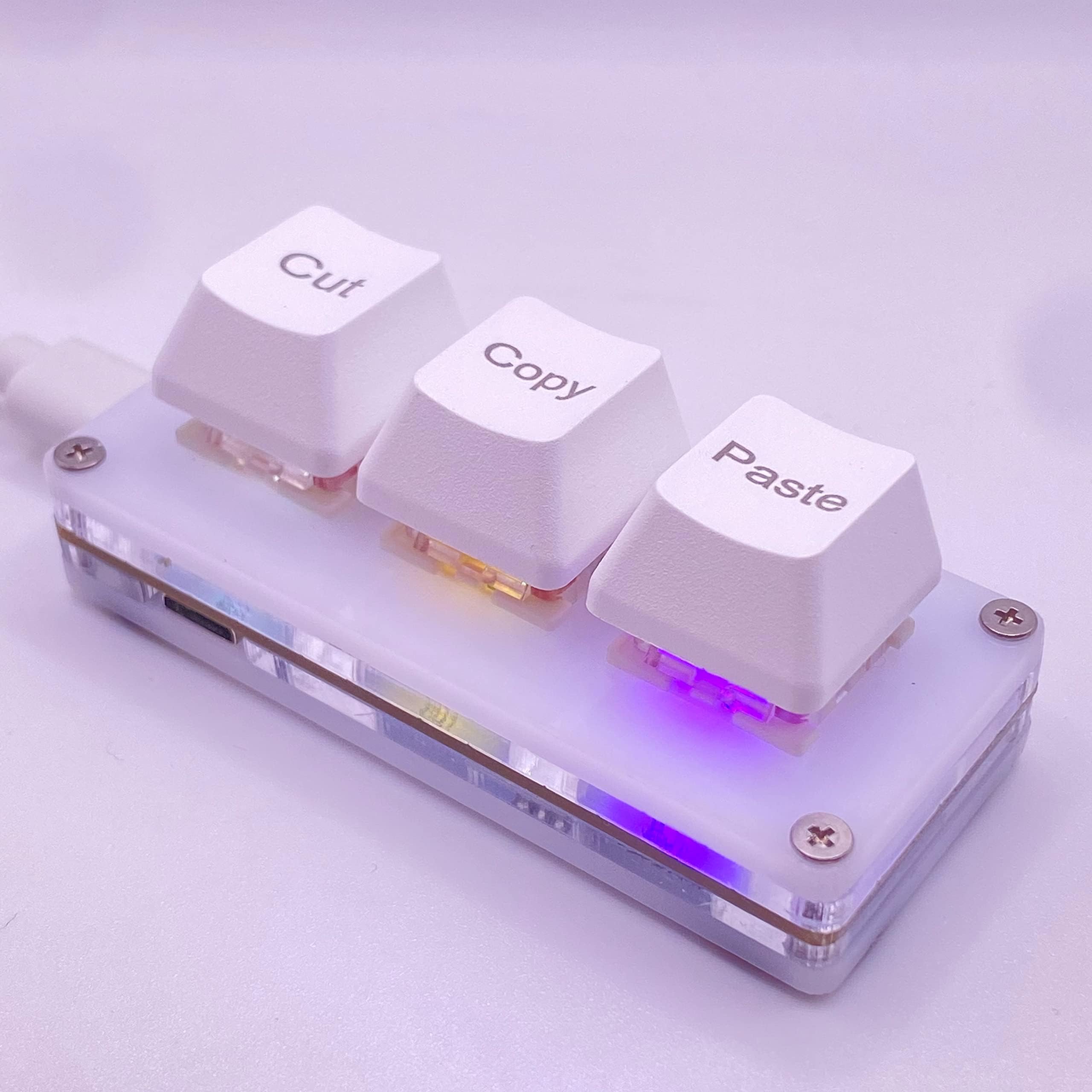


⌨️ Elevate your productivity with just 3 keys—small device, massive impact!
The BTXETUEL Mini 3-Key Mechanical Keyboard is a compact, programmable macro pad designed for professionals and gamers alike. Measuring just 7x3x3 cm and weighing under 57g, it features three mechanical keys pre-set for Cut, Copy, and Paste, with full plug-and-play functionality and no software required for default use. Advanced users can customize keys and RGB lighting through a secure, cross-platform web interface compatible with Windows, MacOS, Linux, and Chrome OS. Its detachable Macro-USB cable and interference-free multi-keyboard support make it an essential desktop companion for boosting workflow speed and adding a splash of personalized style.
| ASIN | B0BBW82ZSJ |
| Are Batteries Included | No |
| Brand | BTXETUEL |
| Color | White |
| Customer Reviews | 4.4 4.4 out of 5 stars (214) |
| Date First Available | 11 September 2022 |
| Hardware Platform | PC |
| Item Weight | 56.6 g |
| Item model number | Clavier blanc à 3 touches |
| Manufacturer | BTXETUEL |
| Operating System | chrome_os, chrome_os linux Windows Mac Linux |
| Power Source | Corded Electric |
| Product Dimensions | 7.11 x 2.79 x 2.79 cm; 56.7 g |
| Series | White 3-Key Keyboard |
西**未
めちゃくちゃ使い勝手最高です! ネットでいつでもキーの割り当て変えれるし押し心地も軽いから使いやすいです!
Z**S
No issues, sits nicely on the table, not to clacky, only thing that scared me a bit, is when I firsted used. it was when I when to use the settings. After downloading the Zip file and extracting it into a folder, you'll go to click on the program and it'll ask for internet privileges. I personally said no, because it's a 3 key keyboard, it shouldn't need that, until I realized the settings are through a local website, but even tho I denied the internet privileges, it still worked, so I'd maybe recommend just not giving it that ability, especially when you see where this device is from... but good product non the less and the lights are pretty cool, not to bright or distracting
G**A
Könnte weniger hoch sein, sonst alles sehr gut.
R**K
This works perfectly and I find quite useful. Yes, I can (and was up to now) pressing CTRL+C and CTRL+V with my left hand (my right hand is on the mouse), but having this next to my keyboard area, all I do is reach over and press a button (no finger gymnastics required)... it's fast and convenient. While I do not do much cutting and pasting, should I need to, that too will now be a single button press as well. The only **possible** negative is the cable that goes from the unit to the pc... I didn't measure it, but I think it is 4 feet long... my computer is on my right, and the unit is on the left, making the cable just barely long enough... a 5 (or better yet 6) foot cable would have been welcome for my particular set up.
T**Y
Poder copiar, cortar y pegar con la mitad de los clics acelera el trabajo y pone menos presión en la mano.
Trustpilot
1 month ago
1 day ago