Buy anything from 5,000+ international stores. One checkout price. No surprise fees. Join 2M+ shoppers on Desertcart.
Desertcart purchases this item on your behalf and handles shipping, customs, and support to Kyrgyzstan.
🎛️ Mix Like a Pro, Wherever You Go!
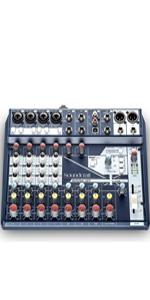
The Soundcraft Notepad-8FX is an 8-channel professional USB audio mixer featuring premium Soundcraft mic preamps, built-in Lexicon reverb, echo, and delay effects, and flexible USB routing for up to 4 simultaneous inputs. Housed in a rugged metal chassis, it offers dual headphone outputs and an intuitive interface, making it ideal for musicians, podcasters, and live performers seeking studio-quality sound and workflow efficiency in a compact footprint.


| ASIN | B075SLJGGV |
| Audio Input | USB |
| Best Sellers Rank | #11,620 in Musical Instruments ( See Top 100 in Musical Instruments ) #19 in Stage Powered Mixers |
| Brand | Soundcraft |
| Brand Name | Soundcraft |
| Connectivity Technology | USB |
| Customer Reviews | 4.4 out of 5 stars 1,014 Reviews |
| Global Trade Identification Number | 00668705003032 |
| Item Type Name | Soundcraft Notepad-8FX Small-format Analog Eight-Channel Mixing Console with USB I/O and Lexicon Effects (5085984US) |
| Item Weight | 1 Kilograms |
| Manufacturer | JBL |
| Manufacturer Part Number | Notepad-8FX |
| Model Number | Notepad-8FX |
| Number of Channels | 8 |
| Output Connector Type | XLR |
| Output Connector type | XLR |
| Power Source | Corded Electric |
| UPC | 668705003049 607595979003 632317254458 613815600343 632317251846 688705003047 607595980818 668705003032 |
| Unit Count | 1.0 Count |
| Warranty Description | This product is sold by an authorized akg north american dealer and includes the official akg manufacturer’s warranty. The warranty is valid only for products purchased from authorized sellers within the united states. Full details are available on the akg website. |
Z**9
Notepad 8fx - a step above the 2x2 Audio Interface
As a multi-instrumentalist songwriter, I find myself switching back and forth between instruments a lot as I record, making small changes in how the different parts fit together. I had a 2x2 interface that I used for a long time, but it really cramped my workflow, since I had to unplug/plug/set levels every time I wanted to change. So, I went in search of a better way. At first I looked at upgrading my 2x2 to a 6x4 or 8x6 interface. But I couldn't find anything I liked. Most of the step-up interfaces still only had 2-4 preamps, and the TRS inputs on the backs often lacked a way to set gain, making them nearly useless for recording stereo trs instruments direct. Also, many of the cheaper interfaces don't have a second headphone jack, which is handy when you're recording your bandmates. The interfaces i did find that were large enough and fully featured enough to cover all my needs were way out of my price range. Bummer. Then I discovered this gem. The soundcraft notepad 8fx. What a brilliant little piece of hardware. It has a 2x2 interface built into it - but instead of statically routing the two preamps to the computer, it comes with a control program that allows you to route any of the first six inputs on the board to USB. This means I can leave all my instruments plugged into the board and leveled properly, then just use the soundcraft panel in my computer to flip between inputs, without touching a single cable or dial. It's the perfect solution to my problems. To top it off, the aux jack doubles as a second stereo headphone jack, so I can run two pairs of headphones when I'm recording my buddies, without the hassle of using a splitter. Since we're talking about recording, let me just say that the preamps in this thing are excellent. It will easily compete with any 2x2 interface in this price range. They remind me a lot of the way focusrite preamps sound, but without as much sibilance, which I think is actually an improvement. Fun fact, one of the founders of focusrite later went on to found soundcraft. So perhaps the similar sound is no accident. The electronics in this board are dead quiet, beginning to end, and the converters work well. Overall, the sounds I get out of it are clean and clear, both from the USB, and from the analog outputs. I use the main outs to drive my studio monitors, and since I do all my work in the same room (home studio) I love that I can source my headphones mix from the aux bus - because it means I can have different mixes for the monitors and the phones so the mics don't cause feedback when I decide to bring up the mains to listen to the mix on my monitors. A couple things you should know about this board if you're looking at it - the aux bus sends are pre-fader, which is exactly what you want if (like me) you're using the aux as a mix bus for your headphones or other monitor system, but since the aux bus doubles as the FX bus, when you're using it for FX you have to be mindful of the fact that your FX do not scale up and down with the main level on the channel. The other thing you should know is that you need to install the soundcraft control panel to switch the usb to inputs other than main L/R sends. I saw a review of someone complaining that they couldn't change their input and it didn't sound like they installed the software to be able to do so. The different inputs do not show up as separate sound interfaces in your computer, because this is not a true 8x2, it's a 2x2 that can select between four input configurations. You must install the software to make the selection. The only cons I can think of are that I kind of wish it had a power button and indicator LED, but I'm not going to ding it a star for something that petty. I use a power strip in my studio to turn it on with all my other equipment anyways, so do I really need a power button? No, not really. Also, it bears being mentioned that, even though I bought this as a portable recording and livestreaming interface, it also makes a great little mixer for small gigs or test purposes. I've found myself digging it out to try out speakers and other audio equipment when I didn't want to drag out my regular, full-featured mixer. All in all, I'd say soundcraft knocked it out of the park on this one, and the price puts it right in line with other recording interfaces. If you're in the market for a 2x2, consider one of these instead. Not only do you get great sounding preamps, you get a device that can accomplish more and perhaps even improve your workflow.
G**O
Fantastic little mixer
First impression: this is a fantastic little mixer. I researched all the small sub-$200 mixers. The Notepad 12FX emerged as my top choice in the features I most cared about: sound quality, small size, at least 8 line inputs, and USB recording. It's a little more expensive than most of the competition, but it's smaller than most, has more inputs than most, has 4 USB inputs instead of the usual 2, and comes in a sturdy metal enclosure. My only hesitation before buying the Notepad 12FX was due to seeing many reports of people with USB driver problems on Windows 10. I'm happy to report that I've experienced none of those issues. I installed "Notepad Firmware and Control Panel Setup v1.09 (Windows 7/10)" before plugging it into a USB port. I connected it when the installer prompted to do so, then completed the installation. At no time did I see any messages about unsigned drivers, nor have I ever disabled driver signatures on this computer. After installation was complete, I checked the installed driver version in the Windows Control Panel, and checked versions in the Soundcraft Control Panel. All look up to date (v1.09 firmware, v4.13.0 driver). Then came the real test: run Ableton Live and record 4 tracks simultaneously. It worked wonderfully. Ableton saw all 4 input channels. I easily recorded 1 mic and 3 synthesizer channels playing at the same time into 4 audio tracks. For one test I purposefully let each track go silent for 5-10 seconds at a time before playing some notes, to verify that my device does not suffer from the problem of delayed recording some people had with earlier firmware or driver versions. In short: everything worked as expected. No driver installation weirdness, no chopped off recording, 4 channels of USB audio recorded with excellent sound quality, all in a very small footprint. This is only a first impression review. I haven't played around with the onboard effects (not important to me, but if they sound good I may use them) nor the equalizers. The things I don't like about this mixer are things I already knew about before purchase: no mute buttons per channel, no power switch, weird routing of channels 9/10 and 11/12 when you're using USB or external effects. But all the other little mixers I researched had similar compromises, apparently necessary to stuff a lot of functions into a small low-cost device. I think I made the right choice for my needs. I'll report back if I run into issues after using it for a few months.
H**R
Great board, except…
PROS: Pre amps sound great. Lexicon effects sound great. Board is nice and small and works really well for the size. CONS: I only have a few major complaints about this board. Enough so that I’m getting rid of it though. 1. No Mute buttons. If you get your levels set, it’s annoying having to lower the volume when not in use, and remember where it was. Mute buttons would be much better. 2. No on off power button OR light. You don’t know if the mixer is on or off unless levels are bouncing on the master signal. 3. On that same topic, there’s no way to check levels on a certain channel. It has a peaking light for each channel, but not a PFL button or something to check levels during a sound check. Hard to get your gain set exactly how you want. I like Soundcraft mixers, but I wish a few of these little things would be on the board.
C**E
Good Value for Basic Small Group Mixing Console
I got this mixer for coverage of a small number of mics with big band in small venues. I envision that I will need no more than four or five mics typically, but will need to inject break music via some reliable method like via the RCA inputs. So far I'm running 2 or 3 mics to the band to cover vocals and key soloist mics. The important things to me are how good are the mic preamps, and how good are the onboard FX? I found that both these things are good quality in the Soundcraft unit. I have not yet used the USB connection but may update this review once I do use it. The reverb (the only part of FX I have used) sounds very good. The mic preamps are solid enough to support typical Shure SM57 / SM 58 mics for PA work. This mixer is running out to EV 12" two way powered mains. All works quite well and simply. This is strictly PA and not recording. There is no power switch; the unit is turned off by removing the power jack from the back
O**Z
Clean and quiet
Excellent little mixer. Sized small but feels sturdy. Very quiet, high quality preamps. Onboard reverb is reasonably fine for live voices and instruments. I have also used the effects loop instead, with a Strymon El Capistan tape echo ... result was delicious on vocals, acoustic guitar, overhead drum/snare mic, everything. for a 3 or 4 piece live ensemble kick drum+vocals+acoustic piano and guitars this Notepad mixer has always worked perfectly. would be excellent mini desk for a podcaster as well, able to run a few mics for a roundtable discussion I went with this brand and model because I wanted something more portable than the (discontinued) Soundcraft MFXi 16 I have had for many years. The old desk still works flawless, love the superb onboard plate reverb by Lexicon as well. EDIT this unit is an excellent recording interface! several reviews here mention problems, but I have had none using Windows 7 and Ableton Live 9. FAR cleaner and quieter, also better / no hassle drivers vs the Focusrite Scarlett I also have (and hate.) Zero latency direct monitoring. After two years, dozens of live gigs and recently several recording projects with this unit, I am completely convinced that, especially for the low low price point, this mixer is an incredible deal!
P**K
Small and sturdy with four track USB
I purchased this mixer specifically because it offers four recordable tracks via USB. I really like the feel of this mixer. It is small, metal, and a good weight. It is working perfectly well with fender studio one DAW. I purchased this as “Used-Mint condition”. It arrived perfectly packaged, I never would have known it was used. So don’t be afraid to save yourself the money.
J**N
Handy little mixer & interface
The little Soundcraft is a nice addition to my home recording attempts. I have used much larger mixers when I was in video production but this little gem is all (or more) than I need for home. It is quiet and sounds good. It has a wide variety of inputs and outputs. It can be used to phantom power my condenser mic and provide an easy means to record on my iPad or iMac. Signal routing is pretty simple but adequate. I still am trying to make the most of digital in and out but it is something I just don't fully understand the limitations. I wanted to record some virtual instruments but apparently there is no way to do that and avoid feedback. There is only so much that can be done with an iPad. The reverb, chorus and delay sound adequate for my needs. What is a bit confusing is the reverb "parameter" knob actually selects a program, but because there are no clicks or markings you just need to play around with the knob to get what you want (generally the farther you turn, the bigger the reverb effect). Bottom line it is a nice unit.
A**L
A great sounding mixer, with USB issues
Soundcraft Notepad 8-FX First the good: The sound quality is excellent. When playing back audio from input channels it sounds pristine, clear and balanced. Audio components are top-notch for a device priced in this range. I played back audio from iPod, Internet streaming services, and the PC and was satisfied. The on-board Lexicon effects sound better than I imagined. The tap-tempo setting for the delay was easy to use. Chorus effect was ok, with limited imaging control. The reverb is standard, but sounds better than what you can get from most entry-level software. There is no fine tuning for on-board effects, yet at this price what more can you ask for? It gives you a good idea of what Lexicon effects sound like. If you aren't privy to studio quality effects units, it's a more than welcome introduction. Then the bad: The ASIO (Windows) drivers for the unit are not included in the box. You have to download them from the Soundcraft website. I downloaded version 3.34.0 that was available at the time of this writing. After installation I was able to get it to recieve general audio output from my computer. Audio input was a different story... Opened Ableton Live Lite 9.7, selected the 'Soundcraft Audio USB Audio ASIO' device as the Audio Device, enabled an Audio track as input, selected said input device, and got nothing as I played a connected rackmount sound module. I had it connected to stereo inputs 3 & 4 and the sound did come out of the mixer into my powered speakers, yet there was no visible input into the software... Strange. So I played with the Ableton software and the Soundcraft USB control panel in various settings, still nothing. I decided to connect my rackmount to Mono Inputs 1 & 2. Suddenly I saw input signal into the DAW. But as I referenced the manual (mind you I read the entire manual, several times - version 1.0) it stated that users "can select the 'Audio routing' tab, to select the point in the console feeding the USB to computer." Then it shows Mic Inputs 1 & 2, Stereo 3 & 4, Stereo 5 & 6, and Mix L & R as input sources. THIS IS NOT THE CASE. Only inputs 1 & 2 can be seen by the DAW. Just to be sure I also tried this out with Presonus Studio One Pro (version 2). Still same results. The manual and the actual user experinece don't match up! I felt frustrated. Thus gave up and returned. Conclusion: If you are a semi-pro (or novice) musician who is looking for a mixer with excellent sound quality and good basic effects, you are looking at a great unit in the Soundcraft Notepad 8-FX. Recording engineers or those who do location recording look elsewhere for now... Until the software engineers at Soundcraft deliver what's promised in the manual, I'd steer clear. Maybe my Windows 8.1 is not the latest version, but I expect any software using an ASIO protocol for Audio I/O via PC to be backwards compatiable with all versions of it. My other Interfaces that use this driver protocol work flawlessly. So I digress. Still a great sounding mixer overall. 3 out of 5 stars. Misc info: Unit Dimensions: 7.75 width, 8.47 length
R**T
le produit que j'ai reçu n'est pas neuf !!!!
Colis reçu. Contenu visible (pas de carton supplémentaire), emballage de la table qui avait déjà été ouvert, câble d'alimentation qui a déjà été déroulé, notice sans emballage plastique autour : bref ce n'est pas un produit neuf. Scandaleux.
J**F
Good sound quality with low noise & hiss
Simple mixer with USB for PC connection. Ideal for soloists/duos who want good quality with inbuilt delay/reverb (also good quality).
P**R
Very Good Sound
I only want USB output to my laptop. You have to download a dashboard app for it, update firmware drivers and God knows what else. There are NO instructions to help get USB connection to a laptop working. The few words they give you are meaningless. Virtually all other USB output mixers are simply plug and play, so this is a downside. However, I bought this because Soundcraft had been around for a long time, but clearly their focus is 100% on professional sound engineers. For those of us just wanting to record podcasts, sound engineering is not our focus (for most of us) and the only reason I bought this is because I wanted phantom power for a Rode NTG-2 microphone that I already had and simple output to my laptop via USB, meaning simply plugging in a cable! There is nothing on the device that identifies a button to turn on/off phantom power either. It's always on. So really you can only use a mic that needs phantom power by the looks of it The description of this product makes NO MENTION of the fact that you have to go through a process of downloading and installing an app (pffft!) and then giving no instructions on how to get the damn thing outputting via USB to your laptop. I have accounts with Zoom and Riverside FM. and I did get them to recognize the mixer though I did a test recording with the mic plugged into the channel 1 XLR slot. I had the VOLUME knob turned up to between 3 and 4 o'clock, the GAIN knob between 2 and 3 o'clock. A little bit of hiss in the background there when listening with headphones plugged into the mixer.... I opened Riverside fm studio on my laptop, then plugged headphones into my laptop. I did a 30 second test recording. In the riverside edit suite, the sound played back with no hiss and the sound quality was really good, so the combination of this mixer and my Rode NTG-2 mic is right on the button for me. I suspect you'd get results with any decent mic too. Haven't tried any of the effects yet, but really, this quality is so good I doubt if I'll ever need to use them for what I'm doing - recording podcasts. Actually, I gave 4 stars originally because of having to load the dashboard and drivers etc. But that was done in a couple of clicks (with my fingers crossed) but it all worked fine. So 5 stars from me. Great kit.
F**O
IL TOP DI GAMMA IN AMBITO MIXER!
Vedo delle recensioni negative con tanto di video da gente che molto probabilmente non ha mai avuto in mano un mixer in vita loro. E lo si evince da come imposta gain master. Molto probabilmente faranno salumieri o calzolaio (senza nulla togliere) ma almeno nn giudicate ciò che nn conoscete! E soprattutto nn sapete usare. Questo piccolo gioiello a questo prezzo irrisorio vi offre dei preampli top di gamma! Una scheda audio interna x registrare. Degli effetti lexicon allucinanti! Una qualità costruttiva ineguagliabile x questo prezzo. Io ne ho presi 3 per paura di non trovarli negli anni a venire. Soundcraft dimostra ancora una volta di essere una spanna sopra gli altri in ambito mixer. Non cambierò mai marca! Io canto pianobar e vi assicuro che nn vi pentirete! Fidatevi di uno che fa questo lavoro da 20 anni e ne ha viste parecchie di attrezzature..... 😉
L**L
excelente sonido sin interferencias
cumple con mis expectativas para usar con guitarra caja y microfono y me sobra un canal
Trustpilot
2 weeks ago
5 days ago