Desertcart purchases this item on your behalf and handles shipping, customs, and support to Kyrgyzstan.
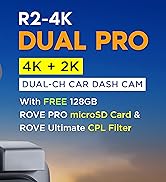
🚗 Capture Every Mile, Day or Night — Because Your Drive Deserves the Best!
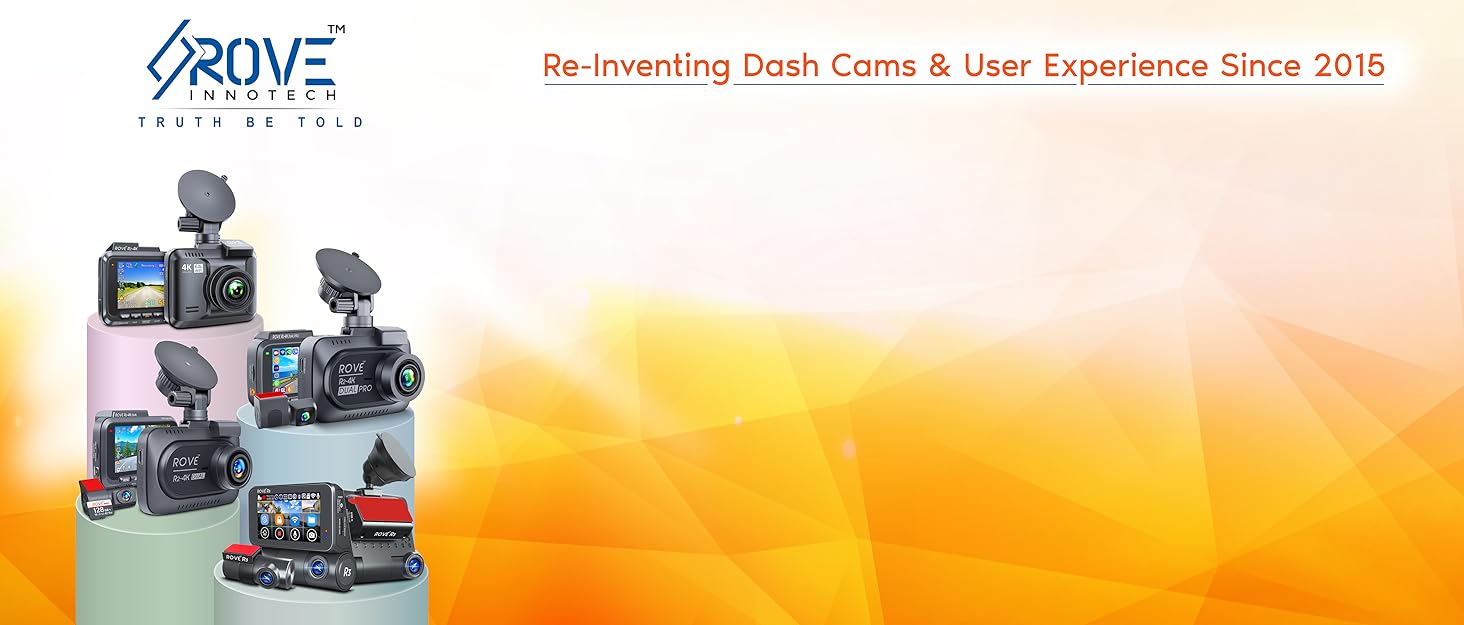
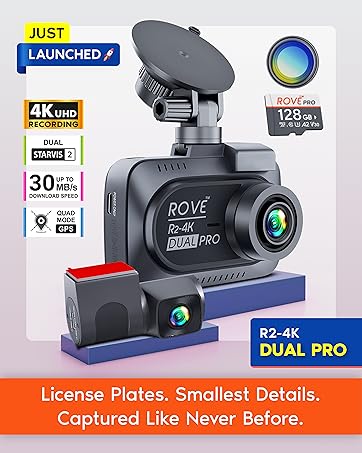
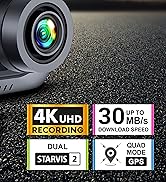
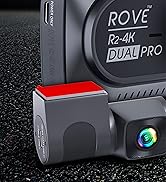
The ROVE R2-4K Dash Cam delivers ultra-high-definition 4K video with an 8MP Sony sensor and advanced Super Night Vision technology for crystal-clear footage anytime. Featuring built-in WiFi 6 and GPS, it offers seamless wireless access and precise location tracking. With a 150° wide-angle lens, parking mode, and over-the-air updates, this dash cam is engineered for professional-grade security and convenience on the road.


| ASIN | B074JT3698 |
| Auto Part Orientation | Passengers Side |
| Auto Part Position | Front |
| Battery Cell Type | Lithium Ion |
| Best Sellers Rank | #5,016 in Electronics ( See Top 100 in Electronics ) #69 in Car On-Dash Mounted Cameras |
| Brand | ROVE |
| Built-In Media | Car Charger, Charging Cable, User Manual, Warranty Card |
| Color | Black |
| Compatible Devices | Smartphone |
| Compatible with Vehicle Type | Bus, Car, Minivan, Truck |
| Connectivity Technology | Wi-Fi |
| Control Method | App |
| Customer Reviews | 4.3 out of 5 stars 39,561 Reviews |
| Display Type | LCD |
| Field Of View | 150 degrees |
| Flash Memory Supported Size Maximum | 512 GB |
| Flash Memory Type | microSDXC |
| Frame Rate | 30 fps |
| Global Trade Identification Number | 00643956741605 |
| Item Dimensions D x W x H | 2.5"D x 2.56"W x 1.18"H |
| Item Weight | 517 g |
| Manufacturer | ROVE |
| Maximum Aperture | 1.5 f_stop |
| Memory Slots Available | 1 |
| Memory Storage Capacity | 512 GB |
| Mfr Part Number | R2-4K |
| Model Name | R2-4K |
| Model Number | R2-4K |
| Mounting Type | Windshield Mount |
| Number of Items | 1 |
| Optical Sensor Technology | CMOS |
| Other Special Features of the Product | 360 Degree, Built-In GPS, Built-In Supercapacitor, Built-In WiFi, Night Vision, App Control, Loop Recording, Parking Monitor, G-Sensor, Over-The-Air Firmwire Update, Screen Saver, Live Speed, Voice Alert |
| Photo Sensor Size | 1/2.8 inches |
| Real Angle of View | 150 degrees |
| Screen Size | 2.4 inches |
| Supported Standards | MP4 |
| UPC | 643956741605 |
| Unit Count | 1 Count |
| Vehicle Service Type | Bus, Car, Minivan, Truck |
| Video Capture Resolution | 1440p, 1080p, 2160p |
| Warranty Description | 1-Year Warranty |
G**N
FANTASTIC CAM!!!
This camera is clear and it is easy to use once you get to know what each button does. I sat down and read the book that came with it way before using it so that I could get a good understanding of everything. The video provided is at default settings, so I haven't even set it to 4K yet and it is this clear. I do recommend the 128 Samsung 10 class u3 SD card for it as it records without freezing. I haven't had any problems, but if I do, I will post an update. So far so good though. I can't comment on the app yet because I haven't used it, but when I do I will update. Also, I haven't used the player yet either, but I did download it for Mac, so it is Mac and PC compatible. Once I use these features, I will update again. Update (2/15/2019): I finally used the app and it seemed to work well for me. It was very easy to connect to and I was able to see my videos. I can't figure out how to use the player though. I thought if I insert the sd card to my computer, it would read from the video player and show me the data, but that wasn't the case. If anyone figures out how to do this, please let me know. Also, I have integrated the camera into my video, meaning that I bought a kit so that I could plug it into the fuse box for a direct power source. I like the fact that it was easy to do and it now turns off the minute that the vehicle is turned off. The only time it will turn back on is if you have parking mode on, but it shuts off about 3 minutes after it has recorded an impact while parked ( i tested it by shaking my vehicle, I did not get hit). When I turned my vehicle back on, it spoke to me and said, "parking mode was activated," so I knew right away that I needed to check what happened (of course, this was only a test though). Anyway, so far so good and the video is fantastic. When I learn to work with the player, I will update again. :) Update (12-18-2019) So I figured out everything and so far so good. I ended up buying another one because my son wanted one just like it. He loved how easy it was and the updates that Rove puts out for the cam. They also contacted us when we ordered it. They just said that if we needed anything they would be more than happy to speak to us over the phone with a live agent. What a live agent! They were very nice. I have not had a problem with this cam at all and I do recommend it to others. I just saw that they are having a sale on their website for it, so I might buy another one for my husband. Can you say Christmas gift :) They have a 25% off code on the website. I believe it is ROVEVIP25 to get 25% off. Anyway, this is a great dashcam and I couldn't have asked for more. I am a loyal customer!
R**N
so far so good =SEE EDIT FOR SOME GUIDANCE IF YOU EXPERIENCE CHOPPY VIDEO PLAYBACK=
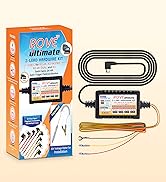
i'm writing this review on my literal day 1 of owning the camera and only just now finished installing it in my car. (the pic attached is from when i had JUST turned it on while i was in the passenger seat and was still fiddling with the angle. I also blocked out the location coordinates, but thats something you can toggle off in the settings as well) the setup is simple. there are tons of quick short videos to help guide you on how you might want to tuck away the wiring. you just plug it into the car charging socket (you can also hard wire it into your car if you're knowledgeable and comfortable doing so) i read the booklet that came with it. a lot of useful info in it. Tons of features and settings you can use to customize it to what suits you best. i like that it has 'parking mode' which means the camera will automatically turn on and record for a bit if it detects a sudden impact/movement while the car is parked (and while you are presumably away). i experienced ended up testing this while i was carrying the dashcam with my hands full. i accidentally dropped the camera, and even though it was off, it suddenly turned on and stating something along the lines of "parking mode has been activated". It started recording, but since i didn't fully charge it at the time, it only stayed on for a few seconds (which is normal for these type of dash cams. The manual states that the camera typically should be able to sustain a recording of 3-5 minutes on a fully charged battery). I also tried the app. it lets you view/download your footage in real-time by connecting to the dashcam's built-in wifi. i HIGHLY recommend downloading the newer beta app (which currently has an all orange UI. the old app hasn't been updated since 2019 and had tons of negative feedback, so i didn't even bother with that). I think the app is a nice benefit. It's nice if you need to quickly share a photo or footage of what just happened on the road, but you don't have the time or ability to connect the dashcam to a computer or other device. and you do this by connecting to the dashcam's BUILT-IN wifi. you don't have to do anything special or complicated to set it up. it's pretty self explanatory. BTW If you have any trouble connecting to the app, you might have to disable mobile data on your phone to properly connect). I'll be sure to update this review if anything comes up that greatly impacts my impression on the product, but so far i'm satisfied. I'll be sure to take care of this one (my last dashcam stopped functioning properly because i would leave it in the car 24/7, even during extreme summer heat or extreme winter cold). ===EDIT 4-10-22=== i've owned this for a few weeks now. I recently decided to hook it up to my pc to check on the videos, just to make sure video/audio were being captured properly and that there were no issues. i was pretty horrified at first to see that the videos seemed really glitchy/choppy. it was practically unwatchable! i did some quick googling and saw some people suggest it could be the framerate/resolution that it's recording in. and then i remembered that the instruction manual mentioned using a decent video player- specifically something like VLC. so that's what i did. I already use VLC for other things on my pc, so i opened some videos in it. no more choppy/jittery video! everything was smooth and amazing! So, in short, if you're noticing that your videos appear choppy and strange i'd suggest either playing back your videos in something like VLC and NOT your basic windows media player. It'd also be worth it to maybe try lowering the camera's FPS/resolution settings if that still doesn't work for you (Although I would say lowering the quality should probably be a last resort... since, you know, the whole point of a dashcam is so that you can capture everything on the road in perfect quality) the only gripe i have now is that the dashcam itself seems to slightly shake/jitter when driving at certain speeds/roads. I think this is a result of the cars vibrations. I'll try to see if this'll be fixed by tightening the mount or repositioning it a little. it's possible that we just didn't have it locked in properly (I haven't been the one personally driving with the webcam lately. So maybe my family members flubbed on that) It's nothing too crazy, though. Still happy with this device! very worth it! ==final edit 7-21-22=== it's been 4 months since i owned it and its STILL incredible i've even connected to it to share a clip of a dicey moment i had on the highway! (i did this by connecting to my pc. the app is still an amazing option to connect remotely/on the spot, but i was already at my pc anyways) i wanted to take a moment to commend their support team as well. i recently contacted support because i somehow managed to push the power button in so far that it got stuck. i was surprised that this happened! this made it difficult to turn the camera on/off at will. i contacted their support team directly after finding their email on their website. i described the issue, provided picture evidence & proof of purchase, then they were able to process a replacement as it was still under warranty! the entire process was smooth and hasslefree. it didnt take very long at all for the replacement to come in. i customized the settings and took some video footage + photos as a test. Everything was perfect. I didn't have to wait long at all for their replies/solution (something i was extremely wary of after dealing with support teams from other products/services) Anyways, I support this brand/small team VERY much! I think its VERY important to have a dashcam. Even if u don't feel comfortable hot-wiring or whatever, i feel that even a USB/car charger-type of cam is better than nothing-- like i said, i've already reviewed & shared footage to friends & family at least once after having a spooky moment on the highway. It's not only good for urself, but others as well. U never kno wat could happen. Video doesnt lie. ur footage/photos could do a lot to help u or even a stranger if u ever come across a sticky situation.
M**E
Decent camera with expected drawbacks.
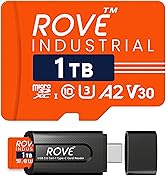
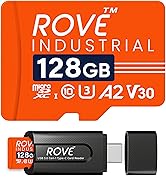
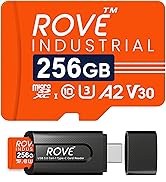
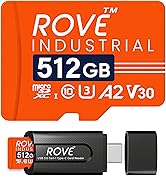
I've had the camera for a few months now, and it honestly works just fine. This review is mostly intended to talk about some of the concerns that I'm sure many other people have already discussed. Pros: 1. The camera was very easy to install right out of the box. The instructions are clear and comprehensive, and I had the camera running in less than 5 minutes. 2. The picture quality is pretty good. Like I mentioned, the detail does drop off at a distance, but honestly that's to be expected. It's a dashcam - you're not going to be filming 4k movies with it. 3. I like that I don't have to do anything with it. I turn my car on, it turns on. I turn my car off, it turns off. Does exactly what it's supposed to. 4. For the camera, it's a good value for the price. Cons: 1. It's very weird that in 2023 they're using an obsolete charging cable. It comes with a ~10 ft long mini-USB charging cable. Mind you, that's "mini," not "micro." If I had to hazard a guess, it's to make it harder to replace without going through their company, but I'll get to that in Con #2. This is also very minor, but it bends at a 90 degree angle from the camera, which is totally fine - but the orientation of the charging port causes it to bend "up," which is a little odd. 2. To address the elephant in the room: the SD card. I have experienced the dreaded "Memory card is too slow. Please contact us" message multiple times in the few months I've owned it. I read the disclaimers. I saw their instructions. I ignored them. Here's the thing: it's very bad business practice to tell people "Hey, you know the most reliable, well-known, and reputable suppliers of SD cards? Don't use those. Instead, use ours which cost twice as much." (Looking at you, Apple) In their description, they will use terms like "not genuine" or "third-party" to describe other companies that make SD cards (such as Samsung). I'm sorry, Rove, but YOU'RE the third-party here when it comes to technology products. I took great care to ensure that the memory card I purchased met the exact recommended specifications, while admittedly ignoring them requesting I purchase their brand. If they happen to read this: I would have bought your card if it wasn't literally twice as expensive. It kind of feels like a shill: invent a problem (annoying message) and sell people the solution (buy OUR card). All of that being said, if you get this message and have an SD card that actually meets their recommended specs: turn off the camera by hand and turn it back on. Problem solved.
O**9
Superb Device
This is a very nice dashcam. Likes: Very compact Great picture quality Easy to set up Wi-Fi to control and view recordings A lot of configurable options The build quality looks good (initial impression) Will see how it holds up Excellent user guide. One of the best I've seen in years. Well-written, comprehensive, color, high-quality images, heavy stock (not tissue paper), large enough to read without a magnifying glass. I used their branded SD card because I didn't want to fool around with SD card issues. Fixed mount and Suction mount Included spudger to help in routing cable behind door seals. A thoughtful touch. Dislikes: None so far I chose to use the 3M fixed mount, not the suction mount because of my previous experience with dash cams suction mounted they fell off frequently, and after a while exposure to the sun made the suction cup hard and then didn't seal well Questions: Use of the 3M mount required ~3x5 inch thin clear plastic film to first be applied to the glass then the 3M mount was adhesively attached to the film. It's not clear to me why the 3M Mount couldn't be attached directly to the glass, but I used the film per the directions. Why was the film required? Overall I'm very satisfied at this time. Update: After two years of flawless use, the camera output stopped. The screen worked, and the button functionality worked to go through and display menus, etc. It seemed like a connection issue of some kind. I confirmed that by smacking the camera on the back of my arm, and the video appeared, and then disappeared with additional smacks. The device was not functional, so I decided to disassemble it, to look into a connection issue. The internals are very compact, but being careful, I was able to expose the camera without breaking anything. What I found is that the camera is on a separate PCB with a connector that plugs into a mating connector on the main PCB. The camera PCB is held in place by screws into the main PCB. After removing the camera PCB, I noticed that a piece of tape used to cover some components on the main PCB was slightly covering the bottom edge of the connector the camera PCB connects to. This prevented the connector from completely engaging. Over time, heat cycling and vibration caused electrical connections to become intermittent, leading to intermittent video. I properly reapplied the tape, plugged in the camera module, and the video was restored. This was a delayed manufacturing assembly defect. The ROVE R2-4K appears to be very well designed. If anyone else has the same problem, you'll need a 000 Philips screwdriver, spudgers to separate the case after removing external screws, an Exacto knife to scrape away hot glue holding metal shielding over the camera PCB, hot glue to reattach the shield, and careful patience to perform the disassembly. I did not change my rating.
N**Y
Great Value, Excellent Customer Support
For the money, this is a great product. I would strongly recommend new users thoroughly read the manual and any of the information cards that come with the dash cam to include formatting the memory card BEFORE you set it up. The ROVE people are pretty on top of providing everything you would need to set up the dash cam, including a tool to help you place the cable behind the rubber gaskets on your windshield. I was also impressed with their making you aware that if you have side air bags, you should follow their recommendation to hide the cable in such a way so that it will not interfere if the air bag deploys in an accident. Also, if you are setting it up away from your car, do not connect the USB to your computer. Rather, use the cable they provide and any of the charging station items you would use for your phone. Remember to turn on the Local Networks button on your phone's Rove Dash Cam app. If you don't do that, the dash cam will not recognize your smart phone and you will keep getting failure screens. That was my mistake, but once I switched it on the WIFI connection worked like a charm. So, read the instructions, format your memory card before you do anything else, and check with your local laws and ordinances as to the best legal location for the camera on your windshield. Usually, it's best to "hide" it behind your rear view mirror - if you cannot see the camera when you are in the driver's seat, then you should be ok, but you should check your local laws just to make sure. Customer support is also excellent. When I was having issues with the WIFI I reached out to tech support - they responded pretty quickly, but I had already resolved the issue. Still, it was great to see how responsive they were if my problem continued. Bottom line, this is a great value for your money, and a good product to have in your car in this day and age.
G**D
Small, Effective, and Inexpensive
The Rove R2-4K Dash Cam is small enough to not be obtrusive or distracting, while also being effective and inexpensive. A great deal for the money for this first time dash cam user. I like how it is small enough to partially tuck in behind my review mirror so I can see it is working without being a distraction. The Rove Dash Cam comes with plenty of configuration options, but simple to set up. I completed the configuration prior to installation by using a USB cable that came with it and a charging plug; much easier than when attached to the windshield. If you plug it in, it will begin recording. Press OK to stop recording. Installation in my 2019 Acura RDX went much easier than I expected. I used the suction cup mount so I can reposition it if needed. The provided USB cable has plenty of length. After installation, it’s easy to remove from its mount and reattach. I like that Rove is a small, startup based in the U.S. The instructions they provide are clear and plentiful. The app also works well and easy to use. The video quality is good, including at night. If the detail on the dash cam or cell phone screen is not enough, you can launch the file on a PC for a larger view. A few comments: The Rove app connects to the dash cam using the Rove WiFi that the dash cam generates. The Rove WiFi signal does not include internet. Therefore, while connected to the Rove WiFi, your cell phone may attempt to use it for other functions, such as Android Auto, which will not work. Therefore, I don’t use the Always Connect option for the Rove WiFi. You only need it when viewing, downloading, or configuring. I would not recommend using any time lapse options; they speed up the playback as if you are in fast forward. The installation instructions warn against mounting the suction cup mount on the black checkered portion of your windshield that blocks sun glare because it is too bumpy. However, it was fine in my car because the black checkering is inside the glass; it’s smooth. Your windshield may be the same.
R**.
A Quality Dash Cam
This is my second Dash Cam. The first was just not adequate at all. A friend told me about ROVE Dash Cams and I did some additional research and decided to get one. The instructions that come with the Cam are extensive and the quick start guide is really all you need to get started. I decided to buy a ROVE SD Card 128GB Ultimate. The formatting took all of 4 seconds and the remaining set up took 12 minutes start to finish. I positioned the Cam in my truck and plugged in the power. It started right up and advised me that recording had started. I took a short drive around the neighborhood to insure the positioning was correct. This Cam is so superior to my previous one.
F**S
Great dashcam
The Rove R2-4K is a solid dashcam. This is my second. (First is a pro model in my other car.) If you read the manual installation will be simple. The manual is obviously not a foreign translation and is written well and easy to understand. Only a couple little nicks on my product. My unit did not come with the windshield sticky mount. Instead they put in a donut 3m sticky for when the suction cup fails (which it will in Florida sun and heat). My first suction cup lasted over a year and I opted to by a "new improved " suction mount from the Rove website. I am using a PNY Elite pro Micro SD card 256mb and it works fine. As a hint, not related to the review. SD cards do have a lifetime cycle limit. I have my units set at 1920x1080 and the video is fine. The file sizes are smaller, not packing the card as soon. I was in an accident in my other car and the 1920x1080 video was great and easily showed all details necessary. I am a broadcast engineer so am familiar with such things. Also I have my unit set at H.264 compression, which is accepted more readily by common browsers. You won't be disappointed if you buy this dash cam.
L**R
Klein aber fein
Die erste bestellt Cam kam nicht an. Kein Problem bei Amazon. Geld wurde zurückgebucht. Beim zweiten Versuch hat es dann geklappt. Die Cam läßt sich intuitiv bedienen, man stellt die Sprache auf Deutsch um und schon klickt man sich durch das Menue durch und ruckzuck ist alles eingestellt. Die Betriebsanleitung in englisch ist jetzt keine besondere technische Herausforderung und versteht auch der technisch Unversierte. Der Saugnapf hält bombenfest auf seinem Platz. Die Aufnahmen sind gut, daran habe ich nichts auszusetzen. Allerdings darf man sich nicht der falschen Vorstellung hingeben, man könne auch bei Hochauflösung ein Nummernschild wirklich lesen. Bei Autos die einem entgegen kommen und bei Abenddämmrung so gut wie nicht, es sei denn beide fahren nur Schrittgeschwindigkeit. Das Nummernschild des Vorausfahrenden kann auch nur gelesen werden wenn man nah genug aufgefahren ist. Aber letztlich geht es im Zweifelsfall um die Darstellung eines evtuellen Unfallgeschehens und dafür ist sie von der Aufzeichnungsqualität absolut in Ordnung. Bei sonnigem Wetter ist die Lesbarkeit von Nummernschildern und Ortstafeln besser. Das GPS Signal kommt, je nach Verfügbarkeit, nach 200 m Fahrzeit und zeichnet korrekt auf. Das Anbringen der Cam an der Windschutzscheibe ist simpel und dank der geringen Größe der Cam stört sie auch die Sicht nicht. Ich hab sie bei mir direkt neben dem Innenspiegel leicht versetzt angebracht. Das Stromkabel habe ich nicht extra verlegt. Mich stört ein kurzes Kabel das offen liegt nicht. Es ist ja ohnehin nur eins, da das GPs Modul im Gerät selbst enthalten ist. Bei einer anderen Cam die ich habe, benötigt man eine gesonderte GPS Antenne und schon hat man 2 Kabel. Insofern ist die Lösung mit GPS im Gerät deutlich besser und es entsteht kein Kabelsalat. Die Aufnahmen selbst können über den PC problemlos angeschaut werden. Zeit und gefahrene Geschwindigkeit werden korrekt wiedergegeben, über google maps kann auch der Fahrtverlauf dargestellt werden. Nachtfahrten hab ich mit der Cam noch nicht durchgeführt, insofern kann ich zur Bildqualität hierzu keine Aussage treffen. Bislang erfüllt die Cam die Erwartungen und insofern eine klare Kaufempfehlung.
A**R
5 stars for costumer service
"After years of buying things on Amazon, it is my first review ever! I spent hundred of hours online to look and compare dashcam specs, price and reviews. This one had all the specs I was looking for, including a reasonable price. But what caught my eye for this one, were the reviews explaining in details how great their experience was with customer Serivce. Another thing that caught my attention was the fact that this company offers firmware updates and an app for your phone. So I bought it and got it the next day! You gotta love Prime!I In the box, you get 2 usb cables, one short to connect the dashcam to your compter and another one of 12ft long for your car. I quickly released that the 12ft cable was defective. I was not impressed to say the least. Info provided in the box explains that you can contact customer service Monday to Friday from 9am to 5pm via text or email but it could take up to 6h. Well, it was a Saturday when I got the dashcam so It was another bummer for me to have to wait until Monday to speak to customer service. I live in Canada so I did not want to text. I decided to email customer Serivce that same Saturday I got my dashcam. A hour after I sent my email, Joe from Rove customer service replied to me and asked me additional info to confirm my credential etc.... Joe was very professional in his communication and on the second email reply, Joe let me know that he shipped a 12ft cable my way and provided me with the UPS tracking #... Unfortunately with the pandemic situation, I got it 2 weeks later, no fault to ROVE neither for the cable, it happens... Here is my review: CUSTOMER SERVICE: 5 stars, and I must say that I was impressed with their packaging: easy to read, friendly Manuel, well done!!! HARDWARE: The dashcam does not look cheap at all, very slick and good looking to my point of view, see picture. time will tell but it is a solid 4.5 stars in my book INSTALATION: Super easy to install, once again the instruction in the box are very well done. In the box they give you a plastic stick to be used to hide/tuck in the wire (see picture). It took me 5 minutes and if I can do it, you can do it! APP: The iPhone (I have the 12pro max) app has a terrible rating on the apple store. Unless the prior versions were glitchy, I can only assume that it was a user error, not the app. The app works as advertised, zero issue for me. I will give the app a solide 4 stars. The app can always be improved and I wish you can have the same options in the app that are available in the dashcam. For example, I would like to be able to change from mile to km within the app without doing it in the dashcam itself. in short, I think the app should mirror the dashcam when it comes to the settings. USER EXPERIENCE: Easy to use despite all the options available for that dashcam. The engineers really had the customer in mind when they created the operation system, they have done a great job with the menu and settings. FIRMWARE: When you have company that provide firmware update, you know that they stand behind their product! VIDEO QUALITY I have zero complains, as advertised, night and day, it looks good Just for the customer service alone, I will recommend that product. Add to this a dashcam packed with options that are easy to use, installing is a breath, the dashcam video/ picture quality is on point and all of this for a reasonable price.. I have to give overall 5 stars as the company provide app and firmware update and will keep improving this product! "
S**O
Rove R2-4K Dash Cam Built in WiFi GPS Car Dashboard Camera Recorder with UHD 2160P,
Very good,even in night time
Y**Y
結局二つ買ってしまいました。画質良し、使い勝手良し、減点理由がない、ただ一点だけ以外は
追記 なんとタイムセール+クーポン付きで超激安になっていたのでさらに一つ買ってしまいました。 新しい型に代わるようで在庫処分でしょう 同じr2-4kでも今度はUSB-Cになるタイプになるようです。 値段が相応に上がると思うので、miniUSBでも我慢できる人はセール品を買いましょう。 サンプル画像載せてみました。 WQHD 26fpsの夕方のサンプルです。 ----追記ここまで-------- 北米市場では結構売れているドラレコのRoveが日本向けに発売してたのを発見しましたので買ってみました。 日本からの評価もレビューもまだどこにもないのでもしかしたら日本で一番最初のレビューかもしれません まず4Kでの撮影が可能と記載されていますが実際の解像度は 最大で2880*2160 24fpsでbitrateは24666kbps,1秒間で3MB/sです。 1分で180MB,1GBで6分弱録画できます。 フルHDの時は14Mbpsだったので倍近く容量が必要です。 このドラレコに限らない話ですが、高耐久のドラレコ用MLCのSDカードじゃないと数カ月のせずにぶっ壊れると思います。 画質は解像度が高いながら今までの最高レベルの画質に見えます。 以前はDrivePro 230,70mai 1sなどを使っていますが ROVE R2-4Kの画質は圧倒的です。 暗目の場所でもナンバープレートを読み取れます。 GPSも速度計もついてますし、機能面は言うまでもありません。 本体のメニューも日本語化されてます。 音声も案内もあります。 音声を消して機械音にする事も、無音にできます。 無音にできるのは地味に嬉しいです 今だと3000円引きクーポンがついてました。 日本市場に入ってきたばかりなので格安でバラまいているのでしょうが 米国だと120ドル程度で売られていますので今だけでしょうが信じられない位のコスパです。 どうしてもこれはないなと思ったマイナス箇所はminiUSBだという事です。 写真で載っててわかってましたが今更miniUSBはないでしょう。 TypeCがベストですが、せめて最低でもmicroUSBにしてください・・ 2023年においてminiUSBとかありないにも程があります。 そこが唯一のマイナス点です。 その点を踏まえてもドラレコとしては圧倒的な画質とコスパの良さですべてが許せます。 多分この値段での販売は今だけだと思いますが、 4K近くてちゃんとした画質+一通りの機能を持ったドラレコとしては文句なしの1品だと思います。
S**H
ممتازة
ممتازة ورائعه جدا، وضوح رائع ايضا
Trustpilot
3 days ago
2 months ago