We remain fully operational. Our teams are working around the clock to ensure your deliveries continue safely.

DOWNLOAD THE APP


Customer Services
Copyright © 2025 Desertcart Holdings Limited
DOWNLOAD THE APP


🚀 Upgrade your workflow with speed and stamina — don’t get left behind!
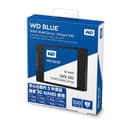
The Western Digital 500GB WD Blue 3D NAND SATA III SSD delivers a powerful blend of speed, efficiency, and durability. With sequential read speeds up to 560MB/s and write speeds up to 530MB/s, it dramatically accelerates system responsiveness. Its 25% lower power draw extends battery life, while a robust 1.75 million hours MTTF and 600TBW rating ensure long-term reliability. Certified for broad compatibility and bundled with free cloning and monitoring software, this 2.5-inch, 7mm-thick SSD is the smart upgrade for professionals seeking a seamless, high-performance storage solution.


| ASIN | B073SBZ8YH |
| Additional Features | WD FIT Lab certification |
| Best Sellers Rank | #287 in Internal Solid State Drives |
| Brand | Western Digital |
| Built-In Media | 1 SSD Drive |
| Cache Memory Installed Size | 2 |
| Color | Blue |
| Compatible Devices | Laptop, Desktop, PC |
| Connectivity Technology | SATA |
| Customer Reviews | 4.8 4.8 out of 5 stars (35,543) |
| Data Transfer Rate | 6 Gigabits Per Second |
| Digital Storage Capacity | 500 GB |
| Enclosure Material | 3D Nand |
| Form Factor | 2.5-inch |
| Global Trade Identification Number | 00718037856308, 10718037856305 |
| Hard Disk Description | Solid State Drive |
| Hard Disk Form Factor | 3.5 Inches |
| Hard Disk Interface | SATA 6 GB/s |
| Hard Disk Rotational Speed | 7200 RPM |
| Hard-Drive Size | 500 GB |
| Hardware Connectivity | SATA 6.0 Gb/s |
| Installation Type | Solid State Drive |
| Item Dimensions L x W x Thickness | 4"L x 2.8"W x 0.3"Th |
| Item Type Name | WD Blue 3D NAND 500GB PC SSD |
| Item Weight | 1.31 Ounces |
| Manufacturer | Western Digital |
| Media Speed | 530 MB |
| Model Name | WESTERN DIGITAL TECHNOLOGIES |
| Model Number | WDS500G2B0A |
| Number of Items | 1 |
| Read Speed | 560 Megabytes Per Second |
| Specific Uses For Product | personal, gaming, business |
| UPC | 718037856308 |
| Warranty Description | Western Digital ("WD") values your business and always attempts to provide you the very best of service. No limited warranty is provided by WD unless your WD Product ("Product") was purchased from an authorized distributor or authorized reseller. Distributors may sell Products to resellers who then sell Products to end users. Please see below for warranty information or obtaining service. No warra… |
I**T
This SSD is approximately $50 cheaper than it's predecessor and delivers same fantastic results!
I got this SSD HD to replace and improve my daughters HP Pavilion Laptop (The original HD was a Segate 5400rpm 500GB SATA II Traditional Laptop HD) the performance issues that this laptop had been having which was mainly due to the growing resource demands over the years from the newer Windows Operating Systems (Going from Windows 7 to Windows 10) and the newer requirements from the current software as well. Needless to say very infuriating for someone who is trying to get her school work done. PROS: Nothing but Praise CONS: Absolutely None Recommended Additional Software and Tools to perform the Hard Drive upgrade with: - (Needed, unless your reloading the OS from Scratch) Use Macrium Reflect 7 Free Edition (Just do a Google Search to find) to clone your Old hard drive to the New One. It's an easy download that will install into your existing hard drive to make an exact clone to your New One. Best part the Free Edition does not cost a dime. - (Needed, unless your cloning a Desktop then Optional) Use this USB to SATA Drive connection cable Sabrent USB 3.0 to SSD / 2.5-Inch SATA Hard Drive Adapter [Optimized For SSD, Support UASP SATA III] (EC-SSHD) for only $10 to clone the new drive with. Of course if it is for a Desktop this will not be needed but for 95% of the Laptops out there it's a must! - (Optional, if you already have a similar tool set) If your changing the hard drive out of these newer Laptops (within the Last 4 years) I would buy this tool kit Soucolor 78 in 1 Precision Screwdriver Set, Magnetic Driver Kit, Repair Tool Kits with Portable Case for iPad, iPhone, Tablets, Laptops, PC, Smartphones, Watches, Electronics Disassembly to access the Hard Drive, especially for those needing a plastic pry tool, can't go wrong for $20. Once I installed the new SSD the difference was literally night and day, the boot up from Bios to Operating System (Windows 10) was almost literally instantaneous (I would say give or take 5 to 10 seconds), the response time on applications and any action in general was also instantaneous. Only other recommendation I would make is to make sure the BIOS on your laptop/PC is current so there are no compatibility issues with the SSD. Please NOTE: This HD is approximately $50 cheaper than it's predecessor Western Digital WD Blue SSD interne 500 Go - SATA 6 Gbit/s 2,5" but has the same excellent results. Overall I could not be happier, This will unfortunately will be that last upgrade that I will be able to do this Laptop (See the system system specs below). I would highly recommend this SSD Hard Drive for all older PC performance related problems. Specs: HP Pavilion Laptop (June 2012) OS: Windows 10 Pro Processor: AMD X6 @ 1.40 GHz (4 Cores) RAM: 8 GB (Max Capacity) Hard Drive: 500GB WD-Blue 3D NAND SSD (Replaced original Segate 500GB 5400RPM SATA Drive) Video: AMD Radeon graphics card (HDMI & VGA) Display: 1920 X 1080p 17.3 inch Screen Internal NIC: 100MB WiFi NIC: Internal Intel Centrino Dual Band/USB LB1 AC600 Dual Band USB Dongle (5 ghz) USB Ports: 3 X USB 2.0 Ports ROM: DVD/CD Burner
M**.
Excellent SSD, blazing fast, instructions could be better.
Great upgrade for my Win7 Lenovo Thinkpad E530-C, which with a standard 260GB hard drive. It has only 4GB RAM and was glacially slow trying to run Office 2016, backups, Windows updates, etc. First the good news: with SSD installed, I'm seeing the following performance gains: Boot up: <1 minute, down from 3-4 minutes. Shut down: 30 seconds, down from 3-4 minutes, more if Windows updates were installing. Start MS Word: 5 seconds, down from 2 minutes Start MS Excel: 5 seconds, down from 1+ minutes Start MS Access: 5 seconds, down from 2+ minutes Start MS Outlook: 7 seconds + mail server sync, down from 2+ minutes Photos: Instant load of 4-6 MB photo files, 30-150 MB video clips in Windows Live Photo Gallery - using Next/Prev arrow controls is instantaneous also. Stream video from Youtube, Amazon Prime, etc. also load and start noticeably quicker, I assume due to much faster buffering. Windows updates: These download and install in about 20% of the time with the SSD. One day after install, I went to shutdown and it downloaded and started to install 8 Win updates. Both download and install after next startup took only a minute or two. Now the downside: Cloning HDD to the SSD took much longer and was more confusing than it should have been, mostly due to rather sketchy instructions on WD site re the Acronis True Image WD Edition software provide for cloning. For some reason, you can't install the ATI WD version unless you already have a WD or Sandisk storage device attached--otherwise it stops the install. Fortunately I had a blank Sandisk Cruzer USB drive handy -- stuck one in and voila, ATI installed. ATI has two clone modes--automatic (recommended) and manual. Automatic clones all your existing partitions, and if you're installing an SSD with more capacity than your old HDD--I was adding a 500GB SSD vs my old 260GB--the automatic option proportionately increases all HDD partitions when cloning. I did not want my 30 GB Recovery partition blowing up to over 60 GB, so I went back and selected the manual cloning option, which allowed me to specify just enough space for the remaining files. It also let me move the recovery partition to the "end" of the partition sequence on the disk, which allowed the C: partition, where all the files go, to use all the newly available space. My C drive went from about 228 GB to 466 GB with the SSD. Awesome. Time to prep and clone the drive: 3.5 hours to do a total Windows backup to external HDD 1+ hours fiddling with the Acronis install 3.5 hours to clone the drive <1 hour to open PC, remove HDD, install SSD, close PC. Total time: between 8.5 and 9.0 hours, most of it just waiting for stuff to happen. Your time may vary...I'm no pc hardware expert, although I know a bit and can follow instructions. The Acronis software interface is a little light on instructions and status updates both while setting up the clone and while cloning was proceeding. For example, the cloning status screen has a field for estimated time remaining, but it said "Estimating time remaining" when the cloning began, and it never updated with an actual time remaining. From what I've heard from others who've done SSD cloning and installs using other brands, my experience was typical. At least the WD SDD was recognized at the first boot after installation. I was forewarned to have another PC or tablet handy to access the web to get help if there was any incompatibility issue or BIOS problem. Most users would have to clone using a USB-to-SATA cable (I bought this one: https://www.amazon.com/gp/product/B00HJZJI84/ref=ppx_yo_dt_b_asin_title_o06_s00?ie=UTF8&psc=1) Most laptops have at least one USB 3 port--be sure to use that to speed the cloning up a bit. SSD is a great way to boost performance in an older laptop. This WD Blue is highly rated both on Amazon and other sites. I'm very pleased with it so far, despite the time involved in setting it up--it's well worth the trouble.
H**E
Excelente produto, marca reconhecida no mercado.
B**L
De Western Digital WD Blue 3D NAND SSD (500 GB) is een uitstekende keuze voor iedereen die op zoek is naar een betrouwbare en snelle interne schijf. Sinds ik deze SSD heb geïnstalleerd, is mijn computer aanzienlijk sneller geworden en werkt alles een stuk soepeler. Wat direct opvalt, zijn de snelle lees- en schrijfsnelheden. Dankzij de SATA III-interface en 3D NAND-technologie laadt mijn besturingssysteem in een fractie van de tijd op, en grote applicaties, zoals videobewerkingssoftware en games, starten bliksemsnel op. Voor mensen die werken met grote bestanden of gewoon een snellere dagelijkse computerervaring willen, biedt deze schijf indrukwekkende prestaties. De betrouwbaarheid van de WD Blue SSD is een ander groot pluspunt. Western Digital staat bekend om zijn duurzaamheid en kwaliteitsproducten, en deze SSD is geen uitzondering. Hij is ontworpen met lagere stroomverbruik, wat zorgt voor efficiëntere werking en minder hitteontwikkeling. Dit betekent niet alleen dat mijn laptop of desktop koeler blijft, maar ook dat de batterijduur van mijn laptop wordt verlengd, wat een groot voordeel is als je veel onderweg werkt. De installatie van de SSD was heel eenvoudig. De 2,5 inch vormfactor past perfect in de meeste laptops en desktops, en met een snelle installatiegids was het klonen van mijn oude schijf en het overzetten van bestanden een fluitje van een cent. Deze schijf is ideaal voor zowel beginners als gevorderden die op zoek zijn naar een probleemloze installatie. Met 500 GB opslagruimte biedt de WD Blue SSD meer dan genoeg ruimte voor je besturingssysteem, apps en persoonlijke bestanden. Voor de meeste gebruikers is dit de perfecte balans tussen capaciteit en prijs, met meer dan genoeg ruimte voor belangrijke programma's, documenten, foto's en video's. Pluspunten: Razendsnelle prestaties dankzij SATA III en 3D NAND-technologie Betrouwbare kwaliteit en duurzaamheid van Western Digital Eenvoudige installatie met een 2,5 inch vormfactor Laag stroomverbruik voor efficiëntere werking en langere batterijduur Ideale opslagcapaciteit van 500 GB voor dagelijks gebruik Al met al biedt de Western Digital WD Blue 500 GB SSD een uitstekende combinatie van snelheid, betrouwbaarheid en prijs. Het is een geweldige upgrade voor zowel oudere systemen als nieuwe builds, en zorgt voor een aanzienlijke verbetering van de algehele prestaties. Ik kan deze SSD zonder twijfel aanbevelen aan iedereen die zijn computer een boost wil geven!
L**N
Disque Dur SSD parfaitement conforme à la description. Fonctionne superbement après un clonage avec le système d'exploitation du disque précédent. Je recommande sans réserve ce produit Western Digital.
F**O
Ottima SSD, veloce ed affidabile anche dopo parecchio tempo di utilizzo. Consigliatissima
J**S
Van casi 6 meses desde que lo adquirí, se me hace una muy buena unidad de almacenamiento es rápida de acuerdo a las velocidades del puerto sata III. Uso el ssd en un equipo para la conversión de video por lo que necesito que la unidad trabaje para que no se interrumpa el trabajo aun si abro algún otro programa y esta unidad lo hace. Realice una prueba extrema mientras convertía un video, copie varios archivos desde una unidad usb 3.0 al ssd y un test de velocidad de crystal disk mark al mismo tiempo las tres tareas y en ningún momento se interrumpió la tarea de la conversión de video, dado que las tres tareas ponen al limite la velocidad de trabajo de la unidad la cual se divido entre las tres sin que se interrumpiera alguna. Mi conclusión es un ssd rápido con una buena relación costo benefició y muy recomendable para equipos de alto desempeño con puerto sata III, en un equipo básico no se usaría su velocidad.
Trustpilot
2 weeks ago
2 weeks ago