Buy anything from 5,000+ international stores. One checkout price. No surprise fees. Join 2M+ shoppers on Desertcart.
Desertcart purchases this item on your behalf and handles shipping, customs, and support to Kyrgyzstan.
🚀 Print Fast, Print Smart, Print Like a Pro!
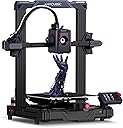
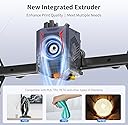
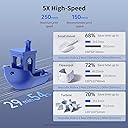
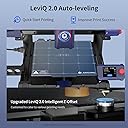
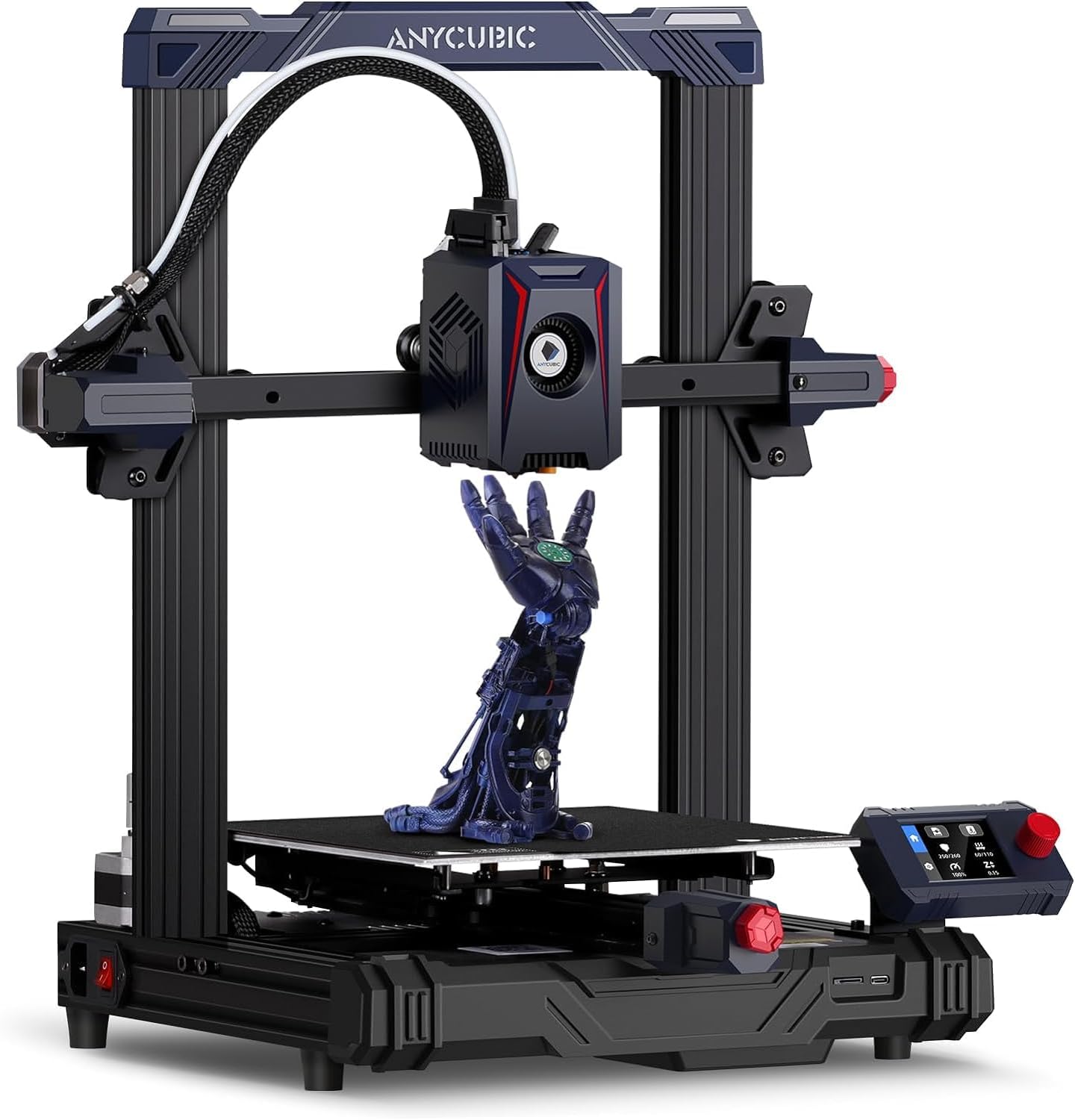
The Anycubic Kobra 2 Neo is a compact, metal-framed 3D printer boasting a blazing 250mm/s max speed and a smart LeviQ 2.0 auto-leveling system. Its upgraded integrated extruder with a 60W hotend and 7000 rpm cooling fan ensures crisp, high-quality prints across PLA, PETG, and ABS. Designed for both beginners and pros, it features a 4.3-inch touchscreen, modular assembly, and intelligent print recovery functions, making it a top-tier choice for fast, reliable prototyping and creative projects.


| Brand | ANYCUBIC |
| Colour | Black |
| Compatible Devices | Personal Computer |
| Item Weight | 7 Kilograms |
| Material | Metal |
| Product Dimensions | 22D x 22W x 25H Centimeters |
A**X
Blazing Fast and Beginner-Friendly – A Perfect First 3D Printer!
The Anycubic Kobra 2 Neo is hands down one of the best budget 3D printers out there right now. Setup was super easy — within 30 minutes, I had it assembled and printing the test Benchy, which came out clean and well-detailed. The LeviQ automatic bed leveling works like a charm, saving tons of time and effort. Even though it doesn't have a touchscreen, the knob-controlled display is very responsive and gets the job done without any fuss. Print speed is impressive, and the quality is great for a printer in this price range. It’s compact, well-built, and beginner-friendly — perfect for hobbyists, students, or anyone starting a 3D printing journey. Highly recommended if you're looking for an affordable, reliable machine!
W**.
Beginners friendly printer.
After 3to4 months it's working properly, best for the beginners, print quality is good , some times i facing the problem of "Resume printing", otherwise it's ok.
L**H
Good product
Value for money, be carefull while assembling, its a very good product, i have got amazing results. I have used it for 4 weeks.
N**V
Faulty and Damaged product By Amazon
When I have Recieved 3d printer it was faulty and damaged it's nozel is touched to plastic part and its get melted and clearly visible on printer , Major issue with the printer is it's y axis motor is always rotating in opposite direction during auto calibration and making noice and failure message shows on display, during unboxing found that it's some of the plastic tie was open already and display cover was also not their means it was previously opened. I don't know what the company is doing in final quality check ? And as Amazon prime costomer i very unsetsfy with this kind of service. Please give quality check QC passed and New product to coustomer it's amazon responsibility as well how your are handling prime costomer that shows.
P**7
Best printer for beginners
This is one of the best printer for beginners, those who want to buy ender 3 , can go for it, excellent printer and features, it's same as ender 3 but advance version, Note : it uses its own motherboard and software not ender 3 board Most of the ender 3 mods are compatible It requires less mods , Best budget friendly printer and alternative to ender 3, It has more advanced features than ender 3 like automatic bed leveling, induction probe , direct drive etc, Easy to print, almost no settings required for PLA
S**L
Good budget printer
This a very good printer in a budget. Auto leveling works like a charm. I am a master's student in AI ML, I needed this for my robotics projects. I have worked on a bigger printer in my institute so I already had a knowledge how to operate this. I recommend to have a knowledge of 3d printing and designing softwares like autocad and solidworks. For cura slicing settings and z - axis calibration you can reach me out on Instagram - @itssahilz. I printed some tiny parts to test precision and beleive me this one prints better than the one worth 5 lakhs in my college. Don't go with negative reviews. These people don't know about the machine and it's setup. The setup is very easy and straightforward.
S**X
Best for Beginners
This is my first cheap printer for 14k it is a good choice for Beginners
L**E
Good 3d printer with advance features
This is an amazing 3d printer with advance features like auto bed leveling, and nozzle calibration. The adhesion of the bed is quite good, as pei coting is even. The printing speed is amazing and performance is good compared other printer, the print quality is good as well.
P**R
Buenisima
Súper fácil de usar, es una impresora perfecta para principiantes el echarla a andar no me tomo mucho tiempo, eso si le construí una base con un mosaico y unas pelotas de goma como soporte que me recomendó un amigo para reducir las vibraciones y mejorar la calidad de impresión. El resultado fue excelente.
M**R
This review is for the noobs and parents trying to be cool
I had zero experience 3D printing before buying this. I was told by a friend that getting an auto leveler would be best and MAN IS IT. This is a great printer. Pretty idiot proof lol. SET UP: super easy and very clear instructions. If your printer turns on but the screen does not work, you just have to switch the voltage (w/e it’s called) for the power. Save you some googling there lol. The Z-offset will be crucial and sometimes takes some adjusting. Mine lives at about -0.85 so don’t be scared to adjust it. PRINTING: It comes with a tiny memory card and USB stick. Here’s how you print after you’ve done the owl test print. - Put memory card in usb and plug into computer - Open a file sharing 3D model site such printables(dot)com and search through things you’d like to print. I’d recommend reviewing how many files before clicking download all as some are different sizes or interchangeable options. This printer uses g code so any file like that should be ready to print. However, most files are in STL (I’m a noob, idk what printers use that lol). - Once g codes are downloaded, just drag and drop to your usb memory stick - (skip if downloaded g codes) If you downloaded another file type, you will have to splice it. You can do so by downloading a program called Ultimaker Cura and opening the file in there. You can duplicate, adjust size, add supports, adjust filament fill, etc. but most importantly, change to g code. This will take some getting used to but it’ll work. - Once usb is loaded up and properly ejected (right click usb and click eject), put the memory stick back in the printer. - Turn on and start printing! Recommendations: as you are getting the hang of printing, always hang out at the beginning so you can make sure it’s printing well. Any files that you don’t manually splice may not come with supports so if it prints badly, it’s probably the file #wallewithpot2023 lol. You can adjust the z-offset while printing and it’ll help if it’s not looking right. PROS: ease of use, auto level, ease of setup, prints great, display shows percentage completed CONS: does not connect to a phone app, uses a lesser common file type (but able to reconfigure), doesn’t connect directly to computer unless you buy a cable BEST FILAMENT: Anykubic sells a rainbow filament for this printer and it’s GORGEOUS (see photo of dragon). We have also tried another brand that’s blue on one side and green on the other. Print on that is hit or miss but looked great on a fidget.
A**R
A Great Printer... Unless...
I've had this printer for just a little under 2 months now - I've run through 2 spools of PLA and was about to start number 3. It's been a good little machine so far - Easy to set up, fairly simple to learn the process, and it produces great prints once you understand how all the Cura settings impact the quality of your print. HOWEVER - There's been an unusual grinding noise from one fan since the second week I got it, and now the stepper motor that drives the extruder is dead. I've entered a support ticket with Anycubic - We'll see if they support their product. If they do, great, I really love the machine overall. But if not - This may be $320 for a machine that lasts two months before you need to repair or replace it. I'll update this review when we see which is which. Update 8/2: It's rare that I update an Amazon review after dealing with a company's support services, but Anycubic offered EXCELLENT support - better than any I've received from American companies in recent memory. Over the last few days they've emailed multiple times offering troubleshooting advice, an easy to follow YouTube tutorial for checking continuity of the motor, and ultimately a replacement part is going to be sent to me. As I said, it's been a great machine overall - So a great printer from a company willing to stand behind their product is a 5 star purchase in my book.
E**Z
CHULADA!
UNa maravilla, no he tenido problema alguno eh estado imprimiendo todos los dias desde que llego, super facil de usar, de nivelar, es toda una maravilla.
J**N
Great Printer..... When IT Wants to Work.....
So I'm sure I'm not the first person to come across this issue with the Anycubic Kobra printer, after so many prints the extruder just decided to stop working. If it does work it's all for about 15 seconds before it starts to fail again. I purchased 3 of these printers and as of right now ONE of them works properly like it should. Tech support instead of offering replacements for the other 2 have tried to send new extruder motors which I've installed and am running into the same exact issue. I don't think it's hardware based but maybe a bad MOBO on the 2 not working, ideally when they are printing they work wonderfully. PROS- When the printers are working the self leveling feature is amazing. Just set your Z-Axis height adjustment and print away until it needs to be releveled. The direct drive feed is also a nice change of pace over managing and replacing bowden tubes. When everything is clicking these printers can produce some beautiful quality prints and do them rather quickly. **Note for beginner 3d printers out there, very minimal setup if you do decide to get this printer, you can be printing within 15 minutes of opening the box** CONS- Like I stated in my introduction paragraph above, either software issues on these are killing it for me overall, I've been 3d printing for years now and have gone through every troubleshooting scenario I can think of and nothing has fixed the issue I'm running into with the extruder, replacement extruder same thing. I feel like for the amount of money these are still running if within a few months you run into a situation where your product isn't working as it should they should be offering a replacement... that way you have a return customer and return profit coming your way. The other major con for me is actually getting into the main unit itself if you have any blockage that needs to be cleared. You have to take off the entire print head unit, pull off a fan, loosen 2 screws to drop out the print nozzle and hold the unit sideways to clean so your tension spring and screw don't fall out... leaving you to reset that before putting everything back together. OVERALL- PRINT QUALITY 10/10 RELIABILITY 2/10 CUSTOMER SERVICE (So Far) 1/10 It'd be nice if my issues were resolved by a simple firmware update or if my units can just be replaced in general so I can get back to printing. If you decide to purchase one of these for the long run it's a 50/50 shot on what you get and how long it will work. Good Luck!
Trustpilot
2 days ago
1 day ago