We remain fully operational. Our teams are working around the clock to ensure your deliveries continue safely.

DOWNLOAD THE APP


Customer Services
Copyright © 2025 Desertcart Holdings Limited
DOWNLOAD THE APP






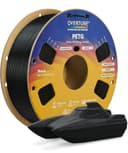
🖤 Print Bold, Print Strong — The PETG Power Move for Pros
OVERTURE PETG 3D Printer Filament delivers premium durability and precision with ±0.02mm diameter accuracy, heat resistance up to 250°C, and tangle-free spools. Designed for professional-grade functional parts and outdoor applications, it combines ABS-level toughness with PLA-like ease of printing, making it the go-to filament for reliable, vibrant, and high-impact 3D prints.
| ASIN | B08WZBYDRJ |
| Brand | OVERTURE |
| Color | 00-Black |
| Customer Reviews | 4.3 4.3 out of 5 stars (3,507) |
| Date First Available | 20 June 2021 |
| Ink Color | 00-Black |
| Item Weight | 1 Kilograms |
| Manufacturer | OVERTURE |
| Manufacturer Part Number | UK-PETG17511 |
| Material Type | Polyethylene Terephthalate Glycol |
| Model number | UK-PETG17511 |
| Number of Items | 1 |
| Package Dimensions | 23.8 x 21.2 x 8 cm; 1 kg |
J**R
Very Bad quality
Models keep warping when using this filament, but for the same model when using other filament is okay. Would not recommend it, waste of money and your printing time
B**E
I used Overture Rock White PETG for a larger 'functional' print, and it's worked out quite well. I have Bambu printers which print pretty fast - too fast for this filament. My first print I could pull apart quite easily with bare hands. Instead, I found at 0.2mm layer height with a 0.4mm nozzle, I had to keep the speed to 150mm/s or lower. At this speed the quality was excellent, and the print seems to be as strong as any other PETG print. The behaviour seems to be the same as normal PETG, and all that entails (flex, less brittle than PLA, etc.). Appearance-wise I think it's pretty stunning. It is a very vibrant white which is what I wanted. I've provided a photo comparing this Rock PETG to eSun PLA Marble. The surface is matte rather than shiny, which is unusual for PETG. The surface feels rough to the touch, rather than shiny and smooth. The 'black' pieces I think are very shiny because if they reach the surface they appear somewhat mirror-like. Occasionally this can result in a blemish on the print. I think a piece gets briefly stuck on the nozzle and drags for a bit. This can result in a line or 'divot' where it was dragged. I'm not sure if you need a hardened nozzle when printing this. I would follow the general rule that if there's anything else in the filament (glitter, fibres, etc.), use a hardened nozzle just in case.
D**I
It's a softer petg, the way it should be. I noticed other brands produce prints that somewhat resemble PLA in hardness, but not this one. The consistency is maybe a bit harder than the plastic in a soda bottle cap. Printing-wise, I just used the indications on the roll and I had zero issues with it. Stringing was almost non-existent, I had some prints with basically zero stringing. It bridges well, especially if the printer has adequate cooling (yes, for bridges you will have to ramp it up a little). No clogs, no issues, no headaches. I'm really pleased by Overture Light Grey PETG. This being said, I did not try any other color or material from them, but now I'm interested to try and see if other filaments are squally good.
J**W
I got this brand after my last one ran out. Last brand was ok but the print quality was not the best but it didn’t need to be great because these parts were to be used outside. Overture has been great since I started using it. No changes to any settings over the last roll and the quality is much improved. I will try overture in other filaments as and when I need them and hopefully get the same great result AAA+++
K**C
The only reason for 4 stars instead of 5 is because of their claim "prints easy like PLA." It took me a few failed prints using settings they list on the packaging before i finally got it dialed in. By contrast, PLA is much less finicky and has a lot more wiggle room. The initial problems i had on the failed prints were the printout being too brittle, bad bed adhesion, and really bad stringing. Once i managed to dial it in though, it was as good as i can expect from the base model Ender 3. Actually i think the print quality was better than their own PLA. But again, i would not agree with it being "easy." The only upgrade i have is the glass bed. The "clear" miniature in the pictures was printed with a 0.4 mm nozzle and 0.16 layer height (more slicer settings listed below). For comparison the painted model is PLA 0.12 layer height and a glued-on acrylic base. The paint fills in most of the layer lines though anyway. One of the pictures makes it look like there might be bubbles but i assure you that's just model detail and light refraction. My intention was to print out copies of my miniatures with the clear PETG to indicate when they're invisible. I knew i wouldn't achieve anything close to glass but i thought i'd get more translucency than what i got. I'm not a 3D printing expert so maybe you can get better results than me. There is some very minor stringing around the hands but it did fantastically with everything else despite being so small. There are a couple support artifacts leftover on the circle base but that's just my fault. Another thing to note is that the hardness of PETG is quite noticeable compared to PLA when doing cleanup on the printed model. Just FYI the painted miniature was printed in OVERTURE white PLA. I've never had a problem with OVERTURE filaments and i don't see any reason to buy from another brand. I don't even have a filament dryer but the filament has always been reliable even when sitting for a couple years. I'll update this in case my experience changes with the PETG. These are the main points in the slicer settings i used for the miniature. Layer height: 0.16 mm, wall line count: 1, infill density: 100%, infill pattern: Lines, connect infill lines: Enabled, infill line directions: [45], infill overlap percentage: 15%, printing temperature: 245 C, build plate temperature: 80 C, (all) print speed: 20 mm/s, travel speed: 150 mm/s, enable retraction: Enabled, retraction distance: 3 mm, retraction speed: 20 mm/s, enable print cooling: Enabled, fan speed: 30%, initial fan speed: 0%, generate support: Enabled, support structure: Tree, build plate adhesion type: None. I use generic glue stick on the glass bed and do the slicing in Cura 5.9.
S**R
Using Overture PETG Basic White on a brand new Bambu P1S with 0.4mm hardened steel nozzle. The print quality out of the box using the 'generic PETG' setting was fair but struggled a lot with overhangs and corners. When printing the model "All-In-One Torture Test - Fast. Compact. V2" there were tears in the outer perimeters at the upper right of circles that were 100% reproduceable on each print, and corners were curling up with each layer put down. It also failed the 75 degree overhang test and the long bridging test. Overture provide a Bambu P1S profile for this filament on their website - this fixed the 75 degree overhang issue and the corners curling, but the bridging test failed spectacularly and there were still tears in outer perimeters. I had an absolute hell of a time trying to figure this out - people on the internet give highly conflicting advice. In short, I ended up doing the following at 0.20mm layer height in Bambu Studio: -Use the Overture PETG Basic profile as a base (download from Overture's website then in Bambu Studio navigate to File > Import > Import Configs and then simply select the downloaded zip file) -Manually calibrated flow dynamics (k was way off at 0.02, it came in at 0.04 on my printer) -Manually calibrated flow rate but the Overture profile was almost spot on here (0.95 increased to 0.96) -If you haven't done it in a while then don't forget to do the 'Vibration compensation' and 'Motor noise cancellation' under Device > Status > Calibration -Select the correct Filament and PA Profile with the correct k value under Device > Status > AMS Materials Setting button (whether you use an AMS or not) Then in Prepare > Project Filaments > [Select your filament] > The three buttons symbol > Settings: -Bed initial layer = 80 degC, other layers = 70 degC -Nozzle initial layer = 260 degC, other layers = 260degC -Volumetric speed = 12mm^3/s -Cooling fan = min 10% with 30s layer time, max 40% with 12s layer time -Fan always on = True, slow printing down for better layer cooling = False, force cooling for overhangs and bridges = True -Cooling overhang threshold = 10% -Auxiliary part cooling fan off Then speed changes under Global > Speed. Everything needs to be slowed way down, which increases the print time vs the generic profile by about 25%: -Initial layer = 50mm/s -Initial layer infill = 100mm/s -Outer wall = 70mm/s -Inner wall = 140mm/s -Small perimeters = 70mm/s -Sparse infill = 150mm/s -Internal solid infill = 150mm/s -Overhang speed = 0, 50, 30, 10, 10mm/s for 10, 25, 50, 75 and 100%, respectively -Bridge = 50mm/s -Gap infill = 120mm/s -Travel = 500mm/s Acceleration also needs to be slowed down a bit: -Normal printing = 7000mm/s -Outer wall = 3500mm/s Finally, you need to make some changes to ensure the filament doesn't stick to the nozzle, as that can REALLY mess up your print. This is critical to ensuring you don't get blobs thrown around the chamber and all over your print. -Under Strength > Sparse Infill > Sparse Infill Pattern, change to 'Gyroid'. This makes a HUGE difference to filament build up versus grid! -Under Filament Settings again, navigate to Advanced > Filament start G-code > Raise Z by 0.03mm by adding 'G29.1 Z0.03' to the end. -Make sure your nozzle is physically clean before each print. I use a Panda Brush PX with silicone pad as the stock wiper is really useless with PETG. Sometimes I still need to give the nozzle a manual wipe to remove excess filament. After making these changes the print comes out a lot better (see pictures). Overhang tests now pass, no extrusion issues at corners, no tearing of perimeters; only a borderline fail on the long bridge test which sags slightly. Adhesion is good, though for larger prints I still use a brim of 5-10mm depending on size to prevent warping; 0.17mm brim-object gap appears to be necessary for the brim to separate cleanly. If after all this you are still getting blobs deposited on the print then double check your flow settings as you are probably overextruding somewhere. Now that that's sorted, I have a PETG filament cheaper than Bambu's own PETG-HF which while not as good quality, is sufficient for printing larger prints cheaply. I will probably switch to PETG-CF for models requiring highest quality but if I need to print something massive I will be using this.
Trustpilot
2 days ago
4 days ago