Buy anything from 5,000+ international stores. One checkout price. No surprise fees. Join 2M+ shoppers on Desertcart.
Desertcart purchases this item on your behalf and handles shipping, customs, and support to Kyrgyzstan.
🖥️ Double the screens, double the hustle.
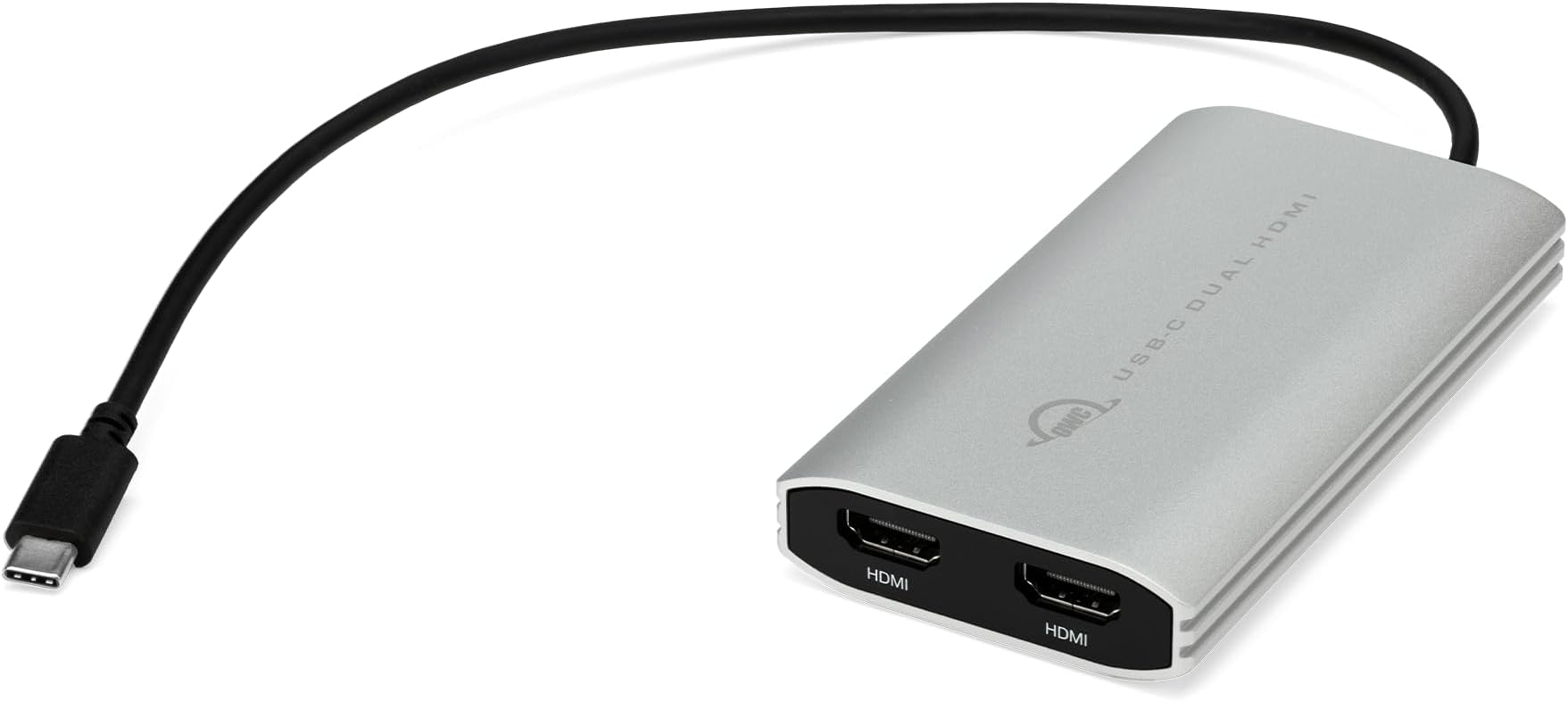
The OWC USB-C to Dual HDMI 4K Display Adapter leverages DisplayLink technology to enable dual 4K external displays from a single USB-C or Thunderbolt port, overcoming Apple M1’s single display limitation. It supports up to 90W pass-through charging, is compatible with Macs, PCs, Chromebooks, and Android devices, and offers flexible display modes in a compact, portable form factor—perfect for professionals seeking enhanced productivity and seamless multi-screen setups.


| ASIN | B09RMVL865 |
| Additional Features | Pass Through Charge |
| Best Sellers Rank | #67,026 in Computers ( See Top 100 in Computers ) #1,171 in USB Hubs |
| Brand | OWC |
| Color | White |
| Compatible Devices | Devices with USB-C or Thunderbolt ports |
| Customer Reviews | 4.3 4.3 out of 5 stars (186) |
| EU Spare Part Availability Duration | 1 Years |
| Enclosure Material | silicon |
| Hardware Interface | HDMI, Thunderbolt, USB Type C |
| Item Weight | 180 Grams |
| Manufacturer | OWC |
| Mfr Part Number | CADPDL2HDMI |
| Minimum Required Operating System Version | Mac OS 12 Monterey |
| Model Number | OWCCADPDL2HDMI |
| Number of Ports | 1 |
| Operating System | Mac |
| UPC | 810586038423 |
| Unit Count | 1 Count |
M**S
Just works, use the Display link driver,verified to working Macos 12/13 and up. Works with PC, use the display link driver. If you are a buying foe the business, this will do it. Don't mesa around with any other so called adapters, this works. It will require a USC C power supply 65 watt to cru a charge your machine at the same time as using two additional screens. An price point for it its competitive than the far more expensive other solutions.
V**R
This thing made it, my system now recognizes and works perfectly fine with two screens. For the M2 chips please download *Display Link Manager* and give permission to record your screen, what it does it basically uses the same kind of tech that Apple CarPlay uses so that’s why it requires you to let it record bits at a time. The adapter has two HDMI and one Type-C although you get that extra type c it does not work with my JLab Bluetooth dongle so I had to switch to wireless. Other than that, this thing is pricey, but it works.
R**N
J'ai récemment acheté un mac mini puce M4, ayant remarqué la présence de 4 ports dessus et un support pour de hautes résolutions sans problèmes je me suis dit que je pourrais mettre mes 4 écrans dessus sans problèmes, malheureusement apple bride son matos et je me suis retrouvé avec un écran inemployable, j'ai cherché un peu partout pour une solution (n'essayez pas de changer les fichiers de config de l'OS, il sont signés vous ne pourrez plus démarrer la bête après) et je suis tombé sur ce produit qui du coup convient parfaitement et fait le taf, je précise que comme une personne saine d'esprit je ne m'en sert pas pour faire de la recopie d'écran mais bien pour "agrandir depuis mon affichage principal", pour ma part je l'ai reçu en 1 jour et en très bon état et le produit est quali et par rapport à d'autres "Docks" me permettant de résoudre le problème il est plutôt raisonnable en termes de prix puisque certains dépassent les 200 euros.
B**N
The M1 13-inch will only support 1 extra monitor due to Apple's build. The OWC USB-C adapter has enabled a seamless 2 external monitor setup. I have a 27-inch Apple Display using Thunderbolt and a Dell 27-inch (4k). I connect the Apple Display using my CalDigit TS2 to the M1 and the Dell runs through the OWC adapter using DisplayLink. both work independently of each other, and the view is seamless, I have the Dell running at 2K to match the Apple Display's 2K. And it never has any issues. No latency issues. The only annoying thing is when I restart or it goes to sleep overnight, the Dell doesn't always come up, the workaround is to remove the power source from the OWC to effectively reboot DisplayLink, and then it comes up every time in a few seconds. And there is never any lag. I would imagine if the DisplayLink doesn't care that I'm running the Apple Display there's no reason why you could have three external displays running. Thank you OWC for a solid, dependable product with a robust build at a decent price.
M**C
I bought this for my 2023 MacBook Air M2 to run two external screens and it has worked perfectly so far. I've had the adapter for two months and was previously running Ventura and now on Sonoma 14.1.1. The driver installation was fast and easy. I'm not using external screens for anything requiring hi-res (just word processing mainly) so this device is perfect for me. The only small glitch I've found is that occasionally the external screens won't detect the device, but unplugging the HDMI cables from the adapter and reinserting them fixes that instantly, and it only happens rarely when the adapter hasn't been plugged into my laptop for a few days, i.e., it hasn't dropped signal at all while I've been working on the computer with external screens running.
Trustpilot
2 months ago
2 weeks ago