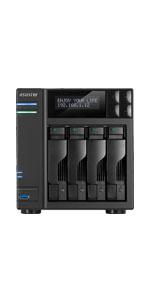
🚀 Unlock lightning-fast storage and streaming — because your data deserves the VIP treatment!
The Asustor Lockerstor 4 Gen 2 AS6704T is a high-performance 4-bay NAS featuring a quad-core 2.0GHz Intel Celeron CPU, 4 M.2 PCIe 3.0 SSD slots, dual 2.5GbE Ethernet ports, and 4GB DDR4 RAM. Designed for professionals and media enthusiasts, it supports 4K HDR hardware transcoding, offers flexible PCIe expansion, and delivers ultra-fast network speeds up to 350MBps. This diskless NAS combines cutting-edge hardware with versatile connectivity to future-proof your storage and streaming needs.


| ASIN | B09VX5RB6N |
| Are Batteries Included | No |
| Batteries | 1 AAAA batteries required. |
| Best Sellers Rank | 14,146 in Computers & Accessories ( See Top 100 in Computers & Accessories ) 12 in Network Attached Storage (NAS) Enclosures |
| Brand | Asustor |
| Colour | Lockerstor Gen2 |
| Customer Reviews | 4.3 4.3 out of 5 stars (250) |
| Date First Available | 18 Mar. 2022 |
| Form Factor | Tower |
| Guaranteed software updates until | unknown |
| Item Weight | 3.5 kg |
| Item model number | 116436 |
| Lithium Battery Energy Content | 1 Milliampere Hour (mAh) |
| Lithium Battery Packaging | Batteries packed with equipment |
| Lithium Battery Weight | 1 Grams |
| Manufacturer | Asustor |
| Number Of Lithium Ion Cells | 1 |
| Number of Lithium Metal Cells | 1 |
| Processor Count | 4 |
| Product Dimensions | 24 x 32 x 30 cm; 3.5 kg |
| RAM Size | 4 GB |
C**S
Bought as a Plex Server
I've had this NAS since the 6th of April 2023. This is a limited review, using this NAS as a Plex Server. So, buying from Amazon was fine, and delivery was fine, the NAS had no hard drives in it, so no worries about the package being delivered. I had a Western Digital PR4100 before and I loved it.... I bought this NAS for two reasons, 1. I had run out of storage, 2. This NAS will hardware transcode 4K HDR to 1080P, which my lovey Western Digital NAS could not do :( Let's talk about money, so Amazon had the best price... however, this was a BIG investment, we are talking over £600, so it needs to work and be good... and that is without hard drives!!!!!!! I was concerned at first about the ADM? operating system, having watched loads of videos on youtube, with many suggesting it's less refined then what you get with Qnap, or Synology, however, it's fine, in fact, it was easy to use, don't forget, I'm reviewing this as a Plex server, so I'm not experienced all the other NAS stuff. I installed 4 Ironwolf 4TB NAS drives, you have to use a screwdriver, and put very tiny screws in.... crumbs, it was a bit tricky at first, the screws are small, take your time and make sure you don't cross thread them... So it done a ADM operating system update when turned on... and started to build the volume... I'm using Raid 5.... Is it a good Plex Server???? Yes, it's does do 4K HDR hardware transcoding, but only to 1080p, but you will not get anything else then that from any other manufacturer, that is what the chips do right now. It's is fast, so starting a video, and skipping forward is fine... The 4 drives seem a bit noisy, I will be moving it to a cabinet, so it should be okay, but if you wanted it in a living room, and not in a cabinet, it does make some noise... Do I like.... I do... it works just fine, I hated the ADM software at first, but I have now learned where everything is, and it's fine, in fact it's great.
M**T
Fast NAS low noise. Impressive
After 10+ years of using Synology I made the switch to Asustor. I was dubious at first But that has not lasted long. 4 Disks slots and 4 nvme slots provides ample storage. Dual 2.5G nics work perfectly. With SMB multi channel I am seeing speeds of around 350MBps. The OS gets mixed reviews. Its is perfectly fine. I run any additional services in docker rather than the built in apps. I do however use the built in plex media server app which works very nicely.
A**R
Great Plex NAS
The necessity to remove the 4xSSD adapter (and lose all SSD caching capability) in order to use a 10Gb adapter knocks it down one star. Significantly faster and more versatile than the WD PR4100 its replaced. Plex streaming is significantly smoother and the CPU is a lot more capable. Removing/upgrading the second RAM slot is very fiddly. Easy access is blocked by the internal structure's diagonal, instead of being an easily accessible rectangular hole. 16GB works no problems. All in, I probably should've waited for the QNAP TS-464, for the best of both worlds.
A**R
highly recommended from an x wd user
i have owned many nas setups and as i will no longer buy wd i had to look for new systems, i have to say this asustor nas seems to be very good, low noise, easy setup, lots of apps and runs my home backup systems and emby really well. would highly recommend
A**X
Fantastic gizmo
I got myself one of these so I could offload a bunch of things from my computers onto an "always on" device. It's a brilliant little NAS. I'm running it mainly as a media server, with a bunch of things set up in docker/portainer to serve up all my videos, music, books, comics, etc... and some other services not media related. Really pleased with this thing, complete game changer.
S**L
Love it.
Great nas, I only use for plex and document storage. It's fast enough at 2.5Ghz enough for me.
A**S
A Fantastic Machine
This is my 3rd Asustor and it's as reliable and easy to use as it's predecessors. It is quiet and stuffed with upgrade options that are easy to access. Love it!
R**R
Very powerful although tricky to set up
Took a couple of attempts to get it working correctly with Emby and nearly gave up as little or no suitable info on YouTube or manufacturers website.. Second attempt after a factory reset worked, although no idea what was different on attempt 2.
T**A
Habe das NAS mit folgender Hardware ausgestattet: 2 x 8 GB Crucial DDR4-SODIMM CT2K8G4SFRA32A 3200MHz CL22 (problemlos erkannt) 2 x 1 TB Crucial P3-NVMe CT1000P3SSD8 (SSD Cache) 2 x 8 TB Seagate IronWolf 8TB im Raid 1-Verbund (7,28 TB verfügbar - rumpeln hörbar) Der äußere RAM-Riegel ist nach Abnahme des Gehäusedeckels gut erreichbar, für den inneren Riegel muss man einige Steckkarten losschrauben und diese herausziehen (bei Asustor gibt es u. a. zum Thema RAM-Upgrade ein Video). Insgesamt - und bei vorsichtiger Herangehensweise- war die Hardware aber binnen 30 min. montiert. Die Einrichtung des NAS war einfach, da ich die IP anhand der unter dem Gehäuse klebenden MAC-Adressen der beiden LAN-Adapter (oben LAN 1, unten LAN 2) bereits in meiner FritzBox vordefinieren konnte, um wunschgemäße IP-Adressen zu bekommen (kein Muss, sondern ein Kann). Nach Installation und Ausführung des ASUSTOR Control Centers war es sofort möglich, einen neuen Admin-Account anzulegen, wodurch der Standard Admin-Account (admin/admin) direkt und automatisch deaktiviert wurde. Auch durch Sicherheitseinstellungen (Portänderung für http/https) wurde ich sogleich geführt und das vorhandene Update des ASUSTOR Data Master (ADM) in Version 4.2.0.RE71 zur Installation angeboten und schließlich installiert. Da es in 2022 allein 6 ADM-Updates gab, gehe ich auch weiterhin von einer guten Produktpflege aus. Auch auf der Oberfläche ist - aus meiner Sicht - eine gute Informationsunterstützung gegeben. Im Betrieb hört man die Ironwolf ordentlich rumpeln, was für mich jetzt kein Problem darstellt, aber Interessierten bekannt sein sollte. Ob es ein Ironwolf-Phänomen ist, weiß ich allerdings nicht. Ich hatte mich hinsichtlich dieser Festplatten informiert und des Öfteren gelesen, dass sie lauter sind als andere (keine eigenen Erfahrungswerte dazu). Ich habe mich dennoch für diese FP entschieden, da der Lockerstore eine IronWolf Health Management-APP zur Überwachung hat und in meinem Fall das NAS abgesetzt steht. Die Reaktionsgeschwindigkeit des NAS ist m. E. sehr gut und die sonstige Betriebslautstärke -abseits der Festplatten - "im erwartbaren Bereich" (aktiver Lüfter im Betrieb). Die Übertragungsgeschwindigkeiten (ein 2,5 GBit-LAN in Betrieb) sind per WLAN ac und abhängig der übertragenden Daten(größen) gut, d . h im oberen Bereich durchaus um oder auch über dem GBit-Bereich von 125 MBit/s (LAN-Übertragung noch nicht durchgeführt).
木**公
旧NAS ASUSTOR AS-604Tからの交代。M.2を4枚搭載、RAID5構成できて、期待通り。HDD 8TB x4もRAID5でNAS 2台分の様な感じ。素晴らしい。スマホをBluetooth接続した昭和時代のオーディオで、NAS格納の音楽再生。また、10Gbps環境で、屋内での大容量ファイル転送も、M.2をターゲットに100GBが7分程度で完了。満足。M.2の冷却は、上面にヒートシンクを乗せてます。サンドイッチタイプは、隣接との隙間が無いため、NG。立ち上げは、ガイドに従い初心者でも容易。M.2がデフォルトでVolume 2で、フォルダ設定時にVol2を選択することで、M.2側に新規フォルダ作成できました。ここ、わかりにくい。
K**N
Helt klart värt att ha hemma Kör en del saker på dom som annars krävdes från min dator. Utmärkt att man kan skapa dockor i den + virtuella datorer
S**A
Very easy to setup and received in excellent condition.
A**A
TS-431Pからの買い替えになりますが、AS6704Tは起動が早いですね。私の環境だと1分もかからず起動します。 マニュアルを見なくても設定できましたが、ブラウザから接続する場合、IPアドレスにポート番号の8000の追加が必要なのと、初期パスワードはadmin/adminを知っていれば、ある程度知識のある方ならマニュアル不要ですね。 あと、本体がアルミカバー?で薄い作りなので、やはり騒がしいHDDだとご家庭ではポコポコ共振して煩いです。 5400回転のCMR方式の3.5HDDか、2.5インチのHDDを使うと良いでしょう。 ちなみに、WDのRedは高回転のは意外と騒がしいので注意。 T社、S社、はどれも騒がしいものばかりなので、私はWDの紫で5400回転のものを愛用してます。スピンドルアップ時の音が少しするくらいで、あとは無音なかんじです。 あとは、このNASは2.5インチのSSDも、nvmeも使えるので、オールSSD化してしまえば、省電力&静音化できると思います。 webの設定ページもQNAPに似ていて操作しやすいです。 そうそう、トレイは金属(プラの補強がつきますが)でフロントのみプラです。 内部でディスク間コピー中でも、LAN接続の別NASから、コピー中じゃない別のディスクにコピーしても速度の低下がないのが良いですね。 431Pだと速度が大幅に落ちたので。
Trustpilot
1 week ago
1 week ago