Buy anything from 5,000+ international stores. One checkout price. No surprise fees. Join 2M+ shoppers on Desertcart.
Desertcart purchases this item on your behalf and handles shipping, customs, and support to Kyrgyzstan.
🖱️ Elevate your workspace with precision, speed, and style — the MX Master 3S is the ultimate power move.
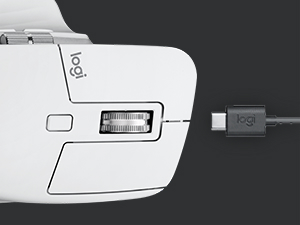
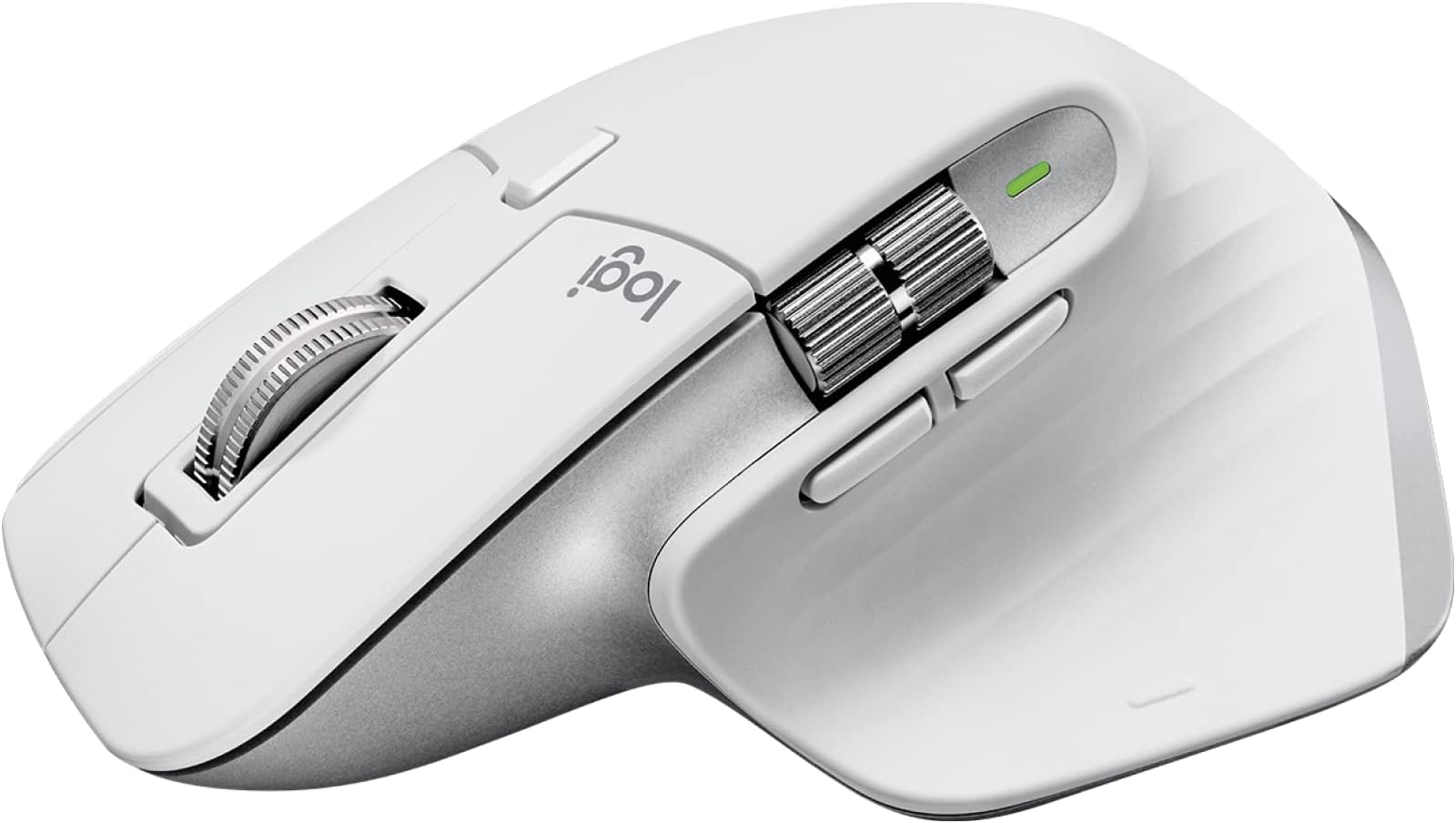
The Logitech MX Master 3S Wireless Mouse Standard Edition combines an ultra-precise 8000 DPI sensor with MagSpeed scrolling technology for fast, quiet navigation on any surface, including glass. Designed ergonomically for comfort, it supports multi-device connectivity via Bluetooth and Logi Bolt USB receiver, enabling seamless workflow across Windows, macOS, Linux, and Chrome OS. With a rechargeable battery lasting up to 1680 hours and sustainable materials, it’s engineered for professionals who demand performance, versatility, and style.


| ASIN | B09HMKFDXC |
| Additional Features | Lightweight, Portable, Rechargeable, Wireless |
| Antenna Location | Office |
| Are Batteries Included | Yes |
| Are Batteries Required | Yes |
| Battery Average Life | 1680 Hours |
| Best Sellers Rank | #500 in Computer Mice |
| Brand | Logitech |
| Built-In Media | Item |
| Button Quantity | 7 |
| Color | Pale Grey |
| Compatible Devices | Laptop |
| Connectivity Technology | HDMI , Radio Frequency , USB |
| Customer Reviews | 4.4 out of 5 stars 2,682 Reviews |
| Enclosure Material | Plastic |
| Global Trade Identification Number | 00097855174796 |
| Hand Orientation | Right |
| Hardware Platform | Mac, PC |
| Item Dimensions L x W | 7"L x 5.5"W |
| Item Type Name | Mouse |
| Item Weight | 0.7 Ounces |
| Manufacturer | Logitech |
| Mfr Part Number | 910-006558 |
| Model Name | MX Master 3S |
| Model Number | 910-006558 |
| Mouse Maximum Sensitivity | 8000 Dots per Inch |
| Movement Detection | Optical |
| Movement Detection Technology | Optical |
| Number of Batteries | 1 Lithium Polymer batteries required. (included) |
| Number of Buttons | 7 |
| Operating System | Chrome OS, Linux |
| Pattern | PC/MAC |
| Power Source | Battery Powered |
| Range | 10.0 meters |
| Special Feature | Lightweight, Portable, Rechargeable, Wireless |
| Style Name | Mouse |
| Theme | Productivity and Comfort |
| UPC | 097855174796 |
| Unit Count | 1.0 Count |
| Warranty Description | Manufacturer’s warranty can be requested from customer service. |
R**N
Hands down the best mouse I’ve owned. For office/production work and for gaming heavily
I’ve bought mainly gaming mice over the past decade. Tried them all. From simple light weight gaming mice, to 15 macro button pad mice and everything in between. Razer, hyper x, Logitech gaming, glorious gaming, SteelSeries, etc. this is hands down the best mouse I’ve owned. Great for video editing and honestly an amazing mouse for gaming. I play Destiny 2 and cod a lot. And the natural fit for your hand makes it great as well. Edit: this can give you the DPI when you enable 8k on the software From a perspective of a gamer who likes to watch YouTube etc while gaming or also playing competitive, I’d say definitely try this out. I’ve come back to revise my summary about this because I’ve used this mouse nonstop for all games for a while now and STILL LOVE THIS. This mouse just does not disappoint. Mouse still holding up, hasn’t been broken, or had issues. I still feel the same way back when I first unboxed it and tried it. 100% buying another one. The different scroll options create faster responses in game, and the thumb action button located on the thumb rest, is honestly great in the aspect of gaming. Can set a macro for it or to run programs, switch desktops, etc. and the battery life is INSANELY GOOD. I’m really good about turning off my wireless mice when I’m gone but there’s times I forget. From gaming anywhere from 10-50 hours a week, it still has majority of its battery. I hardly ever have to plug it in. If somehow my mouse breaks, in a heartbeat, I would buy this again. Hopefully in the future, Logitech makes a gaming version with same exact design. Edit: longest time I’ve gone without charging it (playing games anywhere from 6-17 hours a day) is 4 months. No exaggeration. P.S. if you have a hard time controlling mice that are too light while gaming, this is a great mouse with great solid weight. It’s not overwhelmingly heavy but isn’t insanely light to where if you adjust your grip during play, it’ll go off target. In short, easily the best mouse in my opinion. TRY IT! Overall; Incredible mouse. Design is great, hands don’t cramp, astonishingly comfy to hold, insanely good battery life, great for the office (along with switching seamlessly every time from my pc to my laptop, to my iPad with ZERO problems) and for hitting clips. Buy this mouse so you don’t miss out!!!!
B**S
Great office mouse, similar to previous models, with mostly QOL upgrades
Between the MX Master 2s and 3s, there are almost no differences in terms of buttons or functionality. The 3s uses a USB-C port. Features Logitech’s “Quiet Click”, and “MagSpeed Wheel”. Depending on your budget and needs, this mouse may not be for you. It’s heavy, kind of ugly, and not necessarily “affordable”. However, like previous generations of the MX S series. This mouse does what it says and does it well. Starting with “Quiet Click”, this might be the selling feature for upgrading. The clicks are just as accurate as previous models, but with almost no noise. It’s rather liberating being able to click like a madman in a library and not bother anyone. The “MagSpeed Wheel” is like previous generations with a little more speed and control. If you’re the person who needs to scroll 750,000 lines in less than 10 seconds look no further. Ergonomically, it’s more comfortable, but it’s also heavy at a thick 5 ounces. That’s basically the weight of a baseball. Battery life is insane, easily lasting 2 months between charges with heavy use. This mouse is versatile when you use the software (LOGITECH OPTIONS PLUS). The gesture control is still somewhat wonky, but it’s to be expected. At the end of the day, if you’ve got the cash, and the insensitive to upgrade. You should. The “Quiet Click” alone is an incredible feature on a mouse like this. Bluetooth works flawlessly and seamlessly. Any device that has Bluetooth should be able to pair without a problem. Just make sure you’re doing it correctly. It’s built like a tank and has a decent warranty. Lefties still get shafted, but it’s still useable in the way you’d want. Get the black one if you don’t want to see how dirty your hands are after 3 months. (I wrote this review of my own volition)
D**Y
I have a new favorite mouse
Fantastic tactile feeling that almost feels like it's coated in silicone and not hard cold plastic. The quiet mouse clicks are satisfying, and the scroll wheel is amazing, but I wish it had side to side motion however, it's not a feature I would use that often and the scroll wheel function trumps any other secondary usage. The white mouse does get a little dirty, no matter how clean your hands are. I only used water, but maybe something like soap or alcohol, but I fear the alcohol might interfere with the rubbery like texture of this mouse. I've struggled with the wireless connection using "gaming mice", but this mouse worked flawlessly. Comparing it to other gaming mice, the battery life is infinitely better; like charging once every few weeks whereas my gaming mice would require charging every 24-48 hours. In the past 6 months I've sourced three of these mice; two in white, one in gray (Graphite?) and love them all. If I had to have one gripe or suggestion/comment, and it's likely just me, but my middle finger frequently taps the right button inadvertently. Not sure if it's the way I'm sitting, the way my hand is shaped, or if my middle finger twitches, but resting my middle finger on the right mouse button will often trigger mis-clicks. Still the best mouse I've ever owned.
N**.
Best Productivity Mouse Ever Built
I have now had the MX Master 2, and now the MX Master 3S. For those curious, the 3S is has silent clicks compared to the 3 which is more clicky, similar to how the Mx Master 2 was. This mouse is incredible. It feels great in the hand, can connect to 3 different devices at once, and using the Logi Options software it is fully customizable. I have been using this mouse with a MacBook Pro, a PC gaming desktop, and my iPad Pro. It works flawlessly with each of the different devices. Pros: -tons of customizable buttons -high quality materials -super comfortable for long durations -3 device connectivity at once -can move documents from computer to computer using only the mouse software (can be cool feature) Cons: -Expensive (but you get what you pay for) -the white does pick up dirt quite easily, make sure to have clean hands hah
T**Y
Worth Every Dollar, Possibly More
The shape and build quality are top notch. Extra features like a thumb scroll wheel and gesture button for macros are hard to find in most new mice. This one does a particularly spectacular job in all areas. Get the black/grey version, the white one that I got gets dirty very quickly and is hard to clean off. The optional Logitech Options + software is loaded with additional features that allow you to customize everything from the DPI range, scrolling behaviors, application specific shortcuts and macros, and allows you to completely change the function of each button. The thumb gesture button could be a little farther back on the thumb rest. If it were, I would use the gestures more often. The best feature is being able to switch back and forth between open windows by clicking the gesture button. The scroll wheel is electromagnetic and can be toggled between clicking over one line at a time and freely spinning to scroll at up to 1000 lines per second. The thumb wheel is pretty standard, it's nice and slow moving for fine control of left to right movements, or to smoothly track back and forth in video editors. You can use the Logitech Options + software to enable the scroll wheel to change between clicking and free spinning depending on how fast you turn it, which is a phenomenal touch by Logitech. The lightspeed wireless adapter is awesome. Almost no detectable latency in hand to cursor movement. The buttons are silent and the PTFE skates are super smooth on any surface. I've started bringing from my office to home so I can use it on my personal computer for FPS games given how feature rich it is. It's not the best gaming peripheral, but the extra buttons and high speed sensors perform incredibly well. By far, this is the best computer peripheral I own and I actually find myself recommending it to new coworkers and gamers. I plan on using this until it falls apart, then I'm buying 2 so I can have it everywhere I go.
M**M
Great mouse even if I've had a few issues with it.
Is it good for games? Alright so first of all, I do want to stress that this isn't the best for games that require quick mouse movements. The reason for that is because it has a thumb-rest. With a normal mouse, you can use your thumb, 5th fingerm and palm to bring the mouse to a quick stop. Having the thumb-rest removes one of those stops, which makes it harder to bring your mouse to a sudden stop. It also makes fine movements a bit harder. So yeah, unless you're plaing games that don't really require a lot of mouse action, I'd say maybe avoid this mouse. How is it for productivity and web-browsing? Honestly this mouse is amazing for pretty much anything besides games that require fast and/or precise mouse movement. It feels great, looks great, and for the most part, functions great. One thing I wasn't quite sure if I liked or not when I first got the mouse was the scroll wheel. If you scroll it too hard it will just keep spinning for a LONG time unless you stop it. At first I kinda hated it, but now that I've gotten used to it, I really like it. When scrolling slowly it acts just like a normal scroll wheel, but if you really give it a spin, it allows you to speed down to the bottom of a page or document. At this point I think I'd have a hard time going back to a normal scroll-wheel. What's the big issue with the mouse? Alright, so here's the not-so-good part. Every once in a while it'll start stuttering. It's not a huge problem really, as you just have to press the button on the bottom a few times to reset it, but it's annoying that such an expensive mouse has this issue in the first place. I will stress that this only happens like once a week or so though, so it's not really a constant problem.
F**O
Deceptive marketing with low quality built
***WARNING****STAY***AWAY***FROM****LOGITECH**** I bought this mouse in May 2023, and it was a problem for me when I realized the latency on this mouse is pretty high if you use it in Bluetooth mode. I switched to wireless and found it has better and faster latency. However, I often found the mouse latency got worse after a few months and it is not suitable for gaming. Furthermore, the quality build for the mouse clicks is not great at all. My right click got worn out and happened to miss more right click than normal and this does not work on the different PC I tested. I contacted customer service and they said I would not get the warranty as it has been more than 1 year (how odd the mouse broke within a few months after 1 year). The Logitech agent provided me the discount code 30% which is pretty lame, however, I still trust Logitech and tried to use the discount code to buy the G502X mouse, and the code did not work at all. I contacted the agent again and they told me that the discount code was for an older mouse. At this point, I lost hope on Logitech and went on Amazon and found out the G502X got a 30% discount on Amazon without any code. At this point, I just realized how deceptive Logitech was when trying to trick their customer into buying a new product with some deceptive marketing sale technique while doing problem-solving for your broken mouse. After a little bit more than a year of usage, I can not find any justification for the cost of this trash mouse. After I did some research online, I found the Razer Pro Click Mini is a much better option with better performance and a cheaper price than this bad mouse. I attached the profile of left-click (red) and right-click (green) speed for you to see my MX Master 3S when I was spamming clicking it as fast as I could. I should have bought the Razer pro click mini rather than this piece of trash.
T**N
Precise, Comfortable, All-arounder Mouse
Great mouse for Mac! It's been great for Office 365 apps, built-in Mac/Apple apps, web browsing. My hand doesn't tire easily using it. It's extremely responsive, but not overly so, if that makes sense. It does precisely what I want it to do.
K**M
High productivity and high quality
Very high quality and very productive
M**A
Excelente calidad
Muy recomendable súper cómodo, la batería dura muchísimo, lo puedes conectar por Bluetooth sin necesidad del receptor, trabaja en cualquier superficie ya sea cristal un otro material, este es para diestros pero también existe uno para zurdos
M**K
Came in a good condition
D**G
Excelente mouse
Ya tenía uno en color gris y me encanto y le compré a mi hija uno blanco y también funciona a la perfección, ya haré un update si cambia de color van 3 semanas y todo bien
D**Y
horizontal scroll and easy switch function are great
Good: - horizontal scroll is amazing when working on excel - Easy switch has been helpful in using across 2 computers without needing a kvm - decent battery life - good build quality Not a con, but good to know: - bit heavy - if you have old bluetooth device, easy switch may have delays. - when using it with mx keyboard, easy switch doesn't work simultaneously 100% of the time - not ideal size for small hands - 1 year warranty Perfect mouse for productivity. It is hard to move on to a different mouse, once you are used to its functionalities. I had some left mouse click issues before the 1 year mark, but was able to receive a replacement with the warranty.
Trustpilot
5 days ago
1 month ago